Our Short List of 3
All 5 Picks at a Glance
| Product | Specs | Action |
|---|---|---|
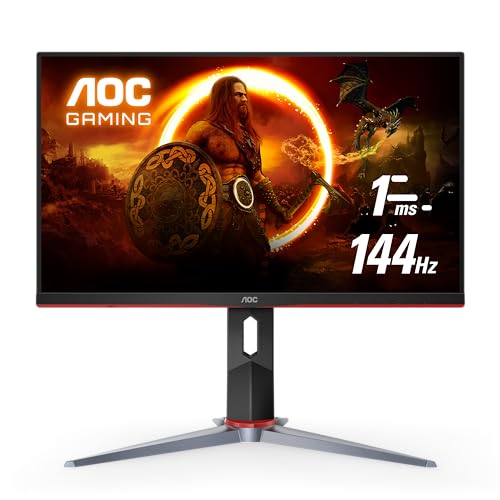 AOC 24G2 24-Inch 1080p 144Hz | Check price on Amazon | |
 ASUS TUF Gaming VG249Q1A 24-Inch 1080p 165Hz | Check price on Amazon | |
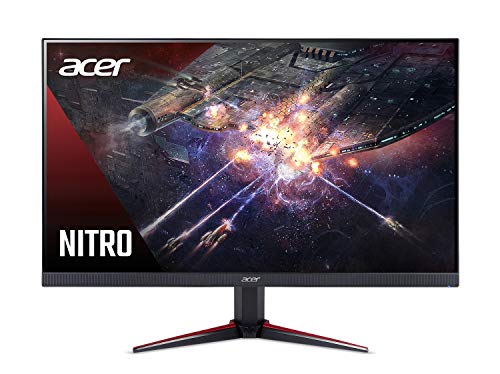 Acer Nitro VG240Y Pbiip 24-Inch 1080p 165Hz | Check price on Amazon | |
 ASUS VG248QE 24-Inch 1080p 144Hz | Check price on Amazon | |
 BenQ ZOWIE XL2411K 24-Inch 1080p 144Hz | Check price on Amazon |
High-definition monitors remain the sensible choice for most desks. A 1080p panel is sharp at 24 inches, it runs smoothly on modest hardware, and it costs far less than a 4K display while still showing text, video and games clearly. The best HD computer monitors pair a good 1080p panel with a fast refresh rate, accurate colour and a slim design, so they work for office tasks, study, streaming and casual gaming without asking your graphics card to work hard.
This guide covers the best HD computer monitors across several uses, from a fast 144Hz gaming panel to a classic office display that has been a desk staple for years. Every pick below is a real 1080p monitor sold on Amazon US, and each one is matched to a different way of using a computer, so you can find the panel that suits your desk and your daily work.
Our Top Picks
Top 3 picks at a glance
How to Choose
1. Panel size and pixel density
A 1080p resolution looks sharpest at 24 inches, where the pixels are small enough that text looks crisp. At 27 inches, the same resolution looks a little softer, so a 24-inch panel is the sweet spot for most HD monitors. If you sit close to the screen, a smaller panel keeps text sharp; if you sit further back, a larger panel is easier on the eyes.
2. Refresh rate and smoothness
A 60Hz panel refreshes the image sixty times a second, which is fine for office work and video. A 144Hz panel refreshes more than twice as often, which makes scrolling smoother, the mouse feel more responsive, and games look fluid. For casual gaming, a higher refresh rate is the single most noticeable upgrade you can make to a monitor.
3. Panel type and colour
IPS panels offer accurate colour and wide viewing angles, which suits shared viewing and colour-sensitive work. TN panels are faster and cheaper, with narrower viewing angles and less accurate colour, while VA panels offer deeper blacks and stronger contrast. For everyday use, an IPS panel is usually the best balance of colour and viewing angle.
4. Response time and ghosting
Response time measures how quickly a pixel changes colour, and a slow response leaves a faint trail behind moving objects, known as ghosting. For gaming, look for a response time of a few milliseconds or less; for office work and video, it matters far less. A fast panel with a low response time keeps games sharp during fast movement.
5. Adaptive sync and tearing
Adaptive sync technologies match the monitor’s refresh rate to the graphics card’s output, which removes screen tearing and stuttering in games. Look for FreeSync or G-Sync Compatible support if you play games, because it makes the picture smoother without adding cost. For office use, it is a bonus rather than a necessity.
6. Connectivity and ergonomics
Check the inputs: HDMI works with laptops, consoles and streaming devices, while DisplayPort is the standard for a desktop graphics card. A height-adjustable stand keeps the screen at eye level, which matters for long work sessions, and a VESA mount lets you put the monitor on an arm to free up desk space.
7. Bezels and design
Slim bezels make a monitor look modern and help when you add a second screen, because the gap between the two panels is smaller. A clean design with a small footprint also leaves more room on the desk for a keyboard, a notebook and a coffee mug, which matters on a crowded workspace.
Top Picks
AOC 24G2 24-Inch 1080p 144Hz
The AOC 24G2 is the best all-round HD computer monitor in this guide, and it is the one to begin with when you want a fast, colourful 1080p panel that does everything well. Its 24-inch IPS display runs at 144Hz with a one-millisecond response time, which makes games fluid and scrolling smooth, and its wide colour coverage keeps films and photos looking natural. The slim bezels and height-adjustable stand suit a modern desk, and FreeSync support removes tearing in games.
It is best for a mixed-use desk where the same monitor handles work, streaming and casual gaming, and for anyone who wants the smoothness of a high refresh rate without paying for a 4K panel. The caveat is that it is a 1080p panel, so it will not show the fine detail of a higher-resolution display, and its brightness is modest compared with a premium monitor. Confirm the exact model on the live Amazon page before ordering.
ASUS TUF Gaming VG249Q1A 24-Inch 1080p 165Hz
View the ASUS TUF Gaming VG249Q1A on Amazon
The ASUS TUF Gaming VG249Q1A is the gaming pick, and it pushes the refresh rate to 165Hz for an even smoother picture. Its 24-inch IPS panel combines a fast refresh rate with a one-millisecond response time, and it supports adaptive sync for tear-free gaming. The TUF design is built for durability, with a sturdy stand and a clean, understated look that suits a gaming desk without shouting about it.
It is best for casual and competitive gaming at 1080p, and for anyone who wants the quickest HD panel in this guide. The caveat is that its colour accuracy is tuned for games rather than photo work, so it is less suited to colour-critical tasks than the AOC or the Acer below. Confirm the exact model number, VG249Q1A, on the live Amazon page before ordering.
Acer Nitro VG240Y Pbiip 24-Inch 1080p 165Hz
View the Acer Nitro VG240Y Pbiip on Amazon
The Acer Nitro VG240Y Pbiip is the value pick, and it delivers a 165Hz IPS panel with wide viewing angles at a modest outlay. Its 24-inch display shows games and video with smooth motion and good colour, and its slim bezels and height-adjustable stand make it easy to fit on a crowded desk. FreeSync support keeps games free of tearing, and the panel’s brightness is enough for a well-lit room.
It is best for a first gaming monitor or a second screen for a student setup, and for anyone who wants a fast panel without the premium badge. The caveat is that the Nitro line includes several close variants with similar names, so confirm the exact model, VG240Y Pbiip, on the live Amazon page before ordering, and check that the listing matches the 165Hz version you expect.
ASUS VG248QE 24-Inch 1080p 144Hz
View the ASUS VG248QE on Amazon
The ASUS VG248QE is the classic pick, and it has been a desk staple for years because it does the basics of a fast HD monitor well. Its 24-inch TN panel runs at 144Hz with a one-millisecond response time, which made it one of the first monitors to bring high refresh rates to a wide audience. It offers DisplayPort, HDMI and DVI inputs, a height-adjustable stand and a sturdy build that has lasted on desks for a long time.
It is best for a proven, no-nonsense gaming monitor, and for anyone who values a long track record over the newest panel technology. The caveat is age: as a TN panel, its viewing angles and colour accuracy are narrower than a modern IPS display, so it suits a single viewer sitting directly in front of it rather than shared viewing. It is also an older model, so confirm the listing and the included accessories on the live Amazon page before ordering.
BenQ ZOWIE XL2411K 24-Inch 1080p 144Hz
View the BenQ ZOWIE XL2411K on Amazon
The BenQ ZOWIE XL2411K is the esports pick, and it is built for players who want a fast, focused monitor with no distractions. Its 24-inch TN panel runs at 144Hz with a one-millisecond response time, and it includes DyAc technology, which reduces motion blur during fast movement. The small base and side shields keep the desk clear and block distractions, and the height-adjustable stand lets you set the screen exactly at eye level.
It is best for competitive gaming where motion clarity matters most, and for a dedicated gaming desk where the monitor is used for one purpose. The caveat is that its TN panel trades colour accuracy and viewing angles for speed, so it is less suited to films and photo work than the IPS models in this guide. It is also a more specialised monitor, so confirm the exact model on the live page before ordering.
Comparison Table
| Monitor | Size | Resolution | Refresh rate | Panel | Best for |
|---|---|---|---|---|---|
| AOC 24G2 | 24 inch | 1080p | 144Hz | IPS | All-round use, work and gaming |
| ASUS VG249Q1A | 24 inch | 1080p | 165Hz | IPS | Fast gaming |
| Acer VG240Y Pbiip | 24 inch | 1080p | 165Hz | IPS | Value gaming monitor |
| ASUS VG248QE | 24 inch | 1080p | 144Hz | TN | Proven classic gaming panel |
| BenQ ZOWIE XL2411K | 24 inch | 1080p | 144Hz | TN | Competitive gaming, motion clarity |
Which One Is Right for You?
If you want one monitor that does everything well, the AOC 24G2 is the safest choice: its IPS panel, 144Hz refresh rate and good colour cover work, films and games. If you want the quickest picture, the ASUS VG249Q1A and the Acer VG240Y both run at 165Hz, with the Acer offering better value and the ASUS offering a sturdier build. For a proven classic, the ASUS VG248QE has a long track record, and for competitive play, the BenQ ZOWIE XL2411K is the most focused tool in this guide. Whichever you pick, sit at the right distance, set the refresh rate in your display settings, and confirm the exact model on the live Amazon page before ordering.
Frequently Asked Questions
Is 1080p still good enough for a computer monitor?
Yes, at 24 inches. A 1080p panel at this size shows text crisply, runs smoothly on modest hardware and costs far less than a higher-resolution display. It is the right choice for most desks, especially when the monitor is used for work, study and casual gaming rather than professional photo or video work.
Is a 144Hz monitor worth it for everyday use?
Yes, even outside gaming. A higher refresh rate makes scrolling smoother, the mouse feel more responsive and the whole desktop feel more fluid. Once you use a 144Hz panel, a 60Hz display feels sluggish by comparison, and the benefit is noticeable in everyday tasks as well as games.
What is the difference between IPS and TN panels?
IPS panels offer accurate colour and wide viewing angles, which suits shared viewing and colour-sensitive work. TN panels are faster and cheaper, with narrower viewing angles and less accurate colour, which suits competitive gaming where speed matters most. For most users, IPS is the better all-round choice.
Do I need DisplayPort or is HDMI enough?
HDMI is enough for most uses, including 1080p at high refresh rates on modern monitors. DisplayPort is the standard for desktop graphics cards and is sometimes needed for the highest refresh rates, so check that your monitor and your graphics card share at least one input. Most monitors in this guide offer both.
Disclosure: As an Amazon Associate, we may earn from qualifying purchases.
Related guides
More from Amazon
Programs that pair well with the guide above. Offers and eligibility are set by Amazon and may change.
A free business account with business pricing and bulk-buying tools for work, shop or home office.
Create a business accountFree shipping on eligible items, Prime Video and more. Eligible new members can start with a free trial.
Start a Prime free trialAudiobooks and podcasts to listen to on the go. Eligible new members can start with a free trial.
Try Audible freeAd-free music streaming. Eligible new subscribers can start with a free trial.
Try Music Unlimited freeAs an Amazon Associate we earn from qualifying purchases.









