
In the modern home, technology is no longer confined to a hidden basement office. From sleek living room media consoles housing PlayStation 5 consoles to minimalist desks featuring compact Mini-ITX computers, high-performance hardware is integrated directly into our living spaces. When you upgrade your home storage with a fast NVMe M.2 Solid State Drive (SSD), you are introducing a component that can easily reach temperatures upwards of 75°C (167°F) under load while drawing 6 to 9 watts of power. To prevent thermal throttling—which slows down your system—and to protect your digital files, you need a thermal solution. This brings home designers, remote workers, and tech-savvy homeowners to a classic dilemma: choosing a copper heatsink vs aluminum heatsink for nvme ssd.
While this looks like a purely technical decision, it has a direct impact on your home environment. A hot drive requires case fans to spin faster, creating annoying background hums that disrupt a quiet home office or living room. Furthermore, tight clearances inside elegant, low-profile media furniture limit the physical size of the cooling solution you can install. Choosing the right material ensures your home storage runs silently, fits perfectly, and lasts for years to come.
As an Amazon Associate we earn from qualifying purchases at no extra cost to you. Product prices and availability are accurate as of the date shown and are subject to change.



Top 3 picks at a glance
Quick Verdict
For most standard home office setups, casual gaming, and budget-conscious builds, an aluminum heatsink is the practical choice. It is lightweight, highly resistant to corrosion, inexpensive, and more than capable of keeping standard Gen3 and Gen4 SSDs within safe operating temperatures. However, if you are running a high-performance home server, editing 4K video in a tight home studio, or upgrading a PS5 tucked inside a closed entertainment center, a copper heatsink is the superior option. Copper’s thermal conductivity is nearly double that of aluminum, making it the ultimate choice for demanding workloads where airflow is restricted.
Side by Side
To help you visualize how these materials compare in a residential environment, here is a breakdown of their key characteristics:
| Feature | Copper Heatsink | Aluminum Heatsink |
|---|---|---|
| Acoustic Comfort | Excellent. Absorbs heat rapidly, reducing the need for noisy system fans to ramp up. | Good. Efficient cooling, but may require slightly more chassis airflow under heavy loads. |
| Durability & Corrosion | Highly durable but prone to surface oxidation (patina) in humid home environments. | Excellent. Anodized finishes protect against rust, moisture, and wear. |
| Price Range | $8.00 to $15.00 for single drive units. | $5.00 to $10.00 for single or multi-packs. |
| Maintenance | Low, though deep cleaning may be needed if copper oxidation or dust buildup occurs. | Virtually zero. Requires occasional light dusting. |
| Space & Clearance | Often heavier and thicker; requires careful clearance checks in tight console slots. | Highly versatile, lightweight, and available in ultra-low profiles (under 3mm thick). |
| Look & Aesthetics | Industrial, premium metallic look; classic rose-gold/bronze color tone. | Modern, sleek; easily anodized in various colors (black, silver, red, blue). |
| Resale & Longevity | Excellent material longevity; copper remains a premium commodity. | Moderate. Extremely long-lasting but holds lower raw material value. |
| Best For | Enclosed media cabinets, PS5 consoles, home servers, and heavy creative workloads. | Standard desktop PCs, family computers, budget builds, and slim laptops. |
Where Copper Heatsink Wins
Copper is the undisputed champion of heat transfer. With a thermal conductivity rating of approximately 401 W/m·K (Watts per meter-Kelvin), it transfers heat almost twice as fast as aluminum (which sits around 205 W/m·K). This physical advantage makes copper incredibly effective at pulling sudden spikes of heat away from your SSD’s controller chip instantly.
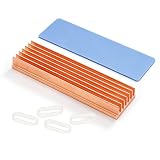
In a home setting, this performance translates to silence. When a heatsink can absorb and dissipate heat passively, your computer’s intake and exhaust fans do not have to spin at high, noisy RPMs. This makes copper ideal for home theater PCs (HTPCs) and gaming setups situated in shared family rooms. If you are upgrading a console, options like the Awxlumv M.2 Heatsink Pure Copper Nvme 2280 SSD Heat Sink, which features 7 dedicated copper cooling fins, provide the thermal headroom needed to prevent stuttering during intense gaming sessions. For DIY smart home hubs or custom router builds, smaller solutions like the ZDE 20PCS Pure Copper Heatsinks offer modular cooling that can be adhered directly to tiny chips and drives in cramped, unventilated spaces.
Furthermore, copper has a distinct, high-end look. For open-air PC builds or custom desk setups where components are visible, the warm metallic hue of copper adds an industrial, premium aesthetic that contrasts beautifully with modern RGB lighting.
Where Aluminum Heatsink for Nvme Ssd Wins
While copper wins on pure thermal performance, aluminum is the practical king of the consumer market. The primary advantage of an aluminum heatsink is its weight-to-performance ratio. Aluminum has a density of roughly 2.7 g/cm³, compared to copper’s hefty 8.9 g/cm³. This lightweight nature means an aluminum heatsink puts far less mechanical stress on your motherboard’s delicate M.2 slot, making it safer for home computers that might occasionally get bumped or moved.
Cost is another major factor. Aluminum is abundant and easy to manufacture, which keeps retail prices low. Affordable options like the MHQJRH M.2 2280 SSD heatsink provide robust, double-sided cooling for under seven dollars. Additionally, aluminum can be easily anodized in a wide range of colors to match your home office decor. If you want a clean, minimalist aesthetic, a simple black or silver design like the GLOTRENDS 2-Pack M.2 NVMe SSD Heatsink blends seamlessly into any motherboard without drawing attention to itself.
Aluminum is also incredibly resistant to environmental factors. Unlike copper, which can discolor or develop a green patina when exposed to humidity (especially in homes without central air conditioning), anodized aluminum remains pristine and maintenance-free for decades.
Cost Over 5 Years
When evaluating the cost of a copper heatsink vs aluminum heatsink for nvme ssd, looking only at the initial purchase price is a mistake. The real financial calculation lies in the lifespan of your storage drive and the energy efficiency of your home system over a five-year period.
An average NVMe SSD represents a significant investment, often costing between $80 and $200 depending on capacity. Running an SSD constantly at high temperatures (above 70°C) degrades the silicon and flash memory cells, cutting its expected lifespan from five years down to three or fewer. If an uncooled or poorly cooled drive fails prematurely, you face the cost of replacing the drive, along with the invaluable loss of personal files, family photos, or work documents.
An aluminum heatsink costs about $6.00 to $8.00 up front. Over five years, it provides reliable protection that ensures your SSD reaches its full lifespan, resulting in a total cost of ownership of just over a dollar a year. A copper heatsink costs slightly more initially—typically between $9.00 and $15.00. However, in restricted environments, copper keeps temperatures 5°C to 10°C cooler than aluminum. This extra cooling margin is vital for high-stress environments, potentially saving you from a $150 drive replacement. Looking ahead to 2026, as high-speed Gen5 SSDs become the standard in modern home servers and demand even more power, investing in a high-grade copper thermal solution now is a smart way to future-proof your storage setup.
Which One for Your Home
Every home has a unique layout, noise tolerance, and aesthetic style. Here is how to choose the right material based on your specific living situation:
Small Apartment or Studio
In a compact living space, your desk is often only a few feet away from your bed or sofa. Acoustic comfort is paramount. In this scenario, a copper heatsink is highly recommended. By absorbing heat rapidly, it prevents your computer fans from constantly cycling on and off while you work, stream, or sleep. It keeps your immediate environment peaceful and distraction-free.
Family Home with Kids and Pets
In a bustling household, dust, pet dander, and accidental bumps are daily realities. An aluminum heatsink is the ideal choice here. Aluminum’s lightweight design ensures that if the computer tower is bumped or nudged by a child or pet, the physical strain on the internal motherboard is minimal. Furthermore, anodized aluminum does not attract or hold onto pet hair and dust quite as easily as raw copper, and it can be wiped clean without worrying about damaging a delicate surface finish.
Rental Property
If you are renting, you want simple, reliable, and highly compatible tech that can easily pack up and move with you. A low-profile aluminum heatsink offers the best universal compatibility. It fits easily into almost any pre-built desktop or console slot without requiring complex mounting brackets or spatial modifications, making your setup highly portable and adaptable to whatever desk configuration your next home features.
Long-Term Home with a Dedicated Office
If you own your home and have a dedicated office or a centralized smart-home utility closet, you are likely focused on premium performance, stability, and long-term value. A heavy-duty copper heatsink is the best choice for this permanent infrastructure. It offers maximum thermal protection for your home network drives, media servers, and creative workstations, ensuring your data remains safe and accessible for years to come.
FAQ
Do I really need a heatsink for my home PC or PS5 SSD?
Yes. Modern NVMe M.2 SSDs transfer data at incredible speeds, which generates significant heat. Without a heatsink, the drive will quickly overheat under load, triggering thermal throttling to slow down performance to protect itself, and potentially shortening the overall lifespan of your storage device.
Can a copper heatsink cause electrical short circuits on my motherboard?
No, as long as it is installed correctly. While copper is an excellent electrical conductor, all reputable NVMe heatsinks are designed to mount securely to the drive using non-conductive thermal pads and insulated brackets, keeping the metal chassis of the heatsink completely isolated from the motherboard’s electrical traces.
How do I clean dust out of a copper vs. aluminum heatsink?
For both materials, a can of compressed air is the safest and easiest way to blow away accumulated dust. If a copper heatsink has developed surface oxidation or a dull patina over time, you can clean it with a soft microfiber cloth slightly dampened with isopropyl alcohol (ensure the computer is completely powered down and unplugged before doing this).
Is copper worth the extra cost over aluminum for a standard home office computer?
If your daily routine consists of web browsing, checking emails, writing documents, and streaming video, an aluminum heatsink is more than sufficient and will save you a few dollars. Copper is only worth the premium cost if you regularly perform intensive tasks like heavy gaming, large file transfers, or video editing.
Related guides
- Portable Ssd vs Rugged External Hard Drive for Travel: Which Is Right for Your Home
- Hardware Raid vs Software Raid for Small Home Nas: Which Is Right for Your Home
- Usb 4 vs Thunderbolt 4 External Ssd Speed: Which Is Right for Your Home
- Sata 2.5 Ssd vs M.2 Sata Ssd Differences: Which Is Right for Your Home


