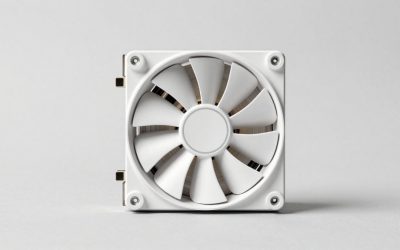
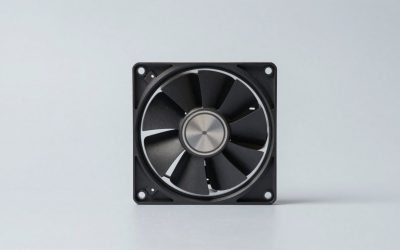
The best CPU cooler for a Ryzen 3 3200G is the Thermalright Assassin X120 Refined SE for most builders: a single-tower air cooler with four heat pipes that keeps a 65 W quad-core far cooler and quieter than the stock fan, at a budget price tier. If you want zero extra spend, the bundled Wraith Stealth is enough for stock settings; if you plan to overclock the Vega 8 graphics, step up to a dual-fan tower such as the Peerless Assassin 120 SE.
Quick Answer: Which Cooler Fits Your Ryzen 3 3200G Build?
The Ryzen 3 3200G is a 4-core, 4-thread AM4 chip with a 3.6 GHz base clock, a 4.0 GHz boost clock, a 65 W TDP and integrated Radeon Vega 8 graphics, according to published specification databases. Because the TDP is low, almost any AM4-compatible cooler can hold it at stock. The real choice is about noise, case size and overclocking headroom, not raw cooling capacity.
| Your situation | Pick | Why |
|---|---|---|
| Stock settings, lowest spend | AMD Wraith Stealth (bundled or spare) | Designed for this exact class of chip |
| Better look, still small | AMD Wraith Prism | Copper-core base, RGB, same footprint class |
| Best value upgrade | Thermalright Assassin X120 Refined SE | Four heat pipes, 120 mm PWM fan |
| Overclocking the iGPU and cores | Thermalright Peerless Assassin 120 SE | Six heat pipes, dual fans |
| Silent build | be quiet! Pure Rock Pro 3 | Large double-tower, slow fans |
| Small case with limited height | be quiet! Pure Rock Low Profile | Low height, 100 W rating |
| Mini-ITX or HTPC | Noctua NH-L9x65 | 65 mm tall, quiet |
How We Chose These Coolers
This guide is research-based. We did not use these coolers ourselves for this article. Picks come from manufacturer specification sheets, store listings and widely published editorial reviews of each cooler family, filtered by four rules that matter for a 65 W AM4 chip.
- AM4 support confirmed on the maker’s page or the store listing, with the mounting kit included.
- Rated capacity at least 1.5 times the chip’s TDP, so the fan does not ramp to maximum under gaming load.
- Height and clearance that suits common budget cases and still leaves room for tall RAM.
- Sensible value: coolers whose cost is proportionate to a budget APU build, described in price tiers rather than exact figures because prices change daily.
Do You Even Need to Replace the Stock Cooler?
No, not at stock settings. The 3200G was sold as a boxed processor with AMD’s Wraith Stealth cooler, a slim aluminium heatsink with a 4-pin PWM fan. For a 65 W part that cooler is adequate, which is why AMD shipped it. What it does not do well is stay quiet when the chip is loaded with both CPU and integrated graphics work, because the small fan has to spin fast to move the heat.
Replace it when one of these applies:
- You hear the fan ramp up in games or during long downloads and installs.
- You bought the chip loose, used or from an OEM source without a cooler.
- You want to overclock the cores or the Vega 8 graphics clock.
- Your room is warm and the case has poor airflow.
Worked Example: How Much Cooler Capacity Do You Need?
A simple calculation avoids overspending. Start with the chip’s 65 W TDP. Real package power on AM4 can run above the TDP figure under boost, so a working rule is to allow about 1.3 times TDP for stock use, which is roughly 85 W. If you overclock, allow around 1.6 times TDP, which is roughly 105 W. These multipliers are approximate planning margins, not measured values.
| Use case | Planning heat load (approx.) | Cooler rating you want (1.5x margin) |
|---|---|---|
| Stock, office and browsing | 65 W | about 100 W |
| Stock, gaming with iGPU | about 85 W | about 130 W |
| Mild overclock | about 105 W | about 160 W |
Every tower pick below clears all three rows. The Pure Rock Low Profile is listed at 100 W by its maker, which makes it a fit for light stock use but not a strong choice for gaming loads or an overclock. The Pure Rock Pro 3 is listed at 250 W, so it has large headroom.
1. AMD Wraith Stealth: Best Included Cooler
The Wraith Stealth is a slim top-down cooler with an aluminium heatsink and a small PWM fan. It mounts with the stock AM4 retention bracket and needs no tools beyond what the motherboard provides.
- Socket: AM4 with a 4-pin PWM connector
- Type: Top-down, low profile
- Typical use: Stock 65 W processors
Best for: Builders who already own one or whose 3200G came boxed.
Skip if: You want a quiet build or plan to overclock.
Pros: Costs nothing extra when bundled. Fits almost every case. Easy install.
Cons: Fan noise rises under mixed CPU and graphics load. Little overclocking room.
2. AMD Wraith Prism: Best Stock-Style Upgrade
The Wraith Prism is the larger sibling of the Stealth, with an RGB ring and a copper-core base, according to the store listing. It keeps the same easy AM4 installation but gives you more heatsink mass and better control of fan speed, which is why it was bundled with higher-end Ryzen chips such as the Ryzen 7 2700X.
- Socket: AM4, 4-pin connector
- Base: Copper core with aluminium fins
- Extras: RGB lighting that can be controlled through a header
Best for: A lit build where you want a cooler that matches the AMD look.
Skip if: Your case is very narrow or you want the lowest cost per degree.
Pros: Familiar mounting. Better thermals than the Stealth. Looks good in a windowed case.
Cons: Cost is close to larger tower coolers that cool more. Needs an extra cable for lighting.
3. Thermalright Assassin X120 Refined SE: Best Overall
The Assassin X120 Refined SE is a single-tower air cooler with four heat pipes, a 120 mm PWM fan and an aluminium cover, according to its store listing. It is one of the most common recommendations for budget Ryzen builds because its cooling capacity is far above what a 65 W chip needs while its cost stays low.
- Heat pipes: 4
- Fan: 120 mm PWM
- Sockets: AM4 and AM5 plus current Intel sockets via the included brackets
Best for: Almost every 3200G build, especially when you want a quieter system without a large spend.
Skip if: You have a very small case, or you want a dual-fan design for a heavy overclock.
Pros: Strong value. Easy to carry over to a later Ryzen 5000 upgrade. Quiet at moderate fan speeds.
Cons: Check height against your case side panel. The mounting kit has several small parts.
4. Thermalright Peerless Assassin 120 SE: Best for Overclocking
The Peerless Assassin 120 SE uses a twin-tower layout with six heat pipes and two 120 mm PWM fans, according to the listing. It is more cooler than a 3200G needs at stock, but it is a sound choice if you intend to raise the core clock or the integrated graphics clock and want the fans to stay slow.
- Heat pipes: 6
- Fans: dual 120 mm PWM
- Design: Twin tower, high airflow
Best for: Overclockers, warm rooms and builds that will upgrade to a hotter CPU later.
Skip if: You use tall RAM modules in the slot nearest the socket, or you own a compact case.
Pros: Excellent cooling for the cost tier. Two fans allow lower speeds. Handles future CPU upgrades.
Cons: Large and heavy. Can block the first RAM slot with tall modules.
5. be quiet! Pure Rock Pro 3: Best for a Silent Build
The Pure Rock Pro 3 is a double-tower cooler listed with a 250 W TDP rating and two quiet 120 mm PWM fans. For a 65 W processor it will rarely need more than its slowest fan speeds, which makes it a good match for a living-room or bedroom PC where noise matters more than cost.
- Rating: 250 W TDP, per the listing
- Fans: two 120 mm PWM
- Sockets: AMD and Intel
Best for: Silent builds and people who dislike fan noise.
Skip if: You want the cheapest option, because Thermalright coolers cool similarly for less.
Pros: Very low noise at stock loads. Brand has a good reputation for fan quality. Plenty of headroom.
Cons: Higher cost tier. Needs space in the case.
6. be quiet! Pure Rock Low Profile: Best for Slim Cases
The Pure Rock Low Profile is a compact cooler listed at 100 W TDP with three 6 mm heat pipes. It suits small micro-ATX cases and HTPC chassis where a tower will not fit, and its rating covers a stock 3200G with a modest margin.
- Rating: 100 W TDP, per the listing
- Heat pipes: 3 at 6 mm
- Design: Compact, low height
Best for: Small cases where height is limited.
Skip if: You plan to overclock or later move to a hotter chip.
Pros: Fits tight spaces. Quiet. Good RAM clearance.
Cons: Limited headroom. Cost is higher than its capacity suggests.
7. Noctua NH-L9x65: Best for Mini-ITX
The NH-L9x65 is a 65 mm tall low-profile cooler from Noctua, listed for compact ITX systems. A 65 W chip like the 3200G sits at the upper edge of what this class of cooler is meant for, so you should keep the case well ventilated and avoid sustained heavy loads in a closed box.
- Height: 65 mm, per the listing
- Use: Mini-ITX and small form factor
- Fan: Low-noise slim fan
Best for: Compact HTPC or office builds where noise and height both matter.
Skip if: You have room for a tower, since a tower cools more for less.
Pros: Excellent build quality. Very quiet. Fits small cases.
Cons: High cost for the cooling it delivers. Not for overclocking.
Comparison Table
| Cooler | Type | Rating or heat pipes | Best for | Cost tier |
|---|---|---|---|---|
| Wraith Stealth | Top-down | Stock 65 W class | Free upgrade path | Included or very low |
| Wraith Prism | Top-down RGB | Copper core | Lit builds | Low to mid |
| Assassin X120 Refined SE | Single tower | 4 heat pipes | Best overall | Low |
| Peerless Assassin 120 SE | Twin tower | 6 heat pipes | Overclocking | Low to mid |
| Pure Rock Pro 3 | Twin tower | 250 W listed | Silent builds | Mid |
| Pure Rock Low Profile | Low profile | 100 W listed | Slim cases | Low to mid |
| NH-L9x65 | Low profile | 65 mm tall | Mini-ITX | High |
Buying Guide: How to Choose with Numbers
Check height against your case
Measure the space between the CPU socket and the side panel. Mid-size single towers are usually around 150 mm tall, and twin towers somewhat more. Each maker publishes an exact height, and your case maker publishes a maximum cooler height. Compare the two and keep at least 5 mm spare.
Check RAM clearance
Twin-tower coolers can overhang the first memory slot. If your RAM has tall heat spreaders, either use low-profile modules or mount the front fan higher on the heatsink. The 3200G supports dual-channel DDR4, and its Vega 8 graphics share system memory, so keep two sticks installed.
Check the motherboard
The 3200G is an AM4 chip. Boards with the A320, B350, X370, B450, X470, A520, B550 and X570 chipsets use AM4, but older boards may need a BIOS update to recognise newer chips. For the 3200G itself, a B450 or A520 board is a safe choice. Coolers listed for AM4 use the existing backplate or retention bracket.
Think about noise targets
Larger fans move the same air at lower speed. A 120 mm fan at 900 RPM is usually quieter than a 92 mm fan at 2000 RPM. That is the real benefit of moving from the Wraith Stealth to a tower.
Thermal paste
Most aftermarket coolers include a small tube. Apply a pea-sized amount at the centre of the heat spreader and tighten the mounting screws in a diagonal pattern. Clean the old paste with isopropyl alcohol if you reuse a cooler.
Matching Platform Parts for a 3200G Build
If you are building around the 3200G in 2026, remember that it is an older chip. The companion parts below make the most of its integrated graphics and leave room for a later upgrade to a Ryzen 5000 processor on the same socket.
AMD Ryzen 3 3200G
The 3200G is the exact chip this guide targets. It has four cores and four threads, 4.0 GHz boost, and Vega 8 integrated graphics suitable for light gaming at 720p or low 1080p settings. Availability is now limited to leftover stock and third-party sellers, so check that the listing is new and describes the exact chip.
Budget AM4 Motherboard
An A520 micro-ATX board such as the MSI A520M-A PRO gives you AM4, DDR4, an M.2 slot and video output so the integrated graphics work out of the box. It also supports Ryzen 5000 chips, so you can swap in a faster processor later without replacing the board.
DDR4 Desktop Memory
The Vega 8 graphics share system memory, so a dual-channel kit matters. A 16 GB kit of DDR4 at 3200 MT/s is a sensible target. Choose a desktop kit, not laptop SODIMM modules, and keep both sticks in the recommended slots.
Installation Tips
- Update the motherboard BIOS before you install the cooler if you reuse an older AM4 board, because the update is easier with the cooler off.
- Install the backplate or retention bracket as the cooler instructions say.
- Apply paste, lower the heatsink straight down, and tighten screws gradually in a cross pattern.
- Connect the fan to the CPU_FAN header, not a case-fan header, so the board can control its speed.
- Check temperatures in the BIOS or a monitoring tool after the first boot. Idle temperatures in the 30s to low 40s degrees Celsius are common in a room-temperature setup, though this depends on your case.
When to Skip an Aftermarket Cooler Entirely
If your case has good airflow, you use the PC for office work, video and light games, and you do not mind a faint fan hum, the bundled Wraith Stealth is fine. Spend the cooler money on RAM or an SSD instead. The 3200G is limited by its four cores and shared memory bandwidth long before the cooler limits it.
Overclocking the 3200G: What the Cooler Has to Handle
The 3200G has an unlocked multiplier, and most owners who overclock it chase two things: a higher all-core clock and a faster Vega 8 graphics clock. Both raise power draw, and both are limited by memory speed and silicon quality more than by the cooler. A sensible approach is to raise the core clock in small steps, check stability with a long stress run, and only then raise the graphics clock. If you see temperatures climbing toward the low 80s degrees Celsius under load, the cooler is the limit and a tower with more heat pipes will help. If temperatures stay comfortable but the system crashes, the limit is voltage or the chip itself, and a bigger cooler will not fix that.
Results vary from chip to chip, so treat any published overclock as a hint rather than a promise. Faster memory usually helps the integrated graphics more than extra core clock does, because the iGPU is bandwidth-limited. Putting money into a dual-channel 3200 MT/s kit can give a bigger gaming gain than a premium cooler.
Noise and Temperature Expectations by Cooler Class
| Class | Noise at stock load (approx.) | Typical headroom | Main trade-off |
|---|---|---|---|
| Bundled top-down (Wraith Stealth) | Audible when loaded | Small | Fan speed |
| Top-down RGB (Wraith Prism) | Moderate | Small to medium | Cost versus towers |
| Single tower, 120 mm fan | Quiet | Large | Case height |
| Twin tower, dual fans | Very quiet | Very large | Size, RAM clearance |
| Low profile | Quiet to moderate | Small | Limited cooling |
These are general class-level expectations drawn from specification sheets and editorial coverage of each design, not measurements. Your own case, ambient temperature and fan curve will shift the result.
Common Mistakes When Cooling a 3200G
- Buying a 360 mm liquid cooler. It is cost and complexity with no benefit on a 65 W chip.
- Forgetting the fan header. Plugging a PWM fan into a case-fan header can leave it at a fixed speed.
- Ignoring RAM height. A twin tower plus tall heat-spreader memory is the most common fitment problem.
- Skipping the plastic film. Many coolers ship with a protective film on the base. Remove it before mounting.
- Over-tightening. Tighten in small, even turns until the screws stop. Excess force can bend the board.
- Using too much paste. A pea-sized dot is enough. More only squeezes out the sides.
Avoiding these mistakes matters more than which of the seven coolers you choose, since every pick here is more than capable of cooling this processor.
Frequently Asked Questions
What is the best cooler for the Ryzen 3 3200G?
The Thermalright Assassin X120 Refined SE is the best all-round pick for most builders. It offers four heat pipes and a 120 mm fan at a low cost tier, and it cools a 65 W chip with room to spare.
Does the Ryzen 3 3200G come with a cooler?
Boxed retail units shipped with the AMD Wraith Stealth cooler. Loose, used or OEM chips often do not include one, so check the listing before you buy and plan a cooler purchase if it is missing.
Is the Wraith Stealth good enough for the 3200G?
Yes, at stock settings it is adequate for a 65 W chip. It can be noisy under mixed CPU and graphics load, which is the main reason people upgrade.
Can I overclock the Ryzen 3 3200G?
Yes, the multiplier is unlocked. Use a larger cooler such as the Peerless Assassin 120 SE and raise clocks in small steps while watching temperatures.
Does a Ryzen 3 3200G need a liquid cooler?
No. A 65 W chip does not benefit from a 240 mm or 360 mm all-in-one cooler, and a good air tower costs far less and has fewer failure points.
Will these coolers work if I upgrade to a Ryzen 5 5600 later?
Yes. All the AM4-listed coolers here also fit Ryzen 5000 chips on the same socket. The tower coolers have more than enough capacity for a 65 W Ryzen 5 5600.
Will the cooler fit my case?
Check the maker’s cooler height against your case’s maximum cooler clearance and leave a few millimetres spare. Low-profile options exist for small cases.
Sources
- Technical City, Ryzen 3 3200G specification summary
- AMD, Ryzen desktop processor product information
- Thermalright, be quiet! and Noctua manufacturer product pages
- Store product listings for the coolers named above
Last updated: October 2026