The best RGB PC fans combine 4-pin PWM speed control with a separate 5V addressable RGB connection, and the choice then comes down to pack size, wiring and noise. This guide compares 12 listings, all 120mm, from Thermalright multipacks to the ARCTIC P12 Pro A-RGB and Corsair RS120. Several entries are pack-size variants of the same fan, and some titles mix up wording, so we flag those. Everything below comes from titles only.
Our Top Picks
Top 3 picks at a glance
All 12 RGB fan listings at a glance
As an Amazon Associate we earn from qualifying purchases at no extra cost to you.

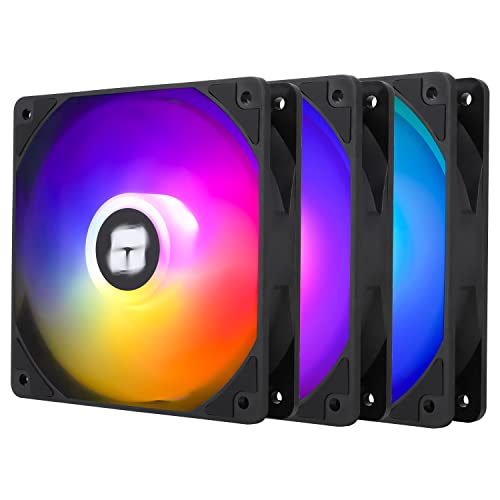
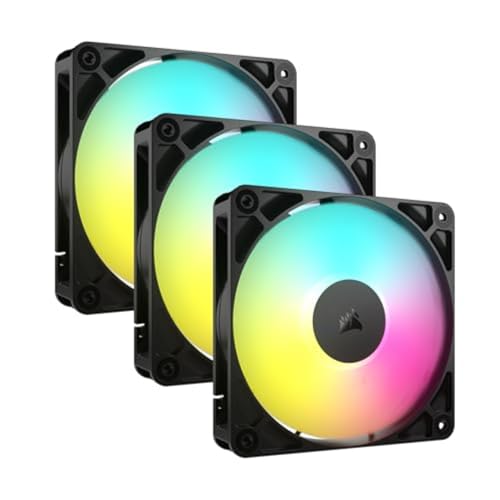


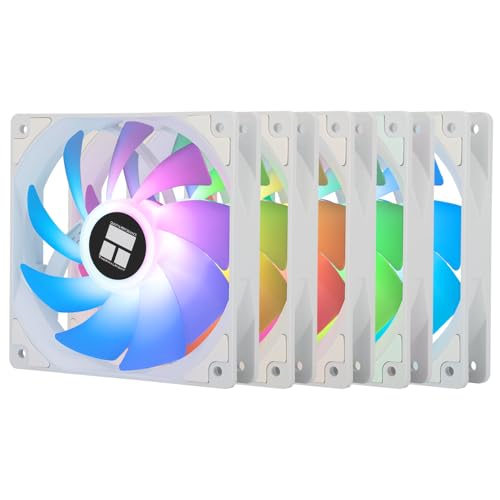
| Model | Key point from title | Price tier | Best for |
|---|---|---|---|
| Thermalright TL-C12C-S, 5 pack | 4-pin PWM, S-FDB bearing, up to 1550RPM | Budget | Filling a whole case |
| Thermalright TL-C12C-S, 3 pack | Same fan family in a smaller pack | Budget | Three-fan layouts |
| Corsair RS120 ARGB, 3 pack | PWM, daisy chain, magnetic dome bearing | Mid-range | Tidy wiring |
| Thermalright TL-C12C-S X5 | Appears identical to the 5-pack listing | Budget | Near-duplicate of entry 1 |
| UTLGAMENG 7 pack | 4 forward and 3 reverse, 28 LEDs, PWM | Budget | Large case builds |
| ARCTIC P12 Pro A-RGB, 3 pack | 600-3000RPM, 0 RPM mode, Y-splitter | Premium | Wide speed range |
| Jungle Leopard Prism4 Pro X3 | 800-1800RPM PWM, 5V 3-pin sync | Budget | Sync via motherboard |
| DARKROCK F120 3-in-1 | 24 LEDs, PWM, hydraulic bearing | Budget | Budget mirror-effect look |
| Thermalright TL-M12Q-S X3 | 2000RPM, 68.9CFM claim, daisy chain | Mid-range | Higher airflow claims |
| Thermalright TL-C12CW-S, 5 pack | White version of the TL-C12C-S family | Budget | White builds |
| Jungle Leopard Prism4 Pro X3 Reverse | Reverse-blade version of entry 7 | Budget | Rear-facing intake |
| Thermaltake CT120 EX | 9 addressable LEDs, magnetic connection, 5V sync | Mid-range | Easy chaining |
Twelve fan packs, explained
Thermalright TL-C12C-S 5 Pack
The title calls it a CPU fan though it is sold as a 120mm ARGB case cooler fan, a wording quirk worth ignoring. Claims include 4-pin PWM, an S-FDB bearing and up to 1550RPM, in a pack of five. A five-pack fills a case, but check how the RGB leads connect and whether a hub is included. Pairing five of these with a hub keeps the motherboard header count low, but verify what connectors come in the box.
Pros
- Five fans in the box
- PWM speed control
Cons
- Confusing title wording
- RGB wiring details not in title
Who it’s for: Builders filling a full case in one purchase.
Thermalright TL-C12C-S X3
The same fan family as the five-pack, in a three-fan set with the same PWM, S-FDB and 1550RPM claims. Choose it when three fans cover your case, so you do not pay for extras. The typo in the title (wth) is harmless, but read the full listing.
Pros
- Smaller pack size
- Same specs as the 5-pack
Cons
- Typo-heavy title
- Wiring details missing
Who it’s for: Standard three-fan builds.
Corsair RS120 ARGB 3-Pack
Lists 120mm PWM fans with daisy-chain connection, low-noise operation and a magnetic dome bearing, in a triple pack. Daisy-chain wiring reduces cable clutter, which matters for the lit parts of a case. The title does not list RPM, so check the listing. If you already have a Corsair controller, check compatibility in the listing before assuming the fans will plug in.
Pros
- Daisy-chain wiring
- Low-noise claim
Cons
- RPM not in title
- Likely higher price than rivals
Who it’s for: Builders who want tidy wiring from a known brand.
Thermalright TL-C12C-S X5
This listing appears to be the same product as the five-pack entry, with slightly different wording. We treat it as a near-duplicate and suggest comparing listing details and return terms. No unique features appear in the title.
Pros
- Same claims as entry 1
- Five-fan pack
Cons
- Near-duplicate listing
- No unique features listed
Who it’s for: Anyone choosing between two matching listings.
UTLGAMENG 7 Pack
Seven 120mm ARGB fans, four forward and three reverse, with 4-pin PWM, 1550RPM and 28 ARGB LEDs per fan plus an infinity mirror effect. The forward and reverse split suits dual-chamber cases with certain layouts. Seven fans is a lot of cabling, so check for a hub. A pack this size suits a case with many mounts, such as a dual-chamber layout with side and bottom slots.
Pros
- Seven fans in one pack
- Forward and reverse mix
Cons
- Lots of cables to route
- Little known brand
Who it’s for: Large cases with many fan slots.
ARCTIC P12 Pro A-RGB 3 Pack
A premium three-pack with a 600 to 3000RPM range, a 0 RPM mode below 5% PWM, 5V digital RGB, a fluid dynamic bearing and a Y-cable splitter. The wide speed range gives tuning room. Note that it needs PWM control and a 5V RGB header to use fully. The Y-splitter means two fans can share one header, which helps if your board has few fan connectors.
Pros
- Wide RPM range
- Zero-RPM mode
Cons
- High maximum speed can be loud
- Needs headers for full use
Who it’s for: Tinkerers who want quiet idle and strong top speed.
Jungle Leopard Prism4 Pro X3
Triple pack with infinity mirror lighting, 5V 3-pin motherboard sync and 800 to 1800RPM with PWM. The 3-pin connector for lighting, set beside PWM for speed, is worth checking in the listing. Wiring varies, so read the connector details.
Pros
- Motherboard sync claim
- 800 to 1800RPM range
Cons
- Connector wording is ambiguous
- Brand unfamiliar
Who it’s for: Builders with a 5V ARGB header.
DARKROCK F120 3in1
A three-fan set with an infinite mirror design, 24 LEDs, PWM control, ARGB and a hydraulic bearing described as low-noise. Bearing types differ in lifespan and noise, but the title makes only claims. Check for a controller.
Pros
- Mirror effect
- PWM listed
Cons
- No RPM in title
- Controller details unclear
Who it’s for: Budget builds that want a mirror effect.
Thermalright TL-M12Q-S X3
A three-fan pack at 2000RPM with a claimed 68.9CFM, daisy-chain wiring and an infinity mirror finish. The airflow figure is a seller claim. Higher RPM often means more noise, so use PWM control to hold speeds down. With a stated 2000RPM, a fan curve that stays low at idle matters more than the peak figure.
Pros
- Airflow figure listed
- Daisy-chain wiring
Cons
- High RPM can be loud
- CFM is a seller claim
Who it’s for: Builds that need more airflow.
Thermalright TL-C12CW-S 5 Pack
The white edition of the TL-C12C-S family, in a five-pack with 4-pin PWM, an S-FDB bearing and up to 1550RPM claims. Choose it for white builds. The same quirky title wording appears here.
Pros
- White finish
- Five-pack value
Cons
- Same title quirks
- RGB wiring unclear
Who it’s for: White case builds.
Jungle Leopard Prism4 Pro X3 Reverse
The reverse-blade version of the Prism4 Pro, with infinity mirror lighting, 5V 3-pin sync and 800 to 1800RPM PWM. Reverse blades are meant for rear-facing or glass-side placement so the lit side faces out. It is a near-duplicate of the standard pack, so choose by orientation.
Pros
- Reverse orientation
- Same range as entry 7
Cons
- Near-duplicate of standard
- Connector wording ambiguous
Who it’s for: Builders matching airflow direction to looks.
Thermaltake CT120 EX ARGB Sync
A three-fan pack with a magnetic connection, 5V motherboard sync, 16.8 million colours and nine addressable LEDs per fan. It is aimed at case and radiator use. The magnetic connection simplifies chaining, but check the connector style. Because it is built for case and radiator use, check the listing for static pressure details if you plan a radiator.
Pros
- Magnetic connection
- Motherboard sync
Cons
- Few LEDs per fan
- RPM not in title
Who it’s for: Builders who want easy chained wiring.
How we picked these
The picks come from listing titles, published specifications, manufacturer documentation and buyer reviews, filtered to 120mm ARGB packs that state their control and wiring. Nobody on the team used or measured these units. RPM, CFM and noise statements are seller claims. Price tiers are relative within the set and use no dollar amounts. Because pack sizes and colours repeat, we flag near-duplicates instead of treating them as separate options.
RGB fan basics: headers, speed and noise
ARGB versus RGB
Addressable RGB uses a 5V 3-pin header and lets each LED show a different colour. Older RGB uses a 12V 4-pin header with one colour at a time. They are not interchangeable, so connecting one to the other can damage parts. Check which standard your motherboard has.
Controllers, headers and daisy chains
Each fan needs a PWM header for speed and an ARGB connection for lighting. A hub or daisy-chain connector reduces cable count. A three-pack on a daisy chain needs one RGB header; a seven-pack may need a hub.
Static pressure versus airflow
Fans for radiators and filtered fronts need static pressure; open mesh fronts favour raw airflow. Titles rarely say which is which, so check the listing for pressure figures.
Noise and bearings
Bearing designs such as S-FDB, hydraulic and magnetic dome differ in lifetime and sound, but titles only claim them. Use PWM curves to lower speed at idle. The 2000RPM and 3000RPM claims here will be louder at maximum.
Quantity planning
As a rough planning example, a case with three front intakes, one rear exhaust and two top exhausts needs six fans. A five-pack plus one extra covers it, while a seven-pack leaves one spare. That assumes standard 120mm mounts and is an estimate.
Pre-purchase checklist
Count your fan mounts, then count the PWM and ARGB headers on your motherboard. If you have three ARGB headers and plan six fans, you need daisy-chain or a hub. Write down whether your board uses 5V 3-pin addressable headers. Then check the connectors named in each listing, the pack size, and the return window. Skipping this step is how builders end up with seven fans and one spare header.
Wiring example
Suppose you buy a three-pack with daisy-chain wiring and a second three-pack. Each pack may need its own ARGB header unless you join the chains, and the combined LED load must stay within what the header can supply. That is a planning example with assumed values, so read the manufacturer notes for the real limit.
Mistakes buyers make with RGB fans
- Mixing ARGB and RGB headers. Plug the wrong one in and you risk damage.
- Counting on 3-pin and PWM wording. Read connectors twice; titles can mislead.
- Buying too many fans. Cables and hub inputs run out fast.
- Ignoring pack duplicates. Several Thermalright listings are the same fan.
- Paying for RPM you cannot use. High maximum speeds mean more noise.
Which RGB fans to choose
For wide control, the ARCTIC P12 Pro A-RGB is the headline pick; for tidy wiring, the Corsair RS120 and Thermaltake CT120 EX look neat. Budget builders can choose among the Thermalright packs, though several listings repeat. Large cases suit the UTLGAMENG seven-pack. Confirm connector types before ordering. For non-lit alternatives see our PC case fans roundup, and for speed control see the fan controller guide.
Related guides
- Replacement Cables For Gaming Mice And Headsets
- Indoor Security Cameras Without Subscription
- Nvidia Control Panel Best Settings For Gaming
Frequently asked questions
What is the difference between RGB and ARGB fans?
ARGB (addressable) fans use a 5V 3-pin header and can show different colours per LED. Older RGB fans use a 12V 4-pin header and show one colour at a time. They are not interchangeable, so confirm which your motherboard supports.
Do RGB fans cool worse?
Lighting itself does not change cooling. Performance depends on blade design, speed and bearing, which titles only describe in general terms. Compare RPM and static pressure claims, and treat them as seller statements.
How many fans do I need for my case?
Count your mounts: front, top, rear and bottom. A balanced layout of intake and exhaust is a common planning approach. For three intake and three exhaust, you need six fans, which a five-pack plus one covers.
What does daisy-chain mean?
It means fans connect to each other so only one cable returns to the motherboard or hub. This cuts clutter. Check that your header can power the total number of LEDs and that the fans are connected in the right order.
Are reverse-blade fans worth it?
They help when you want the lit side facing outward, such as on a rear or glass-side position. They do not change cooling much if the airflow direction is correct. Match the pack to your case layout.