The best quiet PC fans are 120mm 4-pin PWM models with a low minimum speed and a modest top speed, and every fan in this list fits that description to some degree. Quiet is a spectrum, though. A fan that is whisper-level at 800 RPM can sound like a hair dryer at 2,000 RPM, so the useful question is how much of its range your PC will actually use. This guide groups nine listings by that question: low-and-steady case airflow, balanced all-rounders, and fast-when-needed fans for radiators and heavy coolers. Sizes, RPM and bearing types come only from the listing titles, and where a title says little we tell you to check the listing. Nobody on the team has handled these units, so treat the notes as a specification read, not a verdict from the bench.
Our Top Picks
Top 3 picks at a glance
The nine fans side by side
As an Amazon Associate we earn from qualifying purchases at no extra cost to you.




| Model | Key point from title | Price tier | Best for |
|---|---|---|---|
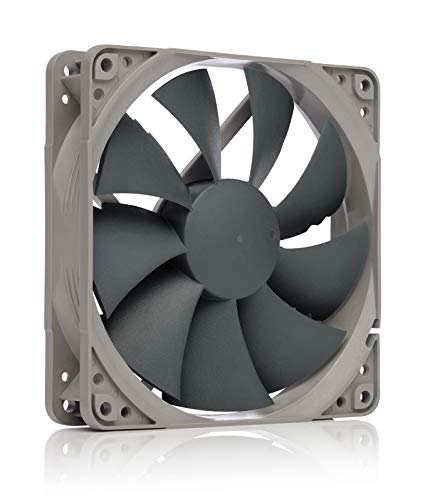
| Noctua NF-P12 redux-1700 PWM | 120mm, 25mm thick, 1700rpm, 4-pin PWM, billed as quiet | Mid-range | Steady case airflow at low volume |
| be quiet! Pure Wings 3 120mm Silent PWM (single, black) | 120mm, 4-pin, rifle bearing, low minimum RPM claim | Budget | Replacing one noisy case fan |
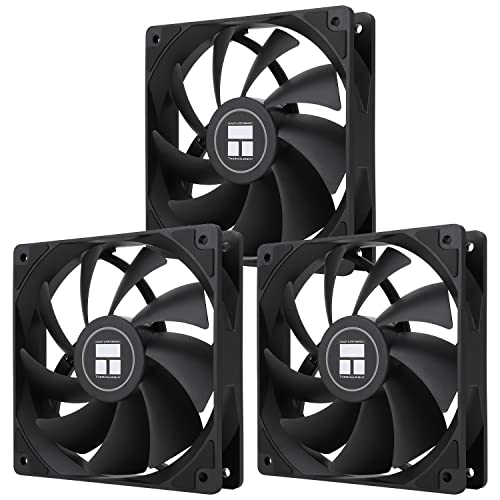
| Thermalright TL-C12C X3 (3-pack, 4-pin PWM) | 120mm, S-FDB bearing, up to 1550RPM, three fans | Budget | Filling a case cheaply with a slow ceiling |
| ARCTIC P12 (5-pack, 1800 RPM) | 120mm, pressure-optimised, 1800 RPM, five fans | Budget | Many fans on a tight budget |
| be quiet! Pure Wings 3 120mm Black PWM Triple Pack | 120mm, 4-pin, three fans, low minimum RPM, new blades | Mid-range | Matching trio for front intake |
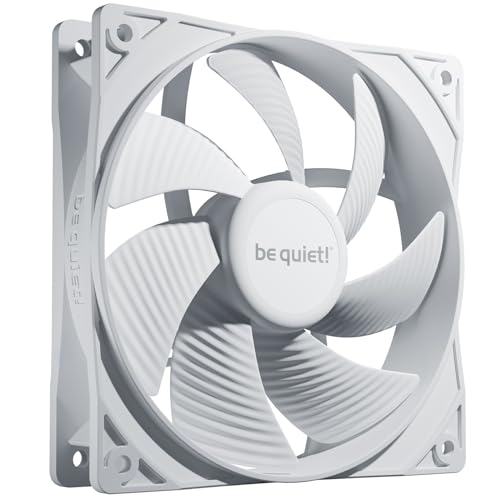
| be quiet! Pure Wings 3 120mm PWM White Case Fan | 120mm, 4-pin, rifle bearing, white frame | Budget | White builds needing one fan |
| ARCTIC P12 Silent | 120mm, pressure-optimised, “Silent” in the name | Budget | Quiet builds on a budget |
| be quiet! Pure Wings 3 120mm PWM High-Speed | 120mm, 4-pin, closed-loop motor, high speed, very quiet claim | Mid-range | Fast cooling that can still slow down |
| Noctua NF-A12x25 PWM | 120mm, 25mm thick, 2000rpm, 4-pin PWM, accessory kit | Premium | Radiators, CPU coolers and demanding spots |
Fan-by-fan notes
Noctua NF-P12 redux-1700 PWM
The title pitches this 120mm fan as high airflow with low noise, with a 1700rpm ceiling and 4-pin PWM control. The 25mm thickness is standard for modern case fans. The name “redux” and “streamlined package” suggest a simpler retail box rather than a different fan, but check the listing for what ships.
Pros
- PWM lets the motherboard slow it well below the 1700rpm ceiling
- A moderate top speed keeps worst-case noise lower than 2000rpm models
Cons
- The ceiling is lower than some rivals, so very restrictive filters may need more fans
- Listing is for a single fan unless the page says otherwise
Who it’s for: Builders who want one quiet-leaning intake or exhaust fan and plan to run it on a curve.
be quiet! Pure Wings 3 120mm Silent PWM (single, black)
The title stresses a high top speed with a low minimum RPM, 4-pin PWM and a rifle bearing. That combination means the fan can idle slowly and still ramp when the case heats up. It is one of several near-identical Pure Wings 3 listings below, so match colour and pack size before clicking.
Pros
- Low minimum speed claim suits idle-heavy desktops
- Single-fan listing lets you buy exactly what a gap needs
Cons
- Rifle bearing is a mid-tier design, so long-term noise depends on use and orientation
- Title mixes airflow and silence claims, and both are seller language
Who it’s for: Anyone swapping one rattly fan without rebuilding the whole airflow plan.
Thermalright TL-C12C X3 (3-pack, 4-pin PWM)
Sold as a three-pack with an S-FDB bearing and a ceiling of 1550RPM, the lowest on this list. The listing calls it a CPU fan and case cooler, so it is a general 120mm fan. A lower top speed is helpful for noise but gives up headroom when airflow is restricted.
Pros
- Three fans per listing covers a typical front-and-rear layout
- Low 1550RPM ceiling limits worst-case noise
Cons
- Less pressure headroom for dense filters or radiators
- Title says little about noise, so lean on buyer reviews and the listing page
Who it’s for: Budget builders who need three matching 120mm fans and mostly run them slow.
ARCTIC P12 (5-pack, 1800 RPM)
Five fans in one listing, labelled pressure-optimised with an 1800 RPM top speed. Pressure-optimised blades suit filters, grilles and radiators. The title does not name a bearing type, so verify that on the page. Because there are five, plan header splitters before you buy.
Pros
- Five-pack makes a whole-case swap affordable
- Pressure focus helps behind dust filters and mesh
Cons
- 1800 RPM at full tilt is audible, so a fan curve is not optional
- Title gives no bearing details
Who it’s for: Builders refitting a mesh-front case who will set a gentle PWM curve.
be quiet! Pure Wings 3 120mm Black PWM Triple Pack
The same Pure Wings 3 family in a three-fan pack, with the title citing a low minimum RPM and redesigned blades and frame. Three identical fans make a tidy front intake, which keeps the sound profile consistent instead of blending different tones.
Pros
- Matched trio avoids mixed pitches
- Same low-minimum-RPM pitch as the single listing
Cons
- Buying three costs more up front than the budget packs
- Check the pack really contains three fans before ordering
Who it’s for: Anyone filling a three-slot front panel with one uniform, quiet-leaning fan.
be quiet! Pure Wings 3 120mm PWM White Case Fan
A near-duplicate of the black single; this listing is the white version. Specs in the title match: high top speed, rifle bearing, 4-pin PWM. If your build is not white, this adds no performance reason to choose it over the black one.
Pros
- Colour match for white cases
- Same low-noise design intent as the black single
Cons
- Near-duplicate of another listing here, so only the colour differs
- Single fan, so buying several means repeat orders
Who it’s for: White-theme builders who want one quiet, plain fan without RGB.
ARCTIC P12 Silent
The title is very short: a 120mm pressure-optimised fan with Silent in the product name. It does not state RPM, PWM, pack size or bearing, so check the listing before assuming. The word Silent hints at a lower speed ceiling than the standard P12 in this list, but that is a naming hint, not a measured fact.
Pros
- Name positions it as the quieter ARCTIC option
- Pressure-optimised design suits filters
Cons
- Title omits RPM, pack size and connector details
- Low listing detail makes a like-for-like comparison hard
Who it’s for: Shoppers comfortable verifying the listing page who want the quieter ARCTIC variant.
be quiet! Pure Wings 3 120mm PWM High-Speed
This is the high-speed Pure Wings 3 variant. The title claims maximum airflow, a speed-regulating closed-loop motor and very quiet operation. High-speed means a higher ceiling, so it will be louder than the standard version when it ramps. Useful on a restrictive filter or a radiator, less so if silence is the only goal.
Pros
- Extra speed headroom for restrictive airflow paths
- PWM control still allows low idle speeds
Cons
- Louder at full speed than the standard model
- Easy to confuse with the regular listings, so read the title
Who it’s for: People who want quiet idle but need a fan that can push harder under load.
Noctua NF-A12x25 PWM
The title describes a high-performance quiet fan with airflow and static pressure for coolers, radiators and cases, a 2000rpm ceiling and a rich accessory kit. It is the priciest-looking entry here and the one aimed at hard jobs, which makes it overkill for a single open-mesh exhaust.
Pros
- Aimed at coolers and radiators as well as cases
- Accessory kit eases installation and adapters
Cons
- Premium tier for a single fan
- A 2000rpm ceiling only helps if you let it spin up
Who it’s for: Builders who want one flexible fan for a CPU cooler or radiator and a quiet curve.
How these nine were shortlisted
We worked from product titles, published specifications, manufacturer documentation and buyer reviews, with the editorial team as author. Nobody on the team used or measured these units. That is why this page never quotes a decibel figure for a specific model. Instead we ranked fans on traits visible in the listings: PWM connector, speed ceiling, bearing type, thickness and pack size. Three listings are near-duplicates of each other, and one lacks detail, so we say so in the notes. Where a title is thin, the right move is to read the listing before buying.
Choosing a fan for low noise
Speed ceiling matters more than the label
A fan moves more air as it spins faster, but noise rises quickly with speed. A 1550 RPM ceiling and a 2000rpm ceiling can sound very different at full tilt, yet at 800 RPM they behave alike. If your case runs cool, a lower ceiling saves you from surprises. If you cool a hot GPU or a radiator, buy headroom and cap it with a curve.
PWM versus DC
Every fan here is billed as 4-pin PWM, which lets the motherboard vary speed by signal and usually spins down lower than voltage control. Confirm your board has 4-pin headers. A 3-pin header can drive PWM fans, but low-speed behaviour may differ.
Bearings and pressure
Rifle bearings and S-FDB bearings are different designs and the titles name them, but the long-term noise of either depends on mounting and use. Pressure-optimised blades push through dust filters and radiators better than airflow-focused ones. If your fan sits behind mesh, favour pressure. In an open exhaust, airflow-focused is fine.
Fan header planning worksheet
Count fans first. Assume a mid-tower with three front, one rear and two top fans: six fans. Many motherboards have three to six fan headers, though yours may differ, so check the manual. If six fans share two headers, a PWM splitter is needed, and each splitter should stay within the header’s rated current. Write down the header count, the fan count and the splitter count before ordering, and add one spare fan only if a slot is truly empty. Our guide to PC fan controllers covers hubs for builds that outgrow the board.
Mounting and vibration
Rubber corners or anti-vibration pads cut transmitted hum when a thin panel acts as a speaker. Check the listing for pads or screws. If you are choosing a case at the same time, our mid-tower case comparison lists how many fan mounts each layout offers.
Where quiet builds go wrong
Buying by RPM alone. Ceiling speed says little about the sound at the speed you will actually use. Think of RPM as a limit, not a rating of loudness.
Skipping the fan curve. Leaving an 1800 RPM fan on a default curve can ramp at the first game launch. Ten minutes in BIOS or software fixes most of it.
Mixing too many models. Different blade shapes produce different tones, and a mixed set can sound busier than three matched fans.
Ignoring the pack size. Near-duplicate listings differ by colour and quantity. Read the title for the count.
Forgetting the airflow direction. Quiet fans still make a noisy case if airflow is badly balanced. Plan intake and exhaust on paper first.
Which one to buy
For one all-round quiet fan, the Noctua NF-P12 redux-1700 PWM is the safest match for a low-noise brief. For a whole-case refit on a tight budget, the ARCTIC P12 five-pack or the Thermalright three-pack gives volume, so plan a gentle curve. If your priority is a matching trio, the be quiet! Pure Wings 3 triple pack is the neat choice. Choose the NF-A12x25 only if a radiator or heavy cooler needs the extra pressure. Skip the high-speed Pure Wings 3 unless you actually need the headroom.
Quick answers on quiet fans
Are 140mm fans quieter than 120mm fans?
Often they can move the same air at lower RPM, which tends to sound quieter, but only if your case has 140mm mounts. Every fan in this guide is 120mm, so check your fan slots first. Many cases accept both sizes in the same position, but confirm with your case manual.
Do I need PWM fans for a quiet PC?
PWM is not strictly required, but it gives the finest control and usually lets the fan idle slower. Each listing here is billed as 4-pin PWM. A 3-pin header can still run them, but the minimum speed behaviour may differ, so check your board and its fan settings.
Is a higher RPM fan always louder?
At full speed, usually yes. But a high-ceiling fan on a gentle curve may run no faster than a low-ceiling fan, and then the two sound similar. The ceiling matters most when the PC is under heavy load and the curve ramps up, so set the curve before judging noise.
How many case fans does a quiet build need?
There is no fixed number, but a common layout is two or three intake and one or two exhaust. Fewer fans at lower speeds are often quieter than many fans at higher speeds. Add more only if component temperatures call for it, and use a hub if headers run out.
Why does this page not give decibel numbers?
Nobody on the team used or measured these units, and sound figures in listings depend on how a seller measured them. Rather than repeat numbers we cannot verify, the guide compares traits visible in titles and tells you to check the listing for details before you buy.
Related guides
- Replacement Cables For Gaming Mice And Headsets
- Indoor Security Cameras Without Subscription
- Nvidia Control Panel Best Settings For Gaming
Related guides
- Best Quiet CPU Coolers: Nine Air Towers Ranked by Heat Headroom: 9 Compared (2026)
- Best RGB PC Fans: 12 ARGB 120mm Fan Packs Compared by Connection and Speed: 10 Compared (2026)
- Best Mid Tower PC Case: 12 ATX Options Compared by Airflow and Clearance: 10 Compared (2026)
- Best Upgradeable Prebuilt Gaming PC: Standard Parts That Last: 6 Compared (2026)