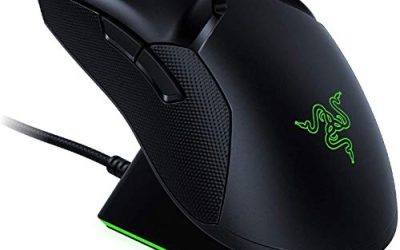
The real decision here is not whether an office mouse can move a cursor in a game, because almost any modern mouse can. The decision is what you give up after work: a heavy, sculpted desk mouse may feel calm and controlled in strategy or simulation titles, yet feel slow in a fast shooter, while a small travel mouse stays nimble but can cramp a larger hand during a long evening session.
This guide is for hybrid workers, students sharing one desk for study and play, and casual players who prefer quiet clicks and a plain look over gaming styling. Every pick was chosen from product names and specifications on the Amazon pages, focusing on sensor range, connection options, shape, and battery approach rather than gaming branding.
Top 3 picks at a glance


Quick Picks
As an Amazon Associate we earn from qualifying purchases
| Product | Best for | Key spec from title |
|---|---|---|
| Logitech MX Master 3S | Desk work plus slower-paced games on one main PC | 8K DPI, Track on Glass, Quiet Clicks |
| Logitech MX Anywhere 3S | Laptop gaming at home and away | 8K DPI Any-Surface Tracking, Quiet Clicks |
| Logitech Lift Vertical Ergonomic Mouse | Wrist comfort during long work and play days | Bluetooth or Logi Bolt USB Receiver, 4 Buttons |
| Logitech M720 Triathlon | Switching between work and gaming computers | Easy-Switch up to 3 Computers, Bluetooth and Unifying Receiver |
How to Choose
Accept the polling and weight trade-off honestly
Office mice are built for battery life and comfort, not for the lightest possible flick. That matters less than marketing suggests for turn-based games, city builders, role-playing games, and relaxed shooters played at a desk, where steady tracking counts more than shaving grams. It matters much more if you play competitive shooters with low sensitivity and wide arm sweeps. Before buying, check the listed weight and size against your current mouse. If your current mouse already feels sluggish when you turn quickly, a heavier ergonomic model will not fix that problem, no matter how good its sensor looks on paper.
Match sensor range to how you actually aim
Listings for two picks here reach 8K DPI, while others sit lower, and that headline number needs context. Most players settle far below the maximum, using higher settings for small wrist movements on a large monitor and lower settings for controlled arm aiming. What matters for gaming is that the sensor tracks cleanly on your surface and that you can adjust sensitivity in steps that suit your games. The MX models list any-surface and glass tracking, which helps on bare desks. A basic office sensor can still work well on a proper pad, so surface and adjustability often matter more than the top figure.
Decide how the mouse will connect to both setups
A mouse that lives on one desk has an easy life. A mouse that moves between a work laptop, a personal desktop, and perhaps a tablet needs a clearer plan. Bluetooth avoids taking a port, but some older desktops lack it, which makes an included receiver valuable. The M720 and Lift list a receiver option alongside Bluetooth, while the Bluetooth Edition variants of other models may include no receiver at all, so the exact variant name matters. Multi-device switching also helps when the work machine and gaming machine sit side by side, letting one mouse serve both without repeated pairing.
Choose a shape you can hold for work first
Because this mouse will spend most of its hours outside games, comfort during work should lead the decision. A tall sculpted body such as the MX Master 3S supports a relaxed palm grip and suits larger hands, while the compact MX Anywhere 3S favours fingertip control and smaller hands. The Lift turns the hand into a more upright position, which changes how you aim and takes adjustment before gaming feels natural. Measure your current mouse, note your grip, and be realistic: a shape that aches by mid-afternoon will not become comfortable just because an evening game is enjoyable.
The 4 Best Options
Logitech MX Master 3S

For a single main desk where work dominates and gaming means strategy, simulation, role-playing, or relaxed adventure titles, this is the most complete pick in the group. The listing shows an 8K DPI sensor with tracking on glass, quiet clicks, and an ergonomic shape built for long sessions. Its extra controls and fast scrolling suit spreadsheets and timelines during the day, and the adjustable sensitivity gives enough control at night, provided you accept a substantial desk mouse rather than a featherweight shooter tool.
Specs
- Wireless mouse, Standard Edition with Logi Bolt USB Receiver
- 8K DPI sensor, listed as Track on Glass
- Ultra-fast scrolling and Quiet Clicks
- USB-C and Bluetooth connectivity
- Compatibility listed for Windows, Linux, and Chrome
- Colour in this listing: Graphite
Best for: One-desk hybrid workers who play slower-paced games and want a full-size, sculpted mouse.
Watch out for: Confirm you are buying the Standard Edition with the Logi Bolt receiver, not the Bluetooth Edition with no receiver included.
ASIN: B09HM94VDS
Logitech MX Anywhere 3S
This compact model suits laptop users who game wherever the laptop lands, at a home desk, a kitchen table, or away from home. The listing describes 8K DPI any-surface tracking, quiet clicks, programmable buttons, and fast scrolling in a smaller body that travels easily. That combination works well for strategy, indie, and casual action games where portability matters more than a large palm rest. Players with larger hands should think carefully, because a compact shape can force a claw-like grip that grows tiring over a long session.
Specs
- Compact Wireless Mouse
- 8K DPI Any-Surface Tracking
- Fast Scrolling and Quiet Clicks
- Programmable Buttons
- USB C and Bluetooth connectivity
- Compatibility listed for Windows PC, Linux, Chrome, and Mac
- Colour in this listing: Graphite
Best for: Laptop owners and travellers who want one small mouse for work and casual gaming anywhere.
Watch out for: Check the colour and variant carefully, because Pale Grey, Mac-specific, and Graphite versions sit on separate listings.
ASIN: B0BPY4ZQXG
Logitech Lift Vertical Ergonomic Mouse
Choose the Lift when wrist and forearm comfort is the reason for avoiding a conventional gaming mouse in the first place. Its upright vertical shape changes the grip completely, so aiming relies more on arm movement and takes practice, yet for slower games, management titles, and turn-based play that adjustment can be worthwhile. The listing shows wireless connection by Bluetooth or Logi Bolt receiver, quiet clicks, and four buttons, which is a simple control set that suits players who do not map many game actions to the mouse.
Specs
- Vertical Ergonomic Mouse, Wireless
- Bluetooth or Logi Bolt USB Receiver connection
- Quiet clicks
- 4 Buttons
- Compatibility listed for Windows, macOS, and iPadOS
- Suitable for Laptop and PC use in the listing
- Colour in this listing: Graphite
Best for: Right-handed users with small to medium hands who prioritise an upright grip for long combined work and play days.
Watch out for: Confirm right-hand versus left-hand version and hand size guidance before ordering, because the vertical shape is not ambidextrous in use.
ASIN: B09J1TB35S
Logitech M720 Triathlon

The M720 fits a desk with more than one computer, where the same mouse needs to handle a work laptop by day and a personal machine for games in the evening. Its listing highlights Easy-Switch for up to three computers, both Bluetooth and a Unifying receiver, and hyper-fast scrolling for long documents. The sensor range is more modest than the MX models, so it suits casual and mid-paced gaming rather than demanding shooter play, but the practical switching and familiar full-size shape make it an easy mouse to live with daily.
Specs
- Multi-Device Wireless Mouse
- Bluetooth and Unifying Receiver connection
- Easy-Switch up to 3 Computers
- Hyper-fast scroll wheel listed in product sources
- Powered by a single AA battery, with long battery life listed by the manufacturer sources
- Model number 910-004790
Best for: People splitting time between two or three computers who want receiver and Bluetooth options in one mouse.
Watch out for: The included receiver is a USB-A Unifying type, so check your ports if your computers only offer USB-C connections.
ASIN: B01LF37K80
Which One Fits Your Situation
You work and play at one main desk
Pick the Logitech MX Master 3S if one computer does everything and most of your gaming is not built around rapid flick shots. Its full-size ergonomic shape, 8K DPI range, and quiet clicks carry over cleanly from a working day into an evening session, and the receiver-included edition keeps connection simple on a desktop without Bluetooth.
You game on a laptop in different places
The Logitech MX Anywhere 3S is the natural fit when the mouse lives in a laptop bag. Its compact body travels well, the listing shows tracking on varied surfaces including glass, and quiet clicks suit shared spaces. It handles casual and mid-paced games comfortably, as long as its smaller size matches your hand and grip.
Your wrist decides what you can use
If a flat mouse leaves your wrist uncomfortable long before a game ends, consider the Logitech Lift despite the learning curve. Start with slower titles while your aim adapts to the upright grip, and keep sessions shorter at first. For comfort-led buyers, that adjustment period is a reasonable trade for a shape designed around a more natural hand position.
You switch between a work laptop and a gaming PC
The Logitech M720 Triathlon solves the two-computer problem without a drawer full of mice. Easy-Switch moves between machines, and having both Bluetooth and a receiver covers computers with different connection options. It is the practical choice for households and home offices where convenience matters more than squeezing out competitive shooter performance.
Common Mistakes
- Expecting an office mouse to match a dedicated esports mouse in fast shooters, then blaming the sensor when weight and shape are the real limits.
- Buying a Bluetooth Edition variant and discovering too late that no USB receiver is included for a desktop without Bluetooth.
- Choosing a compact travel mouse for large hands, or a tall full-size mouse for a fingertip grip, without comparing dimensions first.
- Judging a mouse only by its maximum DPI figure instead of checking surface tracking, adjustability, and how you actually set sensitivity in games.
- Switching to a vertical mouse and judging it after one evening, before your hand and aim have had time to adjust.
Frequently Asked Questions
Can a non-gaming mouse handle modern games at all?
Yes, for many genres it can handle them well. Strategy, simulation, role-playing, adventure, and casual action games mainly need reliable tracking, comfortable buttons, and adjustable sensitivity, all of which the listings above provide. The limits appear in fast competitive shooters, where lighter weight and gaming-focused design give dedicated models a clearer advantage.
Does an 8K DPI listing mean I should play at 8K DPI?
No. That figure is the top of the adjustable range, not a recommendation. Most players use far lower settings, choosing a value that lets them turn and aim without overshooting. Treat a wide range as flexibility for different monitors and games, then set sensitivity in the game and software until small movements feel predictable and repeatable.
Is Bluetooth good enough for gaming with these mice?
For casual and slower-paced gaming, Bluetooth is generally workable and keeps ports free, which is why several listings lead with it. If your desktop lacks Bluetooth or you want the receiver path, check that the exact variant includes one. The M720 and Lift list receiver options, while some MX editions are Bluetooth only.
Will a vertical mouse hurt my aim?
At first, it probably will change it. An upright grip alters wrist angle and muscle use, so flicks and fine corrections feel unfamiliar for a while. Many players adapt during slower games before trying anything faster. If competitive performance is your priority, a conventional shape is the safer choice; if comfort is the priority, allow an adjustment period.
Related guides
More from Amazon
Programs that pair well with the guide above. Offers and eligibility are set by Amazon and may change.
A free business account with business pricing and bulk-buying tools for work, shop or home office.
Create a business accountFree shipping on eligible items, Prime Video and more. Eligible new members can start with a free trial.
Start a Prime free trialAudiobooks and podcasts to listen to on the go. Eligible new members can start with a free trial.
Try Audible freeAd-free music streaming. Eligible new subscribers can start with a free trial.
Try Music Unlimited freeAs an Amazon Associate we earn from qualifying purchases.