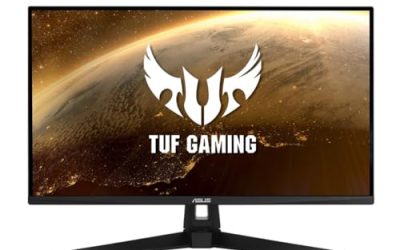
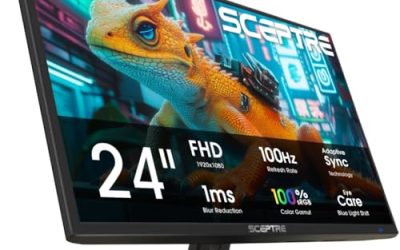
The best 1440p ultrawide monitor for most gamers in 2026 is a 34-inch 3440×1440 QD-OLED such as the Alienware AW3425DW, which pairs a 240Hz refresh rate with near-instant pixel response. If you want to spend less, a 34-inch IPS or VA panel at 144-165Hz, such as the LG UltraGear 34GP83A-B or Samsung Odyssey G5 34-inch, delivers most of the immersion for far less money. The rest of this guide shows which one fits your GPU, cable and room.
As an Amazon Associate we earn from qualifying purchases at no extra cost to you.


Our Top Picks


Top 3 picks at a glance
Quick comparison of the picks
| Pick | Best for | Key specs (per manufacturer) | Price tier |
|---|---|---|---|
| Alienware AW3425DW | Best overall | 34″ QD-OLED, 3440×1440, 240Hz, curved | Premium |
| LG UltraGear 34GS95QE | Best for tight curve and fast OLED | 34″ WOLED, 3440×1440, 240Hz, 800R curve | Premium |
| Samsung Odyssey OLED G8 (G85SB) | Best for mixed gaming and media | 34″ QD-OLED, 3440×1440, 175Hz | Premium |
| LG UltraGear 34GP83A-B | Best mid-range IPS | 34″ Nano IPS, 3440×1440, 144Hz (160Hz overclock) | Mid-range |
| Samsung Odyssey G5 34″ (G55 series) | Best budget | 34″ VA, 3440×1440, 165Hz, 1000R curve | Budget |
| Dell UltraSharp U3425WE | Best for work plus gaming | 34″ IPS Black, 3440×1440, 120Hz, Thunderbolt hub | Mid-range to premium |
Availability and exact refresh specs vary by region and revision, so check the manufacturer’s current spec sheet before buying.
Best overall: Alienware AW3425DW
This is the model to beat if your GPU can feed 144fps or more at ultrawide resolution. Its QD-OLED panel gives true blacks, wide color and a pixel response measured in fractions of a millisecond, so fast games look much cleaner than on any IPS or VA alternative. The trade-offs are the usual OLED ones: automatic brightness limiting on large bright scenes, a risk of static-element wear if you leave a desktop up all day, and slight text fringing from the subpixel layout. Check the warranty terms for burn-in coverage before you buy.
Best for a tight curve: LG UltraGear 34GS95QE
LG’s 800R curve is noticeably more aggressive than the 1800R curve on Samsung and Alienware panels, which many people find more immersive at desk distance. It uses a WOLED panel at 240Hz. Expect slightly less saturated color than QD-OLED in bright rooms and a tighter-curve look that some users dislike for spreadsheets or photo editing. It suits dedicated gaming desks better than shared workspaces.
Best for mixed use: Samsung Odyssey OLED G8 (G85SB)
At 175Hz it gives up some top-end speed against the 240Hz models, but 175fps at 3440×1440 is already hard to reach in demanding games. That makes it a sensible match for mid-to-high-end GPUs. It suits people who watch a lot of video and play single-player games and who want OLED contrast without paying for a refresh rate their graphics card cannot use.
Best mid-range IPS: LG UltraGear 34GP83A-B
This Nano IPS panel offers strong color, wide viewing angles and a 144Hz refresh rate that can be overclocked to 160Hz in the monitor menu. It has no burn-in worry, and the contrast is the usual IPS level (roughly 1000:1), so dark rooms look grayer than on OLED or VA. It is the safe choice if the monitor will also serve for browsing, documents and long desktop sessions.
Best budget: Samsung Odyssey G5 34-inch
A VA panel gives deeper blacks than IPS at a budget price, and a 165Hz refresh rate with a 1000R curve is plenty for competitive-ish play. The compromises are slower dark-transition response (smearing in dark scenes), narrower viewing angles and lower peak brightness, with HDR support that is more of a label than a feature. It is the cheapest way into the format without dropping to a low refresh rate.
Best for work plus gaming: Dell UltraSharp U3425WE
This is a productivity monitor first: IPS Black panel, Thunderbolt hub, KVM-style switching and strong factory color accuracy. The 120Hz refresh rate is fine for casual and single-player gaming but is not a competitive-shooter display. Pick it if you work from one desk, want a single-cable laptop dock and play games on the side.
Worked example: what a 3440×1440 monitor demands from your PC
Ultrawide 1440p has 3440 x 1440 = 4,953,600 pixels. Standard 2560×1440 has 3,686,400, and 4K has 8,294,400. That makes an ultrawide about 34% heavier than regular 1440p and about 60% of the load of 4K.
- GPU estimate: if a game runs at 100fps at 2560×1440 and is fully GPU-bound, expect roughly 100 / 1.34 = about 75fps at 3440×1440. Real results vary with settings, CPU and patch, but this is a sound planning rule.
- Cable bandwidth (raw pixel data, before blanking overhead): pixels x refresh x bits per pixel.
| Refresh rate | 8-bit (24 bpp) | 10-bit (30 bpp) | Fits DP 1.4 (about 25.9 Gbps usable) without DSC? |
|---|---|---|---|
| 144Hz | 17.1 Gbps | 21.4 Gbps | Yes, both |
| 165Hz | 19.6 Gbps | 24.5 Gbps | 8-bit yes; 10-bit is borderline once blanking is added |
| 175Hz | 20.8 Gbps | 26.0 Gbps | 8-bit yes; 10-bit no |
| 240Hz | 28.5 Gbps | 35.7 Gbps | No; needs DSC or HDMI 2.1 bandwidth |
The practical lesson is that 240Hz ultrawide monitors rely on Display Stream Compression (DSC) over DisplayPort 1.4. DSC is visually lossless by design, but it needs a GPU that supports it (Nvidia RTX 20 series and newer, AMD RX 5000 series and newer) and can disable some features, such as certain multi-monitor combinations or older scaling options, depending on the card.
How to choose: decision matrix
| Your situation | Choose | Why |
|---|---|---|
| High-end GPU, fast shooters and racing | 240Hz QD-OLED or WOLED | Your frame rate can use 200fps or more, and OLED response removes motion blur |
| Mid-range GPU (about 70-100fps at ultrawide) | 144-175Hz panel | Extra refresh above your frame rate is wasted money |
| Bright room, lots of sunlight | IPS or VA | OLED reflections and brightness limiting are more visible |
| Dark room, movies and story games | OLED or VA | Contrast matters far more than peak brightness |
| Desktop all day, static windows, spreadsheets | IPS Black or IPS | No burn-in concern and sharper text |
| Tight budget | VA at 144-165Hz | Best contrast per cost, but accept dark-scene smearing |
| Laptop docking and a single cable | Thunderbolt or USB-C hub model | Power, data and video over one cable |
Check these four things before you buy
- Game support: most modern titles support 21:9, but some older, esports and console-ported games pillarbox or stretch. Check the game’s settings or the community fix database for your main games.
- Desk depth: a 34-inch 21:9 is about 31 inches wide and roughly the same height as a 27-inch 16:9 screen. Sit at least 24-30 inches away so you do not have to turn your head to see the edges.
- Pixel density: 34 inches at 3440×1440 is about 110 pixels per inch. That is sharp enough for most people, but text is softer than on a 27-inch 4K screen.
- HDR claims: on LCD models, HDR400 and similar badges usually add little. Real HDR impact comes from OLED panels or local-dimming mini-LED screens.
Frequently Asked Questions
Is 3440×1440 the same as “1440p ultrawide”?
Usually, yes. In 21:9 monitors, 1440p means 1440 vertical pixels, and 3440×1440 is the common resolution. A 5120×1440 “super ultrawide” is also 1440p tall, but it is a 32:9 shape and needs far more GPU power and bandwidth.
What GPU do I need for a 1440p ultrawide?
Because the pixel count is about 34% higher than regular 1440p, you need a card that handles 1440p comfortably with headroom. Mid-range current-generation GPUs suit 60-100fps in demanding games on high settings, while high-end cards are the realistic match for 144Hz-plus. Frame rates vary a lot with settings, CPU and patch, so use the 1.34x pixel ratio as a guide.
Is an OLED ultrawide worth it over IPS?
If you game in moderate or low light and want fast motion clarity and deep contrast, yes. If the monitor will show static work windows for many hours a day or sits in a bright room, an IPS or IPS Black panel is the safer long-term choice. Look at the manufacturer’s burn-in warranty terms to compare the real risk.
Do I need DisplayPort or will HDMI work?
Use DisplayPort 1.4 for most high-refresh ultrawides. HDMI 2.1 works too on monitors and GPUs that support it, but cheaper or older HDMI 2.0 ports can limit you to lower refresh rates at this resolution. Check which ports support the full refresh rate in the manual.
Is ultrawide good for competitive shooters?
It can be, but many competitive players prefer a 24-27 inch 16:9 screen because the whole image sits inside peripheral vision and many esports titles crop or alter the field of view in 21:9. Ultrawide suits immersive shooters, racing, flight and strategy games better. If you play both, pick a monitor with a good 16:9 windowed mode or switch aspect ratios per game.
Related guides
More from Amazon
Programs that pair well with the guide above. Offers and eligibility are set by Amazon and may change.
A free business account with business pricing and bulk-buying tools for work, shop or home office.
Create a business accountFree shipping on eligible items, Prime Video and more. Eligible new members can start with a free trial.
Start a Prime free trialAudiobooks and podcasts to listen to on the go. Eligible new members can start with a free trial.
Try Audible freeAd-free music streaming. Eligible new subscribers can start with a free trial.
Try Music Unlimited freeAs an Amazon Associate we earn from qualifying purchases.