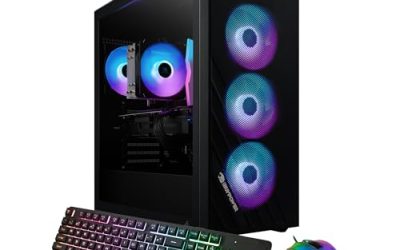
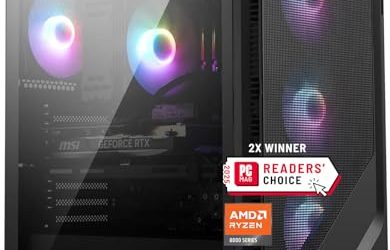
The best PC maker for most gamers is one that uses standard, replaceable parts, lists the exact component models, and has a support record you can check. In 2026 that usually means Corsair, NZXT or a mainstream boutique builder such as Maingear, Falcon Northwest or Digital Storm. Value-focused builders like CyberPowerPC, iBuypower and Skytech suit tighter budgets, and Alienware, HP Omen, Lenovo Legion, ASUS ROG and MSI suit people who want a big-brand warranty and easy retail availability.
“Best” depends on what you are optimizing for: price per frame, upgrade freedom, noise, size or service. The sections below map each situation to a maker, then show how to check any builder’s configuration with a power budget and a short list of red flags. Pricing is described in general tiers only, because it moves weekly with GPU supply and promotions.
As an Amazon Associate we earn from qualifying purchases at no extra cost to you.



Our Top Picks
 Alienware Aurora R16 Gaming Desktop Computer PC32 GB DDR5 | 2 TB SSD + 2TB HDD18.05 x 16.46 x 7.75 inchesCheck on Amazon

Top 3 picks at a glance
Quick comparison of PC makers
| Maker | Best for | What to expect | Price tier |
|---|---|---|---|
| Corsair (Vengeance line) | Best overall: standard parts, clean builds | Corsair-branded PSU, cooling and RAM; standard ATX layouts; liquid cooling common on higher tiers | Mid-range to premium |
| NZXT (Player series) | Easy ordering, tidy cable management | Own cases and coolers, mainstream GPU and CPU choices; leasing options in some regions | Mid-range |
| CyberPowerPC / iBuypower / Skytech | Best budget value | Wide GPU and CPU choice, RGB-heavy cases, variable part quality (often unbranded PSU, board or RAM) | Budget to mid-range |
| Alienware, HP Omen, Lenovo Legion, ASUS ROG, MSI | Big-brand warranty and retail availability | Frequent sales, wide support networks; some lines use proprietary parts | Budget to premium |
| Maingear, Falcon Northwest, Digital Storm | Premium custom builds and compact high-end | Hand-built, tuned, extensive configuration; longer-term support; custom cases | Premium |
Best overall: Corsair
Corsair builds its prebuilts around its own cases, power supplies, coolers and memory, so a failing part is usually a branded part with a clear warranty path. The cases are standard ATX or micro-ATX layouts, which keeps future upgrades simple. The main trade-off is price: you pay a premium over a self-built system with the same GPU and CPU, and the lineup is narrower than that of the value builders.
Best for tidy, simple ordering: NZXT
NZXT’s Player series pairs its own cases and coolers with mainstream GPU and CPU options, and the configurator is simple enough for a first-time buyer. It suits people who want a clean-looking machine without researching every component. The trade-off is that the range is smaller than that of the high-volume integrators, so exact GPU/CPU combinations may not match what you want.
Best budget value: CyberPowerPC, iBuypower and Skytech
These builders sell through their own sites and retail partners, with many GPU and CPU combinations and frequent price cuts. They offer the most performance per unit of money when the configuration is sound. The trade-off is inconsistency: some builds use a generic power supply, a basic motherboard with few M.2 slots, or single-channel memory. Everything in the checklist below matters most here.
Best for warranty and availability: the big OEM brands
Alienware (Dell), HP Omen, Lenovo Legion, ASUS ROG and MSI have the widest service networks and often sell in physical stores, which makes returns easier. ASUS and MSI also make the motherboards and graphics cards inside their own desktops, so the parts are usually standard. Dell and HP have historically used some proprietary power supply or motherboard designs in certain lines, so confirm the form factor and PSU connector type before assuming you can upgrade freely. Standard coverage is typically a limited warranty of about a year, with extensions available. Check the exact terms for your region on the maker’s own page.
Best premium and compact: Maingear, Falcon Northwest, Digital Storm
Boutique builders hand-assemble, tune and burn-in systems, and offer custom cases, including compact designs such as the Falcon Northwest Tiki. You get detailed configuration choices and a person who knows your build. The trade-off is cost: these are the most expensive ways to get a given GPU tier, and lead times can be longer than for mass-market brands. They make sense for high-end systems, small-form-factor needs or people who value support over price.
How to choose: match your situation to a maker
| Your situation | Pick this type of maker | Why |
|---|---|---|
| Tight budget, comfortable swapping a part later | CyberPowerPC, iBuypower, Skytech | Lowest cost per GPU tier; replace a weak PSU or RAM yourself |
| Want to upgrade GPU and PSU in 2–3 years | Corsair, NZXT, ASUS ROG, MSI | Standard ATX parts and common case layouts |
| Need in-store returns and wide service coverage | Alienware, HP Omen, Lenovo Legion | Large retail and service networks |
| Small desk or living-room setup | Falcon Northwest, Maingear, Digital Storm (compact lines) | Custom small cases with proper cooling design |
| Want a quiet, tuned high-end system | Boutique builders | Fan curves, cable work and burn-in are part of the service |
| Streaming and editing alongside gaming | Any maker with 32 GB RAM and a larger SSD option | The spec matters more than the brand |
Worked example: check the maker’s power supply choice
A common cost-cutting move is a power supply with little headroom. To check one, add the GPU’s total board power, the CPU’s peak draw and about 100 W for the rest of the system, then apply a margin for transient spikes.
- GeForce RTX 5070 Ti: 300 W total graphics power per NVIDIA’s spec sheet.
- Ryzen 7 9800X3D: 120 W TDP per AMD (real gaming draw is often lower, but use the rating for planning).
- Motherboard, RAM, SSD, fans, USB devices: about 100 W.
- Sum: 300 + 120 + 100 = 520 W.
- Add roughly 30–40% headroom for transient spikes and efficiency: 520 × 1.35 ≈ 700 W. A 750 W unit from a known brand is the sensible minimum.
Now try a higher-end case: an RTX 5080 at 360 W with a 125 W-class CPU gives 360 + 125 + 100 = 585 W, and 585 × 1.35 ≈ 790 W, so look for 850 W. If a maker lists a 650 W unit with that GPU, treat it as a warning sign. NVIDIA’s own recommended PSU figures for each card are published on its product pages and are a good cross-check.
What to verify before you order
- Exact component list. Reputable makers name the motherboard chipset, PSU model and wattage, RAM speed and SSD model. “Gaming motherboard” or “650W PSU” with no brand is a red flag.
- Dual-channel memory. Two sticks (for example 2 × 16 GB) rather than one stick; single-channel can cost noticeable frame rate in CPU-bound games.
- Capacity. 32 GB of RAM and a 1 TB NVMe SSD are the practical baseline for modern games; 16 GB and 500 GB feel tight quickly.
- Upgrade path. Look for a standard ATX PSU, a socket with a future on its platform, at least two M.2 slots and a case with room for a longer GPU.
- Cooling. A tower air cooler or a 240/360 mm liquid cooler suits high-wattage CPUs; a tiny stock cooler on a high-end chip invites throttling.
- Warranty terms. Check whether the warranty covers parts and labor, who pays shipping, and whether opening the case voids it. Many makers allow standard part replacement without penalty, but terms vary.
- Return policy and lead time. Build times from boutique makers can stretch; confirm the dates before paying.
Compare against a parts list
To judge value, list the main parts (CPU, GPU, motherboard, RAM, SSD, PSU, case, cooler) at current market pricing and add them up. A maker that lands within roughly 10–20% above that total is charging a normal fee for assembly, testing, Windows and support. A gap much larger than that needs a justification such as a premium case, a long warranty or hand-tuned cooling. During GPU shortages or sales, prebuilts can come in below the parts total, in which case the comparison favors the prebuilt.
Frequently Asked Questions
Which PC maker is the most reliable?
No maker is reliable across every model, because reliability depends on the specific parts and the support team. Builders that use named, branded components and offer clear warranty terms, such as Corsair and the boutique makers, tend to give the most predictable ownership. Check recent owner reports for the exact model you want rather than relying on a brand reputation.
Is it cheaper to build a PC or buy from a PC maker?
Building yourself is usually cheaper if you already know how to assemble a PC and can buy at normal retail prices. Prebuilts become competitive during sales or when GPU prices are inflated, since integrators buy in volume. Compare the full parts list against the prebuilt’s price to see which side wins at the time you buy.
Are Alienware and HP Omen PCs upgradeable?
Mostly yes for storage, RAM and the GPU, but some lines use non-standard power supplies, motherboards or case layouts that limit larger upgrades. Check the PSU form factor and available wattage, and see whether the motherboard is a standard size, before you buy. Lines with standard ATX parts are far easier to modify later.
Are boutique builders like Falcon Northwest worth the premium?
They are worth it if you value hand-built quality, tuning, compact custom cases and direct support, and less so if you only want the most frames for the least money. For a budget or mid-range gaming PC, a value builder with good parts will deliver similar performance at a lower cost.
What specs matter more than the brand?
The GPU tier, CPU, dual-channel RAM, SSD size and a properly rated power supply matter more than the logo on the case. A well-configured build from a value maker beats a poorly configured one from a famous brand. Use the power budget above and the checklist to compare configurations on equal terms.
Should I buy a prebuilt or a gaming laptop from these makers?
Choose a desktop if you game at one desk and want more performance per unit of money, better cooling and easier upgrades. Choose a laptop only if portability is essential, since the same GPU name typically runs at lower power in a laptop. Brands such as ASUS ROG, MSI, Lenovo Legion and Alienware sell both, so you can compare within one maker.
Related guides
More from Amazon
Programs that pair well with the guide above. Offers and eligibility are set by Amazon and may change.
A free business account with business pricing and bulk-buying tools for work, shop or home office.
Create a business accountFree shipping on eligible items, Prime Video and more. Eligible new members can start with a free trial.
Start a Prime free trialAudiobooks and podcasts to listen to on the go. Eligible new members can start with a free trial.
Try Audible freeAd-free music streaming. Eligible new subscribers can start with a free trial.
Try Music Unlimited freeAs an Amazon Associate we earn from qualifying purchases.