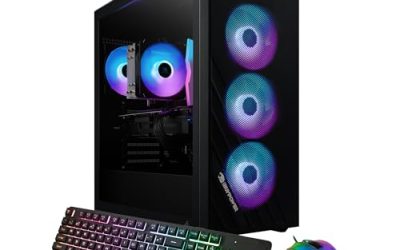
The best PC company for most gamers in 2026 is one that builds with standard ATX parts, names every component in the spec sheet, and backs the machine with a clear warranty. Corsair and NZXT fit that profile for mainstream buyers. Falcon Northwest and Maingear suit premium builds, CyberPowerPC and iBuyPower suit tighter budgets, and Alienware, HP Omen and Lenovo Legion suit buyers who want a big-brand warranty and retail availability. The right pick depends on how much you value upgradability, support and price, so the sections below turn that into concrete checks.
As an Amazon Associate we earn from qualifying purchases at no extra cost to you.



Our Top Picks
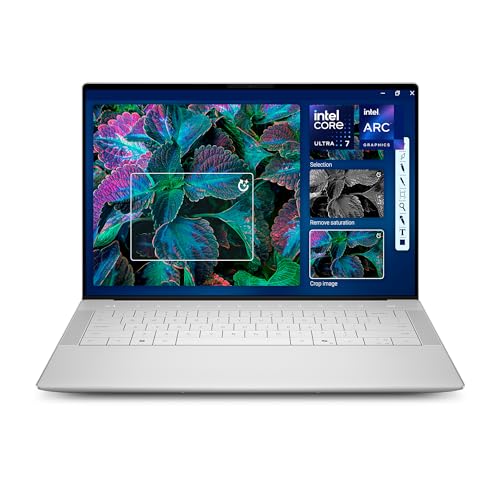 Dell XPS 14 Premium Laptop DA14250-14.5-inch Touch 3.2KXPS14|32GB|1TB8.5 x 12.6 x 0.71 inches3.79 poundsCheck on Amazon
Top 3 picks at a glance
Quick comparison of the best PC companies
| Pick | Best for | Key traits (verify per configuration) | Price tier |
|---|---|---|---|
| Corsair (Vengeance desktops) | Best overall for most gamers | In-house cases, coolers and power supplies, so parts are easy to identify and swap | Mid-range to premium |
| NZXT (Player series, BLD) | Clean builds and simple upgrades | Standard-format parts in its own cases, with a software-managed cooling ecosystem | Mid-range to premium |
| CyberPowerPC / iBuyPower | Best budget and value | Wide range of configurations, often with off-brand cases or PSUs you should check | Budget to mid-range |
| Alienware (Dell) | Big-brand support and distinctive design | Some lines use custom chassis or PSU formats, so upgrade paths can be narrower | Mid-range to premium |
| HP Omen / Lenovo Legion | Retail availability and frequent promotions | Solid mainstream builds; check PSU wattage and RAM channel setup | Budget to mid-range |
| Falcon Northwest / Maingear | Best premium and boutique builds | Hand-assembled systems, tuned configurations, custom finishes | Premium to enthusiast |
| Puget Systems | Best for creators and workstations | Published component and reliability approach, validated for pro software | Premium |
| ASUS ROG / MSI / Lenovo Legion (laptops) | Best for gaming laptops | Large catalogs across GPU tiers and screen types | Mid-range to premium |
Best overall: Corsair
Corsair makes the case, PSU, cooler, RAM and often the SSD in its own prebuilts. That makes components easy to identify and replace, and it gives you one company to deal with for most parts. It suits buyers who want a ready-to-play PC that they may upgrade in two or three years. The trade-off is price: you often pay a premium over a self-built or value-brand machine with the same CPU and GPU.
Best for clean, upgrade-friendly builds: NZXT
NZXT’s Player series ships with the company’s own cases and cooling, and its configurator is simple enough for first-time buyers. It suits people who care about a tidy interior and easy part swaps. The trade-off is similar to Corsair’s: you are partly paying for the brand and design, so compare the GPU and CPU tier against what a value builder offers at the same price level.
Best budget: CyberPowerPC and iBuyPower
These system builders offer many configurations at lower prices, often with the latest GPU tiers in the cheapest mainstream packages. They suit buyers who want maximum frame rate per dollar of spend and are willing to read the spec sheet carefully. The trade-off is that cases, PSUs, motherboards and RAM can be unbranded or entry-level, so check each one before ordering. A cheap prebuilt with a weak PSU is a poor deal.
Best for big-brand support: Alienware, HP Omen, Lenovo Legion
Dell’s Alienware, HP’s Omen and Lenovo’s Legion towers are sold through large retail and business channels, which means frequent promotions, financing and wide service networks. They suit buyers who want a straightforward warranty and do not plan major upgrades. The main trade-off is that some chassis, motherboards and PSUs follow custom layouts, which can limit GPU length, cooling changes or PSU swaps later. Read the product page for the PSU wattage and the number of RAM modules.
Best premium and boutique: Falcon Northwest and Maingear
Falcon Northwest and Maingear hand-assemble systems, tune them and offer custom finishes, including compact designs that mass-market brands rarely match. They suit buyers who want a high-end machine and personal service. The trade-off is cost: you pay noticeably more than for a similar-spec mainstream prebuilt, and the performance gain over a well-chosen Corsair or NZXT system is small.
Best for creators: Puget Systems
Puget Systems focuses on workstation-style builds for video, 3D and development work, and publishes its component choices and testing approach. It suits people for whom uptime and software compatibility matter more than RGB. The trade-off is that it is rarely the best value for pure gaming.
How to choose: the five checks that matter more than the logo
- Power supply wattage and quality. Compare against the GPU maker’s recommendation (see the calculation below).
- RAM configuration. Look for two modules (dual channel) and at least 32 GB for current games plus background apps. A single 16 GB stick is a common cost-cutting trick.
- Storage. A 1 TB NVMe SSD is a practical minimum; many modern games exceed 100 GB each.
- Named parts. The listing should name the motherboard chipset, PSU model or efficiency rating, and cooler type. “Gaming motherboard” is not a spec.
- Warranty and returns. Check the length, whether it covers parts and labor, and who pays shipping. Terms vary by company and region, so read the policy rather than relying on reputation.
Worked example: is the prebuilt’s power supply big enough?
Take a build with a GeForce RTX 5070 Ti (300 W total graphics power per NVIDIA’s spec) and a Ryzen 7 9800X3D (AMD lists a 120 W TDP and roughly 162 W peak package power). Add around 75 W for the motherboard, RAM, SSD, fans and pump.
| Component | Estimated peak draw |
|---|---|
| RTX 5070 Ti | 300 W |
| Ryzen 7 9800X3D (peak) | about 160 W |
| Board, RAM, SSD, fans, pump | about 75 W |
| Total peak estimate | about 535 W |
A 650 W PSU would run at about 82% of rated load at that worst case, with little margin for transient spikes. A 750 W unit brings the worst case to about 71%, which matches NVIDIA’s own recommendation for this GPU class. Games rarely load the CPU and GPU to peak together, so real draw is usually lower, but the margin protects against shutdowns and extends PSU life.
The same arithmetic with NVIDIA’s published recommendations gives a quick reference:
| GPU | Board power (spec) | Typical total peak with a high-end CPU | NVIDIA recommended PSU |
|---|---|---|---|
| RTX 5070 | 250 W | about 485 W | 650 W |
| RTX 5070 Ti | 300 W | about 535 W | 750 W |
| RTX 5080 | 360 W | about 595 W | 850 W |
| RTX 5090 | 575 W | about 810 W | 1000 W |
If a prebuilt ships below the recommended wattage, either pick a different company or confirm the PSU can be upgraded easily. That is simpler in a standard ATX case than in a custom chassis.
Decision matrix: match your situation to a company
| Your situation | Best fit | Why |
|---|---|---|
| First PC, want it to just work, may upgrade later | Corsair or NZXT | Identifiable standard parts and simple configurators |
| Tight budget, want the most GPU for the spend | CyberPowerPC or iBuyPower | Wide choice of cheaper configs; verify PSU and RAM |
| Want a big-company warranty, no upgrade plans | Alienware, HP Omen or Lenovo Legion | Retail support and frequent promotions |
| Premium compact or custom-finish build | Falcon Northwest or Maingear | Hand assembly and tuning |
| Gaming plus video editing or 3D work | Puget Systems | Validated pro configurations |
| You need portability | ASUS ROG, MSI or Lenovo Legion laptops | Broad GPU and display options |
| You enjoy building and want the best value | Build it yourself | No assembly premium, full part choice |
Red flags when comparing companies
- Listings that hide the PSU brand, motherboard model or RAM speed.
- A very strong GPU paired with a very weak CPU, or a single RAM stick.
- Proprietary parts with no stated upgrade path.
- Vague warranty language, or support that is only available through a form.
- Pricing far below the cost of the listed parts, which often means a cut corner you cannot see.
Frequently Asked Questions
What is the best PC company for gaming overall?
For most buyers, Corsair and NZXT are the safest all-round choices because they use identifiable standard parts and clear configurators. The best company for you can still differ if budget, support or upgradability is your priority. Use the matrix above to match your situation to a pick.
Is it better to buy a prebuilt or build my own PC?
Building yourself usually costs less for the same parts and gives full control over components. A prebuilt saves time, includes a single warranty and is a good option if you do not want to assemble or troubleshoot. Promotions occasionally make prebuilts competitive, so compare the exact part list.
Are Alienware and HP Omen PCs worth it?
They can be, especially when promotions bring prices down and you value a large support network. The main risk is limited upgradability in lines that use custom cases, motherboards or PSUs. Check the PSU wattage and the form factor before buying if you plan to upgrade the GPU later.
Which PC company has the best warranty?
Warranty terms change by company, product line and region, so no single brand is best everywhere. Compare the coverage length, whether labor and shipping are included, and how returns work in the policy itself. Boutique builders often emphasize personal support, while large brands offer broader service networks.
How much PSU wattage should a gaming PC have?
Follow the GPU maker’s recommendation: NVIDIA lists 650 W for the RTX 5070, 750 W for the RTX 5070 Ti, 850 W for the RTX 5080 and 1000 W for the RTX 5090. These figures assume a typical high-end CPU. A quality unit with these margins avoids shutdowns during load spikes.
Should I buy a gaming laptop or a desktop from these companies?
A desktop gives more performance per unit of spend, better cooling and easier upgrades. A laptop makes sense if you need portability or have no space for a tower. Laptop GPUs run at lower power limits than their desktop namesakes, so expect lower performance than the model number suggests.
Related guides
More from Amazon
Programs that pair well with the guide above. Offers and eligibility are set by Amazon and may change.
A free business account with business pricing and bulk-buying tools for work, shop or home office.
Create a business accountFree shipping on eligible items, Prime Video and more. Eligible new members can start with a free trial.
Start a Prime free trialAudiobooks and podcasts to listen to on the go. Eligible new members can start with a free trial.
Try Audible freeAd-free music streaming. Eligible new subscribers can start with a free trial.
Try Music Unlimited freeAs an Amazon Associate we earn from qualifying purchases.