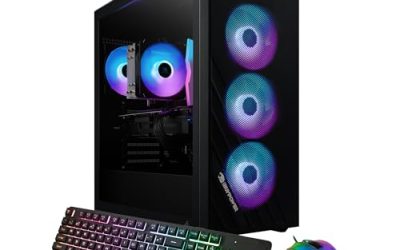
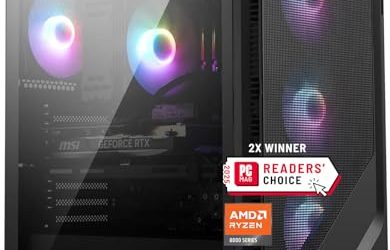
The best mid-tier gaming PC in 2026 pairs a modern six- to eight-core CPU such as the Ryzen 5 7600 or Ryzen 5 9600X with a 12-16GB graphics card in the GeForce RTX 5070 or Radeon RX 9070 class, 32GB of DDR5 in dual channel, and a 1TB NVMe SSD. That combination targets 1440p at high settings and is the sweet spot between entry-level 1080p machines and premium 4K rigs. If your budget is tighter, an RTX 5060 Ti 16GB or RX 9060 XT 16GB build is the better compromise than an 8GB card with a faster CPU.
As an Amazon Associate we earn from qualifying purchases at no extra cost to you.


Our Top Picks

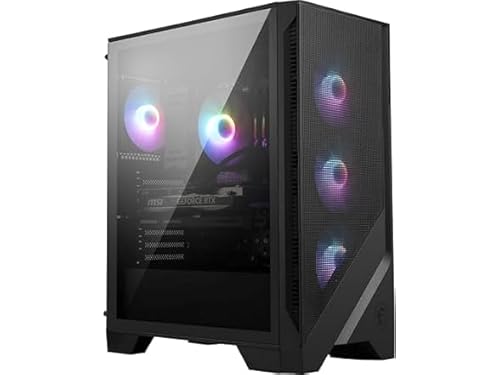
Top 3 picks at a glance
What “mid-tier” actually means in 2026
A mid-tier gaming PC is one built to run current games at 1440p with high settings and 60-120 fps, or 1080p at very high refresh rates. In practice that means a GPU with 12GB or more of VRAM, a CPU with at least six fast cores, and 32GB of RAM. Frame rates vary widely with the game, settings, upscaling mode, CPU and driver version, so treat any figure as a rough range from published reviews rather than a promise.
Quick comparison of mid-tier build classes
| Pick | Best for | Key specs | Price range |
|---|---|---|---|
| Best overall: Ryzen 5 7600 or 9600X + RTX 5070 | 1440p high/ultra, ray tracing with DLSS | 6 cores/12 threads, 12GB GDDR7, 192-bit bus, 250W board power, 32GB DDR5 | Upper mid-range |
| Best raster value: Ryzen 5 or 7 + RX 9070 | 1440p without ray tracing, VRAM headroom | 16GB GDDR6, 256-bit bus, about 220W board power, 32GB DDR5 | Upper mid-range |
| Best lower mid-range: RTX 5060 Ti 16GB or RX 9060 XT 16GB | 1440p medium-high, 1080p max | 16GB VRAM, 128-bit bus, 160-180W board power | Mid-range |
| Best for high refresh 1080p: Ryzen 7 7800X3D class + RTX 5060 Ti | Esports, simulation, CPU-heavy games | 8 cores with 3D V-Cache, 120W-class CPU, 16GB GPU | Mid-range to upper mid-range |
| Best for gaming plus creating: Core Ultra 7 or Ryzen 7 + RTX 5070 | Streaming, video editing, 3D work | 8+ cores, 12GB GPU, 32GB DDR5 (64GB optional), 2TB NVMe | Upper mid-range |
Board power and bus figures above come from the manufacturers’ published spec sheets. Retail prices swing with stock and regional pricing, so compare a few current listings rather than trusting a fixed number.
Best overall: RTX 5070 with a Ryzen 5 7600 or 9600X
The GeForce RTX 5070 has 12GB of GDDR7 on a 192-bit bus, which gives roughly 672 GB/s of memory bandwidth (192 bits x 28 Gbps / 8). That is more than a third higher than the 448 GB/s of the 128-bit RTX 5060 Ti. Paired with a six-core Ryzen CPU, it handles most modern games at 1440p high settings, and DLSS 4 with multi-frame generation helps in supported titles. Published reviews generally put it in the range of about 70-140 fps at 1440p in a mix of recent games, depending heavily on settings and upscaling.
Who it suits: players with a 1440p 144Hz monitor who want to turn on ray tracing in some games. Trade-off: 12GB is adequate today but is the first spec to feel tight if you mod textures or play at 4K.
Best raster value: RX 9070 with 16GB
The Radeon RX 9070 uses 16GB of GDDR6 on a 256-bit bus. At 20 Gbps that is about 640 GB/s, similar to the RTX 5070, with more VRAM. It tends to look strongest in games without heavy ray tracing, and FSR 4 upscaling is supported in a growing list of titles. Who it suits: buyers who keep GPUs for four or five years and want VRAM headroom. Trade-off: ray tracing performance and feature support in some creative apps still lean toward NVIDIA, so check the software you use.
Best lower mid-range: 16GB RTX 5060 Ti or RX 9060 XT
Both cards come in 8GB and 16GB versions, and the 16GB version is the only one that belongs in a mid-tier build. Both use a 128-bit bus, so bandwidth is lower (448 GB/s for the 5060 Ti with GDDR7, about 320 GB/s for the 9060 XT with GDDR6). Expect good 1080p ultra and solid 1440p at medium to high settings, usually with upscaling in the newest games. Trade-off: the narrow bus means these cards fall behind the 5070 and 9070 more at 1440p than at 1080p.
Best for high-refresh and CPU-heavy games: X3D CPU focus
If you play competitive shooters, strategy games, or simulators, the CPU often limits frame rate before the GPU does. A Ryzen 7 7800X3D-class processor, with its large 3D V-Cache, is commonly the top gaming pick in that situation. Pair it with a 16GB mid-range GPU rather than the reverse. Trade-off: the CPU costs noticeably more than a Ryzen 5 and the gain is small in GPU-bound 1440p ultra scenes.
Best for gaming plus creating
Streamers and editors benefit from more cores and NVIDIA’s hardware encoder. A Ryzen 7 or Core Ultra 7 with an RTX 5070, 32GB of RAM (64GB if you edit 4K timelines) and a 2TB SSD is a better fit than spending the same money on a bigger GPU with a six-core CPU. Trade-off: you give up a little pure gaming performance for faster exports and smoother multitasking.
Worked example: power supply sizing
Do not buy a PSU on wattage alone; add up the load, then leave headroom for transient spikes.
- RTX 5070 board power: 250W
- Ryzen 5 7600 under gaming load: roughly 65-88W (the chip’s rated 65W TDP allows up to about 88W package power)
- Motherboard, 32GB DDR5, NVMe, fans and USB devices: about 60-80W
- Estimated peak sustained draw: about 250 + 88 + 80 = 418W
Adding 40-50% headroom for transient spikes and PSU efficiency lands at roughly 600-630W, which is why NVIDIA lists 650W as the recommended system PSU for the RTX 5070 and 600W for the RTX 5060 Ti, per its official specifications. A quality 650-750W unit is the practical choice. Going to 750W makes sense if you may upgrade to an RX 9070 XT-class card, which has a board power near 304W.
Decision matrix: match your situation to a build
| Your situation | Choose | Why |
|---|---|---|
| 1080p 144-240Hz, esports | RTX 5060 Ti 16GB or RX 9060 XT 16GB, fast 6-8 core CPU | GPU headroom is plentiful; CPU matters more |
| 1440p 144Hz, single-player AAA | RTX 5070 or RX 9070 | Bandwidth of 640-672 GB/s suits 1440p |
| 1440p with ray tracing | RTX 5070 | Better ray tracing and DLSS support |
| Long-term keeper (4+ years) | RX 9070 (16GB) | More VRAM as texture sizes grow |
| Occasional 4K or TV gaming | RX 9070 or step up to RX 9070 XT/RTX 5070 Ti class | 4K needs more bandwidth and VRAM |
| Streaming or editing | RTX 5070, 8-core CPU, 32-64GB RAM | NVENC and core count |
VRAM and resolution: how much is enough
| Resolution | Pixels per frame | Comfortable VRAM |
|---|---|---|
| 1920 x 1080 | 2,073,600 | 8GB minimum, 12GB safer |
| 2560 x 1440 | 3,686,400 | 12GB, 16GB preferred |
| 3840 x 2160 | 8,294,400 | 16GB or more |
1440p pushes about 78% more pixels than 1080p, and 4K pushes 4x as many. Most VRAM is consumed by textures, ray tracing structures and frame generation buffers rather than the frame itself, which is why 8GB cards struggle in recent games even at 1080p ultra. The VRAM guidance above is a general rule of thumb, not a per-game guarantee.
How to choose a prebuilt or parts list
- Pick the GPU first. It determines most of your frame rate. Aim for 12GB or more.
- Match the CPU to your monitor. A six-core Ryzen 5 is enough at 1440p 144Hz; step up to an X3D chip for 240Hz or CPU-bound games.
- Insist on two RAM sticks. Two 16GB DDR5 modules run in dual channel; a single 32GB stick can reduce performance in some games. DDR5-6000 CL30 is a common sweet spot on AMD platforms.
- Check the SSD. A 1TB PCIe 4.0 NVMe drive is the minimum, since many modern games exceed 100GB each. 2TB is more comfortable.
- Verify the PSU model. Prebuilts sometimes hide a generic unit. Look for a named model with an 80 Plus Gold rating or at least Bronze, and a 650W or higher rating.
- Confirm upgrade room. An AM5 motherboard allows CPU upgrades later, and a case with decent airflow keeps the GPU quiet.
Frequently Asked Questions
What GPU is best for a mid-tier gaming PC in 2026?
The RTX 5070 and RX 9070 are the strongest mid-tier choices for 1440p, with 12GB and 16GB of VRAM respectively. If budget is tighter, choose a 16GB RTX 5060 Ti or RX 9060 XT rather than an 8GB card. The extra VRAM matters more for longevity than a small bump in clock speed.
Is 16GB of RAM enough for a mid-tier gaming PC?
16GB still runs most games, but 32GB of DDR5 is now the safer choice. Modern games, a browser, Discord and streaming software can easily exceed 16GB together. RAM is a relatively cheap upgrade, so buying 32GB up front avoids stutter later.
Should I buy a prebuilt or build my own?
Building usually gives better parts quality at the same performance, especially the PSU, motherboard and cooler. A prebuilt makes sense if it includes a warranty, a named PSU and dual-channel RAM, and its price is close to the cost of the parts. Check the component list carefully before you decide.
Can a mid-tier gaming PC run 4K?
Yes, but with compromises. At 4K you will typically use upscaling such as DLSS or FSR and medium-to-high settings to reach 60 fps in demanding games. If 4K is your main target, look at an RX 9070 XT or RTX 5070 Ti class card instead.
How long will a mid-tier gaming PC last?
A well-balanced build typically stays comfortable for three to five years at its target resolution. The GPU is usually the first part to feel dated, and it can be swapped on an AM5 platform without replacing the whole PC. Buying 16GB of VRAM and a 750W PSU extends that lifespan.
Is an Intel or AMD CPU better for mid-tier gaming?
AMD’s Ryzen 5 and Ryzen 7 chips, especially X3D models, generally lead in gaming value, and the AM5 platform offers a longer upgrade path. Intel’s Core Ultra chips are competitive and strong for productivity. Choose based on current pricing and the motherboard features you need.
Related guides
More from Amazon
Programs that pair well with the guide above. Offers and eligibility are set by Amazon and may change.
A free business account with business pricing and bulk-buying tools for work, shop or home office.
Create a business accountFree shipping on eligible items, Prime Video and more. Eligible new members can start with a free trial.
Start a Prime free trialAudiobooks and podcasts to listen to on the go. Eligible new members can start with a free trial.
Try Audible freeAd-free music streaming. Eligible new subscribers can start with a free trial.
Try Music Unlimited freeAs an Amazon Associate we earn from qualifying purchases.