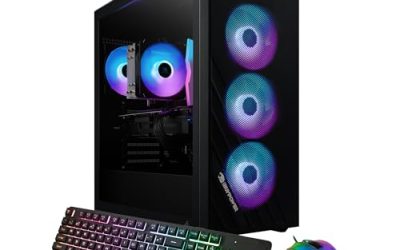
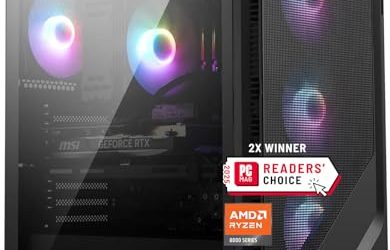
The best PC config for gaming in 2026 is a balanced AM5 build: a Ryzen 7 7800X3D or 9800X3D (or a Ryzen 5 for tighter budgets), a 16GB-VRAM graphics card such as the RTX 5070 Ti or Radeon RX 9070 XT, 32GB of DDR5-6000, a 2TB NVMe SSD and a quality 750W PSU. That setup covers 1440p high-refresh gaming, which is where most players should aim. Move the GPU up or down by your monitor’s resolution, and don’t overspend on the CPU unless you play CPU-bound games.
As an Amazon Associate we earn from qualifying purchases at no extra cost to you.


Our Top Picks

Top 3 picks at a glance
Quick comparison of the best configs
| Config | Best for | Key parts | Budget tier |
|---|---|---|---|
| Best budget | 1080p, 60-144Hz | Ryzen 5 7600, RX 9060 XT 16GB or RTX 5060, 16-32GB DDR5, 1TB NVMe, 550-650W PSU | Budget |
| Best overall | 1440p, 144-240Hz | Ryzen 7 7800X3D, RTX 5070 Ti or RX 9070 XT, 32GB DDR5-6000, 2TB NVMe, 750W PSU | Mid-range to upper mid-range |
| Best for 4K | 4K, 60-120Hz | Ryzen 7 9800X3D, RTX 5080, 32GB DDR5-6000, 2TB NVMe, 850W PSU | Premium |
| Best no-compromise | 4K high refresh, heavy ray tracing | Ryzen 7 9800X3D, RTX 5090, 32-64GB DDR5, 2TB+ NVMe, 1000-1200W PSU | Enthusiast |
| Best for play plus work | Gaming, streaming, video editing | Ryzen 9 9900X or 9950X, RTX 5070 Ti, 64GB DDR5, 2TB NVMe, 850W PSU | Upper mid-range to premium |
Best budget config: 1080p without regrets
A Ryzen 5 7600 paired with a Radeon RX 9060 XT 16GB or a GeForce RTX 5060 handles 1080p at high settings in most current games. The RX 9060 XT’s 16GB variant uses a 128-bit bus with a board power around 160W, per AMD’s spec sheet. The RTX 5060 has 8GB of GDDR7 and a 145W rating, per NVIDIA. Pick the 16GB card if you can, because 8GB is the first thing to run out in newer titles with high-resolution textures or ray tracing.
Trade-off: 1440p is possible but needs lower texture settings or upscaling on 8GB cards. Buy a 650W PSU and a B650 board so you can upgrade the GPU later.
Best overall: the 1440p sweet spot
The Ryzen 7 7800X3D (or the faster 9800X3D if the budget allows) with an RTX 5070 Ti or Radeon RX 9070 XT is the most balanced config. Both GPUs carry 16GB of VRAM on a 256-bit bus. NVIDIA lists the 5070 Ti at 300W; AMD lists the 9070 XT at 304W. Expect roughly 100-200 FPS at 1440p in many modern titles, though this varies widely with settings, CPU and game patch. Add 32GB of DDR5-6000 CL30 and a 2TB Gen4 NVMe drive.
Trade-off: It costs noticeably more than the 1080p build. The GPU may be overkill if your monitor is only 1080p/60Hz.
Best for 4K: RTX 5080 class
For native 4K, the RTX 5080 (16GB GDDR7, 256-bit, 360W per NVIDIA) with a Ryzen 7 9800X3D is the practical ceiling before costs spike. Use upscaling (DLSS or FSR) for demanding ray-traced games. An 850W PSU gives comfortable headroom.
Trade-off: 16GB is adequate today, but heavy path-traced games at 4K can push it.
Best no-compromise: RTX 5090
The RTX 5090 offers 32GB of GDDR7 on a 512-bit bus with a 575W rating, per NVIDIA’s specs. It suits 4K at 120Hz or more, 5K and VR, and local AI or 3D work. It requires a high-quality 1000W+ ATX 3.1 PSU with a proper 12V-2×6 cable, and a case with strong airflow.
Trade-off: Very high cost, power draw and heat, with diminishing gains per unit of money spent.
Best for gaming plus work
If you stream, edit video or compile code, a Ryzen 9 9900X or 9950X with 64GB of RAM beats an X3D chip for multithreaded tasks. Pair it with an RTX 5070 Ti, since NVIDIA’s hardware encoders and CUDA support are widely used by creative apps.
Trade-off: X3D chips usually still win in pure gaming, especially at high refresh rates.
How to choose: the numbers that matter
1. Match the GPU to pixels per second
Pixel throughput is resolution multiplied by refresh rate. It shows why a monitor upgrade changes the GPU you need:
| Target | Pixels per frame | Pixels per second | Typical GPU class |
|---|---|---|---|
| 1080p at 144Hz | 2.07 million | about 298 million | RTX 5060 / RX 9060 XT |
| 1440p at 165Hz | 3.69 million | about 608 million | RTX 5070 / RX 9070 class |
| 1440p at 240Hz | 3.69 million | about 885 million | RTX 5070 Ti / RX 9070 XT |
| 4K at 120Hz | 8.29 million | about 995 million | RTX 5080 / RTX 5090 |
4K has four times the pixels of 1080p, so you need far more GPU than the jump in resolution suggests. This is a rendering-load estimate, not a benchmark, and upscaling lowers the real load.
2. Match VRAM to resolution
| Resolution | Comfortable VRAM today | Notes |
|---|---|---|
| 1080p | 8-12GB | 8GB works but leaves little headroom for ray tracing |
| 1440p | 12-16GB | 16GB is the safer choice for the next several years |
| 4K | 16-24GB | Ray tracing and frame generation add several GB |
These are general guidelines based on how modern games commonly behave. Individual titles vary.
3. Calculate your power budget
Worked example for the best-overall build: RTX 5070 Ti at 300W, Ryzen 7 7800X3D peaking around 90-120W, and about 75W for motherboard, RAM, SSD, fans and USB devices. That totals roughly 300 + 120 + 75 = 495W of sustained peak load. Modern GPUs have short transient spikes above rated power, so a common rule is to size the PSU at about 1.4-1.5 times peak load: 495 x 1.5 is about 740W, so a 750W unit fits.
Run the same sums for the RTX 5090 build: 575 + 160 + 90 = 825W, and x 1.3 gives roughly 1070W, so choose a 1000-1200W unit. Always check the GPU maker’s recommended PSU wattage too, since it is the safest reference.
4. Split the budget sensibly
- 1080p: about 35-40% of the total on the GPU.
- 1440p: about 40-45% on the GPU, 15-20% on the CPU.
- 4K: 45-50% on the GPU. A mid-tier X3D CPU is enough.
- Keep 10-15% for the PSU, case and cooling. A weak PSU is a false economy.
5. Decision matrix: situation to config
| Your situation | Choose |
|---|---|
| 1080p monitor, no plans to upgrade | Budget config; do not buy above RTX 5060 Ti / RX 9060 XT class |
| Competitive esports at 240Hz+ | X3D CPU first, mid-range GPU |
| 1440p monitor, mostly single-player | Best overall config |
| 4K TV or monitor | RTX 5080 class and use upscaling |
| Streaming or editing | 9900X/9950X, 64GB RAM |
| Want to upgrade GPU in two years | Buy a quality 850W PSU now |
The supporting parts people get wrong
- RAM: On AM5, DDR5-6000 CL30 with EXPO enabled is the usual sweet spot. Enable the profile in BIOS, as DDR5 runs at a slow default otherwise. Use two sticks, not four, for stability.
- Storage: A 2TB Gen4 NVMe drive is plenty. Gen5 drives run hotter and rarely change game load times noticeably.
- Motherboard: A B650 or B850 board is enough for any config here. Check VRM quality only for 9950X-class chips.
- Cooling: A good 240mm AIO or dual-tower air cooler suits all the CPUs above. X3D chips run cool and do not need a 360mm radiator.
- Case: Look for a mesh front panel and room for the GPU length, since many 5080 and 5090 cards are over 300mm long. Check the card’s dimensions before buying.
- Monitor: Pick it first. It sets your resolution and therefore your GPU.
Frequently Asked Questions
What is the best PC config for 1440p gaming?
A Ryzen 7 7800X3D or 9800X3D with an RTX 5070 Ti or RX 9070 XT, 32GB of DDR5-6000 and a 750W PSU. It delivers high refresh rates in most modern games and has 16GB of VRAM for the years ahead.
How much RAM do I need for gaming in 2026?
32GB is the recommended amount for new builds. 16GB still runs most games but leaves little room for background apps, streaming or modded titles. Go to 64GB only if you also edit video or run virtual machines.
Is Intel or AMD better for a gaming PC now?
AMD’s X3D processors, such as the 7800X3D and 9800X3D, are the usual recommendation for pure gaming thanks to their large cache. Intel chips are competitive for mixed workloads and sometimes for value, depending on current pricing. AM5 also has a longer expected upgrade path than most Intel boards.
Should I spend more on the CPU or the GPU?
Spend more on the GPU for almost every gaming build, especially at 1440p and 4K. The exception is competitive esports at 240Hz or higher, or CPU-heavy simulation and strategy games, where the CPU limits frame rates.
What PSU wattage do I need for an RTX 5070 Ti build?
A quality 750W unit is adequate for a typical build with a 5070 Ti and an X3D CPU, based on about 495W of peak load plus headroom for transient spikes. Choose 850W if you may upgrade to an RTX 5080 later.
Is a prebuilt or a custom build better?
Building yourself usually offers better parts quality, especially the PSU, RAM and motherboard, at the same budget. A prebuilt can make sense if it saves time and lists every component. Check that the PSU brand and model are named, and avoid systems that hide them.
Related guides
More from Amazon
Programs that pair well with the guide above. Offers and eligibility are set by Amazon and may change.
A free business account with business pricing and bulk-buying tools for work, shop or home office.
Create a business accountFree shipping on eligible items, Prime Video and more. Eligible new members can start with a free trial.
Start a Prime free trialAudiobooks and podcasts to listen to on the go. Eligible new members can start with a free trial.
Try Audible freeAd-free music streaming. Eligible new subscribers can start with a free trial.
Try Music Unlimited freeAs an Amazon Associate we earn from qualifying purchases.