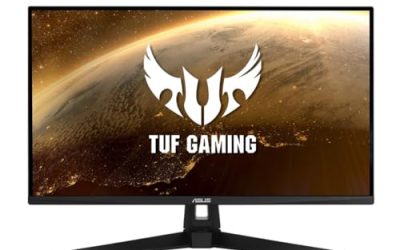
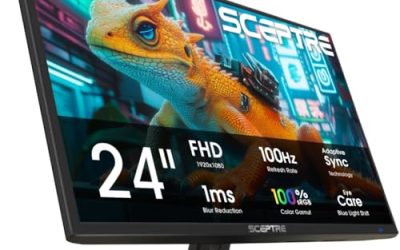
A 32 inch 4K monitor is rarely a casual upgrade, because the panel has to earn a large share of your desk every single day. The real decision is what that screen works hardest at: fast games after hours, long documents and code, colour-sensitive editing, or a mix of everything on one display instead of two smaller ones. Resolution is identical across this group, so the differences that matter are refresh rate, panel behaviour, hub features and how the stand fits the space you actually have.
The five picks below split into clear camps. Two are high-refresh gaming panels for PC and console players, one is a USB-C docking screen for laptop users, one is a colour-led creator display, and one is a straightforward everyday monitor with built-in speakers. Every model was chosen from the name and specifications on its Amazon listing, so the figures quoted here are the ones each brand publishes for that exact monitor.
Top 3 picks at a glance


Quick Picks
As an Amazon Associate we earn from qualifying purchases.
| Product | Best for | Key spec from title |
|---|---|---|
| LG UltraGear 32GR93U-B | Fast 4K gaming on PC and console | 144Hz IPS with HDMI 2.1 |
| GIGABYTE M32U | Gaming plus a second computer | 144Hz with Type-C KVM |
| Dell UltraSharp U3223QE | Laptop docking and office work | USB-C hub with RJ45 and 90W PD |
| ASUS ProArt PA329CRV | Colour-critical creative work | 98 percent DCI-P3, Delta E < 2 |
| Samsung ViewFinity S7 (S70D) | Everyday desk use with speakers | HDR10 with built-in speakers |
How to Choose
Match the refresh rate to your graphics card
Every monitor here runs at 3840 x 2160, yet the group splits into 60Hz panels and 144Hz panels, and that gap shapes the whole purchase. A 144Hz screen only shows its advantage when your graphics card can push frame rates well past sixty in the games you play, so check your current hardware honestly before paying attention to the faster models. Console players should also note which models carry HDMI 2.1, because that connection is what unlocks high-refresh 4K output from current consoles, while DisplayPort remains the usual route on PC.
Read the panel and colour figures as listed
Panel type and colour coverage decide how the same resolution actually looks. IPS panels dominate this group for their wide viewing angles, while Dell’s IPS Black variant lists a 2000:1 contrast ratio, double the 1000:1 figure quoted for most rivals here. Colour claims vary just as much: gaming models quote DCI-P3 coverage in the low to mid nineties, the ASUS quotes 98 percent DCI-P3 with a Delta E under 2 and Calman verification, and office panels lean on full sRGB coverage. Compare the exact figures on each listing rather than assuming two 4K IPS screens behave alike.
Decide how much hub you actually need
Three of these monitors can anchor a desk through one USB-C cable, but the hub details differ in ways that matter daily. Power delivery runs from 90W on the Dell to 96W on the ASUS, enough for most laptops, and the Dell adds an RJ45 Ethernet port plus a KVM switch for sharing peripherals between two machines. The GIGABYTE takes a different route with its Type-C KVM aimed at gamers who also dock a laptop. If your computer lives permanently under the desk, a plain HDMI and DisplayPort layout like the Samsung’s may be all you ever use.
Check the stand, footprint and viewing distance
A 32 inch screen is roughly 28 inches wide, so measure your desk before anything else, especially if speakers, a second display or a large PC case already compete for the surface. Height and pivot adjustment, provided by the LG, help line the panel up with your chair and let you rotate it for long documents. Viewing distance matters too: at typical desk depths the 3840 x 2160 grid stays sharp for text, but sitting very close to a screen this size means turning your head for corner content, which some people love and others find tiring.
The 5 Best Options
LG UltraGear 32GR93U-B

The LG UltraGear 32GR93U-B is the pick aimed squarely at players who want 4K resolution without giving up speed. Its listing pairs a 32 inch IPS panel with a 144Hz refresh rate and a 1 ms GtG response time, and HDMI 2.1 means consoles can feed it high-refresh 4K signals alongside a PC on DisplayPort. VESA DisplayHDR 400 and DCI-P3 coverage quoted at 95 percent give games more colour range than a basic office panel, while the tilt, height and pivot stand makes a large screen easier to place well.
Specs
- Panel: 32 inch IPS, 3840 x 2160
- Refresh rate: 144 Hz
- Response time: 1 ms (GtG)
- HDR: VESA DisplayHDR 400
- Colour: DCI-P3 95 percent (Typ.)
- Adaptive sync: NVIDIA G-SYNC compatible, AMD FreeSync Premium
- Ports: HDMI 2.1, DisplayPort
- Stand: tilt, height and pivot adjustment
Best for: PC and console gamers who want high-refresh 4K on one screen.
Watch out for: No USB-C docking hub, so laptop users need separate cables and charging.
ASIN: B0C633799X
GIGABYTE M32U
The GIGABYTE M32U matches the LG on headline gaming numbers, with a 144Hz refresh rate on its SS IPS panel, then adds the desk-friendly extras the UltraGear skips. A Type-C KVM switch lets one keyboard and mouse serve two machines, which suits a gaming PC that shares the desk with a work laptop. The listing quotes 10-bit colour with 90 percent DCI-P3 and 123 percent sRGB coverage, VESA DisplayHDR 400 support and a height-adjustable stand. Brightness is listed at 350 cd/m² with a 1000:1 contrast ratio, typical for this class of fast IPS panel.
Specs
- Panel: 31.5 inch SS IPS (32 inch class), 3840 x 2160
- Refresh rate: 144 Hz
- Response time: 1 ms as listed
- Brightness: 350 cd/m²
- Contrast ratio: 1000:1
- Colour: 10-bit, 90 percent DCI-P3, 123 percent sRGB
- HDR: VESA DisplayHDR 400
- Extras: Type-C KVM switch, height-adjustable stand
Best for: Gamers who also dock a laptop and want one set of peripherals for both.
Watch out for: The adaptive-sync branding centres on AMD FreeSync Premium Pro, so check the listing details if your setup depends on a specific sync standard.
ASIN: B083GRVFXN
Dell UltraSharp U3223QE
The Dell UltraSharp U3223QE treats the monitor as the centre of the desk rather than just a display. Its USB-C hub carries video, data and up to 90W of charging for a laptop, and the back panel adds RJ45 Ethernet and a KVM switch, so one cable connects a machine to the screen, the network and your peripherals. The IPS Black panel lists a 2000:1 contrast ratio and 400 cd/m² brightness, both stronger figures than the gaming models here, although the refresh rate stays at 60Hz. Colour coverage is quoted at 98 percent DCI-P3 with full sRGB.
Specs
- Panel: 31.5 inch IPS Black (32 inch class), 3840 x 2160
- Refresh rate: 60 Hz
- Brightness: 400 cd/m²
- Contrast ratio: 2000:1
- Colour: 98 percent DCI-P3, 100 percent sRGB
- HDR: DisplayHDR 400
- Response time: 8 ms
- Hub: USB-C with up to 90W power delivery, RJ45 Ethernet, KVM switch
Best for: Laptop users who want a single-cable docking desk with wired networking.
Watch out for: The 60Hz refresh rate and 8 ms response time make it a poor fit for fast-paced gaming.
ASIN: B09TVZHV4W
ASUS ProArt PA329CRV

The ASUS ProArt PA329CRV is built for people whose work gets judged on colour. The listing leads with 98 percent DCI-P3 coverage, a colour accuracy figure of Delta E under 2 and Calman verification, which together signal a panel aimed at photo and video work where output has to match across screens and prints. USB-C carries up to 96W of power delivery for a laptop, and DisplayPort daisy-chaining lets a second monitor hang off the first. The panel runs at 60Hz with a 5 ms GTG response time, and VESA DisplayHDR 400 support rounds out the specification.
Specs
- Panel: 31.5 inch IPS viewable (32 inch class), 3840 x 2160
- Refresh rate: 60 Hz
- Response time: 5 ms (GTG)
- Colour: 98 percent DCI-P3, Delta E < 2, Calman Verified
- HDR: VESA DisplayHDR 400
- Brightness: 350 cd/m²
- USB-C: up to 96W power delivery
- Extras: DisplayPort daisy-chain, ergonomic stand
Best for: Photographers and video editors who need verified colour accuracy at 4K.
Watch out for: The 60Hz panel and creator tuning are wasted on gaming-first setups.
ASIN: B0B8YSL9RD
Samsung ViewFinity S7 (S70D)

The Samsung ViewFinity S7 (S70D) keeps things simple for desks that mainly run documents, browsing and streaming. The listing describes a 32 inch 4K panel with HDR10 support, 350 cd/m² brightness and a 1000:1 contrast ratio, and it includes built-in speakers, which none of the other four picks here include. That makes it handy where desk space is tight or the screen doubles as the room’s streaming display. Connections cover HDMI and DisplayPort, the refresh rate is 60Hz, and the listing notes TUV-certified eye care features for long working days.
Specs
- Panel: 32 inch IPS as listed, 3840 x 2160
- Refresh rate: 60 Hz
- Brightness: 350 cd/m²
- Contrast ratio: 1000:1
- HDR: HDR10
- Audio: built-in speakers
- Ports: HDMI, DisplayPort
- Extras: TUV-certified eye care
Best for: Home office and shared desks that want 4K clarity plus sound without extra speakers.
Watch out for: No USB-C input or hub, and the 60Hz panel is not aimed at gaming.
ASIN: B0F1Z81K34
Which One Fits Your Situation
One screen for work all day and games at night
A hybrid desk is the hardest brief, because work wants hub features while games want refresh rate. The GIGABYTE M32U bridges the two with its 144Hz panel and Type-C KVM, letting a gaming PC and a laptop share the screen and peripherals. If the laptop matters more than the games, the Dell reverses the balance with full docking at 60Hz.
A laptop desk built around a single cable
If a laptop is your only computer, the hub monitors earn their place immediately. The Dell U3223QE adds Ethernet and a KVM to its 90W USB-C charging, while the ASUS PA329CRV pushes charging to 96W and adds daisy-chaining for a second screen later. Either way, the desk stays free of a separate dock and its extra power brick.
Colour work that has to travel between screens
Editors and photographers should start from the colour figures, not the resolution, since every model here shares the same pixel count. The ASUS PA329CRV is the natural shortlist entry with its verified accuracy claims, and the Dell’s 98 percent DCI-P3 coverage makes it a credible second screen or alternative for mixed office and editing work.
A shared desk in a spare room or family space
Where several people use the same screen for schoolwork, browsing and streaming, simplicity wins. The Samsung ViewFinity S7 covers the basics at 4K, and its built-in speakers remove the need for a separate audio setup that everyone has to learn. Nobody needs to understand a KVM menu just to watch a film or finish homework.
Common Mistakes
- Assuming every 4K monitor games equally well, when the 60Hz models here cannot show high frame rates no matter how strong the PC is.
- Buying a hub monitor without checking the power delivery figure against your laptop’s charging requirement.
- Forgetting to measure desk depth, then sitting so close to a 32 inch panel that menus in the corners strain your neck.
- Comparing colour claims loosely, when one listing quotes DCI-P3 coverage and another quotes sRGB, which are different measurements.
- Plugging a console into the wrong port and missing high-refresh output, because HDMI 2.1 and older HDMI inputs behave differently.
Frequently Asked Questions
Is a 32 inch monitor too big for a normal desk?
For most desks it works well, provided you can sit roughly an arm’s length or more from the screen. The panel is about 28 inches wide, so check the footprint against anything else on the surface. Many people find the size comfortable for split-screen work, since two windows sit side by side at readable sizes without scaling tricks.
What refresh rate should I choose for mixed use?
Pick 144Hz if gaming is a regular part of the week and your graphics card can drive 4K at high frame rates in the titles you play. Choose 60Hz when the screen mainly handles documents, browsing and video, because the faster panels trade away hub features or colour verification that office and creative work uses every day.
Will a USB-C monitor charge my laptop?
On the Dell and ASUS listed here, yes, within the stated limits. Their listings quote up to 90W and 96W of power delivery respectively, which covers most thin laptops and many larger ones under light load. Check your laptop’s own charging specification first, because a machine that expects more power may charge slowly or not at all while under heavy use.
Does HDR400 mean these monitors are good for HDR gaming?
DisplayHDR 400 and HDR10 support mean the panels can accept and display an HDR signal with some benefit in brightness and colour, but this tier lacks the local dimming that makes HDR scenes dramatic on high-end televisions. Treat it as a welcome extra for video and supported games rather than the main reason to choose one model over another.
Related guides
More from Amazon
Programs that pair well with the guide above. Offers and eligibility are set by Amazon and may change.
A free business account with business pricing and bulk-buying tools for work, shop or home office.
Create a business accountFree shipping on eligible items, Prime Video and more. Eligible new members can start with a free trial.
Start a Prime free trialAudiobooks and podcasts to listen to on the go. Eligible new members can start with a free trial.
Try Audible freeAd-free music streaming. Eligible new subscribers can start with a free trial.
Try Music Unlimited freeAs an Amazon Associate we earn from qualifying purchases.