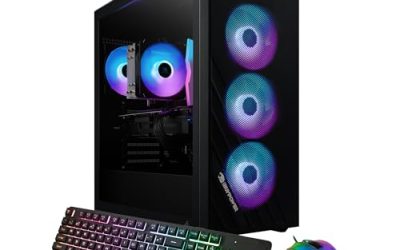
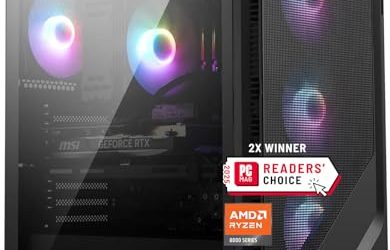
The best high-end gaming PC in 2026 pairs a GeForce RTX 5090 or RTX 5080 with an AMD Ryzen 7 9800X3D, 32–64 GB of DDR5, a fast 2 TB or larger NVMe drive and a quality 850–1200 W power supply. The 9800X3D is the safe CPU choice for pure gaming. The GPU decides whether you are buying a no-compromise 4K machine or a very strong 1440p/4K machine at a lower cost. The sections below map your monitor, games and workload to the right tier, show the power math, and list what to check before buying a prebuilt.
As an Amazon Associate we earn from qualifying purchases at no extra cost to you.


Our Top Picks
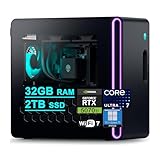
 Alienware Aurora R16 Gaming Desktop Computer PC32 GB DDR5 | 2 TB SSD + 2TB HDD18.05 x 16.46 x 7.75 inchesCheck on Amazon

Top 3 picks at a glance
Quick comparison: four high-end tiers
| Pick (spec class) | Best for | Key specs | Price range |
|---|---|---|---|
| Flagship: RTX 5090 + Ryzen 7 9800X3D or Ryzen 9 9950X3D | 4K at high refresh, path tracing, VR, mixed gaming and creation | 32 GB GDDR7, 512-bit bus, 575 W board power; 64 GB DDR5; 1000–1200 W PSU | Top of the market |
| Best overall: RTX 5080 + Ryzen 7 9800X3D | 4K 60–144 Hz with DLSS, 1440p ultrawide at max settings | 16 GB GDDR7, 256-bit bus, 360 W; 32 GB DDR5; 850 W PSU | Premium |
| Best value high-end: RTX 5070 Ti + Ryzen 7 9800X3D | 1440p at 165–240 Hz, entry 4K with upscaling | 16 GB GDDR7, 256-bit bus, 300 W; 32 GB DDR5; 750–850 W PSU | Upper mid-range to premium |
| Best AMD-GPU alternative: Radeon RX 9070 XT + Ryzen 7 9800X3D | Raster-focused 1440p/4K, Linux-friendly builds | 16 GB GDDR6, 256-bit bus, around 304 W; 32 GB DDR5; 750–850 W PSU | Upper mid-range to premium |
Specs are from the manufacturers’ published spec sheets. Board power varies by partner card, so check the exact model.
Flagship: RTX 5090 build
This is the only tier that is reasonably “no compromise” at 4K. Per Nvidia’s spec sheet, the RTX 5090 has 32 GB of GDDR7 on a 512-bit bus, and that VRAM headroom matters for 4K texture packs, path tracing and local AI or 3D work. Reviews generally show native 4K ultra results in demanding recent games landing roughly in the 70–120 fps range, and well above that with DLSS and multi-frame generation. Results vary by game, settings, CPU and driver version.
Who it suits: owners of a 4K 240 Hz or 5K-class monitor, VR users, and people who also render video or run AI models. Trade-off: cost, a 575 W board power rating that demands a serious PSU and case airflow, and diminishing returns if you play at 1440p. Pair it with a Ryzen 9 9950X3D if you also compile code or edit video, since it has 16 cores. For gaming alone, the 8-core 9800X3D usually matches or beats it.
Best overall: RTX 5080 + Ryzen 7 9800X3D
For most buyers shopping for a high-end machine, this is the sweet spot. The RTX 5080 has 16 GB of GDDR7 on a 256-bit bus at 360 W. It handles 4K with DLSS Quality in most games and runs 1440p ultrawide at maximum settings. Published reviews typically show native 4K ultra in the roughly 50–90 fps range for demanding titles, depending on the game and settings.
Who it suits: 4K 120–144 Hz TV or monitor owners who are happy to use upscaling, and 1440p high-refresh players who want years of headroom. Trade-off: 16 GB of VRAM is enough today but is the first limit you may hit with heavy mods or path tracing at native 4K.
Best value high-end: RTX 5070 Ti or RX 9070 XT build
Both cards carry 16 GB of VRAM on a 256-bit bus and draw roughly 300 W. Both are strong at 1440p and workable at 4K with upscaling. If you want better ray tracing and DLSS, choose the RTX 5070 Ti. If you prefer raster performance per unit of spend, FSR support or a Linux-first setup, the RX 9070 XT is a credible alternative. Spend the money you save on a better monitor or a larger SSD rather than a premium case.
Trade-off: you will turn on upscaling at 4K in the newest games, and ray tracing settings may need trimming.
How to choose: a decision matrix
| Your situation | GPU | CPU | RAM / storage |
|---|---|---|---|
| 4K 240 Hz OLED, wants max settings | RTX 5090 | Ryzen 7 9800X3D | 32–64 GB DDR5-6000, 2–4 TB NVMe |
| 4K 120–144 Hz, uses DLSS | RTX 5080 | Ryzen 7 9800X3D | 32 GB DDR5-6000, 2 TB NVMe |
| 1440p 240 Hz esports and AAA mix | RTX 5070 Ti or RX 9070 XT | Ryzen 7 9800X3D | 32 GB DDR5-6000 CL30, 2 TB NVMe |
| Gaming plus video editing or streaming | RTX 5080 or 5090 | Ryzen 9 9950X3D | 64 GB DDR5, 2 TB boot plus 4 TB data |
| Wants Intel platform | Any of the above | Core Ultra 9 285K (strong for production, usually behind X3D chips for gaming) | 32–64 GB DDR5 |
The reasoning behind the CPU column: AMD’s 3D V-Cache chips have led gaming charts in published reviews since the Ryzen 7 7800X3D, because the large L3 cache cuts memory stalls. That matters most at 1080p and 1440p, and at 4K the GPU is the limit.
Worked example 1: power supply sizing
Take the flagship build and add up the sustained peak draw:
- RTX 5090: 575 W (board power per Nvidia’s spec)
- Ryzen 9 9950X3D: about 200 W under heavy load (170 W TDP, higher package power limit)
- Motherboard, 64 GB RAM, two SSDs, fans, AIO pump: about 80–100 W
Total: roughly 575 + 200 + 90 = 865 W in a combined worst case. Games rarely load both the CPU and GPU fully at once, but modern GPUs also spike briefly above their rating. A common rule is to size the PSU so sustained load sits at 70–80% of its capacity, which gives 865 ÷ 0.75 ≈ 1150 W. In practice that means a 1000 W unit at minimum and a 1200 W unit for comfort. Look for an ATX 3.1 supply with a native 12V-2×6 cable rather than an adapter.
The same math for an RTX 5080 (360 W) plus a 9800X3D (about 120–160 W) plus 80 W gives roughly 600 W. At 75% load that is a 800 W requirement, so an 850 W unit fits.
Worked example 2: will your monitor cable carry the signal?
High-end PCs often fail to deliver their full potential because of the display link. Uncompressed bandwidth is pixels × refresh × bits per pixel:
- 4K at 240 Hz, 10-bit color: 3840 × 2160 × 240 × 30 bits ≈ 59.7 Gbps, plus blanking overhead, so about 65 Gbps.
- DisplayPort 1.4 carries about 25.9 Gbps of effective data, so 4K 240 Hz needs Display Stream Compression (DSC).
- DisplayPort 2.1 UHBR20 supports up to about 77 Gbps effective, enough for that signal uncompressed.
| Signal | Approx. need (uncompressed) | Works over |
|---|---|---|
| 1440p 240 Hz, 10-bit | about 22 Gbps | DP 1.4 without DSC |
| 4K 144 Hz, 10-bit | about 36–38 Gbps | DP 1.4 with DSC, HDMI 2.1 |
| 4K 240 Hz, 10-bit | about 65 Gbps | DP 2.1 UHBR20, or DSC on DP 1.4/HDMI 2.1 |
DSC is visually near-lossless for most users, but it can limit multi-monitor setups and some features. Check the card’s and monitor’s DisplayPort versions in their spec sheets before assuming full-speed output.
What else makes a build high-end
Memory
32 GB of DDR5-6000 with low latency (CL30 is the common target on AMD) is the gaming sweet spot. Move to 64 GB only if you edit video, run virtual machines or use heavily modded games. Make sure the EXPO or XMP profile is enabled, because many systems run at a slow default speed otherwise.
Storage
A 2 TB PCIe 4.0 NVMe drive with a DRAM cache is plenty fast for game loading. PCIe 5.0 drives are faster on paper but run hotter, and the real-world game load difference is small. Capacity matters more: modern AAA installs often run 100 GB or more.
Cooling and case
A 360 mm AIO or a top-tier dual-tower air cooler suits a 9950X3D. A 9800X3D is easier to cool and does fine with a good 240 mm AIO. For the 5090, pick a case with mesh front airflow and clearance for a card that can be 3 to 4 slots thick.
Prebuilt vs custom build: a checklist
A prebuilt saves time and gives you a single warranty. Many major system builders sell RTX 50-series towers, but quality varies by configuration, so check the details before paying a premium.
- PSU: brand, wattage and ATX 3.x certification should be listed. Avoid configurations that say only “850 W” with no model.
- RAM: confirm two matched sticks (dual channel), DDR5-6000 on AMD, and that the profile is enabled.
- Motherboard: look for a mid-range or better board with solid power delivery, not a bare-minimum chipset board paired with a flagship CPU.
- Proprietary parts: some OEM cases and power supplies use non-standard connectors, which makes later upgrades harder.
- Storage: a named NVMe brand and capacity is better than a generic “2 TB SSD”.
- Warranty and support: compare length, whether on-site service is offered, and who covers the GPU.
Building yourself usually delivers better components for the same spend, but you take on assembly, BIOS setup and troubleshooting. Either route works as long as the parts above are right.
Frequently Asked Questions
Is the RTX 5090 worth it for a gaming PC?
Only if you play at 4K with a high-refresh display, use VR, or need the 32 GB of VRAM for creative or AI work. At 1440p, the RTX 5080 or 5070 Ti delivers most of the experience for much less money. The 5090 also needs a 1000 W or larger power supply and good case airflow.
Which CPU is best for a high-end gaming PC in 2026?
The Ryzen 7 9800X3D is the usual pick for gaming because its 3D V-Cache gives it a lead in many published game benchmarks. Choose the Ryzen 9 9950X3D if you also do heavy multi-threaded work such as rendering or compiling. Intel’s Core Ultra 9 285K is competitive in productivity but generally trails the X3D chips in games.
How much RAM does a high-end gaming PC need?
32 GB of DDR5 is enough for nearly all games today. Go to 64 GB if you stream, edit 4K video, run virtual machines or use heavy mod lists. Speed and timings matter less than running two matched sticks with the EXPO or XMP profile turned on.
What power supply do I need for an RTX 5080 or RTX 5090?
Nvidia’s published guidance points to roughly 850 W for an RTX 5080 and 1000 W for an RTX 5090, and a total-system calculation gives similar results. Choose an ATX 3.1 unit with a native 12V-2×6 connector and avoid bending the cable sharply near the plug. A 1200 W unit gives extra headroom for a 5090 paired with a 16-core CPU.
Do I need DisplayPort 2.1 for a high-end gaming monitor?
Not necessarily. DisplayPort 1.4 with DSC and HDMI 2.1 both handle 4K at 144 Hz and even 240 Hz with compression. DisplayPort 2.1 UHBR20 is only needed if you want 4K 240 Hz or higher uncompressed, so check that both your card and monitor support it.
Should I buy a prebuilt or build my own high-end PC?
Build your own if you want the best parts for your money and are comfortable assembling and configuring a PC. Buy a prebuilt if you value a single warranty and a ready-to-run system, but verify the PSU, RAM configuration and motherboard before paying. Avoid systems that hide component brands.
Related guides
More from Amazon
Programs that pair well with the guide above. Offers and eligibility are set by Amazon and may change.
A free business account with business pricing and bulk-buying tools for work, shop or home office.
Create a business accountFree shipping on eligible items, Prime Video and more. Eligible new members can start with a free trial.
Start a Prime free trialAudiobooks and podcasts to listen to on the go. Eligible new members can start with a free trial.
Try Audible freeAd-free music streaming. Eligible new subscribers can start with a free trial.
Try Music Unlimited freeAs an Amazon Associate we earn from qualifying purchases.