Our Short List of 3

- Best for: gamers who want gaming-grade wireless and RGB in a wrist-friendly upright shape.
- Shape: vertical ergonomic design
- Buttons: 6
- Connectivity: 2.4 GHz wireless, Bluetooth, USB-C wired mode
- Multi-device connectivity: yes

- Best for: competitive players who need a vertical grip without giving up esports sensor specs.
- Shape: vertical ergonomic, 47-degree angle, thumb rest
- Sensor: PixArt 3950, up to 30,000 DPI
- Polling rate: up to 8,000 Hz
- Connectivity: 2.4 GHz, Bluetooth, USB-C wired

- Best for: comfort-first players of slow-paced games who need wrist relief above all else.
- Shape: vertical ergonomic design, 58-degree angle per the listing
- Connectivity: Bluetooth and 2.4 GHz wireless
- Devices: 3-device connectivity
- Power: rechargeable
All 3 Picks at a Glance
| Product | Specs | Action |
|---|---|---|
| Razer Pro Click V2 Vertical |
| Check price on Amazon |
| Keychron M5 |
| Check price on Amazon |
| ProtoArc EM11 NL |
| Check price on Amazon |
Here is the honest starting point for this keyword: purpose-built gaming vertical mice barely exist. Vertical shells were designed for office ergonomics, so most listings pair the upright shape with modest sensors and no gaming features at all. This shortlist separates the field into what is actually available — two verticals from gaming lines with low-latency wireless and serious sensors, one gaming-adjacent model with programmable buttons and RGB, and one office comfort mouse included openly as the wrist-first option for readers whose priority is relief rather than match performance.
That mix matters because the right choice depends on which problem you are solving. If your wrist aches after long sessions but you still play shooters, the gaming-line picks protect both concerns. If you mostly play slow strategy titles and your forearm is the limiting factor, the comfort options deserve a fair hearing. Every specification below comes from the product’s Amazon listing, including the places where a listing makes no gaming claims at all.
Top 3 picks at a glance
Quick Picks
As an Amazon Associate we earn from qualifying purchases
| Product | Best for | Key spec from title |
|---|---|---|
| Razer Pro Click V2 Vertical | Gaming-brand wireless and RGB | 2.4GHz, Bluetooth, or USB C wired |
| Keychron M5 | Strongest sensor in a vertical shell | PixArt 3950 sensor, 30000 DPI |
| DELUX Seeker M618XSD | Programmable buttons and a display | Up to 7200 DPI, OLED screen |
| ProtoArc EM11 NL | Pure wrist comfort on a budget path | 3 multi-device connectivity |
How to Choose
How vertical is vertical enough
Vertical mice tilt the hand into a handshake position, and the angle differs by model. The ProtoArc EM11 NL holds the hand at 58 degrees per its listing, while the Keychron M5 uses a 47-degree angle with a thumb rest. Steeper angles unload the forearm more but can feel unstable during fast lateral movement in games. Shallower angles behave closer to a conventional mouse. If you have never used a vertical mouse, expect an adjustment period of days, and judge the shape after that period rather than after the first hour at your desk.
Sensor and polling still matter in games
A vertical shell does not excuse a weak sensor. The Keychron M5 carries a PixArt 3950 with up to 30,000 DPI and polling up to 8,000 Hz, figures that match flat esports mice. The DELUX Seeker tops out at 7200 DPI, fine for strategy and casual play but a real ceiling for high-sensitivity shooter players. The ProtoArc listing publishes no gaming sensor data at all, which tells you where its priorities sit. Match the sensor to the fastest game you play regularly, not the slowest, because that game sets the floor.
Wireless modes and device switching
All four picks connect several ways. The Razer Pro Click V2 Vertical offers 2.4 GHz wireless, Bluetooth and a USB-C wired mode, with multi-device connectivity for players who move between a gaming PC and a work laptop. The M5 and the Seeker are also tri-mode, while the ProtoArc pairs Bluetooth and 2.4 GHz across three devices. For gaming, use the 2.4 GHz receiver where one is offered, since it is the low-latency path; keep Bluetooth for the second machine and for travel, where convenience beats response time.
Buttons, wheels and extras worth having
Standard verticals give you the basic click set and little else. The gaming-adjacent picks add more: the Seeker has six buttons plus a thumb wheel, programmable actions and an OLED screen that shows DPI, battery and connection mode at a glance. The M5 adds a thumb wheel and programmable macro buttons. The Razer includes a one-click AI prompt button aimed at work tasks. In games, even one or two extra thumb buttons change what your keyboard hand must cover, so count them before you buy.
The 4 Best Options
Razer Pro Click V2 Vertical
- Best for: gamers who want gaming-grade wireless and RGB in a wrist-friendly upright shape.
- Shape: vertical ergonomic design
- Buttons: 6
- Connectivity: 2.4 GHz wireless, Bluetooth, USB-C wired mode
- Multi-device connectivity: yes
gamers who want gaming-grade wireless and RGB in a wrist-friendly upright shape.
it is a work-and-play design, so players chasing the highest sensor ceilings should look at the Keychron below.
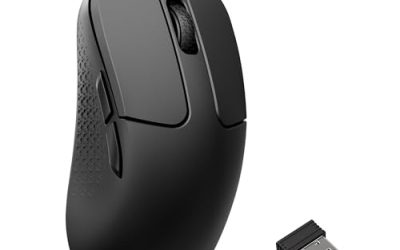
This is Razer’s first vertical mouse, and it borrows properly from the gaming shelf: HyperSpeed wireless through the included dongle, Chroma RGB, and tri-mode connectivity across 2.4 GHz, Bluetooth and USB-C wired. Six buttons cover the standard gaming set, and multi-device support suits a desk shared between a gaming rig and a work machine. The listing positions it for work and play rather than pure esports, which is a fair description — the sensor details are not the headline here. It is the pick for players who want a trusted gaming brand’s wireless stack in an upright shell.
Keychron M5
- Best for: competitive players who need a vertical grip without giving up esports sensor specs.
- Shape: vertical ergonomic, 47-degree angle, thumb rest
- Sensor: PixArt 3950, up to 30,000 DPI
- Polling rate: up to 8,000 Hz
- Connectivity: 2.4 GHz, Bluetooth, USB-C wired
competitive players who need a vertical grip without giving up esports sensor specs.
high polling rates shorten battery life sharply, so expect to charge often if you run it at full speed.
The M5 is the specification outlier of this entire category: a 47-degree vertical shell with a thumb rest, wrapped around a PixArt 3950 sensor, up to 30,000 DPI and polling up to 8,000 Hz. Nothing else upright comes close on paper. It adds a thumb wheel, programmable macro buttons and tri-mode connectivity, and the listing quotes battery life up to 340 hours on Bluetooth, dropping at high polling rates. At 95 grams it is not light, but vertical mice rarely are. For a shooter player whose wrist demands the handshake posture, this is the only pick that asks for no performance compromise.
DELUX Seeker M618XSD
The Seeker sits between the gaming and office worlds, and its listing is upfront about the blend: a vertical shell with an OLED screen, six buttons plus a thumb wheel, silent click switches, programmable actions and RGB lighting, with DPI up to 7200. The screen is genuinely useful, showing DPI, battery and connection mode without opening software. The box is generous too, with a removable wrist rest, a replaceable rear shell, the 2.4G receiver and a 1.6 metre paracord USB-C cable. It suits players of slower-paced games who want customisation and comfort more than raw sensor ceiling.
Specs
- Shape: vertical ergonomic
- Display: OLED screen showing DPI, battery and connection mode
- Buttons: 6 plus thumb wheel, programmable
- Switches: silent click
- Sensor: up to 7200 DPI
- Connectivity: Bluetooth, 2.4G, wired
- Power: rechargeable
- Lighting: RGB
- In the box: removable wrist rest, replaceable rear shell, 2.4G receiver, 1.6 m paracord USB-C cable
Best for: strategy and MMO players who want programmable comfort with a helpful status screen.
Watch out for: it is marketed as an ergonomic mouse rather than a dedicated gaming model, and stock was not independently confirmed at checking time.
ASIN: B09G6DTKNB
ProtoArc EM11 NL
- Best for: comfort-first players of slow-paced games who need wrist relief above all else.
- Shape: vertical ergonomic design, 58-degree angle per the listing
- Connectivity: Bluetooth and 2.4 GHz wireless
- Devices: 3-device connectivity
- Power: rechargeable
comfort-first players of slow-paced games who need wrist relief above all else.
no programmable buttons or gaming sensor data in the listing; fast-paced aim will expose its office roots.
The ProtoArc is included with its flag flying: this is an office ergonomic mouse, and its listing makes no gaming claims — no programmable buttons, no gaming sensor figures. What it does offer is a 58-degree vertical posture, Bluetooth and 2.4 GHz wireless, three-device connectivity and a rechargeable battery, in a shape the listing’s sales volume suggests many desk workers rely on daily. If your sessions are turn-based games, city builders and browsing, and your forearm pain is the main issue, it solves the actual problem. Shooter players should stay with the picks above it.
Which One Fits Your Situation
Your wrist hurts but you still play shooters
Choose the Keychron M5. It is the only vertical here whose sensor and polling figures — PixArt 3950, up to 8,000 Hz — stand beside flat esports mice, so your aim setup survives the switch to a handshake grip. Budget for more frequent charging at high polling rates, and give the 47-degree angle a week before judging it.
You game and work at the same desk
The Razer Pro Click V2 Vertical was built for exactly this split. HyperSpeed wireless serves the gaming PC, Bluetooth serves the work laptop, and the wired mode covers a flat battery. Chroma RGB keeps it visually at home in a gaming setup, while the vertical posture keeps long workdays off your forearm. Six buttons handle standard gaming duties without excess.
You play slow games and love customising
Take the DELUX Seeker. Programmable buttons, a thumb wheel and that OLED status screen reward players who tinker, and the silent clicks suit shared rooms and late nights. The included wrist rest and spare rear shell extend the comfort story. Its 7200 DPI ceiling is plenty for strategy, simulation and MMO play, which is where this mouse belongs.
Comfort is the whole point of the purchase
Be honest like the listing is: the ProtoArc EM11 NL is an ergonomic office mouse that happens to work fine for gentle gaming. Its steeper 58-degree angle maximises forearm relief, three-device pairing covers a home fleet, and there is nothing to configure. If your game library is turn-based and your wrist is shouting, this is the sensible spend.
Common Mistakes
- Assuming any mouse labelled vertical is also a gaming mouse; most listings in this shape are office products with no gaming specifications.
- Judging a vertical shape in the first hour — the handshake posture takes days of use before it feels natural.
- Running a high-polling vertical on Bluetooth and blaming the shape for the lag; use the 2.4 GHz receiver for games.
- Ignoring the angle: a 58-degree shell and a 47-degree shell load the wrist very differently.
- Expecting esports performance from a comfort mouse whose listing publishes no sensor figures at all.
Frequently Asked Questions
Can you really play FPS games with a vertical mouse?
Yes, with the right model. The Keychron M5 pairs its vertical shell with a PixArt 3950 sensor and polling up to 8,000 Hz, which is flagship territory on any shape. The adjustment is in your arm, not the hardware: wide flicks feel different at a 47-degree angle, and most players need several days before their aim settles back to normal.
Why are there so few gaming vertical mice?
The vertical shape was developed for office ergonomics, where buyers ask about wrist angles and battery life rather than sensors and polling rates. Gaming brands have only recently crossed over, which is why this list mixes two gaming-line models with a gaming-adjacent design and an office mouse. Expect the category to grow, but today the honest choice is among a handful of products.
Which connection mode should I use for gaming?
Use the 2.4 GHz receiver whenever the mouse offers one. On the Razer that means the included HyperSpeed dongle; on the Keychron and DELUX it means their 2.4G mode. Bluetooth is the convenience option for second devices and travel, and the wired mode on tri-mode models doubles as a charging-while-playing fallback when the battery runs low mid-session.
Will a vertical mouse fix my wrist pain?
A vertical mouse changes forearm posture, which removes one common source of strain during long sessions, and listings like the ProtoArc’s are built around that idea. It is not a medical treatment, and pain that persists deserves professional advice. Pair the shape change with desk height, chair position and regular breaks; the mouse alone rarely solves a problem the whole setup is creating.
Related guides
More from Amazon
Programs that pair well with the guide above. Offers and eligibility are set by Amazon and may change.
A free business account with business pricing and bulk-buying tools for work, shop or home office.
Create a business accountFree shipping on eligible items, Prime Video and more. Eligible new members can start with a free trial.
Start a Prime free trialAudiobooks and podcasts to listen to on the go. Eligible new members can start with a free trial.
Try Audible freeAd-free music streaming. Eligible new subscribers can start with a free trial.
Try Music Unlimited freeAs an Amazon Associate we earn from qualifying purchases.