Our Short List of 3

- Best for: Small-handed players who split time between a gaming PC and a second machine and want top-end sensor figures.
- Sensor: PixArt 3950, up to 30,000 DPI, 750 IPS
- Weight: 55 g
- Connectivity: Bluetooth 5.3, 2.4 GHz wireless, wired USB-C
- Polling rate: up to 8,000 Hz in 2.4 GHz and wired modes

- Best for: Palm and relaxed claw players with small hands who want an ergonomic shell and drop-on charging.
- Sensor: PixArt PAW-3311 optical, up to 12,000 DPI
- Weight: 73 g
- Switches: Omron, rated over 60 million clicks
- Battery life: 110 hours

- Best for: Fingertip and claw players who want the least possible weight in a wireless shell.
- Sensor: Owl-Eye optical, up to 26,000 DPI, 650 IPS
- Weight: 47 g
- Switches: TITAN optical, rated 100 million clicks
- Connectivity: 2.4 GHz wireless and Bluetooth
All 3 Picks at a Glance
| Product | Specs | Action |
|---|---|---|
| Keychron M3 Mini 8K, Black |
| Check price on Amazon |
| MSI Clutch GM31 Lightweight Wireless |
| Check price on Amazon |
| Turtle Beach Burst II Air, Black |
| Check price on Amazon |
Most gaming mice are built around medium and large hands, so a smaller hand ends up stretched over the shell: the palm hovers, the side buttons sit too far forward, and every swipe starts with a grip adjustment. The real decision is not which sensor tops a spec sheet, but which shell length, height, and weight let your fingers land on the buttons naturally and stay relaxed through a long session.
This roundup covers small-handed players who use fingertip, claw, and relaxed palm grips, across both wired and wireless designs, including one ergonomic shell for players who want more palm support. Every pick below was chosen from the product names and specifications published on its Amazon page, so the sizes, weights, and sensor figures quoted here are the ones a buyer can check before ordering.
Top 3 picks at a glance
Quick Picks
As an Amazon Associate we earn from qualifying purchases.
| Product | Best for | Key spec from title |
|---|---|---|
| SteelSeries Aerox 3 (2022) Wired, Onyx | Wired claw and fingertip play with spill protection | 8,500 DPI TrueMove Core Optical Sensor |
| Keychron M3 Mini 8K, Black | Tri-mode wireless with flagship sensor headroom | PixArt 3950 Sensor with up to 30,000 DPI |
| MSI Clutch GM31 Lightweight Wireless | Relaxed palm and claw grips with dock charging | 12K DPI Optical Sensor |
| Turtle Beach Burst II Air, Black | The lightest wireless shell for fast flicks | 47 g ultra-lightweight design |
How to Choose
Shell size decides comfort before anything else
Start with length and height, because a small hand cannot shrink a shell. A shorter body lets the fingers curl over the main buttons instead of reaching for them, and a lower hump keeps the wrist from riding high and stiff. Width matters just as much: a narrow grip section lets the thumb and ring finger pinch the mouse securely, which is what makes small aiming corrections feel controlled instead of slippery. When a listing leaves dimensions unstated, treat the stated weight and the grip styles the maker names as your best size clues.
Weight changes how quickly a small hand tires
A lighter mouse asks less of the fingers that steer it, and small hands feel extra grams sooner because the same muscles do the lifting with less leverage. Shells in the range covered here run from featherweight wireless designs to a heavier ergonomic model, and the right point on that scale depends on how you aim. Wrist aimers who flick often usually prefer the lightest shell they can control, while arm aimers making long sweeps may accept more weight in exchange for a steadier stop at the end of each movement.
Grip style picks the shape, not the other way round
Fingertip players hold the mouse with their fingertips alone, so they want a short, light shell with a low back that stays out of the palm. Claw players arch their fingers and pull the mouse into the fingertips, which suits a defined rear hump and crisp, well-separated main buttons. Relaxed palm and relaxed claw grips spread the hand over more of the shell, so an ergonomic right-handed shape with real palm support can beat a flat symmetrical one. Match the mouse to the grip you actually use in a match, not the grip you use at the desktop.
Connection and polling set the response ceiling
Wired mice remove charging from the routine and keep response consistent, at the cost of a cable your hand drags on every sweep. Wireless designs free the desk, but the connection menu matters: a 2.4 GHz link is the gaming connection, while Bluetooth is the low-power option for a second machine. Polling rate is the other half of response. A higher rate reports movement more often, and the listings here range from unstated rates to an 8,000 Hz option, so check what each mode of a wireless mouse actually offers before valuing the headline figure.
The 4 Best Options
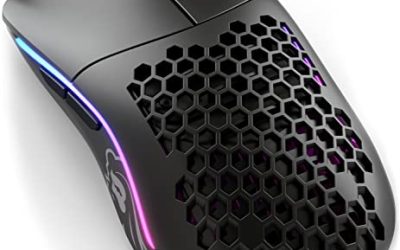
SteelSeries Aerox 3 (2022) Wired, Onyx
The Aerox 3 is the wired option in this group, built around a perforated shell that brings it down to 59 grams and an AquaBarrier coating rated IP54, so dust, crumbs, and drink splashes stay away from the electronics inside. Six buttons, three RGB zones, and pure PTFE glide skates round out a package aimed at claw and fingertip players who want a small, light mouse that never needs charging. Its TrueMove Core sensor tops out lower than the flagship sensors here, which matters less than the shape for most small-handed players.
Specs
- Sensor: TrueMove Core optical, up to 8,500 DPI
- Weight: 59 g
- Buttons: 6
- Switches: Golden Micro IP54 (click lifespan not stated)
- Connectivity: Wired, detachable USB-C Super Mesh cable
- Polling rate: not stated
- Water and dust resistance: AquaBarrier, IP54 rated
- RGB: 3 zones
- Feet: virgin-grade PTFE glide skates
- Dimensions: not stated
Best for: Claw and fingertip players who want wired consistency and a shell that shrugs off desk spills.
Watch out for: The listing’s dimension field is inconsistent, so judge fit from the 59 g weight and shape rather than the stated measurements.
ASIN: B09KMHZBX2
Keychron M3 Mini 8K, Black
- Best for: Small-handed players who split time between a gaming PC and a second machine and want top-end sensor figures.
- Sensor: PixArt 3950, up to 30,000 DPI, 750 IPS
- Weight: 55 g
- Connectivity: Bluetooth 5.3, 2.4 GHz wireless, wired USB-C
- Polling rate: up to 8,000 Hz in 2.4 GHz and wired modes
Small-handed players who split time between a gaming PC and a second machine and want top-end sensor figures.
The 8,000 Hz rate applies to the 2.4 GHz and wired modes, so check the mode you will actually play on before counting on it.
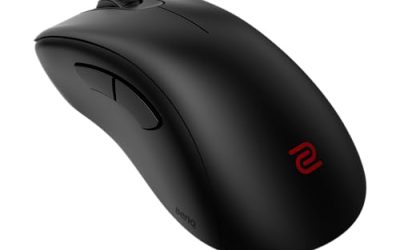
The M3 Mini 8K pairs a 55 gram mini shell with the strongest sensor package in this roundup: a PixArt 3950 rated to 30,000 DPI and 750 IPS, plus an 8,000 Hz polling option over both the 2.4 GHz link and a wired connection. Bluetooth 5.3 covers a second machine, the stated battery life runs up to 140 hours, and settings live in a web-based launcher with five onboard profiles. For a small hand that plays competitively at one desk and works at another, it is the most complete specification here.
MSI Clutch GM31 Lightweight Wireless
- Best for: Palm and relaxed claw players with small hands who want an ergonomic shell and drop-on charging.
- Sensor: PixArt PAW-3311 optical, up to 12,000 DPI
- Weight: 73 g
- Switches: Omron, rated over 60 million clicks
- Battery life: 110 hours
Palm and relaxed claw players with small hands who want an ergonomic shell and drop-on charging.
At 73 grams it gives back some of the agility the lighter picks offer, so fingertip players should look at the other three first.
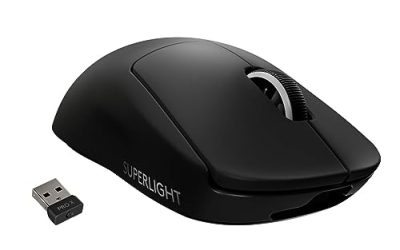
The GM31 Lightweight Wireless is the ergonomic outlier here: a right-handed shell MSI describes as made for small to medium hands, with diamond-pattern side grips and a charging dock in the box. At 73 grams it is the heaviest pick in this group, and that trade buys palm support, Omron switches rated over 60 million clicks, and a stated 110 hours of battery life between charges. The receiver stores inside the mouse for travel. Palm and relaxed claw players who find flat mini shells cramped should start here.
Turtle Beach Burst II Air, Black
- Best for: Fingertip and claw players who want the least possible weight in a wireless shell.
- Sensor: Owl-Eye optical, up to 26,000 DPI, 650 IPS
- Weight: 47 g
- Switches: TITAN optical, rated 100 million clicks
- Connectivity: 2.4 GHz wireless and Bluetooth
Fingertip and claw players who want the least possible weight in a wireless shell.
Confirm which connection mode the headline battery figure belongs to, since gaming over 2.4 GHz and Bluetooth use power very differently.
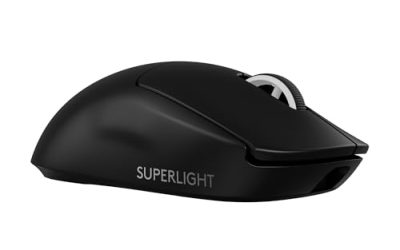
At 47 grams, the Burst II Air is the lightest mouse in this roundup by a clear margin, and that is the whole argument for it: a small hand steering fingertip or claw movements has almost nothing to push around. The Owl-Eye optical sensor is rated to 26,000 DPI and 650 IPS, the TITAN optical switches carry a 100 million click rating, and the connection menu covers 2.4 GHz wireless for gaming plus Bluetooth for a second device. Battery life is stated at up to 120 hours.
Which One Fits Your Situation
You play fingertip grip in fast-paced shooters
Start with the Turtle Beach Burst II Air. At 47 grams it asks the least of a fingertip grip, and its symmetrical shell leaves the palm clear while you steer with your fingers alone. If you would rather stay wired and skip charging entirely, the SteelSeries Aerox 3 covers the same grip styles at 59 grams with a detachable cable and a spill-resistant shell.
You split one mouse between gaming and a work laptop
Choose the Keychron M3 Mini 8K. Its 2.4 GHz link handles gaming duty, Bluetooth 5.3 pairs with the second machine, and a wired mode covers a dead battery without ending the session. Five onboard profiles keep separate button and DPI setups for each role, and the stated 140 hour battery life means charging stays an occasional chore rather than a weekly one.
You palm grip and want charging to take care of itself
Pick the MSI Clutch GM31 Lightweight Wireless. Its ergonomic shell is the only one here shaped to support a small palm, the side grips keep it planted during longer sessions, and the included dock turns charging into setting the mouse down at the end of the night. The 110 hour stated battery life stretches the gaps further if the dock routine slips.
Your desk sees coffee, water, and the occasional spill
Go with the SteelSeries Aerox 3. Its AquaBarrier protection carries an IP54 rating, which is exactly the safeguard a perforated shell needs when drinks live next to the mousepad. The wired connection removes batteries from the equation, the detachable USB-C cable is easy to swap if it wears, and the PTFE skates keep the glide smooth while the shell keeps the electronics dry.
Common Mistakes
- Shopping by headline DPI: a 30,000 DPI ceiling does not fix a shell your fingers cannot reach across, so settle size and grip first.
- Assuming mini in the name guarantees a small shell: check the stated weight and the grip styles the maker names when dimensions are not published.
- Treating every wireless mouse as dual-mode: some listings pair a gaming link with Bluetooth, others do not, and the modes rarely share the same polling rate.
- Ignoring the weight trade at the ergonomic end: palm support costs grams, and fingertip players feel that cost on every micro-correction.
- Reading a battery headline at face value: confirm which connection mode the figure describes before comparing one mouse against another.
Frequently Asked Questions
What size mouse should a small hand look for?
Aim for a shell your fingers can curl over without stretching: the main buttons should sit under your fingertips, not beyond them, and the back of the mouse should not push your palm into an arch. In this group, stated weights run from 47 to 73 grams, and the lighter end generally suits smaller hands because less mass has to be started and stopped on every correction.
Is wired or wireless better for a small gaming mouse?
Neither wins outright. A wired mouse such as the Aerox 3 removes charging and keeps response identical every session, but its cable adds drag a small hand notices. Wireless models remove the drag and add battery management instead. Choose wired for a fixed desk and wireless if you reposition often, travel with the mouse, or share it between machines.
Does a higher DPI rating make a mouse more accurate?
No. DPI sets how far the cursor travels for a given hand movement, and most players game far below the ceilings these sensors advertise. Tracking quality, lift-off behavior, and a shape your hand can hold steady matter more at real settings. A 26,000 or 30,000 DPI rating signals a modern sensor tier, but it is the fit that decides whether your aim feels precise.
Can a small-handed player still use a palm grip?
Yes, with the right shell. Palm grip needs a body long and supportive enough to fill the hand without forcing the fingers to stretch for the buttons, which is why the ergonomic GM31 exists in this roundup while the flatter mini shells favor claw and fingertip holds. If your palm aches on a flat mouse, an ergonomic small shell is the better starting point.
Related guides
More from Amazon
Programs that pair well with the guide above. Offers and eligibility are set by Amazon and may change.
A free business account with business pricing and bulk-buying tools for work, shop or home office.
Create a business accountFree shipping on eligible items, Prime Video and more. Eligible new members can start with a free trial.
Start a Prime free trialAudiobooks and podcasts to listen to on the go. Eligible new members can start with a free trial.
Try Audible freeAd-free music streaming. Eligible new subscribers can start with a free trial.
Try Music Unlimited freeAs an Amazon Associate we earn from qualifying purchases.