Our Short List of 3

- Best for: Players who want many buttons and tunable weight in a wired mouse that needs no software on Linux.
- Sensor: HERO 25K optical, up to 25,600 DPI
- Buttons: 11 programmable buttons
- Weight: 121 g, plus five removable 3.6 g weights
- Scroll wheel: Dual-mode hyper-fast with tilt

- Best for: Medium to large hands that want a comfortable ergonomic wireless mouse with long battery life.
- Sensor: Focus Pro 30K optical, up to 30,000 DPI
- Weight: 63 g
- Battery life: Up to 90 hours at 1,000 Hz
- Connectivity: HyperSpeed wireless, wired USB-C

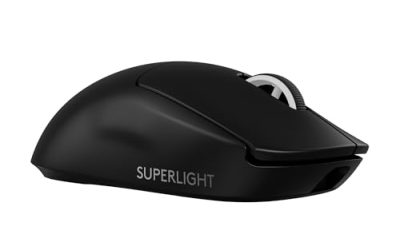
- Best for: Competitive players who want a proven lightweight wireless shape with long battery life.
- Sensor: HERO 2, up to 44,000 DPI
- Weight: 60 g
- Battery life: 95 hours of constant motion
- Connectivity: LIGHTSPEED wireless, wired USB-C
All 4 Picks at a Glance
| Product | Specs | Action |
|---|---|---|
| Logitech G502 HERO |
| Check price on Amazon |
| Razer DeathAdder V3 Pro |
| Check price on Amazon |
| Logitech G Pro X Superlight 2 |
| Check price on Amazon |
 Glorious Model O |
| Check price on Amazon |
Linux gaming has come a long way, and the mouse in your hand matters more than most players expect. A good gaming mouse should work the moment you plug it in, with no vendor app standing between you and your game. That is the whole idea behind this list: every mouse here keeps its core features in onboard memory, so DPI, polling, and button assignments travel with the mouse itself and keep working on any Linux distro you boot into.
The five picks below cover the full range of Linux gamers, from a button-heavy wired workhorse to featherweight wireless esports mice and a no-driver wired classic. Each one runs as a standard HID device on Linux, which means the kernel sees it as a normal mouse and your games get clean, low-latency input without extra software. Pick the shape and weight that suit your grip, set it up once, and it will behave the same on every machine you plug it into.
Our Top Picks
- Razer DeathAdder V3 Pro Wireless Gaming Mouse1000 Hz5.01 x 2.65 x 1.69 inches0.1 poundsCheck on Amazon
- Logitech G Pro X Superlight 2 Lightspeed WirelessClassic1.57 x 2.5 x 4.92 inches0.1 poundsCheck on Amazon
Top 3 picks at a glance
Quick Picks
As an Amazon Associate we earn from qualifying purchases
| Product | Best for | Key spec |
|---|---|---|
| Logitech G502 HERO | Button-heavy wired all-rounder | HERO 25K sensor, 11 buttons, 121 g |
| Razer DeathAdder V3 Pro | Comfortable ergonomic wireless | Focus Pro 30K sensor, 63 g, 90 hr battery |
| Razer Viper V3 Pro | Featherweight competitive wireless | Focus Pro 35K Gen-2 sensor, 54 g, 8,000 Hz |
| Logitech G Pro X Superlight 2 | Lightweight esports wireless | HERO 2 sensor, 60 g, 95 hr battery |
| Glorious Model O | No-driver wired classic | Pixart 3360 sensor, 67 g, 1,000 Hz |
How to Choose
Onboard Memory Comes First
Onboard memory is the single most important feature for a Linux gaming mouse, because it decides whether your settings survive without vendor software. A mouse with onboard memory stores DPI stages, polling rate, and button assignments on the device itself, so they stay active on any machine you plug it into. Without it, a mouse falls back to factory defaults on Linux and you lose every custom binding. Check the spec sheet for onboard profiles before you buy, and favor mice that store at least one full profile. This one feature turns a Windows-centric mouse into a Linux-friendly one.
Plug-and-Play Over Vendor Software
Razer Synapse, Logitech G Hub, and Armoury Crate have no native Linux version, so any feature that depends on them is effectively locked away on Linux. The picks in this guide work because their core behavior lives in the mouse, not in a desktop app. A wired mouse should simply work when connected, and a wireless mouse should pair through its dongle with no setup tool. Community tools such as Piper and libratbag can adjust DPI and buttons on many models, but treat them as a bonus, not a requirement. If a mouse needs its vendor app for basic use, it does not belong in a Linux setup.
Sensor and Weight Still Matter
Linux support means nothing if the mouse itself is a poor gaming tool, so judge the sensor and weight the same way you would on any platform. A modern optical sensor with high DPI range and no smoothing gives you consistent tracking in fast shooters, while a lower weight helps with quick flicks and long sessions. Most competitive players land between 54 and 67 grams, but heavier mice can feel steadier for palm grips and slower aim. Try to match the weight to your grip style rather than chasing the lightest number. A sensor that tracks cleanly at your usual DPI matters far more than a headline DPI figure you will never use.
Wired or Wireless on Linux
Both wired and wireless mice work well on Linux, and the choice comes down to your desk and habits. Wired mice draw power over USB and never need charging, which suits players who want zero maintenance and the simplest possible setup. Wireless mice with a 2.4 GHz dongle connect as a standard USB device and work out of the box, though you will need to keep an eye on battery life and remember to charge between sessions. Bluetooth adds another layer of pairing that can behave differently across distros, so a dedicated dongle is the safer wireless route. Either way, confirm the mouse runs over its dongle or cable without a companion app.
The 5 Best Options
Logitech G502 HERO
- Best for: Players who want many buttons and tunable weight in a wired mouse that needs no software on Linux.
- Sensor: HERO 25K optical, up to 25,600 DPI
- Buttons: 11 programmable buttons
- Weight: 121 g, plus five removable 3.6 g weights
- Scroll wheel: Dual-mode hyper-fast with tilt
Players who want many buttons and tunable weight in a wired mouse that needs no software on Linux.
It is heavy at 121 g before weights, right-handed only, and owner reports mention double-click switch failures over time, so buy from a seller with an easy return policy.
The G502 HERO is the most versatile mouse on this list, packing eleven programmable buttons into a wired body that works on Linux with no setup at all. The HERO 25K sensor tracks cleanly up to 25,600 DPI, the dual-mode scroll wheel flips between notched steps and free spin, and five removable weights let you tune the balance to your hand. Onboard memory holds up to five profiles, so DPI stages and button bindings set once stay with the mouse on any distro. The right-handed shape suits palm and claw grips, and the thumb rest with a sniper button gives you a dedicated aim-down-sights input.
Watch out for: It is heavy at 121 g before weights, right-handed only, and owner reports mention double-click switch failures over time, so buy from a seller with an easy return policy.
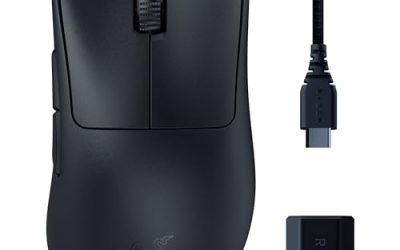
Razer DeathAdder V3 Pro
- Best for: Medium to large hands that want a comfortable ergonomic wireless mouse with long battery life.
- Sensor: Focus Pro 30K optical, up to 30,000 DPI
- Weight: 63 g
- Battery life: Up to 90 hours at 1,000 Hz
- Connectivity: HyperSpeed wireless, wired USB-C
Medium to large hands that want a comfortable ergonomic wireless mouse with long battery life.
No RGB lighting, the DPI button sits underneath the mouse, and the HyperPolling dongle for 4,000 Hz wireless is sold separately.
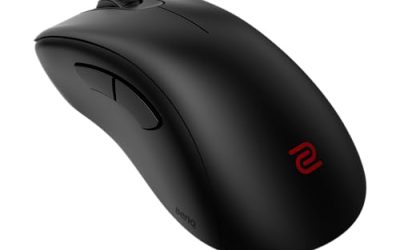
The DeathAdder V3 Pro is the comfort pick of this group, pairing the classic DeathAdder ergonomic shape with a 63-gram body. The Focus Pro 30K optical sensor tracks up to 30,000 DPI with no smoothing, and Razer HyperSpeed wireless keeps latency low over the included dongle. Battery life runs up to 90 hours at 1,000 Hz, and the Gen-3 optical switches are rated for 90 million clicks. Onboard memory stores two profiles, so your DPI and button setup travels with the mouse to any Linux machine. The smooth-touch finish and tall right-handed hump make it a natural fit for palm and relaxed claw grips.
Watch out for: No RGB lighting, the DPI button sits underneath the mouse, and the HyperPolling dongle for 4,000 Hz wireless is sold separately.
Razer Viper V3 Pro
The Viper V3 Pro is the lightest wireless mouse here at 54 grams, for players who want the fastest possible input with no extra bulk. The second-generation Focus Pro 35K sensor reaches 35,000 DPI and tracks at up to 750 IPS, while the included HyperPolling dongle pushes wireless polling to 8,000 Hz. Battery life runs up to 95 hours at 1,000 Hz, and the symmetrical shape suits claw and fingertip grips for both right- and left-handed players. Five onboard DPI profiles live on the mouse, so your sensitivity stages are ready when you plug the dongle into a Linux box. Gen-3 optical switches give crisp clicks with no debounce delay.
Specs
- Sensor: Focus Pro 35K Optical Sensor Gen-2, up to 35,000 DPI
- Weight: 54 g
- Battery life: Up to 95 hours at 1,000 Hz
- Connectivity: HyperSpeed wireless, wired USB-C
- Polling rate: Up to 8,000 Hz wireless with included HyperPolling dongle
- Switches: Optical Mouse Switches Gen-3, rated for 90 million clicks
- Buttons: 6
- Onboard memory: 5 DPI profiles
- Model: RZ01-05120100-R3U1
Best for: Competitive shooter players who want the lightest wireless mouse with the highest polling rate.
Watch out for: Battery life drops to about 17 hours at 8,000 Hz, the shape favors claw and fingertip grips over palm, and a newer V4 Pro now exists, so compare the two before buying.
Logitech G Pro X Superlight 2
- Best for: Competitive players who want a proven lightweight wireless shape with long battery life.
- Sensor: HERO 2, up to 44,000 DPI
- Weight: 60 g
- Battery life: 95 hours of constant motion
- Connectivity: LIGHTSPEED wireless, wired USB-C
Competitive players who want a proven lightweight wireless shape with long battery life.
There is no DPI button on the body, so DPI stages must be set in software first, and owner reports mention a scroll wheel that can reverse direction, so test it in the first week.
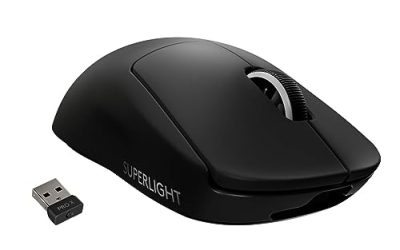
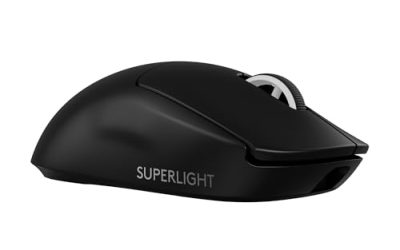
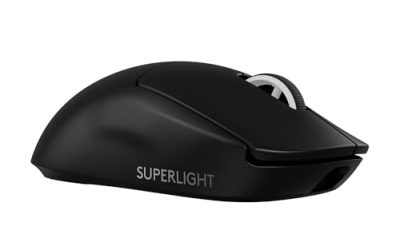
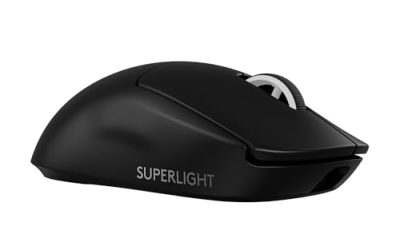
The G Pro X Superlight 2 is the esports standard in a 60-gram wireless body, the safest premium pick for Linux players who want a proven shape. The HERO 2 sensor tracks up to 44,000 DPI with no smoothing, and LIGHTSPEED wireless runs at up to 2,000 Hz, with 4,000 Hz available as well. Battery life reaches 95 hours of constant motion, and the LIGHTFORCE hybrid switches combine optical actuation with a mechanical click feel. Onboard memory keeps your settings on the mouse, so DPI and button assignments set once remain active on any Linux distro. The clean symmetrical shape works for claw, palm, and fingertip grips alike.
Watch out for: There is no DPI button on the body, so DPI stages must be set in software first, and owner reports mention a scroll wheel that can reverse direction, so test it in the first week.
Glorious Model O
- Best for: Linux users who want a light wired mouse with zero drivers and zero setup.
- Sensor: Pixart PMW-3360, up to 12,000 DPI
- Weight: 67 g
- Buttons: 6 programmable buttons
- Switches: Omron mechanical, rated for 20 million clicks
Linux users who want a light wired mouse with zero drivers and zero setup.
The honeycomb shell lets dust inside over time, it is wired only with no wireless option, and full lighting control needs the vendor app, though the default lighting works without it.
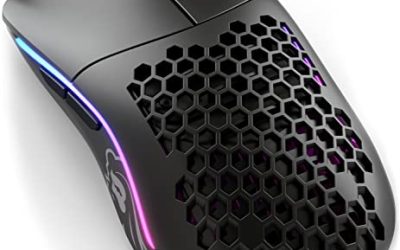
The Glorious Model O is the simplest mouse on this list, and that simplicity is why it shines on Linux. It is a wired mouse with no driver requirement: plug it in and it works, with DPI changes handled by a button underneath and lighting controlled from the mouse itself. The Pixart PMW-3360 sensor tracks up to 12,000 DPI with zero acceleration, and the honeycomb shell keeps the weight down to 67 grams. Omron switches rated for 20 million clicks give a crisp, tactile feel, and the flexible Ascended Cord moves freely across the desk. Pure PTFE feet glide smoothly, and the ambidextrous shape suits claw and fingertip grips.
Watch out for: The honeycomb shell lets dust inside over time, it is wired only with no wireless option, and full lighting control needs the vendor app, though the default lighting works without it.
Which One Fits Your Situation
You Want Zero Setup
If you want a mouse that works the moment it is plugged in, the Glorious Model O and the Logitech G502 HERO are the easy answers. Both are wired, both need no driver, and both keep their core behavior on the mouse itself. The Model O is the lighter, simpler choice, while the G502 HERO adds eleven buttons and tunable weight for players who want more control. Either way, you will never need to open a settings app on Linux.
You Play Competitive Shooters
For ranked shooters where every millisecond counts, the Razer Viper V3 Pro and the Logitech G Pro X Superlight 2 lead this list. Both are featherweight wireless mice with top-tier sensors and high polling rates, and both store their settings in onboard memory. Pick the Viper V3 Pro for the lightest body and 8,000 Hz wireless, or the Superlight 2 for the more forgiving symmetrical shape and longer battery life at high polling.
You Want Comfort for Long Sessions
Long sessions call for a shape that supports your hand, and the Razer DeathAdder V3 Pro is the ergonomic pick here. Its tall right-handed hump fills the palm, the 63-gram weight stays easy to move for hours, and the 90-hour battery means you will rarely think about charging. It is the best fit for medium to large hands, especially for palm and relaxed claw grips that need a mouse that disappears during play.
You Want Maximum Buttons
If your games lean on macros, item slots, and ability keys, the Logitech G502 HERO is the only pick here with a full button array. Eleven programmable buttons plus a sniper button give you room for bindings that other mice in this list cannot match. The onboard memory stores up to five profiles, so each game can have its own layout ready to go. The trade-off is weight, but for MMO and strategy players the extra buttons are worth it.
Common Mistakes
- Buying a mouse whose best features live only in a Windows-only app, then finding those features missing on Linux.
- Ignoring onboard memory and wondering why DPI and button settings reset every time the mouse moves to another machine.
- Choosing a mouse by headline DPI alone instead of checking the sensor, weight, and shape against your grip.
- Picking a wireless mouse with Bluetooth only, when a 2.4 GHz dongle is the more reliable route on Linux.
- Skipping the return policy on a mouse with known switch issues, leaving no way back if the clicks fail early.
Frequently Asked Questions
Do gaming mice work on Linux without drivers?
Yes, almost every modern gaming mouse works on Linux as a standard HID device, so the kernel sees it as a normal mouse and basic movement, clicks, and scrolling work immediately. The catch is configuration: DPI, polling, and button bindings stored in onboard memory work fine, while features locked inside a Windows-only app do not. That is why this guide favors mice with onboard memory and plug-and-play behavior.
Can I change DPI on Linux without vendor software?
Yes. Mice with onboard memory keep DPI stages on the device, so you can set them once on another machine or with a community tool and they stay active on Linux. Some mice also have a DPI button on the body that cycles through preset stages with no software at all. Community tools such as Piper and libratbag can adjust DPI and buttons on many popular models directly from Linux.
Does Razer Synapse or Logitech G Hub run on Linux?
No, neither Razer Synapse nor Logitech G Hub has a native Linux version, and both are built for Windows and macOS only. That does not make Razer or Logitech mice unusable on Linux, because the picks here store their settings in onboard memory. Set the mouse up once on a Windows or Mac machine, or use a community tool, and the settings travel with the mouse to any Linux distro.
Is wireless or wired better for Linux gaming?
Both work well, and the choice depends on your desk. Wired mice need no charging and never drop a connection, which suits players who want the simplest setup. Wireless mice with a 2.4 GHz dongle connect as a standard USB device and work out of the box, though you must keep the battery charged. Avoid Bluetooth-only mice when a dongle option exists, since dongle connections behave more consistently across distros.
Related guides
More from Amazon
Programs that pair well with the guide above. Offers and eligibility are set by Amazon and may change.
A free business account with business pricing and bulk-buying tools for work, shop or home office.
Create a business accountFree shipping on eligible items, Prime Video and more. Eligible new members can start with a free trial.
Start a Prime free trialAudiobooks and podcasts to listen to on the go. Eligible new members can start with a free trial.
Try Audible freeAd-free music streaming. Eligible new subscribers can start with a free trial.
Try Music Unlimited freeAs an Amazon Associate we earn from qualifying purchases.