Our Short List of 3

- Best for: Ranked and tournament-minded players who set DPI once in software and prioritise a light, clean shell.
- Sensor: HERO 2 optical sensor
- DPI range: up to 44,000 DPI
- Weight: 60 g
- Buttons: 5 programmable buttons

- Best for: Palm and relaxed claw players with medium to large hands who want a full-size shell without heavy drag.
- Sensor: Focus Pro 30,000 DPI optical sensor
- DPI range: up to 30,000 DPI
- Weight: 63 g
- Buttons: 5 programmable buttons

- Best for: Newer PC players and students who want dependable wireless tracking and long battery life for daily Fortnite sessions.
- Sensor: HERO sensor
- DPI range: up to 12,000 DPI
- Buttons: 6 programmable buttons
- Connection: LIGHTSPEED wireless
All 4 Picks at a Glance
| Product | Specs | Action |
|---|---|---|
| Logitech G PRO X Superlight 2 |
| Check price on Amazon |
| Razer DeathAdder V3 Pro |
| Check price on Amazon |
| Logitech G305 LIGHTSPEED |
| Check price on Amazon |
 Logitech G502 HERO |
| Check price on Amazon |
Fortnite asks a mouse to do two opposite jobs in the same fight: track smoothly at a low DPI while you line up a shot, then whip around fast enough to place walls, take edits, and reset a box without lifting your wrist off line. Chasing the highest number on a box misses that tension entirely. What matters is how cleanly a sensor holds at the modest settings most players actually run, and whether changing sensitivity mid-match feels simple rather than fiddly.
This guide serves competitive builders, newer PC players moving away from a heavy office mouse, and anyone whose current aim feels jittery or sluggish. Each pick was chosen from the names and specifications printed on its Amazon product page, with weight, DPI range, and switching method weighed against Fortnite play.
Our Top Picks
- Logitech G Pro X Superlight 2 Lightspeed WirelessClassic1.57 x 2.5 x 4.92 inches0.1 poundsCheck on Amazon
- Razer DeathAdder V3 Pro Wireless Gaming Mouse1000 Hz5.01 x 2.65 x 1.69 inches0.1 poundsCheck on Amazon
Top 3 picks at a glance
Quick Picks
As an Amazon Associate we earn from qualifying purchases
| Product | Best for | Key spec from title |
|---|---|---|
| Logitech G PRO X Superlight 2 | Competitive players who set DPI in software and leave it | 44,000 DPI HERO 2 sensor |
| Razer Viper V3 Pro | Claw and fingertip players wanting the lightest shell | 35,000 DPI optical sensor |
| Razer DeathAdder V3 Pro | Palm-grip players with larger hands | Focus Pro 30,000 DPI optical sensor |
| Logitech G305 LIGHTSPEED | First wireless mouse on a tighter setup | HERO sensor up to 12,000 DPI |
| Logitech G502 HERO | Players who switch DPI on the mouse during a match | 25,600 DPI HERO 25K sensor |
How to Choose
Settle Your Working DPI Before Comparing Maximums
Most Fortnite players settle somewhere in the low hundreds to low thousands for DPI, then adjust in-game sensitivity around that base, so a headline ceiling tells you almost nothing about daily play. Look instead for a wide adjustable range that includes your preferred setting with room either side, plus fine steps rather than coarse jumps. A mouse that moves in small increments lets you nudge sensitivity after a pad change or a new monitor, instead of rebuilding muscle memory around a setting that sits between two presets.
Check How DPI Switching Actually Works
On-the-fly switching shapes a match more than the range itself. Some mice here carry a dedicated button near the thumb or below the scroll wheel, so you can drop sensitivity for a scoped look and return instantly. Others, including the lightest esports models, move that control underneath the shell or into software to save weight and keep the top clean. Neither approach is wrong, but builders who change sensitivity between fighting and farming should favour a reachable button, while set-and-forget players can accept software-only adjustment happily.
Match Sensor Behaviour to Building and Editing
Fortnite movement is stop-start: short flicks, sudden direction changes, and tiny corrections while a wall is being edited. A sensor needs to track those bursts without smoothing that delays the cursor or acceleration that makes the same hand movement travel different distances. Listings for these picks describe optical sensors with high tracking speeds and no added smoothing language on the wired Logitech model. Prioritise that clean, predictable response over exotic features, and keep your mousepad consistent while you judge a new mouse, because surface changes can mimic sensor problems.
Weigh the Shell Against Your Grip and Session Length
Weight decides how tiring repeated edits feel across an evening. Shells in the mid-fifty to low-sixty gram range here suit quick fingertip and claw movements, while the heavier wired option trades speed for extra buttons and a planted feel that some palm-grip players prefer. Hand size matters just as much: a compact symmetrical shape can cramp a large hand, and a tall ergonomic shell can slow a small one. Check the listed shape and button count against how you already hold your current mouse before ordering.
The 5 Best Options
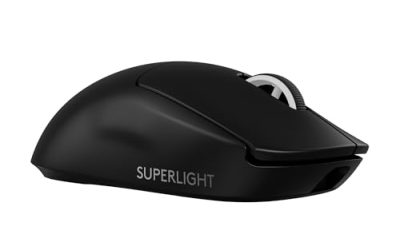
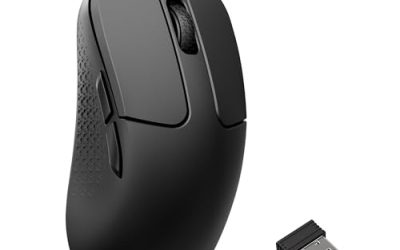
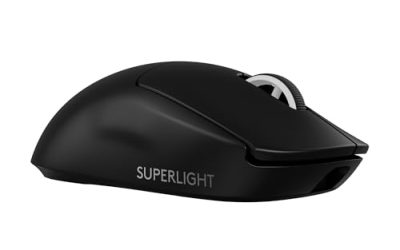
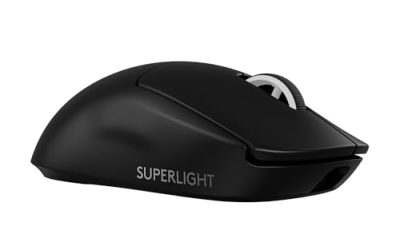
Logitech G PRO X Superlight 2
- Best for: Ranked and tournament-minded players who set DPI once in software and prioritise a light, clean shell.
- Sensor: HERO 2 optical sensor
- DPI range: up to 44,000 DPI
- Weight: 60 g
- Buttons: 5 programmable buttons
Ranked and tournament-minded players who set DPI once in software and prioritise a light, clean shell.
There is no quick top-mounted DPI button highlighted in the listing, so confirm you are happy changing sensitivity in software.
Competitive Fortnite players who already know their preferred DPI will appreciate how little this mouse gets in the way. Its HERO 2 sensor covers a very wide range, so the low settings used for tracking and the slightly higher settings some builders like both sit comfortably inside it, adjusted through software rather than a top button. At the listed weight, repeated wall takes and edit flicks ask less of the wrist, and the symmetrical shell suits claw and fingertip grips on medium hands.
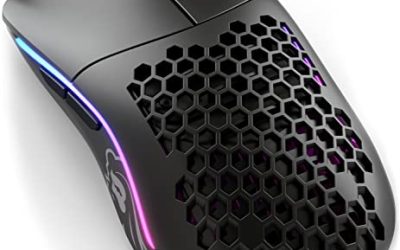
Razer Viper V3 Pro
The Viper V3 Pro is the lightest option in this group in its black finish, which makes it a natural fit for fingertip and claw players who build with fast, short strokes. Razer lists a Focus Pro optical sensor with a broad DPI ceiling and a dedicated control among its programmable inputs, giving players a route to shift sensitivity without opening software mid-session. Its symmetrical shape keeps both side buttons within easy reach for wall and ramp binds, a practical detail when piece control depends on instant building.
Specs
- Sensor: 35,000 DPI optical sensor
- DPI range: up to 35,000 DPI
- Weight: 54 g in black finish
- Buttons: 8 programmable buttons
- Polling: 8K polling
- Switches: Gen-3 optical switches
- Battery life: up to 95 hours as listed
- Shape: Symmetrical
Best for: Claw and fingertip players who want the lightest listed shell and high polling for fast edits.
Watch out for: Battery life and polling settings interact, so check the listed wireless mode details and keep the charging cable handy for long sessions.
ASIN: B0CW25XR5R
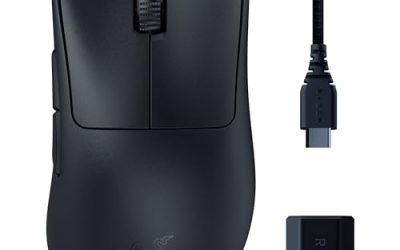
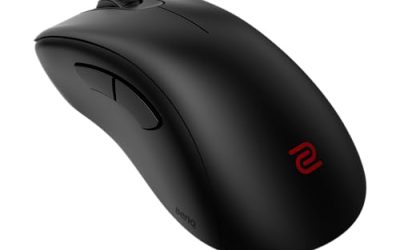
Razer DeathAdder V3 Pro
- Best for: Palm and relaxed claw players with medium to large hands who want a full-size shell without heavy drag.
- Sensor: Focus Pro 30,000 DPI optical sensor
- DPI range: up to 30,000 DPI
- Weight: 63 g
- Buttons: 5 programmable buttons
Palm and relaxed claw players with medium to large hands who want a full-size shell without heavy drag.
The ergonomic shape is right-handed only, and its larger footprint may feel slow if you play with fingertip grip on a small pad.
Players with larger hands often find ultralight symmetrical mice tiring, and this ergonomic Razer is the counterpoint in the lineup. Its right-handed shape supports a relaxed palm or claw hold through long creative and ranked sessions, while the Focus Pro sensor still provides a wide DPI range for players who track at low settings and build at moderate ones. The listed weight stays low for a full-size shell, so directional changes remain brisk, and HyperSpeed wireless keeps the desk free of cable drag during wide arm movements.
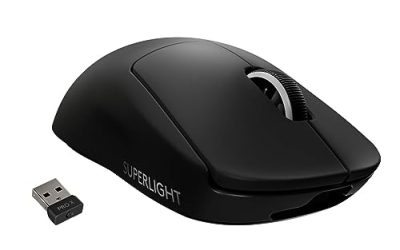
Logitech G305 LIGHTSPEED
- Best for: Newer PC players and students who want dependable wireless tracking and long battery life for daily Fortnite sessions.
- Sensor: HERO sensor
- DPI range: up to 12,000 DPI
- Buttons: 6 programmable buttons
- Connection: LIGHTSPEED wireless
Newer PC players and students who want dependable wireless tracking and long battery life for daily Fortnite sessions.
It uses a replaceable AA battery rather than a rechargeable cell, so keep a spare ready and note the added weight that battery brings.
For a first wireless gaming mouse, the G305 covers the Fortnite essentials without demanding esports-level commitment. Its HERO sensor reaches a DPI ceiling well above the settings most players use, so there is ample room to experiment in the low range where control lives, and on-board memory holds your chosen profile. Six programmable buttons give space for core building binds, while the long listed battery life from a single AA cell suits players who dislike charging cables interrupting a week of play.
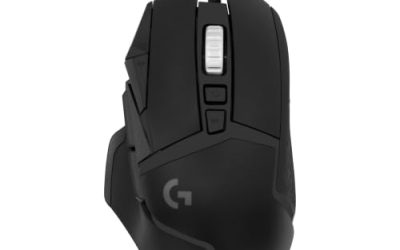
Logitech G502 HERO
- Best for: Players who switch DPI on the mouse mid-match and want many bindable buttons for builds, edits, and inventory.
- Sensor: HERO 25K sensor
- DPI range: 100 to 25,600 DPI
- Buttons: 11 programmable buttons
- Connection: Wired
Players who switch DPI on the mouse mid-match and want many bindable buttons for builds, edits, and inventory.
This is a substantially heavier, larger mouse than the wireless picks, so check the shape suits your hand before choosing it for fast flick play.
Anyone who genuinely changes sensitivity during a match should look closely at this wired Logitech, because its button layout puts DPI controls within thumb reach alongside many programmable inputs for building and editing binds. The HERO 25K sensor spans a wide range with the listing describing one-to-one tracking, and the adjustable weight system lets a player add resistance for steadier tracking or remove it for quicker turns. Being wired removes battery management entirely, which suits a fixed desk where the mouse never travels.
Which One Fits Your Situation
You Play Ranked and Edit at High Speed
Choose the Razer Viper V3 Pro or the Logitech G PRO X Superlight 2. Both keep weight low for repeated flicks, and both sensors track cleanly at the modest DPI values ranked players favour. The Razer adds a more accessible sensitivity control, while the Logitech suits players who lock a setting in software and focus entirely on mechanics.
Your Hands Are Large and Ache on Small Mice
The Razer DeathAdder V3 Pro fits this situation best. Its ergonomic shell fills the palm, spreading pressure across the hand during long sessions, yet it remains light enough for building. Set a moderate DPI, bind walls and ramps to the side buttons, and the shape should feel settled rather than cramped after several matches.
You Are Buying Your First Wireless Mouse
Start with the Logitech G305 LIGHTSPEED. Its DPI range comfortably covers every sensible Fortnite setting, the battery lasts through weeks of casual play on one cell, and six buttons handle essential binds without overwhelming a new player. Learn your preferred sensitivity on this mouse first, then decide later whether a lighter esports shell is worth chasing.
You Change Sensitivity Between Fighting and Farming
Pick the Logitech G502 HERO. Its reachable DPI controls and eleven programmable buttons make temporary sensitivity drops for careful shots, then instant returns for building, a realistic habit rather than a software chore. The wired connection also removes charging from tournament days, and the tunable weights let you steady the cursor at your lower setting.
Common Mistakes
- Copying a professional player’s DPI without matching their in-game sensitivity, monitor size, and mousepad, which produces a completely different effective sensitivity.
- Raising DPI to fix aim that actually suffers from a worn pad, a dirty sensor lens, or side buttons bound so building interrupts tracking.
- Judging a mouse by its maximum DPI number instead of how finely it adjusts and tracks at the low settings used in real matches.
- Switching DPI, sensitivity, and key binds all at once, then blaming the mouse when muscle memory falls apart for a week.
- Ignoring grip and hand size, buying the lightest shell available, and discovering that a shape your hand fights makes edits slower, not faster.
Frequently Asked Questions
What DPI do most Fortnite players actually use?
Many players run a mouse DPI in the low hundreds to around the low thousands, then tune the in-game sensitivity percentages by feel until building and aiming share one comfortable speed. The exact pairing is personal. Start near the middle of your mouse range, play several matches, and adjust in small steps rather than copying a setting wholesale from another player.
Is a higher maximum DPI always better for Fortnite?
No. A high ceiling only shows the sensor range a maker offers; Fortnite is played far below those maximums. What matters is accurate tracking, fine adjustment steps, and no unwanted smoothing at your chosen setting. Every mouse in this guide covers sensible Fortnite settings with room to spare, so choose on shape, weight, and switching method instead of the biggest number.
Should I change DPI during a match?
Only if you have practised the habit. A lower temporary setting can steady a long-range shot, while your normal setting handles building and close fights. Mice with a reachable DPI button, such as the G502 HERO here, make that realistic. If changing settings breaks your rhythm in creative practice, lock one sensitivity and build consistency around it instead.
Does mouse weight really affect building and editing?
Yes, because building strings together dozens of short movements. A lighter mouse reduces the effort in each flick and reset, which fingertip and claw players notice quickly. Heavier mice can feel steadier for tracking and suit palm grips. Neither is automatically superior; match the listed weight and shape to your grip, hand size, and session length.
Related guides
More from Amazon
Programs that pair well with the guide above. Offers and eligibility are set by Amazon and may change.
A free business account with business pricing and bulk-buying tools for work, shop or home office.
Create a business accountFree shipping on eligible items, Prime Video and more. Eligible new members can start with a free trial.
Start a Prime free trialAudiobooks and podcasts to listen to on the go. Eligible new members can start with a free trial.
Try Audible freeAd-free music streaming. Eligible new subscribers can start with a free trial.
Try Music Unlimited freeAs an Amazon Associate we earn from qualifying purchases.