Our Short List of 3
- Best for: PvP players who drag click, bridge fast and want wireless freedom.
- Weight: 69 g
- Shell: honeycomb design, ambidextrous
- Connectivity: 2.4 GHz wireless
- Battery life: up to 71 hours

- Best for: high-CPS click styles on a wired connection that never needs charging.
- Switches: Light Strike optical, 0.2 ms click response
- Switch lifespan: over 20 million clicks
- Sensor: AVAGO A3050 optical
- CPI steps: 800, 1,000, 1,200, 1,600, 4,000

- Best for: long survival and creative sessions, and players who also play other PC games.
- Weight: 60 g
- Sensor: up to 44,000 DPI
- Report rate: up to 8 kHz
- Buttons: 5, programmable
All 4 Picks at a Glance
| Product | Specs | Action |
|---|---|---|
| Glorious Model O Wireless |
| Check price on Amazon |
| Bloody A70 |
| Check price on Amazon |
| Logitech G PRO X Superlight 2 |
| Check price on Amazon |
 Razer Viper V2 Pro |
| Check price on Amazon |
Minecraft asks more of a mouse’s clicks than of its sensor. PvP fights turn on how fast and how consistently the main buttons register, bridging rewards a button surface that works with drag and butterfly clicking, and long building sessions punish a heavy mouse. The real decision is which trade-off fits your play: a wired mouse built for high click rates, or an ultralight wireless model that stays comfortable for hours. Sensor bragging rights matter far less here than switch type, weight and shape.
The five picks below cover competitive minigame players who click fast and often, survival and creative players who play in long stretches, and younger players or families buying a first gaming mouse for a shared PC. Each pick was chosen from the product name and specifications published on its Amazon page, so the figures quoted here, from weight and battery life to switch ratings and sensor ranges, come from the listing rather than from marketing roundups.
Top 3 picks at a glance
Quick Picks
As an Amazon Associate we earn from qualifying purchases.
| Product | Best for | Key spec from title |
|---|---|---|
| Glorious Model O Wireless | Drag clicking and fast bridging | 69 g honeycomb shell, up to 71 hours of battery |
| Bloody A70 | High-CPS click styles on a wire | Light Strike optical switches, 0.2 ms click response |
| Logitech G PRO X Superlight 2 | Long wireless sessions | 60 g shell, 8 kHz report rate |
| Razer Viper V2 Pro | Ultralight fingertip and claw play | 58 g, Gen-3 optical switches |
| SteelSeries Rival 3 | A first gaming mouse | TrueMove Core sensor, 8,500 CPI |
How to Choose
Click feel and switch type
How a mouse clicks matters more in Minecraft than in most games. Jitter, butterfly and drag clicking all ask the main buttons to register rapid inputs without bouncing or dropping clicks, and techniques vary by mouse: wide, textured button surfaces suit drag clicking, while optical switches register with light instead of a metal contact, which removes the debounce delay mechanical switches need. Check the switch type and rated lifespan on the listing, and remember that some servers restrict macros or specific clicking methods, so a programmable button is not a free pass in competitive lobbies.
Weight and shape
A mouse that feels fine for a twenty minute match can ache after a three hour building session, so weight and shape deserve real attention. Lighter mice, roughly under seventy grams, are easier to flick and lift during fast PvP exchanges and tire the wrist less over long survival sessions. Shape matters just as much: symmetrical shells suit claw and fingertip grips and work for either hand, while sculpted right-handed shells support a palm grip. Match the shell to the player’s hand size and grip before chasing any other specification on the page.
Wired or wireless
Wired mice never need charging and cannot drop a connection mid fight, which is why several click focused models stay wired. Modern 2.4 GHz wireless mice have closed the latency gap for casual and competitive play alike, and losing the cable removes the drag that can disturb a careful bridging run or a long building session. The trade offs are charging routines and battery figures that vary widely between models, from around seventy hours to ninety and beyond. Decide which matters more at your desk: never thinking about power, or never fighting a cable.
Sensor range and button layout
Minecraft does not reward extreme sensitivity numbers. The game is usually played at modest sensitivity settings, so a sensor that tracks cleanly at low and medium CPI values matters more than a headline figure in the tens of thousands. Polling rate is worth a look, since higher rates report clicks and movement more often, but the jump from standard rates is subtle in this game. Buttons are the practical extra: two side buttons are enough for most players to bind sprint, perspective or a hotbar slot, and onboard memory keeps those bindings when the mouse moves between computers.
The 5 Best Options
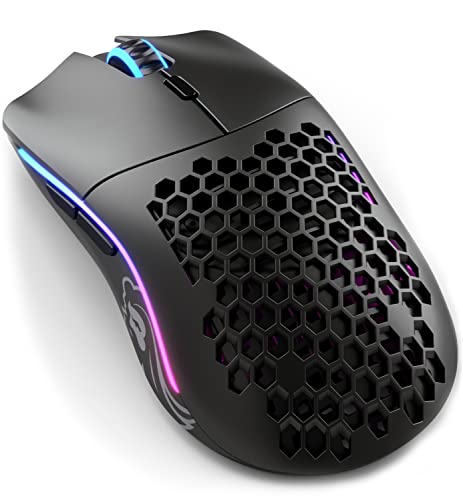
Glorious Model O Wireless
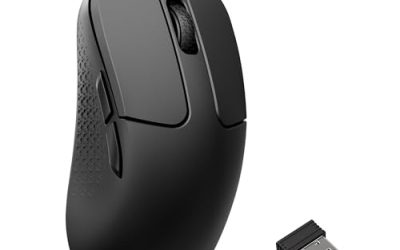
- Best for: PvP players who drag click, bridge fast and want wireless freedom.
- Weight: 69 g
- Shell: honeycomb design, ambidextrous
- Connectivity: 2.4 GHz wireless
- Battery life: up to 71 hours
PvP players who drag click, bridge fast and want wireless freedom.
the open honeycomb shell traps dust and needs regular cleaning, and this listing is the Matte Black version, with other colors sold as separate listings.
The Model O Wireless is the name most Minecraft PvP players reach for first, and the listing explains why: a 69 gram honeycomb shell, ambidextrous shape and lag free 2.4 GHz wireless connection suit the fast, repeated clicking that Bedwars and SkyWars fights demand. The open shell keeps the mouse light and the button surface works well with drag clicking styles, while the stated battery life of up to 71 hours covers long sessions between charges. It is a focused tool rather than a feature packed one, which is exactly the point for this game.
Bloody A70
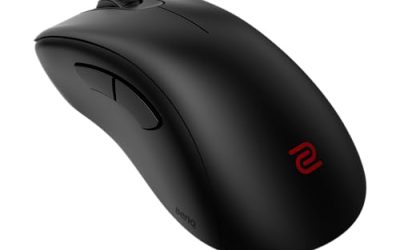
- Best for: high-CPS click styles on a wired connection that never needs charging.
- Switches: Light Strike optical, 0.2 ms click response
- Switch lifespan: over 20 million clicks
- Sensor: AVAGO A3050 optical
- CPI steps: 800, 1,000, 1,200, 1,600, 4,000
high-CPS click styles on a wired connection that never needs charging.
the A70x is a different model on its own listing, so check the model name before ordering, and note the sensor ceiling of 4,000 CPI.
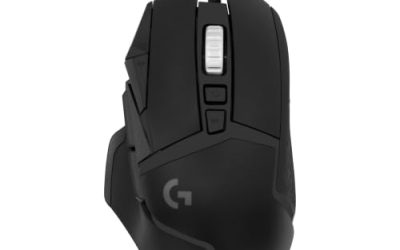
The Bloody A70 takes the opposite route to the same problem: it stays wired and puts everything into click speed. Its Light Strike optical switches respond in a stated 0.2 milliseconds and are rated for over 20 million clicks, the metal X’Glide feet keep the mouse moving freely, and eight programmable buttons leave room for hotbar and utility bindings. The sensor is an older A3050 unit with CPI steps topping out at 4,000, which is plenty for Minecraft even if it looks modest beside flagship sensors. Players who butterfly or drag click get the most from this design.
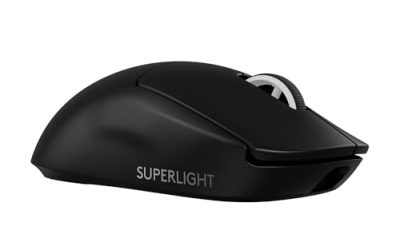
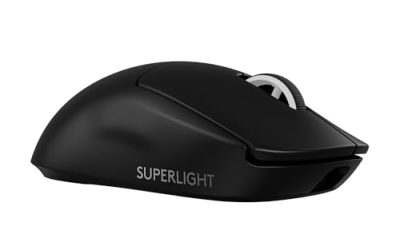
Logitech G PRO X Superlight 2
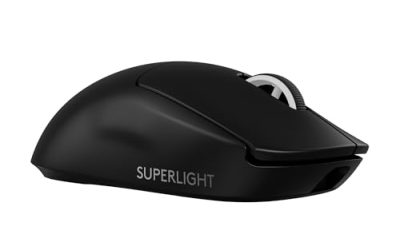
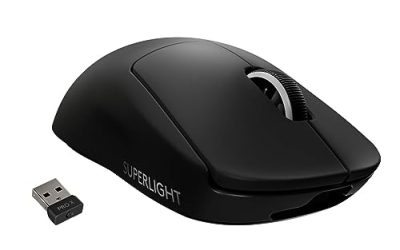
- Best for: long survival and creative sessions, and players who also play other PC games.
- Weight: 60 g
- Sensor: up to 44,000 DPI
- Report rate: up to 8 kHz
- Buttons: 5, programmable
long survival and creative sessions, and players who also play other PC games.
this listing is the White colorway, and the Black version is a separate listing, so confirm the color selected before checkout.
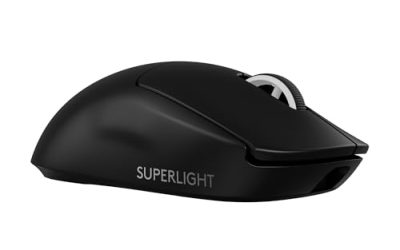
The PRO X Superlight 2 is the pick for players who split their time between Minecraft and everything else. At 60 grams it is light enough for fast PvP turns, the sensor reaches a stated 44,000 DPI with an 8 kHz report rate for players who like high polling, and the clean symmetrical shell and five programmable buttons cover hotbar duties without clutter. This listing is the White colorway. USB-C charging keeps the cable situation simple, and the plain shape suits claw, fingertip and relaxed palm grips across long survival sessions.
Razer Viper V2 Pro
- Best for: claw and fingertip players who want the lightest wireless pick here.
- Weight: 58 g
- Sensor: Focus Pro 30K optical, up to 30,000 DPI
- Switches: Gen-3 optical
- Battery life: up to 90 hours
claw and fingertip players who want the lightest wireless pick here.
skip the Renewed listing, which is a different offer, and note the standard mouse deliberately omits RGB lighting to save weight.
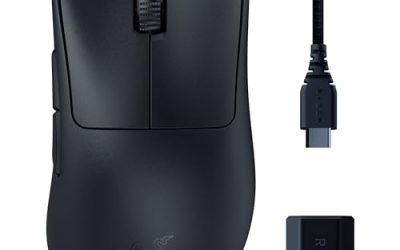
The Viper V2 Pro is the lightest wireless mouse in this roundup at a stated 58 grams, built around Razer’s Focus Pro 30K optical sensor and Gen-3 optical switches. That combination suits fingertip and claw players who flick constantly in minigame lobbies and want clicks that register without mechanical bounce. The stated battery life runs up to 90 hours, the symmetrical shell works in either hand, and the design deliberately skips extras like RGB lighting to keep the weight down. Competitive players who find the Model O’s honeycomb shell distracting get the same speed in a closed body.
SteelSeries Rival 3
The Rival 3 is the straightforward starter pick: a wired mouse with a TrueMove Core optical sensor, 8,500 CPI ceiling and a 1,000 Hz polling rate, which covers everything Minecraft actually asks of a sensor. Six programmable buttons handle sprint and hotbar bindings, the split trigger main buttons keep clicks consistent, and Prism RGB lighting adds the gaming look younger players usually want. It gives up the ultralight shells and wireless freedom of the pricier picks, but for a first gaming mouse on a shared family PC it covers the basics honestly and simply.
Specs
- Sensor: TrueMove Core optical
- CPI range: 100 to 8,500, in 100 CPI steps
- Tracking speed: 300 IPS
- Acceleration: 35G
- Polling rate: 1,000 Hz
- Buttons: 6, programmable, split-trigger main buttons
- Lighting: Prism RGB
- Model number: 62513
- Weight: not stated
Best for: first gaming mouse buyers and younger players on shared PCs.
Watch out for: wired only, and the 8,500 CPI ceiling is lower than the flagship picks, though still well beyond what Minecraft needs.
ASIN: B08176SM7C
Which One Fits Your Situation
You play Bedwars, SkyWars or duels most days
Click rate and click consistency decide these modes, so start with the two click focused picks. The Bloody A70 is the wired specialist, with optical switches and a stated 0.2 millisecond response. The Model O Wireless adds wireless freedom and a lighter honeycomb shell for the same job. Either way, check your server’s rules first, because some competitive servers restrict macros and certain clicking techniques regardless of the mouse you own.
You build and explore in long survival sessions
Comfort over hours matters more than peak click speed here. The PRO X Superlight 2 pairs a 60 gram shell with a clean symmetrical shape that suits several grips, and its wireless connection keeps a building desk free of cable snag. The Viper V2 Pro is the alternative if your hands are smaller or you prefer a fingertip grip, with a stated 90 hour battery that stretches charging intervals across many sessions.
You are buying a first gaming mouse
Start simple. The Rival 3 is wired, so there is nothing to charge and nothing to pair, and its sensor and polling rate already exceed what Minecraft needs. Six programmable buttons are enough to learn hotbar bindings, and the standard shape suits most hand sizes. If the player later moves into competitive minigames, the click focused and ultralight picks above are the natural upgrade path rather than a replacement for everything at once.
You hate cable drag on a shared desk
Wireless solves the drag problem, and the remaining choice is shell and shape. The Model O Wireless has an open honeycomb body that some players love and others find distracting against the palm. The Viper V2 Pro keeps a closed shell at a slightly lower stated weight and runs longer between charges. Both use low latency wireless connections, so the mouse can travel between a desk, a couch setup and a second family PC with only a receiver to move.
Common Mistakes
- Chasing the highest DPI figure instead of checking switch type and weight, which decide how a mouse actually feels in Minecraft.
- Assuming drag clicking and macros are allowed everywhere, when some servers restrict clicking techniques and programmable macros.
- Buying a shell shaped for the wrong grip or hand size, then blaming poor aim on the sensor.
- Forgetting that a wireless mouse needs a charging routine and a sensible, unobstructed place for its receiver.
- Ordering a colorway without checking the listing, since colors of the same mouse are often separate listings with separate stock.
Frequently Asked Questions
Does a high DPI sensor matter for Minecraft?
Not much. Minecraft is usually played at low to medium sensitivity, so clean tracking at modest CPI settings matters more than a five figure maximum. Every mouse in this roundup clears that bar easily, including the budget Rival 3 at 8,500 CPI. Spend your attention on switch type, weight and shape instead, because those change how the game feels every minute you play.
Is drag clicking hard on a mouse?
It is harder on the buttons than normal clicking, because the technique relies on friction across the button surface and produces very high click counts in a short time. Optical switches tolerate this style well because there is no metal contact to bounce or wear in the same way, and a stated switch lifespan in the tens of millions of clicks is a useful figure to compare before you buy.
Wired or wireless for Minecraft?
Both work. Wired mice never need charging and suit click focused play at a fixed desk, which is why the Bloody A70 and Rival 3 stay wired. Wireless mice remove cable drag, which helps during fast bridging and on shared or living room setups, at the cost of a charging routine. Latency on the 2.4 GHz and HyperSpeed links used here is not a practical problem for this game.
How many buttons does a Minecraft mouse need?
Two side buttons cover most players: one for sprint or perspective switching and one for a favorite hotbar slot. Players who use several utility bindings, or who play modded packs with extra keybinds, benefit from the eight programmable buttons on the Bloody A70. More buttons than that usually belong to MMO mice, which are heavier than anything recommended here and work against fast clicking.
Related guides
More from Amazon
Programs that pair well with the guide above. Offers and eligibility are set by Amazon and may change.
A free business account with business pricing and bulk-buying tools for work, shop or home office.
Create a business accountFree shipping on eligible items, Prime Video and more. Eligible new members can start with a free trial.
Start a Prime free trialAudiobooks and podcasts to listen to on the go. Eligible new members can start with a free trial.
Try Audible freeAd-free music streaming. Eligible new subscribers can start with a free trial.
Try Music Unlimited freeAs an Amazon Associate we earn from qualifying purchases.