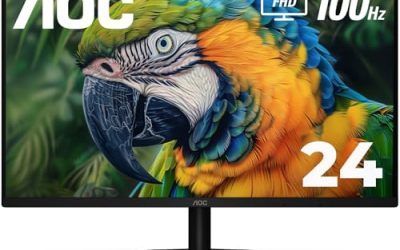
Most monitor buying advice starts with refresh rates and response times, but the decision that shapes daily use is more ordinary: how large a screen your desk and viewing distance can support, and whether the stand lets you place that screen at a height your neck tolerates for eight hours. A general desktop monitor has to serve documents in the morning, video in the evening and some gaming in between, so the honest comparison is about panel size, resolution, ergonomics and ports before it is about any single headline number.
This roundup is for home workers upgrading from a laptop screen, families buying one display for a shared desk, and casual players who want one monitor that does everything reasonably well. This site already covers specialised niches such as high-refresh and ultrawide gaming panels; the four monitors below are the generalists, each a mainstream IPS desktop display chosen from what its Amazon listing states about size, resolution, refresh rate and stand movement.
Top 3 picks at a glance


Quick Picks
As an Amazon Associate we earn from qualifying purchases.
| Product | Best for | Key spec from title |
|---|---|---|
| Dell S2721HS 27-inch | A 27-inch screen with a fully adjustable stand | 27-inch Full HD IPS with height, pivot, swivel and tilt stand |
| LG 27MP400-B 27-inch | A straightforward 27-inch desk upgrade with VESA mounting | 27-inch Full HD IPS, 75Hz, FreeSync |
| Acer KB272 G0bi 27-inch | Smoother motion than a standard office panel | 27-inch Full HD IPS with up to 120Hz refresh |
| Dell S2421HN 24-inch | Smaller desks and dual-screen setups | 23.8-inch Full HD IPS, 75Hz, dual HDMI |
How to Choose
Start with size against your viewing distance
A desktop monitor is read from roughly an arm’s length away, and that distance decides how big you can go before the picture breaks into visible pixels. At 24 inches, a Full HD panel looks crisp for text at typical desk distances. At 27 inches with the same resolution, text grows larger and more comfortable to read, but fine detail softens slightly because the same pixels cover more glass. Neither is a defect; it is a trade between screen space and sharpness. Measure your desk depth first, because a shallow desk pushes a 27-inch screen closer than its resolution prefers.
Treat the stand as a health feature, not a bonus
The difference between a tilt-only stand and a height-adjustable one decides whether the top of the screen can sit at or slightly below eye level, which is the position that keeps your neck neutral through a workday. Height, swivel and pivot adjustment also let the screen fit the desk instead of the other way round, and pivot matters if you read long documents or code. If the monitor you like has a tilt-only stand, check for a VESA mount in the listing so a separate arm can do the job later.
Read resolution and refresh rate as a pair
Full HD at 75Hz is the working standard in this group: smoother than the older 60Hz office panels in scrolling and casual gaming, without asking anything special of the computer driving it. One model here lists up to 120Hz, which benefits players and makes everyday motion feel cleaner, provided the computer’s output and the cable support it. Resolution is the other half of the pair. All four monitors are Full HD, so none will match a 1440p panel for fine detail; buy them for size, ergonomics and value rather than for pixel density.
Count the ports your desk actually uses
A single HDMI input is enough for one computer and nothing else. Two HDMI ports let a work laptop and a console or a second machine share the screen without cable swapping, and an older VGA or D-Sub input still rescues an ageing desktop or a spare PC. An audio line-out, listed on one model here, passes sound to desktop speakers or headphones from whatever is connected by HDMI. List your devices before choosing; the right port mix is the one that leaves nothing unplugged on your desk.
The 4 Best Options
Dell S2721HS 27-inch

The S2721HS is the ergonomic pick of this group. Its 27-inch Full HD IPS panel runs at 75Hz with AMD FreeSync, and the stand is the real story: height, pivot, swivel and tilt adjustment are all in the listing, which is rare at this level and means the screen adapts to your chair and desk rather than forcing you to adapt to it. Platinum Silver trim keeps it visually quiet in a home office. For a single monitor that must handle full workdays first and entertainment second, this is the most complete package here, and the one to buy if you will not add a monitor arm.
Specs
- 27-inch IPS panel, 1920 x 1080 Full HD
- 75Hz refresh rate, 4ms gray-to-gray response in the listing
- AMD FreeSync support
- HDMI connectivity
- Stand adjusts for height, pivot, swivel and tilt
- Colour: Platinum Silver
Best for: Home workers who want one 27-inch screen positioned properly all day without buying a separate arm.
Watch out for: Full HD on a 27-inch panel softens fine text slightly at close distances; sit at a normal desk depth.
ASIN: B09S4ZZMS9
LG 27MP400-B 27-inch
LG’s 27MP400-B is the uncomplicated 27-inch option: a Full HD IPS panel at 75Hz with FreeSync, an HDMI input for current machines and a D-Sub input that keeps older desktops and spare PCs useful. The stand tilts only, but the listing includes a 100 x 100 VESA mount, so an arm or wall bracket can take over positioning duties whenever you are ready. That combination suits a buyer who wants the big screen now and the ergonomic upgrade later. It is also a sensible second monitor for a desk that already has one good display and needs a matching expanse beside it.
Specs
- 27-inch IPS panel, 1920 x 1080 Full HD
- 75Hz refresh rate, 5ms response in the listing
- AMD FreeSync support
- HDMI and D-Sub (VGA) inputs
- VESA 100 x 100 mounting
- Tilt-only stand
Best for: Buyers who want a large, simple screen today with a VESA mount ready for an arm later.
Watch out for: The tilt-only stand cannot raise the screen, so plan on books, a riser or that VESA arm for eye-level viewing.
ASIN: B097NXN7RF
Acer KB272 G0bi 27-inch
The KB272 G0bi is where this group leans toward play. Its 27-inch Full HD IPS panel lists a refresh rate of up to 120Hz with a 1ms visual response boost figure and Adaptive-Sync support, so scrolling, video and games all move more smoothly than on the 75Hz models, while the listing also states 99 percent sRGB coverage for colour work that stays honest. Inputs cover both worlds, with HDMI for current devices and VGA for older ones. The stand is tilt-only, which is the compromise that keeps this panel in the generalist price territory despite its speed.
Specs
- 27-inch IPS panel, 1920 x 1080 Full HD
- Refresh rate up to 120Hz, 1ms VRB in the listing
- Adaptive-Sync and FreeSync support
- Colour coverage stated as 99 percent sRGB
- HDMI and VGA inputs
- Tilt stand
Best for: Casual players and mixed-use buyers who want visibly smoother motion from a general desktop monitor.
Watch out for: Reaching the highest refresh rate depends on your computer’s output and cable; check both before expecting 120Hz.
ASIN: B0D9MK23S7
Dell S2421HN 24-inch

The S2421HN makes the case for staying smaller. Its 23.8-inch Full HD IPS panel keeps text sharp at close desk distances, runs at 75Hz with FreeSync, and lists two HDMI inputs plus an audio line-out, so a laptop and a console can share it while speakers connect once and stay connected. That port set is unusually generous for a compact monitor and makes it a natural hub for a small desk or a student room. It also pairs well as one half of a dual-screen setup where two 27-inch panels would crowd the workspace. The stand tilts only, which matters less at this size and weight.
Specs
- 23.8-inch IPS panel, 1920 x 1080 Full HD
- 75Hz refresh rate
- AMD FreeSync support
- Two HDMI inputs
- Audio line-out for speakers or headphones
- Tilt-only stand
Best for: Small desks, student rooms and dual-monitor setups that need sharp text and two HDMI devices connected.
Watch out for: The tilt-only stand and smaller panel make it a poor fit as the sole screen for a deep desk.
ASIN: B08WNQFWQN
Which One Fits Your Situation
You work from home all day on one screen
Buy the Dell S2721HS. The fully adjustable stand is the feature your neck notices by Friday: height, swivel and pivot let you set the screen once and forget it, and the 27-inch panel gives documents and spreadsheets room to breathe. Of the four, it is the only one that needs nothing added to be ergonomically complete out of the box.
Your desk is small or shared with another machine
Choose the Dell S2421HN. The 23.8-inch panel keeps text crisp at close range, the twin HDMI inputs let a laptop and a console take turns without cable swapping, and the audio line-out keeps one set of speakers serving both. It is the easiest monitor here to fit into a bedroom desk or a student setup where every centimetre of depth is spoken for.
You play games in the evening but work in the day
Take the Acer KB272 G0bi. The jump to a listed 120Hz ceiling is the one upgrade in this group you can feel in games and in everyday scrolling, and the stated sRGB coverage keeps daytime colour work respectable. Budget a little extra for a stand or riser if you are tall, because the tilt-only base is this model’s one plain compromise.
You are replacing an old monitor and keeping an old PC
Pick the LG 27MP400-B. Its D-Sub input keeps an ageing desktop in service alongside a modern laptop on HDMI, and the VESA mount means a future arm upgrade needs no new screen. It is the least fussy path from a small, dim old display to a 27-inch panel that covers both machines you actually own.
Common Mistakes
- Buying a 27-inch Full HD monitor for a very shallow desk, then sitting close enough to notice the pixel structure in text.
- Ignoring the stand and discovering at setup that a tilt-only base leaves the screen below eye level all day.
- Expecting the highest listed refresh rate over an old cable or a laptop output that cannot deliver it.
- Choosing a single-HDMI monitor when a console or second computer also needs the screen.
- Skipping the VESA mount check and later finding a monitor arm has nothing to attach to.
Frequently Asked Questions
Is 27 inches too big for a desk monitor?
Not for most desks. A 27-inch monitor suits viewing distances of roughly an arm’s length or more, which a standard-depth desk provides. The caution is resolution, not size itself: Full HD spreads its pixels wider at 27 inches, so text looks larger but slightly softer than on a 24-inch screen. If your desk is shallow or you read fine print all day, the 24-inch class keeps things crisper.
Does a 75Hz monitor feel different from a 60Hz one?
Yes, modestly. Scrolling documents, moving windows and casual games all look a little smoother at 75Hz, and the step costs nothing in compatibility because any modern computer can output it. It is not the leap that a 120Hz or faster panel makes, which is why one model in this guide lists that higher ceiling, but 75Hz has become the sensible baseline for a new general-purpose display.
Can I use one of these monitors with both a laptop and a console?
Yes, if the inputs allow it. The Dell S2421HN lists two HDMI ports, so a laptop and console can stay connected and swap with the input button. The other models here have a single HDMI input alongside, in two cases, a VGA input for older computers. With one HDMI port you can still share, but you will be swapping cables or adding a separate switch box.
Do I need a monitor arm with these screens?
Only if the stand cannot place the screen at your eye level. The Dell S2721HS adjusts for height, pivot, swivel and tilt, so most users will not need one. The other three have tilt-only stands; for those, a VESA arm is the clean fix, and the LG lists a 100 x 100 mount for exactly that. A riser or a stack of books works in the meantime.
Related guides
More from Amazon
Programs that pair well with the guide above. Offers and eligibility are set by Amazon and may change.
A free business account with business pricing and bulk-buying tools for work, shop or home office.
Create a business accountFree shipping on eligible items, Prime Video and more. Eligible new members can start with a free trial.
Start a Prime free trialAudiobooks and podcasts to listen to on the go. Eligible new members can start with a free trial.
Try Audible freeAd-free music streaming. Eligible new subscribers can start with a free trial.
Try Music Unlimited freeAs an Amazon Associate we earn from qualifying purchases.