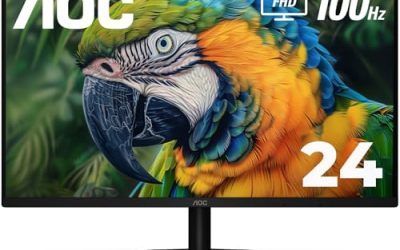
The best setup for watching anime on a PC is a 27-inch 1440p IPS or OLED monitor with accurate color, a 120 to 144 Hz refresh rate and a pair of decent desktop speakers or open-back headphones. Anime is built on saturated flat color, fine line work and fast panning shots, so panel type, color gamut and motion handling matter more than raw gaming speed. If you also play anime games, a fast OLED or high-refresh IPS covers both jobs.
As an Amazon Associate we earn from qualifying purchases at no extra cost to you.
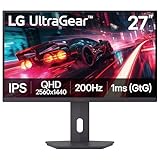


Top 3 picks at a glance
Quick comparison of setup tiers
| Pick | Best for | Key specs | Typical price range |
|---|---|---|---|
| Budget 24-inch IPS, 1080p | Small desks, casual viewing | 1920×1080, 100-144 Hz, ~99% sRGB | Usually $120-$180 |
| 27-inch 1440p IPS | Best overall for anime plus games | 2560×1440, 144-180 Hz, 95%+ DCI-P3 on many models | Usually $200-$350 |
| 27-inch QD-OLED or WOLED | Dark scenes, HDR, inky blacks | 2560×1440, 240 Hz, near-instant response | Usually $450-$800 |
| Ultrawide 34-inch | Multitasking with streaming windows | 3440×1440, 144-175 Hz | Usually $350-$700 |
| Living-room OLED TV with PC input | Shared viewing from a couch | 4K, 120 Hz, HDMI 2.1 | Usually $600-$1,500 |
Best overall: 27-inch 1440p IPS at 144 Hz
A 27-inch 1440p IPS monitor gives sharp line art at a typical desk distance of 60 to 80 cm, wide viewing angles and strong color coverage for a moderate price. The trade-off is contrast: IPS panels usually sit around 1000:1, so dark space scenes look grayish compared with OLED. If most of your watching is bright slice-of-life, comedy or sports anime, this is the value pick.
Best for dark scenes and HDR: OLED
OLED panels light each pixel individually, so black is truly black and contrast is effectively unlimited. That helps night scenes, space settings and horror anime. According to manufacturer spec sheets, response times are around 0.03 ms gray-to-gray, which makes fast action cuts very clean. The trade-offs are higher price, lower full-screen brightness, and the risk of burn-in with static elements, so use a dark theme and avoid leaving a paused frame for hours.
Best budget: 24-inch 1080p IPS
For a small desk, a 24-inch 1080p IPS monitor at around 92 pixels per inch is acceptable for video. Anime is often mastered at 1080p, and many streams are delivered at that resolution, so you are not wasting detail. The trade-off is that text and UI look softer than on a 1440p panel.
Best for couch viewing: a TV with PC input
If you watch from a sofa with friends, a 4K OLED or a good LED TV with HDMI 2.1 is more comfortable than a desk monitor. Enable game mode for low input lag when playing, and switch to the cinema preset for episodes. Check that the TV supports the PC chroma mode (4:4:4) so text stays crisp.
Resolution and distance: a worked example
Most anime is produced at 1080p, though some releases are upscaled from lower native resolutions. A 1080p source on a 1440p monitor scales by a factor of 1.33, which is not an integer, so slight softness is normal. On a 4K display, 1080p scales by exactly 2 in each direction, which tends to look cleaner with integer scaling. Pixel density for common sizes:
| Size | Resolution | Pixels per inch | Good viewing distance |
|---|---|---|---|
| 24 in | 1920×1080 | about 92 | 50-70 cm |
| 27 in | 2560×1440 | about 109 | 60-80 cm |
| 27 in | 3840×2160 | about 163 | 60-80 cm |
| 34 in ultrawide | 3440×1440 | about 110 | 70-90 cm |
| 55 in TV | 3840×2160 | about 80 | 1.8-2.5 m |
The pixel density formula is the diagonal resolution divided by the diagonal size: for 2560×1440 at 27 inches, sqrt(2560 squared + 1440 squared) = about 2937, divided by 27 gives roughly 109 PPI.
Frame rate: why 24 fps anime still benefits from 120 Hz
Most anime is animated at 24 frames per second, often on twos, meaning 12 unique drawings per second. A 60 Hz display shows 24 fps unevenly because 60 is not divisible by 24, which creates judder in slow pans. A 120 Hz display divides evenly by 24 (five refreshes per frame), so pans look smoother with no frame interpolation. A 144 Hz display does not divide evenly, but variable refresh rate or a video player set to match refresh rate avoids the problem. Avoid heavy motion interpolation: it can make hand-drawn animation look unnatural and add visual artifacts.
Settings that make anime look right
- Color mode: choose sRGB or Standard mode. Wide-gamut panels in native mode oversaturate skin tones and make characters look sunburned.
- Brightness: aim for about 120 cd/m2 for a normally lit room and lower in the evening to reduce eye strain.
- Refresh rate: set 120 or 144 Hz in the OS display settings, and enable a player option that matches display rate to video frame rate if available.
- Player scaling: in a player such as mpv, a quality scaler setting improves upscaling of 1080p content on 1440p or 4K panels.
- Subtitles: a clean sans-serif font at moderate size with a thin outline remains readable over bright backgrounds.
- HDR: only enable HDR for actual HDR releases; SDR content in HDR mode can look washed out.
Audio and accessories worth considering
Anime soundtracks lean on layered music and dialogue. A pair of 2.0 desktop speakers or open-back headphones gives clearer vocals than tiny monitor speakers. For late-night viewing, closed-back headphones with a flat to mildly warm tuning are comfortable. A monitor arm lets you set the screen at eye level and helps with long binge sessions. Bias lighting behind the monitor reduces perceived contrast fatigue in a dark room.
Decision matrix
| If you mostly… | Choose | Why |
|---|---|---|
| Watch bright, colorful series | 27-inch 1440p IPS | Great color, lower cost |
| Watch dark or cinematic films | OLED monitor or TV | True black and HDR contrast |
| Play anime games and watch | 144-240 Hz OLED or fast IPS | Handles both fast gameplay and video |
| Share viewing with friends | 55-inch or larger TV | Comfortable seating distance |
| Have limited space or budget | 24-inch 1080p IPS | Affordable and clear enough |
Frequently Asked Questions
Is a 4K monitor worth it for anime?
Often not for video alone, because much anime is produced and streamed at 1080p. A 4K panel mainly helps with text sharpness and when you also work or game on the same screen. If your budget is limited, a good 1440p panel with better color is the stronger choice.
Is OLED safe for long anime marathons?
Video content changes constantly, so burn-in risk is low for typical viewing. The risk rises with static elements such as a taskbar or channel logo shown for many hours daily. Using a dark theme, hiding the taskbar and enabling the panel’s pixel-shift and refresh features reduces the risk.
What refresh rate is best for watching anime?
A 120 Hz display is ideal because it divides evenly by the usual 24 fps animation rate, producing smooth pans without interpolation. A 144 Hz panel is also fine, especially with variable refresh rate. A 60 Hz panel works but shows slight judder in slow camera movement.
Should I use motion smoothing for anime?
Most viewers prefer it off. Hand-drawn animation uses deliberate timing, and interpolation can create artifacts around moving linework. Some fans enable light smoothing for fast action, but it is a matter of taste and the original timing is usually the better default.
Do I need a wide color gamut display?
It helps for vivid art and HDR releases, but anime is mastered mostly in standard sRGB or Rec. 709. Make sure the monitor has a reliable sRGB mode, otherwise colors will look overly saturated. A display covering around 99 percent sRGB is a solid baseline.
Related guides
More from Amazon
Programs that pair well with the guide above. Offers and eligibility are set by Amazon and may change.
A free business account with business pricing and bulk-buying tools for work, shop or home office.
Create a business accountFree shipping on eligible items, Prime Video and more. Eligible new members can start with a free trial.
Start a Prime free trialAudiobooks and podcasts to listen to on the go. Eligible new members can start with a free trial.
Try Audible freeAd-free music streaming. Eligible new subscribers can start with a free trial.
Try Music Unlimited freeAs an Amazon Associate we earn from qualifying purchases.