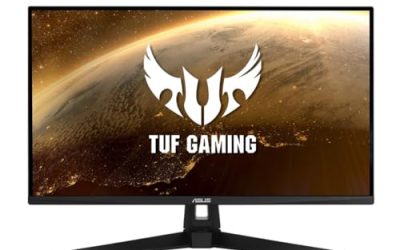
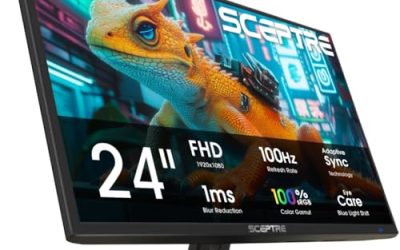
The best 1ms IPS monitor for most gamers is a 27-inch 1440p Nano IPS or Fast IPS panel running 165-240Hz, such as the LG UltraGear 27GP850-B or 27GR83Q-B. Those are the manufacturer’s “1ms GtG” models, which is a different spec from the “1ms MPRT” claim on many cheaper IPS panels. Check which one a listing means before you buy, because the two are not comparable.
Quick comparison of the picks
| Pick | Best for | Key specs (per manufacturer) | Price range |
|---|---|---|---|
| LG UltraGear 27GP850-B | Best overall | 27″, 2560×1440, Nano IPS, 165Hz (180Hz overclock), 1ms GtG, DP 1.4 + 2x HDMI 2.0 | Mid-range |
| LG UltraGear 27GR83Q-B | Competitive 1440p | 27″, 2560×1440, IPS, 240Hz, 1ms GtG, DP 1.4 + 2x HDMI 2.0 | Mid-range |
| AOC 24G2 series | Best budget | 23.8″, 1920×1080, IPS, 144Hz, 1ms MPRT (not GtG) | Budget |
| LG UltraGear 27GP950-B | 4K gaming | 27″, 3840×2160, Nano IPS, 144Hz, 1ms GtG, HDMI 2.1 + DP 1.4 | Premium |
| Fast IPS 1080p 240-360Hz class | Esports on a budget CPU/GPU | 24-25″, 1920×1080, 1ms GtG claim, 240-360Hz, DP 1.4 | Mid-range |
Models and prices change through the year, so treat the table as a guide to spec classes and confirm the current revision before ordering.
What “1ms” actually means on an IPS panel
Manufacturers quote response time in two ways, and the difference matters more than the number itself.
- 1ms GtG (grey-to-grey): the time for a pixel to move between two shades, measured in a best-case transition with overdrive at its most aggressive setting. This is the more meaningful figure for motion clarity.
- 1ms MPRT (moving picture response time): a perceived-blur figure that usually relies on backlight strobing or black frame insertion. Many IPS panels with this label have real GtG times of 4ms or more.
Even a true 1ms GtG panel only hits that number on its fastest transitions. Published reviews from outlets that use oscilloscope-style measurements generally find average IPS GtG times of roughly 3-6ms at the best overdrive setting. That is still excellent. It is also why the quoted 1ms should be treated as a category label, not a guarantee.
Worked example: does response time keep up with your refresh rate?
A pixel needs to finish its transition within one frame, or it blurs into the next. Frame time is 1000 divided by the refresh rate:
| Refresh rate | Frame time | Typical IPS average GtG | Verdict |
|---|---|---|---|
| 60Hz | 16.7ms | 4-6ms | Ample headroom |
| 144Hz | 6.9ms | 3-6ms | Keeps up with good overdrive |
| 165Hz | 6.1ms | 3-5ms | Keeps up |
| 240Hz | 4.2ms | 3-5ms | Marginal; overdrive tuning matters |
| 360Hz | 2.8ms | 2-4ms | Slow transitions can still smear |
The pattern is that IPS panels handle 144-165Hz comfortably and start to run out of margin around 240Hz. For 360Hz you need a panel specifically tuned for it. These GtG ranges are typical of published reviews and vary by model and overdrive mode.
Best overall: LG UltraGear 27GP850-B
This 27-inch 1440p Nano IPS model is the standard recommendation for good reason. According to LG’s spec sheet it offers 165Hz, with a 180Hz overclock, a 1ms GtG rating, wide-gamut colour coverage and both G-Sync Compatible and FreeSync Premium support. It suits players who want one monitor for shooters, single-player games and everyday use.
Trade-off: IPS contrast is typically around 1000:1, so dark scenes look grey in a dim room. The HDR support is also basic and shouldn’t be a reason to buy it. A mid-range GPU is enough to push 1440p at 100+ fps in most esports and many AAA titles, though results vary with settings and CPU.
Best for competitive 1440p: LG UltraGear 27GR83Q-B
This version moves to a 240Hz IPS panel at 1440p, still with a 1ms GtG rating. It fits players whose GPU and CPU can hold a high frame rate in games like Valorant, CS2 or Apex Legends. It uses DisplayPort 1.4 and HDMI 2.0 inputs.
Trade-off: at 240Hz, the 4.2ms frame window is tight, so you will want to tune overdrive (see below). If your system averages under 150 fps in the games you play, the extra refresh rate is wasted money and the 165Hz model is the better buy.
Best budget: 1080p 144Hz IPS
A 24-inch 1080p IPS at 144Hz, such as the AOC 24G2 series, is the cheapest way to get an IPS panel with good colour and viewing angles. It also runs easily on an entry-level GPU. It suits first gaming monitors and secondary-screen setups.
Trade-off: AOC’s own spec lists 1ms as an MPRT figure, so expect GtG closer to 4ms at default settings. Pixel density is about 92 PPI at 24 inches, so text looks softer than on a 27-inch 1440p panel.
Best for 4K: LG UltraGear 27GP950-B
A 27-inch 4K Nano IPS at 144Hz with HDMI 2.1 suits people with a high-end GPU who also want sharp text and console support. Per LG’s specification, it carries a 1ms GtG rating.
Trade-off: 4K at high refresh demands a strong GPU, and you will often need upscaling to reach 100+ fps in demanding games. It also costs noticeably more than 1440p alternatives.
Cable and port check: bandwidth for resolution x refresh
A fast panel is useless on the wrong cable or port. Uncompressed video needs roughly width x height x refresh x bits per pixel, plus blanking overhead of about 5-10% with reduced-blanking timings.
- 1080p at 240Hz, 8-bit: 1920 x 1080 x 240 x 24 is about 11.9 Gbps. This fits HDMI 2.0 (about 14.4 Gbps usable) and DisplayPort 1.4.
- 1440p at 165Hz, 8-bit: about 15.0 Gbps. This is already tight for HDMI 2.0 and fits DisplayPort 1.4 (about 25.9 Gbps usable) easily.
- 1440p at 240Hz, 8-bit: about 21.8 Gbps with blanking. Use DisplayPort 1.4 only.
- 4K at 144Hz, 8-bit: about 28.6 Gbps. This exceeds uncompressed DP 1.4, so it relies on DSC compression or HDMI 2.1.
The practical rule is to use DisplayPort for any 1440p panel above 144Hz, and make sure the GPU and cable support it.
Decision matrix: match your situation to a pick
| Your situation | Choose | Why |
|---|---|---|
| Entry GPU, mixed use | 1080p 144Hz IPS | Easy to drive; matches the frame rates a modest GPU delivers |
| Mid-range GPU, wants sharpness | 27″ 1440p 165Hz IPS | Best balance of pixels, speed and cost |
| Strong GPU, esports focus | 1440p 240Hz or 1080p 240-360Hz | Frame rate headroom makes the refresh rate worthwhile |
| High-end GPU, single-player and console | 4K 144Hz IPS with HDMI 2.1 | Sharpest image; supports 4K 120Hz consoles |
| Dark room, movies and story games | Consider VA or OLED instead | IPS contrast is its main weakness |
Settings that get you the “1ms” in practice
- Set the refresh rate in Windows. Monitors often default to 60Hz. Go to Advanced display settings and select the highest rate. Without this, the panel’s speed is wasted.
- Use the middle overdrive setting first. Names vary (Normal, Fast, Faster), but the top setting usually adds inverse ghosting, a bright halo behind moving objects, which is worse than slight blur.
- Test with a moving-object pattern. Free browser-based motion tests let you step through overdrive modes at your actual refresh rate. Choose the highest mode with no visible bright trails.
- Re-test after changing refresh rate. Overdrive is tuned per refresh rate, so a mode that looks clean at 240Hz can overshoot at 144Hz.
- Enable adaptive sync. G-Sync Compatible or FreeSync cuts tearing, and capping fps a few frames below the maximum keeps it in range.
- Leave motion blur reduction off unless you need it. Strobing modes dim the image and often lock the refresh rate, and they conflict with adaptive sync on most models.
How to choose: the short checklist
- Confirm the 1ms is GtG, not MPRT, on the manufacturer’s spec page.
- Match refresh rate to the frame rate your GPU actually delivers, not the maximum you hope for.
- Prefer 27-inch 1440p for the best pixel density and GPU balance.
- Look for independent review measurements of average GtG and overshoot, not just the box claim.
- Check for panel-lottery issues such as backlight bleed and IPS glow, and keep the return window open.
Frequently Asked Questions
Is a 1ms IPS monitor really 1ms?
Only in the best case. The 1ms figure is typically a grey-to-grey measurement at the most aggressive overdrive setting on a favourable transition. Independent reviews usually find average IPS response times of about 3-6ms, which is still fast enough for competitive play.
Is 1ms GtG better than 1ms MPRT?
For raw pixel speed, yes. GtG measures how quickly pixels change colour, while MPRT estimates perceived blur and often depends on strobing that dims the image. A panel advertised only with MPRT can have much slower real transitions.
Is IPS or VA better for fast games?
IPS is generally better for fast games. It tends to have quicker pixel transitions and less smearing in dark scenes than VA, plus better colour and viewing angles. VA wins on contrast, so it suits dark-room viewing better.
Do I need 240Hz if I have a 1ms monitor?
No. Response time and refresh rate are separate. A 1440p 165Hz panel is plenty unless your PC consistently renders well above 165 fps in the games you play. Beyond that point, tuning the panel matters more than raising the number.
Should I use HDMI or DisplayPort?
Use DisplayPort for 1440p above 144Hz, since HDMI 2.0 runs out of bandwidth. HDMI 2.1 is the better option for 4K at high refresh rates or for console connections, provided the monitor, cable and GPU all support it.
Do IPS monitors have more backlight bleed?
Yes, IPS glow and edge bleed are common because of the panel structure, and the severity varies from unit to unit. It is most visible on dark screens in a dim room. Buy from a seller with an easy return policy and check a dark image on arrival.
Related guides
More from Amazon
Programs that pair well with the guide above. Offers and eligibility are set by Amazon and may change.
A free business account with business pricing and bulk-buying tools for work, shop or home office.
Create a business accountFree shipping on eligible items, Prime Video and more. Eligible new members can start with a free trial.
Start a Prime free trialAudiobooks and podcasts to listen to on the go. Eligible new members can start with a free trial.
Try Audible freeAd-free music streaming. Eligible new subscribers can start with a free trial.
Try Music Unlimited freeAs an Amazon Associate we earn from qualifying purchases.