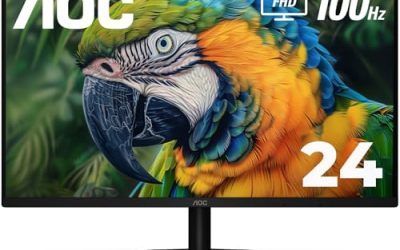
The best 4K broadcast monitors are reference-grade 4K displays with 10-bit panels, factory calibration, SDI or HDMI 2.0 and above inputs, and waveform or false-color tools, such as the Sony BVM-HX310 for grading at the top end, the ASUS ProArt PA32UCG and EIZO ColorEdge CG319X for post-production desks, and the BenQ SW321C for budget-conscious colorists. Which one fits depends on whether you need true reference-level HDR peak brightness, 12G-SDI connectivity, or just accurate Rec.709 and DCI-P3 for editing.
What makes a monitor suitable for broadcast work
A gaming monitor optimizes for refresh rate and response time. A broadcast or reference monitor optimizes for color accuracy, signal handling and consistency. The features that matter: a true 10-bit panel (8-bit plus FRC is common on mid-range models), a Delta E under 2 out of the box, hardware calibration with a 3D LUT, uniformity compensation, 4:2:2 or 4:4:4 signal support at 4K60, and, for broadcast facilities, SDI inputs and tally or GPIO control.
Quick comparison table
| Pick | Best for | Key specs | Price range |
|---|---|---|---|
| Sony BVM-HX310 | Best overall for HDR mastering | 31-inch 4K dual-layer LCD, up to 1,000 nits full screen, SDI and HDMI | Usually $20,000-$30,000 |
| ASUS ProArt PA32UCG | Best bright HDR value | 32-inch 4K mini-LED, 1,152 zones, up to 1,600 nits peak, 120 Hz, Thunderbolt 3 | Usually $3,500-$5,000 |
| EIZO ColorEdge CG319X | Best for DCI-4K and hardware calibration | 31.1-inch 4096 x 2160, 10-bit, built-in calibration sensor, HDR (HLG, PQ) | Usually $5,000-$6,500 |
| BenQ SW321C PhotoVue | Best budget color accurate | 32-inch 4K IPS, 99% Adobe RGB, 95% DCI-P3, hardware calibration | Usually $1,200-$1,800 |
| Atomos Ninja Ultra or Shogun class | Best on-set monitor-recorder | 5 to 7 inch HDR touchscreen, 4K recording, HDMI input | Usually $500-$1,500 |
Prices are general market ranges and vary by region, configuration and availability. Peak brightness and gamut figures come from the manufacturers’ spec sheets.
Best overall: Sony BVM-HX310 class reference monitor
The BVM-HX310 is a 31-inch 4K master monitor that uses a dual-layer LCD to reach a native contrast far beyond a single-layer panel, with up to 1,000 nits sustained, according to Sony’s spec sheet. It is used for final color grading and quality control in studios, and it accepts 12G-SDI. The trade-off is price: it costs more than a mid-range car, so it makes sense only for facilities delivering HDR masters to streaming platforms or broadcast networks.
Best bright HDR value: ASUS ProArt PA32UCG
A mini-LED backlight with over a thousand local dimming zones lets this 32-inch 4K panel hit about 1,600 nits peak and cover around 98% of DCI-P3, per the manufacturer’s specification. It supports HDMI 2.1 and Thunderbolt 3, so it works with both PCs and video interfaces. The trade-off: local dimming blooming in high-contrast scenes and no SDI input, so you need a converter in a broadcast chain.
Best for hardware calibration: EIZO ColorEdge CG319X
At 4096 x 2160, this monitor displays DCI 4K natively rather than the 3840 x 2160 UHD standard, which lets you see cinema-width frames with no scaling. It includes a retractable calibration sensor that can self-calibrate on a schedule, which keeps color stable across a team. The trade-off is peak brightness: it is a reference-style IPS panel with HDR support in the 1,000 nit class with limited black performance compared with dual-layer panels.
Best budget: BenQ SW321C
For editors and small studios that need accurate color rather than SDI and waveform inputs, a 32-inch 4K IPS monitor with hardware calibration and wide gamut coverage is the sensible compromise. It lacks high peak brightness, so it is better for SDR and light HDR previews than for final HDR grades.
Best field monitor-recorder: Atomos class
On set, a 5 to 7 inch monitor-recorder gives you a bright HDR display up to about 1,000 to 2,000 nits (model dependent), waveform and vectorscope, and ProRes or DNx recording from an HDMI camera. The trade-off is screen size, which cannot judge fine grading decisions, so it is for exposure and focus rather than color mastering.
Worked example: bandwidth for 4K broadcast signals
The cable and input limit decide which modes you can actually feed the monitor. Active-pixel data rate equals width x height x frame rate x bits per pixel.
- 4K60, 4:2:2, 10-bit: 3840 x 2160 x 60 x 20 bits = about 9.95 Gbps. This fits within HDMI 2.0 (about 14.4 Gbps usable) and 12G-SDI (11.88 Gbps).
- 4K60, 4:4:4, 10-bit: 3840 x 2160 x 60 x 30 bits = about 14.9 Gbps. This exceeds HDMI 2.0 usable data, so you need HDMI 2.1, DisplayPort 1.4 or dual-link SDI.
- 4K120, 4:4:4, 10-bit: about 29.9 Gbps. This needs HDMI 2.1 FRL at 32 Gbps or higher, or DisplayPort 1.4 with DSC.
The consequence: if your editing station outputs 4:4:4 10-bit at 60 Hz, a monitor that only accepts HDMI 2.0 will silently drop to 4:2:2 or 8-bit, so check the signal info in the OSD.
Quick compatibility matrix
| Your workflow | Needs | Recommended class |
|---|---|---|
| Live broadcast control room | 12G-SDI, tally, rack mount, 4:2:2 | Sony-class or dedicated broadcast monitor |
| HDR color grading | 1,000+ nits, DCI-P3 98%+, 10-bit, LUT support | Mini-LED ProArt or dual-layer reference |
| Editing and review | Rec.709 and DCI-P3 accuracy, Thunderbolt | BenQ or EIZO class |
| Field shooting | Sunlight-readable, recording, battery power | Atomos-class monitor-recorder |
Calibration and workflow tips
- Warm the monitor up for 30 minutes before calibrating, because panel luminance drifts in the first half hour.
- Calibrate to a target: Rec.709 at gamma 2.4 and 100 nits for SDR broadcast, DCI-P3 at 2.6 gamma and 48 nits for cinema, or Rec.2020 with PQ for HDR.
- Control ambient light to about 5 to 10 lux in a grading suite with a neutral gray wall behind the monitor.
- Use a hardware calibration LUT where the monitor supports it, instead of a graphics-card LUT, to avoid banding.
- Re-profile every 100 to 200 hours or on a monthly schedule, unless the monitor has a built-in sensor that does it automatically.
Can a gaming monitor work as a broadcast monitor?
For streaming and social content, a good 4K gaming monitor with 95% DCI-P3 coverage and decent factory calibration is adequate. For delivery to broadcasters, mastering standards require traceable calibration and a monitor that exposes its signal, so a reference-class display is the safe choice. A good practical middle path is to use a calibrated 32-inch 4K IPS monitor for editing and rent or outsource final HDR mastering to a facility.
Frequently Asked Questions
What is a broadcast monitor?
It is a display built for professional video production, with accurate color, signal inputs such as SDI, and features like waveforms, false color and timecode display. It is designed to show exactly what is in the signal, not to flatter the image.
Do I need SDI on a 4K monitor?
Only if your cameras, switchers or converters use SDI. Small studios and creators who use HDMI or DisplayPort can skip it, but broadcast trucks and control rooms usually standardize on 12G-SDI for long cable runs.
How bright should an HDR broadcast monitor be?
For HDR mastering, 1,000 nits peak is the common reference level for PQ content, and a few facilities use 4,000 nit displays. For checking exposure on set, 600 to 1,000 nits is enough.
Is 4K UHD the same as DCI 4K?
No. UHD is 3840 x 2160 at a 16:9 ratio, while DCI 4K is 4096 x 2160 at roughly 1.9:1. Broadcast uses UHD, while cinema mastering uses DCI 4K.
Can I use a TV as a broadcast monitor?
A high-end OLED TV can serve as a client monitor to check how an image looks on consumer displays, but it lacks the calibration, uniformity and signal tools of a reference monitor, so it should not be the master reference.
Related guides
More from Amazon
Programs that pair well with the guide above. Offers and eligibility are set by Amazon and may change.
A free business account with business pricing and bulk-buying tools for work, shop or home office.
Create a business accountFree shipping on eligible items, Prime Video and more. Eligible new members can start with a free trial.
Start a Prime free trialAudiobooks and podcasts to listen to on the go. Eligible new members can start with a free trial.
Try Audible freeAd-free music streaming. Eligible new subscribers can start with a free trial.
Try Music Unlimited freeAs an Amazon Associate we earn from qualifying purchases.