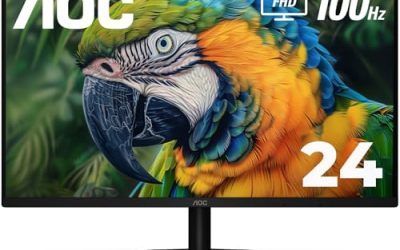
A 27-inch display sits in a sweet spot that larger and smaller screens both miss. It is wide enough for a full field of view in competitive shooters and open-world games, yet compact enough to fit on a standard desk without forcing you to turn your head. The real decision is not the size itself but what sits behind it: resolution, refresh rate, panel type, and the ports that connect it to your PC or console. Getting those four choices right matters more than chasing the largest screen you can fit.
This roundup covers three different ways to use a 27-inch gaming monitor. One is a fast QHD panel built around a high refresh rate, another is a colour-rich QHD screen that works just as well for creative work, and the third is a sharp 4K display for players who want maximum detail. Each pick below comes from its Amazon listing title and specifications.
Top 3 picks at a glance

Quick Picks
As an Amazon Associate we earn from qualifying purchases
| Product | Best for | Key spec from title |
|---|---|---|
| ASUS TUF Gaming VG27AQ1A | Fast-paced QHD gaming | QHD 2560 x 1440, IPS, 170Hz, 1ms |
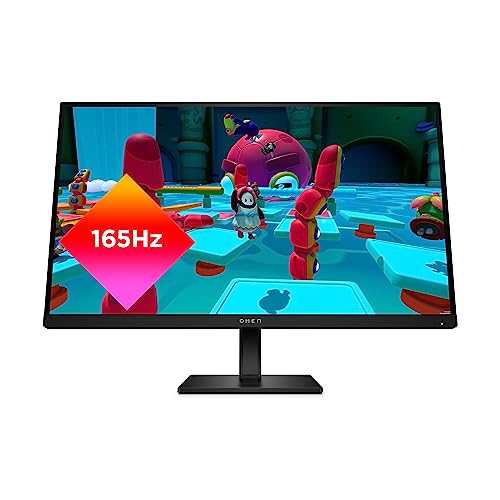
| HP OMEN 27q | Colour-rich gaming and creative work | QHD 2560 x 1440, IPS, 165Hz, 1ms GtG |
| LG UltraGear 27GP95R-B | Sharp 4K gaming | UHD 3840 x 2160, Nano IPS, 144Hz, 1ms |
How to Choose
Match the resolution to your graphics card
Resolution decides how hard your graphics card has to work, so it should be the first thing you settle. A QHD panel at 2560 x 1440 gives a clear step up from 1080p without demanding the most powerful hardware on the market, which makes it the sensible middle ground for most gaming PCs. A 4K panel at 3840 x 2160 looks noticeably sharper, especially in detailed scenery and on-screen text, but it needs a much stronger graphics card to hold high frame rates. Check what your current card can sustain in the games you actually play before committing to the higher resolution.
Pick a refresh rate that fits the games you play
Refresh rate controls how many frames the screen can show each second, and the difference between 60Hz and 144Hz or higher is easy to feel in motion. Competitive shooters and racing games benefit most from 165Hz or 170Hz panels, where fast camera movement stays smooth and readable. Slower strategy games and story-driven titles gain less from extreme refresh rates, so a 144Hz screen can be plenty there. Look at the refresh rate your graphics card can actually reach in your favourite games rather than chasing the biggest number on the box.
Choose a panel type for colour or speed
Panel type shapes how a monitor looks from the side and how accurately it shows colour. IPS panels are the common choice for gaming monitors because they keep colours consistent across wide viewing angles and reproduce a broad colour range, which also helps with photo and video work. Some IPS panels add Nano IPS or similar technology for even wider colour coverage. Curved VA panels can deliver deeper contrast in dark scenes, but they may show colour shift at an angle. Decide whether accurate colour or deep blacks matter more for your setup.
Check the ports and the stand before you buy
A monitor is only useful if it connects cleanly to your hardware and sits comfortably on your desk. DisplayPort is the usual route for high refresh rates on a PC, while HDMI 2.1 matters for consoles that output 4K at 120Hz. Count the ports you need for a PC, a console, and anything else you plan to plug in. The stand matters too: height, tilt, swivel, and pivot adjustments let you set the screen at eye level for long sessions, and VESA mounting opens the door to a monitor arm if desk space is tight.
The 3 Best Options
ASUS TUF Gaming VG27AQ1A

The VG27AQ1A is built for players who want speed first and do not want to pay for resolution they cannot drive. Its QHD IPS panel runs at 170Hz with a 1ms response time, and Extreme Low Motion Blur works alongside G-SYNC compatibility to keep fast movement clear and free of tearing. The 27-inch size pairs well with a mid-range to upper mid-range graphics card, since QHD is demanding without being punishing. Built-in speakers and Eye Care features round out a monitor that is easy to live with day to day.
Specs
- 27-inch WQHD (2560 x 1440) IPS display
- 170Hz refresh rate (supports 144Hz)
- 1ms response time
- Extreme Low Motion Blur
- G-SYNC Compatible
- Built-in speaker
- VESA mountable
- DisplayPort and HDMI
Best for: Competitive and fast-paced QHD gaming on a PC.
Watch out for: The 170Hz refresh rate is reached over DisplayPort, so check your cable and port before expecting the full speed.
HP OMEN 27q
The OMEN 27q suits a desk that has to do two jobs at once. Its QHD IPS panel covers 99 percent of sRGB and 95 percent of DCI-P3, so games look vivid and photo or video work stays faithful to the source. A 165Hz refresh rate and 1ms GtG response time keep motion smooth, while AMD FreeSync Premium removes tearing when frame rates move around. With 400 nits of brightness and a DisplayPort plus two HDMI ports, it also connects easily to a console alongside a PC.
Specs
- 27-inch QHD (2560 x 1440) IPS display
- 165Hz refresh rate
- 1ms GtG response time
- 99 percent sRGB and 95 percent DCI-P3 colour coverage
- 400 nits brightness
- AMD FreeSync Premium
- DisplayPort and two HDMI ports
- VESA mountable
Best for: Gamers who also edit photos or video on the same screen.
Watch out for: A separate Renewed listing for this model exists on Amazon, so confirm you are looking at the standard new listing before ordering.
LG UltraGear 27GP95R-B
The 27GP95R-B is the pick for players who want the sharpest image a 27-inch screen can produce. Its 4K Nano IPS panel renders fine detail in open-world scenery and crisp text in menus, while a 144Hz refresh rate with a 160Hz overclock keeps motion fluid for a 4K display. HDMI 2.1 lets consoles output 4K at 120Hz, and G-SYNC compatibility plus AMD FreeSync Premium Pro cover both major graphics card brands. The fully adjustable stand tilts, swivels, pivots, and changes height.
Specs
- 27-inch UHD (3840 x 2160) Nano IPS display
- 144Hz refresh rate (160Hz overclock)
- 1ms GtG response time
- NVIDIA G-SYNC Compatible
- AMD FreeSync Premium Pro
- VESA DisplayHDR 600
- HDMI 2.1, DisplayPort, and USB ports
- Adjustable tilt, height, swivel, and pivot
Best for: Detail-focused 4K gaming on PC and current consoles.
Watch out for: Holding high frame rates at 4K demands a strong graphics card, so this monitor suits a high-end PC better than a modest one.
Which One Fits Your Situation
You mainly play fast-paced shooters on a PC
The ASUS VG27AQ1A fits this setup best. Its 170Hz refresh rate and 1ms response time keep crosshair movement and fast turns readable, while QHD resolution stays within reach of a mid-range graphics card. Extreme Low Motion Blur adds clarity during rapid motion. If your games are mostly shooters and racing titles, the extra speed matters more than extra pixels.
You game and create on the same desk
The HP OMEN 27q is the natural choice when one screen has to serve two purposes. Wide colour coverage keeps edited photos and videos accurate, while the 165Hz refresh rate and FreeSync Premium support keep games smooth. Two HDMI ports plus DisplayPort make it simple to keep a PC and a console connected at the same time.
You want the sharpest picture possible
The LG 27GP95R-B delivers the most detailed image of the three, with four times the pixels of a 1080p screen. It suits open-world games, simulators, and any title where scenery and fine textures matter. HDMI 2.1 support means a current console can also use its 4K resolution at a high refresh rate.
You are upgrading from a 1080p monitor
Any of these three is a visible step up, but the QHD models are the safer first jump. Moving to 1440p sharpens the picture without forcing a graphics card upgrade, and the high refresh rates make the whole desktop feel more responsive. Choose the 4K LG only if your graphics card is already strong enough to drive it.
Common Mistakes
- Buying a 4K monitor for a graphics card that can only hold smooth frame rates at 1080p or 1440p.
- Expecting the advertised top refresh rate over HDMI when it is only available through DisplayPort.
- Ignoring the stand and ending up with a screen that cannot reach a comfortable eye level.
- Choosing a monitor by size alone without checking the resolution, since a 27-inch 1080p panel looks much softer than a 27-inch QHD one.
- Forgetting to count ports and discovering there is no spare input for a console or second device.
Frequently Asked Questions
Is 27 inches too big for competitive gaming?
For most players it is not. A 27-inch screen fills your view without forcing large head movements, and the whole game stays within easy sight at a normal desk distance. Smaller 24-inch screens suit players who sit very close or prefer a tighter view, but 27 inches is the most common size for competitive setups.
Is QHD or 4K better for a 27-inch gaming monitor?
QHD is the better balance for most gaming PCs, since it looks sharp at 27 inches and needs far less graphics power than 4K. A 4K panel shows more detail, but only a strong graphics card can hold high frame rates at that resolution. Pick QHD unless your hardware is built for 4K gaming.
Does a 165Hz monitor help if my graphics card only reaches 100 frames per second?
Yes, it still helps. A higher refresh rate screen can display every frame your card produces up to its limit, and adaptive sync keeps the picture smooth when the frame rate moves around. You will not see the full 165Hz, but motion will look smoother than on a 60Hz screen.
Can I use a 27-inch gaming monitor with a PS5 or Xbox Series X?
Yes, as long as the monitor has the right HDMI port. HDMI 2.1 is needed for 4K at 120Hz on current consoles, while a standard HDMI port still works for lower resolutions and refresh rates. The LG model in this roundup supports HDMI 2.1, and the HP model works well as a console display.
Related guides
More from Amazon
Programs that pair well with the guide above. Offers and eligibility are set by Amazon and may change.
A free business account with business pricing and bulk-buying tools for work, shop or home office.
Create a business accountFree shipping on eligible items, Prime Video and more. Eligible new members can start with a free trial.
Start a Prime free trialAudiobooks and podcasts to listen to on the go. Eligible new members can start with a free trial.
Try Audible freeAd-free music streaming. Eligible new subscribers can start with a free trial.
Try Music Unlimited freeAs an Amazon Associate we earn from qualifying purchases.