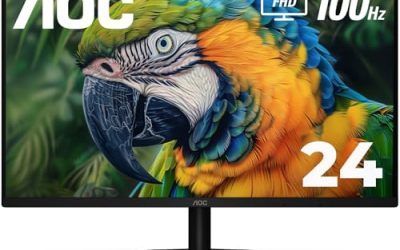
The best fix for sun glare on a screen is a clip-on or magnetic monitor hood combined with a matte anti-glare film or a matte-coated panel, because blocking light before it reaches the screen beats turning up brightness. For car use, the equivalent is a visor extender or a phone and dash cam mount that sits below the sun line. This guide covers both situations, the screen-side glare problem for gaming desks and laptops, and the in-car version for navigation and dash cam displays, with a simple way to calculate how much shade you actually need.
Quick comparison of glare-control options
| Option | Best for | Key specs | Typical price range |
|---|---|---|---|
| Foldable monitor hood (3-sided) | Desks near windows | Fits 24-27 inch panels, 10-15 cm side depth, fabric or ABS plastic | Usually $20-$50 |
| Matte anti-glare screen film | Glossy laptops and monitors | Reduces specular reflection; may soften sharpness slightly | Usually $10-$30 |
| Matte-coated gaming monitor | Bright rooms, all-day use | Anti-glare 3H hard coat or low-haze coating, 300-400 nits typical | Usually $200-$600 |
| Clip-on laptop shade | Travel and cafes | Collapsible, 13-16 inch fit, adds about 200-400 g | Usually $15-$40 |
| Car visor extender panel | Low sun at sunrise or sunset | Clip-on, roughly 30-40 cm wide, tinted or polarized | Usually $10-$30 |
| Window film or blackout blind | Permanent room fix | Blocks 70-95 percent of visible light depending on grade | Usually $15-$80 |
Why glare matters more than brightness
Most people respond to sunlight on a monitor by raising brightness. That works only up to a point, and it raises power draw and eye fatigue. Glare is a contrast problem: reflected room light adds a layer of washed-out brightness over the black areas of the image. A monitor with a 1000:1 contrast ratio in a dark room can effectively drop to 5:1 or worse when direct sun hits the panel, so raising backlight output barely recovers what was lost.
That is why shading the screen is usually a better first step than buying a brighter one. A hood that blocks side light can cut reflected luminance dramatically without touching a single setting.
Best overall for desks: the 3-sided monitor hood
A three-sided hood with a top and two side panels is the most effective single accessory for a window-side gaming desk. It works like a camera lens hood, cutting light that arrives from the top and sides, which is where most reflections originate. Look for matte black interior fabric, because a shiny interior simply reflects the light back.
Who it suits: anyone with a 24 to 27 inch monitor sitting within two meters of a window. The main trade-off is that it narrows the usable viewing angle. If you sit very close or use a wide ultrawide panel, you may lose a sliver of the image at the edges, and ultrawide monitors usually need a custom-width or modular hood that is rarely in stock.
Best for glossy panels: matte anti-glare film
If your laptop or monitor has a glossy finish, a matte film turns a mirror-like surface into a diffuse one. Reflections scatter instead of forming a clear image of the window behind you. The trade-off is real: matte films add a faint grain, usually described as slightly reduced sharpness and a small drop in perceived contrast, and cheap films can leave a rainbow shimmer on white backgrounds. For fast competitive games, many players accept this for the comfort. For color-critical work, a quality matte-coated native panel is better than a film.
Best long-term: a matte-coated gaming monitor
When you are already shopping for a new monitor, treat the coating as a spec. According to manufacturer spec sheets, many mainstream gaming monitors from brands such as LG UltraGear, ASUS ROG, and Dell Alienware use anti-glare coatings, while OLED panels vary widely: some glossy OLEDs deliver excellent blacks in dim rooms but reflect strongly in bright ones, and some models use matte-style coatings to reduce this at the cost of slightly raised blacks in daylight. If your room is bright, a matte-coated IPS or VA panel in the 300 to 400 nit range is a safer pick than a glossy OLED.
Best for travel: clip-on laptop shade
A collapsible shade that clips to the lid is useful for outdoor work. It adds weight and bulk, and it only helps when the light comes from above or behind you. Use it together with a higher brightness setting in a bright location, and expect a modest battery penalty at 400 nits or more.
In-car version: visor extenders and mounts
A car visor extender is a clip-on panel that widens the shade when the sun sits low and to the side. The same idea matters for dash-mounted phone navigation and dash cam screens, which can wash out in direct sunlight. Pick a polarized or tinted extender that does not block your forward view, and always follow local laws about windshield obstructions. Mount phones and dash cams low on the dash or lower windshield so the visor can cover them without blocking sightlines. Never place anything where it blocks the driver’s view of the road.
Worked example: how much shade do you need?
Use a simple rule. A hood that is as deep as roughly 40 percent of the monitor height blocks light arriving up to about 22 degrees off the screen normal. Here is the math for a 27 inch 16:9 monitor, which is about 33.6 cm tall:
- Top hood depth needed: 33.6 cm x 0.4 = about 13.4 cm.
- Side hood depth for a 59.8 cm wide panel using the same rule: about 24 cm for full coverage, but 10 to 15 cm covers most window light for a seated viewer.
- Practical pick: a hood with 13 to 15 cm depth on top and 10 to 12 cm on the sides.
If your window sits at 45 degrees to the side of the monitor, side panels at 12 cm only block part of that light. In that case, move the desk or add a blind, because no hood is deep enough to block a 45 degree source without also blocking your view.
Decision matrix: match your situation to a fix
| Situation | Light source | Best first fix | Backup |
|---|---|---|---|
| Desk facing a window | Behind you, reflecting | Blackout or sheer blind | Matte film |
| Desk beside a window | Side light | Side hood panels | Rotate desk 90 degrees |
| Glossy laptop in cafe | Overhead lights | Matte film | Clip-on shade |
| Phone nav in car | Low sun | Visor extender | Lower dash mount |
| Bright-room OLED | Mixed | Light control plus lower room brightness | Matte-coated IPS next upgrade |
Settings that help alongside any hardware
- Raise brightness only to about 120-160 nits indoors for comfort; go up to 250-350 nits only when daylight demands it, because each increase costs eye comfort and power.
- Turn on a bright-room or HDR-off mode if your monitor offers it, since HDR highlights can clip when ambient light is high.
- Use a neutral color temperature around 6500K so a warm or cool shift does not make reflections more obvious.
- Avoid dark-theme UI with deep blacks near windows; a mid-gray theme hides reflections better.
How to choose
Start with the cheapest change: reposition the desk so the screen faces away from direct windows, ideally at a right angle. Add a blind next, then a hood, and only then consider a new monitor. If you are already buying a monitor, favor a matte coating and a rated brightness of at least 350 nits for bright rooms, per the manufacturer’s typical brightness spec, noting that quoted peak HDR brightness is not the same as sustained brightness.
Frequently Asked Questions
Does a monitor hood reduce image quality?
No. A hood does not touch the panel, so color, sharpness, and response time stay the same. It can slightly limit your viewing angle if it is too deep for your seating distance.
Are matte screen films worth it for gaming?
They are worth it if reflections are your main complaint and you accept a small softening of fine detail. Competitive players often prefer them in bright rooms, while players who value pixel-sharp text may prefer a hood instead.
Is a glossy or matte monitor better in a bright room?
Matte is generally safer in a bright room because it scatters reflections. Glossy panels can look more vivid in dim rooms, but they behave like mirrors when a window is behind you.
Do car visor extenders actually work?
They help when the sun is low and to the side, which is the situation a standard visor cannot cover. They do nothing for sun directly ahead, and they should never block your view of the road or signals.
How bright should a monitor be for a sunny room?
Aim for a monitor rated at roughly 350 nits or higher sustained brightness for a sunny room, combined with window control. Brightness alone cannot defeat direct reflections, which is why shading matters more than the nit rating.
Related guides
More from Amazon
Programs that pair well with the guide above. Offers and eligibility are set by Amazon and may change.
A free business account with business pricing and bulk-buying tools for work, shop or home office.
Create a business accountFree shipping on eligible items, Prime Video and more. Eligible new members can start with a free trial.
Start a Prime free trialAudiobooks and podcasts to listen to on the go. Eligible new members can start with a free trial.
Try Audible freeAd-free music streaming. Eligible new subscribers can start with a free trial.
Try Music Unlimited freeAs an Amazon Associate we earn from qualifying purchases.