Choosing a gaming mouse for MOBA titles is really two decisions disguised as one. The first is how much of your ability rotation you want living under your thumb: some players bind item actives, pings and camera controls to side buttons, while others keep two thumb buttons and leave everything else on the keyboard. The second is how the mouse moves during a team fight — short, controlled flicks for skill shots and last-hits reward a shell whose weight and shape match your grip.


This roundup serves both camps. It covers grid-style mice with 16 or 17 programmable buttons, a wired all-rounder with 11, and two wireless esports mice under 61 g for players who prioritise raw cursor speed. Every pick comes from gaming mice sold on Amazon, and the specs quoted are the ones published on each product’s own Amazon page.
Top 3 picks at a glance

Quick Picks
As an Amazon Associate we earn from qualifying purchases.
| Product | Best for | Key spec from title |
|---|---|---|
| Corsair Scimitar RGB Elite | Players who want every item active on the thumb grid | 17 programmable buttons |
| Razer Naga X | Grid-button players who want a lighter wired mouse | 16 programmable buttons |
| Logitech G502 HERO | One mouse for MOBA, shooters and desktop work | 11 programmable buttons |
| Razer Viper V3 Pro | Low-sensitivity players who flick fast | 54 g with 8K polling |
| Logitech G PRO X Superlight 2 | Wireless players who want minimal buttons and long battery life | 60 g with 44K DPI sensor |
How to Choose
Button count: map your rotation before you shop
Start by counting what you genuinely want off the keyboard. A typical MOBA loadout has four abilities, two summoner-style spells and up to six item slots, but most players only move the two or three actives they fumble under pressure. If that is you, a standard pair of thumb buttons plus a couple of extras is plenty, and a 12-button grid becomes dead weight. Players who already run macros or full item rows on a keypad, though, will use every slot on a grid mouse. Match the button count published on the listing to your actual bindings, not to an idealised version of your play.
Weight and shape for your grip style
MOBA sessions run long, and the mouse is in near-constant motion between last-hitting, camera nudges and repositioning. Heavier, sculpted shells suit palm grips and players who steer with the whole hand; they also give grid buttons a stable base so thumb presses do not shove the cursor. Lighter symmetrical mice favour claw and fingertip grips and low-sensitivity players who lift and reset often. Listings publish weight and dimensions, so compare those figures against the mouse you use now. A shape that fights your grip will cost more accuracy than any sensor upgrade can repay.
Switch type and rated click life
MOBA play is click-dense: attack-move commands, ability targeting and menu work add up to thousands of actuations per match. Listings state the switch technology and its rated lifespan, and the two families feel different. Optical switches actuate with a light beam and carry ratings such as 70 or 90 million clicks on the flagships here; mechanical and hybrid switches give a more traditional tactile snap, with ratings like the Scimitar’s 50 million clicks. Neither family is automatically better — what matters is that the rating is published and that the click weight suits rapid, repeated presses.
Wired, wireless and polling rate
A wired mouse never needs charging and sidesteps battery anxiety during a long ranked session, at the cost of cable drag across the pad. Modern wireless models in this roundup publish report rates up to 8 kHz and battery figures up to 95 hours, which closes most of the responsiveness gap on paper. Polling rate only matters if the rest of your setup keeps up, and high polling drains batteries faster. Decide based on your desk: if a cable genuinely annoys you, go wireless; if you never notice yours, wired removes one more thing to manage.
The 5 Best Options
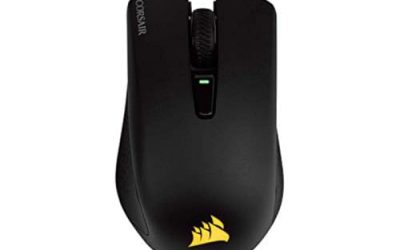
Corsair Scimitar RGB Elite
Corsair’s listing bills this as a MOBA/MMO mouse outright, and the hardware explains why. Seventeen programmable buttons include a 12-button side panel, enough to hold a full row of item actives, pings and push-to-talk without touching the keyboard. What separates it from other grid mice is the patented Key Slider system: the side panel physically slides and locks so the buttons sit where your thumb naturally lands. It is wired only and built around a palm-friendly sculpted shell, so it suits players who stay at one desk and want maximum thumb real estate.
Specs
- 17 fully programmable buttons
- Key Slider control system: 12 mechanical side buttons that reposition to fit your hand
- Custom PixArt PMW3391 native 18,000 DPI optical sensor, adjustable in 1 DPI steps
- Omron switches rated for 50 million clicks
- Wired connection with braided cable
- iCUE software for macro programming, DPI stages and RGB lighting
- Onboard profile storage
Best for: MOBA players who bind most of their item bar and utility keys to the mouse.
Watch out for: It is wired only, and the wide sculpted shell favours palm grips — fingertip players should check the fit before committing.
ASIN: B082LRMY53
Razer Naga X
The Naga X keeps the 12-button thumb grid the Naga line is known for but trims the design down to 85 g, light for a grid mouse. Sixteen programmable buttons cover abilities, items and communication keys, and Razer’s Hypershift function can layer a second command set behind a held key for players who outgrow the base layout. Its optical switches actuate without physical contact, which the listing ties to a 70-million-click rating. If the Scimitar’s sliding panel sounds like more hardware than you need, this is the simpler, lighter route to the same thumb-grid idea.
Specs
- 16 independently programmable buttons, including a 12-button thumb grid
- Razer 5G optical sensor, true 18,000 DPI with 99.4% resolution accuracy
- Up to 450 IPS tracking speed / 40 G acceleration
- Razer Optical Mouse Switches (2nd-gen) rated for 70 million clicks
- 85 g weight excluding cable
- Razer Speedflex cable, 1.8 m
- 100% PTFE mouse feet
- On-board memory for DPI and keymap storage
- Dimensions: 119 × 74 × 43 mm
Best for: Grid-button players who want the full thumb layout in a lighter wired body.
Watch out for: The side plate is fixed rather than swappable, and the ergonomic shell is right-handed only.
ASIN: B08P2C99N7
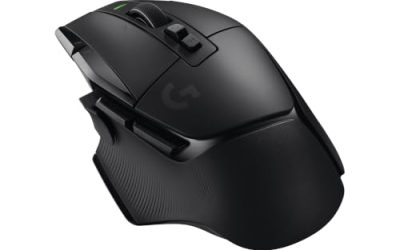
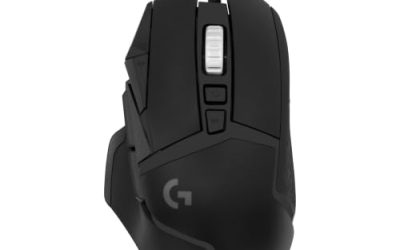
Logitech G502 HERO
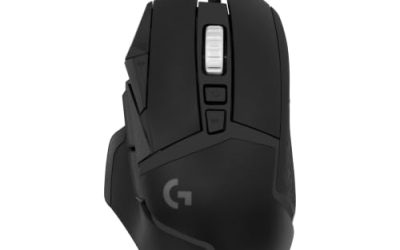
The G502 HERO is the middle path in this roundup: 11 programmable buttons give you room for a few item actives and a push-to-talk key without committing to a full grid, and the dual-mode scroll wheel adds fast menu scrolling on top. Its adjustable weight system ships with five 3.6 g weights, so you can tune the balance toward the front or back of the shell instead of accepting a fixed feel. The HERO 25K sensor covers a 100 to 25,600 DPI range with onboard memory for up to five profiles, which helps if the same mouse rotates between a desktop and a laptop.
Specs
- HERO 25K sensor, 100–25,600 DPI, 400+ IPS, zero smoothing, filtering or acceleration
- 11 programmable buttons
- On-board memory storing up to five profiles
- Adjustable weight system with five 3.6 g weights included
- Mechanical button tensioning system
- Dual-mode hyper-fast scroll wheel
- LIGHTSYNC RGB lighting
- Wired USB connection
Best for: Players who want some extra buttons and tunable weight from one mouse that also handles other genres and desktop work.
Watch out for: It is one of the larger, taller shells here, and adding all five weights makes it noticeably heavy for low-sensitivity sweeping.
ASIN: B07GBZ4Q68
Razer Viper V3 Pro
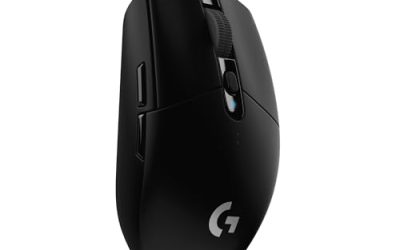
At the opposite end of the design spectrum, the Viper V3 Pro ignores button grids entirely. It is a 54 g symmetrical wireless mouse built for players whose MOBA game runs on cursor speed: fast camera pans, quick skill-shot corrections and constant repositioning between last-hits. The listing publishes a Focus Pro 35K sensor with 1-DPI step adjustments and tracking on glass, plus a true 8000 Hz polling rate through the included HyperPolling dongle. Eight programmable buttons still leave space for a couple of item actives, and the Gen-3 optical switches are built for rapid, repeated clicks across long sessions.
Specs
- 54 g ultra-lightweight design (black version)
- Focus Pro 35K Optical Sensor Gen-2, up to 35,000 DPI, 750 IPS / 70 G
- 1-DPI step sensitivity adjustments; tracks on glass
- True 8000 Hz wireless polling via included HyperPolling Wireless Dongle
- Razer Optical Mouse Switches Gen-3
- 8 programmable buttons
- Up to 95 hours of battery life
- Symmetrical shape for claw and fingertip grips
Best for: Low-sensitivity MOBA players who win fights with fast, precise cursor movement rather than extra buttons.
Watch out for: Running 8000 Hz polling shortens battery life considerably, and there are no spare buttons for a full item bar.
ASIN: B0CW25XR5R
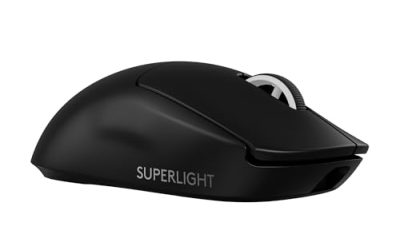
Logitech G PRO X Superlight 2
Logitech’s flagship takes the same minimal approach as the Viper but with its own flavour: 60 g, a HERO 2 sensor the listing rates up to 44,000 DPI, and an 8 kHz report rate over LIGHTSPEED wireless. Five programmable buttons is the leanest layout in this roundup — two thumb buttons are what you get for item actives — so this mouse is aimed squarely at players who keep their whole rotation on the keyboard and want nothing slowing the cursor down. LIGHTFORCE hybrid switches pair optical actuation speed with a mechanical click feel, and the 95-hour battery rating means charging is a weekly chore at most.
Specs
- 60 g pro-grade lightweight design
- HERO 2 sensor, up to 44,000 DPI
- 8 kHz report rate over LIGHTSPEED wireless
- LIGHTFORCE hybrid optical-mechanical switches
- 5 programmable buttons
- Up to 95 hours of battery life
- USB-C charging
- Optional grip tape included in the box
Best for: Keyboard-first MOBA players who want a light wireless mouse with long battery life and no unnecessary buttons.
Watch out for: With only five buttons there is nowhere to offload item actives, and the symmetrical shell offers no sculpted palm support.
ASIN: B09NBWL8J5
Which One Fits Your Situation
Your item actives live under your thumb
If your losses come from fumbling item keys mid-fight, choose between the two grid mice. The Corsair Scimitar RGB Elite offers 17 buttons and a sliding side panel you can position under your thumb; the Razer Naga X offers 16 buttons in a lighter 85 g body with a fixed grid. Both are wired, so decide on panel adjustability versus weight.
One mouse has to cover several genres
Players who rotate between MOBA titles, shooters and everyday desktop use are best served by the Logitech G502 HERO. Eleven buttons handle a MOBA item or two without overwhelming other games, the tunable weights let you set the feel per genre, and five onboard profiles keep each setup stored on the mouse itself.
You play low sensitivity and sweep the whole pad
Big arm movements reward the lightest shells here. The Razer Viper V3 Pro at 54 g is the easiest mouse in this roundup to flick and stop precisely, and its 8000 Hz polling keeps fast pans smooth. The Logitech G PRO X Superlight 2 at 60 g is close behind if you prefer its shape and switch feel.
You play wireless and hate charging cables
Both wireless picks publish 95-hour battery ratings, so either survives a week of evening sessions. Pick the Viper V3 Pro if you want the lightest body and glass-tracking sensor; pick the Superlight 2 if you prefer hybrid switches with a mechanical snap and USB-C charging shared with your other devices.
Common Mistakes
- Buying a 12-button grid and then mapping only two of the buttons, while carrying the extra width and weight every game.
- Copying a professional player’s DPI and in-game sensitivity exactly, without accounting for your own pad size, grip and monitor resolution.
- Assuming a higher maximum DPI means better tracking; what matters for MOBA play is consistent tracking at the moderate settings you actually use.
- Ignoring shell size and grip fit, then blaming aim problems on the sensor.
- Setting up profiles in software but never saving them to onboard memory, so the bindings vanish on a different PC.
Frequently Asked Questions
Do MOBA players actually need 12 side buttons?
No. They help players who move item actives, pings and camera controls onto the mouse hand, which is why grid mice like the Scimitar RGB Elite and Naga X exist. Many high-level players use standard two-button layouts and keep everything on the keyboard. Buy the button count that matches bindings you will genuinely use, not the largest number available.
Is a wired or wireless mouse better for MOBA games?
Either can work at a high level. Wired models such as the G502 HERO never need charging and avoid battery management entirely. The wireless picks here publish report rates up to 8 kHz and battery life up to 95 hours, so the practical gap has narrowed to preference: cable drag and charging habits should decide it, not response-time fears.
What DPI should I set for MOBA titles?
There is no single correct figure, because effective sensitivity also depends on your in-game settings and screen resolution. Most players settle in a moderate range rather than anywhere near these sensors’ maximums. What the listings here offer is fine adjustment — the Scimitar changes DPI in 1-step increments and the Viper V3 Pro in 1-DPI steps — so you can tune gradually instead of jumping between presets.
Can one of these mice also handle FPS games?
Yes, and the lightweight pair are designed for exactly that crossover: the Viper V3 Pro and PRO X Superlight 2 are esports mice first, with high polling rates and low weights that suit flick aiming. The G502 HERO also crosses over comfortably. Grid mice work in shooters too, though their extra side buttons sit unused in most FPS bindings.
Related guides
More from Amazon
Programs that pair well with the guide above. Offers and eligibility are set by Amazon and may change.
A free business account with business pricing and bulk-buying tools for work, shop or home office.
Create a business accountFree shipping on eligible items, Prime Video and more. Eligible new members can start with a free trial.
Start a Prime free trialAudiobooks and podcasts to listen to on the go. Eligible new members can start with a free trial.
Try Audible freeAd-free music streaming. Eligible new subscribers can start with a free trial.
Try Music Unlimited freeAs an Amazon Associate we earn from qualifying purchases.