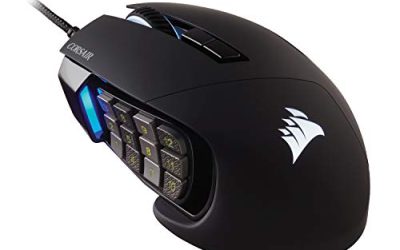
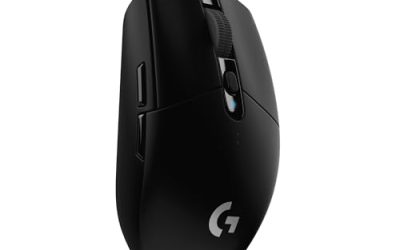
Big hands change what a good gaming mouse feels like. A shell that is too short leaves fingers hanging past the main buttons, a narrow grip forces the thumb and ring finger to pinch inward, and a low hump gives the palm nothing to rest against during long sessions. The mice below solve those problems with length, width, and height first, then add modern sensors, wireless connections, and switches suited to fast play. Each pick is a right-handed ergonomic model with a large shell, so palm and relaxed claw grips get real support instead of a cramped compromise.


As an Amazon Associate, we earn from qualifying purchases.
Our Top Picks
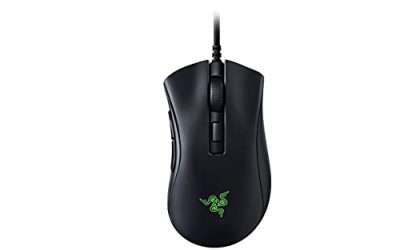
- Razer DeathAdder V3 Pro Wireless Gaming Mouse1000 Hz5.01 x 2.65 x 1.69 inches0.1 poundsCheck on Amazon
- Logitech G502 X Plus Wireless RGB Gaming MouseWireless7.1 x 4.6 x 2.7 inches0.84 poundsCheck on Amazon
 Razer Basilisk V3 Pro Customizable RGB Wireless GamingMouse5.12 x 2.96 x 1.67 inches0.24 poundsCheck on Amazon
Top 3 picks at a glance
Quick answer
For most big hands, the Razer DeathAdder V3 Pro is the safest starting point, with a 128 mm shell, 63 gram weight, and Focus Pro 30K sensor. Players wanting more buttons and a tilt wheel should look at the Basilisk V3 Pro or G502 X Plus, while the Model D 2 Pro suits lighter grips and the Dark Core RGB Pro suits the widest palms.
How to choose
Start with length. Hands around 19 cm or longer, measured from the tip of the middle finger to the wrist crease, usually need a shell close to 127 mm or longer for a palm grip, otherwise the fingers extend well past the front edge and the palm loses contact at the back. Every mouse in this guide sits in that long-shell range, and several add extra width or height on top of the length.
Width matters almost as much. A wider grip width lets the thumb and ring finger rest instead of squeezing, which reduces fatigue in longer sessions. The Corsair Dark Core RGB Pro is the widest option here thanks to its broad body and interchangeable side grips, while the Basilisk V3 Pro adds a pronounced thumb rest. Narrower large mice such as the DeathAdder V3 Pro and Model D 2 Pro still give length and height, but they ask for a slightly firmer side grip.
Height and hump position decide how the palm is supported. A taller shell around 42 to 44 mm fills the palm and suits a relaxed grip, while a slightly lower profile leaves more room for fingertip adjustments. Palm grip players should favour the taller, fuller shapes. Claw grip players with big hands can accept a lower rear slope, provided the length still keeps the fingertips on the main buttons.
Weight is a trade-off, not a contest. Light mice near 60 grams move quickly and suit fast flicks in shooters, but some big-handed players find them easier to over-grip. Heavier mice above 100 grams feel planted, carry more buttons and larger batteries, and can be more comfortable for slower, deliberate play. Match the weight to the games played rather than chasing the lowest number.
Then check the practical details. Wireless players should compare the rated battery life at the polling rate they will actually use, since higher polling shortens runtime. Button count matters for strategy, MMO, and productivity hybrids, where thumb buttons and tilt wheels earn their space. Finally, confirm the shape is right-handed, because every model here is a right-handed ergonomic design and none of them suits a left-handed grip.
Who should skip
Skip this entire category if your hands are small or medium and you use a fingertip grip, because these long, tall shells will feel bulky and slow to reposition. Left-handed players should also skip every pick here, since all five are right-handed ergonomic shapes with thumb buttons placed for the right thumb only. Players who prefer a symmetrical shell for a pure claw grip, or who want the absolute lightest mouse regardless of size, will be better served by a smaller ambidextrous model. Anyone who needs a vertical mouse for wrist pain should look at a dedicated vertical design instead, because a standard ergonomic gaming shell still keeps the hand in a pronated position.
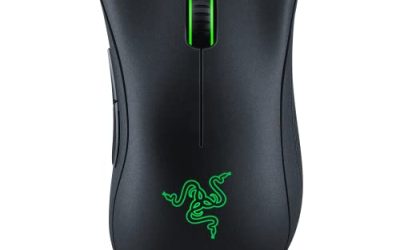
Razer DeathAdder V3 Pro
The DeathAdder V3 Pro is the classic large ergonomic shape in this group, measuring about 128 mm long, 68 mm wide, and 44 mm tall. That length and height give a big palm a full surface to rest on, and the right-handed curves keep the thumb and ring finger in a natural, relaxed position. At 63 grams for the black version, it is remarkably light for its size, so fast swipes take little effort while the shell still fills a large hand.
Tracking comes from the Razer Focus Pro 30K optical sensor, rated to 30,000 DPI with 750 IPS tracking and 70 G acceleration on the listing specifications. Razer HyperSpeed wireless handles the connection, with wired play available over USB-C while charging. The main buttons use Razer Optical Mouse Switches Gen-3, and the listing rates battery life at up to 90 hours of continuous play at a 1,000 Hz polling rate, rechargeable via USB Type C.
The control layout stays deliberately simple, with five programmable buttons on the Amazon listing, including two thumb buttons. There is no RGB lighting, no tilt wheel, and no extra thumb cluster, which keeps the weight down and the sides clean for a firm grip. That simplicity is the main compromise. Players who bind many abilities to the mouse should look at the Basilisk or G502 models instead, while players who want a large, light, focused esports shape will find this the cleanest fit in the guide.
Logitech G502 X Plus
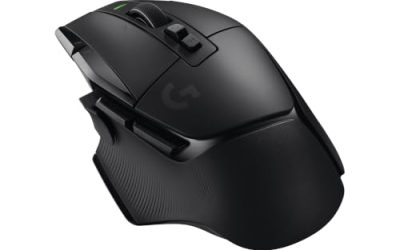
The G502 X Plus is a large, feature-heavy option measuring about 131 mm long, 79 mm wide, and 41 mm tall, with a weight of 106 grams. It is the longest shell in this guide, which makes it a strong match for very long hands that overshoot shorter mice. The sculpted right-handed body, textured side areas, and removable DPI-shift button give a big thumb both grip and control options along the left side.
Inside, the HERO 25K sensor provides up to 25,600 DPI, and the LIGHTFORCE hybrid optical-mechanical switches combine optical actuation speed with a mechanical click feel. LIGHTSPEED wireless is the primary connection, with USB-C charging and compatibility with the PowerPlay wireless charging system. The listing highlights battery life of up to 130 hours, LIGHTSYNC RGB lighting, and a dual-mode scroll wheel that switches between a precise ratchet step and a faster free-spinning mode.
With 13 buttons listed for the model, this is one of the better picks here for players who split time between shooters, strategy games, and desktop work. The extra controls, wheel modes, and lighting explain the higher weight, so it will not suit players chasing the lightest possible large mouse. For big hands that want length, a full button set, and a wheel that can scroll long pages as easily as it swaps weapons, the G502 X Plus covers more ground than the lighter esports models.
Razer Basilisk V3 Pro
The Basilisk V3 Pro pairs a large ergonomic shell with the richest feature set in this guide. It measures about 130 mm long, 75.4 mm wide, and 42.5 mm tall, and weighs 112 grams excluding the cable. The wide body includes a clear thumb rest, textured grips, and a shape that supports a relaxed palm grip, making it a comfortable home for wide hands that feel pinched on narrower mice.
The sensor is the Razer Focus Pro 30K optical sensor, rated to 30,000 DPI with 750 IPS and 70 G acceleration. Razer lists up to 90 hours of battery life over HyperSpeed wireless, and the mouse also connects over Bluetooth or a wired USB Type C cable. The main buttons use Razer Optical Mouse Switches Gen-3, rated for a long click lifecycle, and the HyperScroll tilt wheel offers tactile and free-spin modes plus left and right tilt inputs.
Control count is the headline, with 11 programmable buttons in the 10 plus 1 layout Razer describes, including a removable sniper clutch on the thumb side. Thirteen-zone Chroma RGB lighting with underglow, onboard profile memory, and optional wireless charging support through a separate dock or puck round out the package. The trade-offs are weight and complexity. At 112 grams it is a planted, deliberate mouse rather than a featherweight flick tool, and players who use only two thumb buttons will pay in size for controls they never touch.
Glorious Model D 2 Pro

The Glorious Model D 2 Pro brings the large ergonomic formula down to 60 grams. The listing describes an ergonomic shape for right-handed gamers with medium to large hands, with a contoured body and raised arch for claw or palm grip, and gives dimensions of 5 inches long by 2.63 inches wide. That translates to a shell around 127 to 128 mm long, long enough for big hands to keep fingertips on the buttons while the raised arch supports the palm.
The BAMF 2.0 sensor is rated to 26,000 DPI, and the 1K polling version connects over 2.4 GHz wireless with a 1 ms delay, alongside wired play. The listing lists six buttons, PTFE feet for a smooth glide, and switches rated at 100 million clicks. Glorious highlights long battery life for this wireless model, and the low weight combined with the full-size shell makes it one of the easiest large mice here to move quickly across a big mouse pad.
This is the pick for palm and relaxed claw players who liked the idea of the DeathAdder-class shape but want a different take on it, with a pronounced arch and a very light body. The compromises are a smaller button set than the Basilisk or G502 models, no tilt wheel, and no Bluetooth option in the listed feature set. Players who mainly need two well-placed thumb buttons and a large, light shell for fast games will not miss the extras.
Corsair Dark Core RGB Pro
The Dark Core RGB Pro is built for the widest hands in this guide. Corsair lists dimensions of 127 mm long, 89 mm wide, and 43 mm tall, with the width reflecting the broad body and interchangeable side grips, and a weight of 133 grams. Two included side grips let the player change the pinky-side profile, and the contoured shape with a clear thumb area suits a full palm grip where the whole hand rests on the mouse instead of pinching a narrow shell.
A custom PixArt PAW3392 optical sensor provides 18,000 DPI, adjustable in single DPI steps on the listed specifications. The mouse offers eight programmable buttons, Omron switches rated at 50 million clicks, and nine-zone RGB lighting controlled through Corsair software, with onboard storage for profiles. Those headline numbers trail the newer 30K-class sensors in this guide, but the sensor range still covers the sensitivities most players actually use in game.
Connections cover almost every setup, with sub-1 ms Slipstream wireless, low-latency Bluetooth, and USB wired play over a reversible USB-C connector. Battery ratings on the specifications reach up to 50 hours over Bluetooth without backlighting, and up to 36 hours over Slipstream without backlighting, with shorter runtimes when the lighting is on. The clear trade-off is weight and charging frequency. At 133 grams this is a heavy, deliberate mouse, best for big-handed palm players who value width, grip options, and buttons over outright speed.
FAQ
What hand size needs a large ergonomic gaming mouse?
Hands measuring about 19 cm or more from middle fingertip to wrist crease, especially with a palm or relaxed claw grip, usually benefit from a large shell. On a shorter mouse, long fingers extend past the main buttons and the palm loses support. The models in this guide are all around 127 mm or longer, which keeps fingertips on the buttons and the palm in contact with the hump.
Is a heavier mouse bad for big hands?
Not necessarily, because weight preference depends on grip and game pace. Lighter mice near 60 grams move quickly and suit fast flicks, while heavier mice above 100 grams feel planted and often carry more buttons, bigger batteries, and wider shells. Many big-handed players find a heavier mouse easier to hold without squeezing. Choose based on how fast you move the mouse, not on weight alone.
Palm grip or claw grip, which suits these mice better?
Palm grip suits them best, because the long bodies, tall humps, and thumb rests are shaped to support the whole hand. Relaxed claw grip also works well on the lighter models, such as the DeathAdder V3 Pro and Model D 2 Pro, where the fingers arch over the buttons. A strict fingertip grip wastes the extra length and height, so fingertip players are usually happier on a smaller, lower shell.
Do these wireless mice work while charging?
Yes, every wireless model in this guide can also be used wired while it charges, using its USB-C cable or connection. That means a low battery does not have to end a session, and the same cable connection doubles as a stable option for a desktop setup. Check the individual listing before ordering to confirm exactly which cables and receivers are included in the box for that model.
Final verdict
Big hands should buy length and support first, and specifications second. The Razer DeathAdder V3 Pro is the best all-round pick here, combining a 128 mm ergonomic shell with a 63 gram weight and long rated battery life. The Basilisk V3 Pro and G502 X Plus add buttons, tilt wheels, and wider, heavier bodies for players who use them. The Model D 2 Pro keeps a large shell at 60 grams, and the Dark Core RGB Pro is the widest, most palm-filling option of the five.
Product and ASIN Reference
| Product | ASIN |
|---|---|
| Razer DeathAdder V3 Pro | B0B6XZLNHQ |
| Logitech G502 X Plus | B092CB69Q4 |
| Razer Basilisk V3 Pro | B0B6Y3XYFG |
| Glorious Model D 2 Pro | B0CJ5W7G41 |
| Corsair Dark Core RGB Pro | B082LVNHW9 |
Related guides
More from Amazon
Programs that pair well with the guide above. Offers and eligibility are set by Amazon and may change.
A free business account with business pricing and bulk-buying tools for work, shop or home office.
Create a business accountFree shipping on eligible items, Prime Video and more. Eligible new members can start with a free trial.
Start a Prime free trialAudiobooks and podcasts to listen to on the go. Eligible new members can start with a free trial.
Try Audible freeAd-free music streaming. Eligible new subscribers can start with a free trial.
Try Music Unlimited freeAs an Amazon Associate we earn from qualifying purchases.