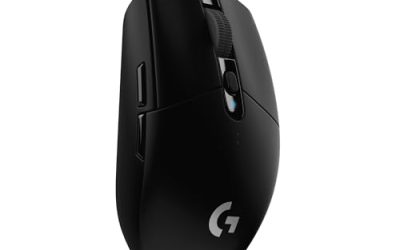
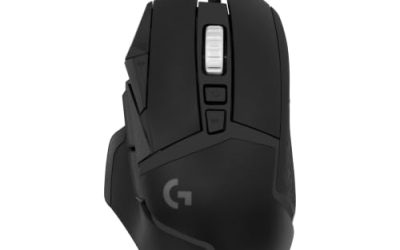
Minecraft PvP rewards quick clicks, steady aim, and a mouse that stays comfortable through long fights, so the real decision is not which mouse looks flashy but which one matches the way you click and move. A jitter clicker needs light, crisp buttons that fire again and again without wearing out a finger, while a player who drags or butterflies needs a shell that holds firm under rapid taps and a sensor that never skips during a sudden turn.


This guide is for Minecraft players who fight other players in duels, team battles, and arena modes, plus newcomers who want a first serious mouse for clicking games. Every mouse below was chosen from its name and listed specs on Amazon, with attention to switch feel, body weight, grip shape, and sensor quality, so you can match a model to your hand size, your clicking style, and the sessions you play most.
Top 3 picks at a glance
Quick Picks
As an Amazon Associate we earn from qualifying purchases
| Product | Best for | Key spec from title |
|---|---|---|
| Logitech G502 HERO High Performance Wired Gaming Mouse, HERO 25K Sensor, 25,600 DPI, RGB, Adjustable Weights, 11 Programmable Buttons, On-Board Memory, PC / Mac | Extra buttons and a tunable body for players who bind many actions | HERO 25K sensor, 25,600 DPI |
| Razer Viper 8K Hz – Ambidextrous E-Sport Gaming Mouse with 8,000 Hz HyperPolling Technology (Optical Focus + Sensor with 20K DPI, Optical Mouse switches, 71g Light) – Black | Rapid clicks at a high polling rate for duel fighters | 8,000 Hz HyperPolling, 20K DPI sensor |
| Glorious Model O Wired Gaming Mouse 67g Superlight Honeycomb Design, RGB, Pixart 3360 Sensor, Omron Switches, Ambidextrous – Matte White | Light honeycomb body for fast flicks and long clicking runs | 67g honeycomb body, Pixart 3360 sensor |
| Logitech G PRO X Superlight Wireless Gaming Mouse, Ultra-Lightweight, HERO 25K Sensor, 25,600 DPI, 5 Programmable Buttons, Long Battery Life, Compatible with PC/Mac – Black | Wireless freedom with a feather-light body for aim duels | HERO 25K sensor, 25,600 DPI, wireless |
| SteelSeries Rival 3 Gaming Mouse – 8,500 CPI TrueMove Core Optical Sensor – 6 Programmable Buttons – Split Trigger Buttons – Brilliant Prism RGB Lighting, Ergonomic, Black | A simple ergonomic shape for newcomers to PvP | TrueMove Core sensor, 8,500 CPI |
How to Choose
Click Speed and Switch Feel
Click speed decides how many hits you land in a close fight, so look at the switch type and how the buttons feel under your fingers. Optical switches fire with light and a short travel, which suits jitter and butterfly clicking, while mechanical switches give a firmer click with a clear snap that some players trust more in long duels. A mouse with a stiff main button can slow you down, and a mushy one can blur the moment a click registers. Read the listed switch name on the Amazon page, then match it to your style: light and quick for rapid tapping, firm and crisp for controlled bursts.
Body Weight and Balance
A light mouse moves with less effort, which helps when you flick to a target, track a running player, or click for minutes at a time. Models near 60 to 70 grams feel quick in the hand and tire a wrist less during long sessions, while heavier bodies can feel planted and calm for players who aim with the arm. Balance matters as much as the number on the scale: a mouse that feels nose-heavy can drag on wide sweeps, and one that feels tail-heavy can lift oddly on fast turns. Hold your current mouse, note where its weight sits, then pick a listed weight and shape that keeps your hand relaxed through a full match.
Grip Shape and Hand Size
Grip shape decides whether your hand stays relaxed or cramps after an hour, so match the shell to your hand and your grip style. Palm grippers need a taller body with a full rear that supports the whole hand, claw grippers need a shorter shell with a raised hump under the fingers, and fingertip grippers need a low, narrow body they can pinch and lift. A shell that is too wide can force your thumb outward, while one that is too short can leave your ring finger dragging on the pad. Compare the listed length and width with your current mouse, and favor a shape that lets all your fingers rest without stretching or curling hard.
Sensor Quality and Polling
The sensor reads every move you make, so a clean, steady sensor keeps your aim true when you spin, flick, or strafe through a fight. Look for a modern optical sensor with a high DPI ceiling and no angle snapping, because a sensor that smooths your path can pull your crosshair off a moving target. Polling rate sets how often the mouse reports its position, and a higher rate can make motion feel more direct in fast duels. Wired models report steadily by design, while wireless models need a strong link to hold the same pace. Pick a sensor and polling rate from the listed specs that suit your monitor speed and your play pace.
The 5 Best Options
Logitech G502 HERO High Performance Wired Gaming Mouse, HERO 25K Sensor, 25,600 DPI, RGB, Adjustable Weights, 11 Programmable Buttons, On-Board Memory, PC / Mac
The G502 HERO suits Minecraft PvP players who want many buttons for hotkeys, blocks, and items without reaching for the keyboard. Its sculpted body fills a palm grip well, and the tunable weights let you shift the balance until wide sweeps and tight turns feel even. The HERO 25K sensor tracks cleanly at high DPI, so fast spins stay smooth and your aim holds through a chase. It is a wired mouse, which keeps its link steady in every fight, and its firm main buttons give a clear click that helps with steady jitter tapping.
Specs
- HERO 25K sensor, 25,600 DPI
- 11 programmable buttons
- Adjustable weights
- RGB lighting
- On-board memory
- Wired connection for PC and Mac
Best for: Extra buttons and a tunable body for players who bind many actions.
Watch out for: Its sculpted body is heavier than light honeycomb models, so players who flick with the wrist may feel the difference on long nights.
ASIN: B07GBZ4Q68
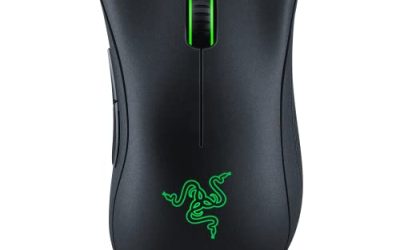
Razer Viper 8K Hz – Ambidextrous E-Sport Gaming Mouse with 8,000 Hz HyperPolling Technology (Optical Focus + Sensor with 20K DPI, Optical Mouse switches, 71g Light) – Black
The Viper 8K Hz fits duel fighters who want every click and flick to reach the game with almost no delay. Its true 8,000 Hz polling rate reports motion eight times as often as a standard wired mouse, which makes tracking feel direct during fast strafes and sudden turns. At 71 grams the body feels light in the hand, and the ambidextrous shape suits left and right hands alike. Optical switches fire with a crisp snap that holds up well under repeated tapping, so jitter clickers can keep a steady rhythm through long fights.
Specs
- 8,000 Hz HyperPolling Technology
- Focus+ 20K DPI optical sensor
- 2nd Gen optical mouse switches
- 71g lightweight design
- Ambidextrous shape
- Wired Speedflex cable
Best for: Rapid clicks at a high polling rate for duel fighters.
Watch out for: The 8,000 Hz rate asks more from your PC, so older machines may run less smoothly with the top setting on.
ASIN: B08P1PWN2Q
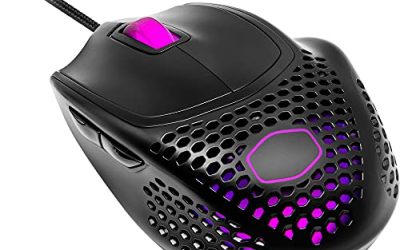
Glorious Model O Wired Gaming Mouse 67g Superlight Honeycomb Design, RGB, Pixart 3360 Sensor, Omron Switches, Ambidextrous – Matte White
The Model O fits players who love a feather-light mouse for fast flicks and long clicking runs. Its honeycomb shell drops the body to 67 grams, so the mouse glides with little effort and the wrist stays loose through match after match. Omron switches give a light, lively click that suits jitter and butterfly styles, while the Pixart 3360 sensor holds its line during sharp turns. The ambidextrous shape works for many hand sizes, and the matte white shell stands out on a desk full of dark gear.
Specs
- 67g superlight honeycomb design
- Pixart 3360 sensor
- Omron switches
- RGB lighting
- Ambidextrous shape
- Matte White finish
Best for: Light honeycomb body for fast flicks and long clicking runs.
Watch out for: The honeycomb holes can gather dust over time, so a quick wipe now and then keeps the shell looking clean.
ASIN: B07MGDRBBF
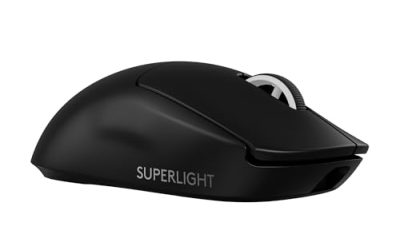
Logitech G PRO X Superlight Wireless Gaming Mouse, Ultra-Lightweight, HERO 25K Sensor, 25,600 DPI, 5 Programmable Buttons, Long Battery Life, Compatible with PC/Mac – Black

The PRO X Superlight fits aim-focused players who want wireless freedom without a heavy body slowing their hand. Its ultra-light frame moves with almost no drag, which helps with micro-adjustments when a target shifts a few pixels. The HERO 25K sensor tracks with the same clean feel as its wired cousins, and the simple five-button layout keeps every click close at hand. Long battery life means the mouse keeps going through evening after evening of matches, and the smooth shell suits claw and fingertip grips.
Specs
- Ultra-lightweight wireless design
- HERO 25K sensor, 25,600 DPI
- 5 programmable buttons
- Long battery life
- Compatible with PC and Mac
Best for: Wireless freedom with a feather-light body for aim duels.
Watch out for: Five buttons leave less room for extra binds, so players who map many actions may miss the extra side keys.
ASIN: B087LXCTFJ
SteelSeries Rival 3 Gaming Mouse – 8,500 CPI TrueMove Core Optical Sensor – 6 Programmable Buttons – Split Trigger Buttons – Brilliant Prism RGB Lighting, Ergonomic, Black
The Rival 3 fits newcomers to Minecraft PvP who want a simple, comfortable mouse that does the job without fuss. Its ergonomic shape fills the palm and keeps the hand relaxed through a first long session, while split trigger buttons give the main clicks a firm, even feel. The TrueMove Core sensor tracks at 8,500 CPI with true one-to-one movement, so aim stays honest during turns and chases. Six programmable buttons cover the binds most players need, and the Prism RGB lighting adds a bright accent to a plain desk setup.
Specs
- 8,500 CPI TrueMove Core optical sensor
- 6 programmable buttons
- Split trigger buttons
- Brilliant Prism RGB lighting
- Ergonomic shape
Best for: A simple ergonomic shape for newcomers to PvP.
Watch out for: The 8,500 CPI ceiling sits below the other mice here, so players who favor very high sensitivity may feel the limit.
ASIN: B08176SM7C
Which One Fits Your Situation
You Click Fast and Fight Up Close
If most of your fights happen at close range with rapid clicks, pick a light mouse with crisp optical or Omron switches and a high polling rate. The Viper 8K Hz and the Model O both answer clicks with little delay, and their light bodies let you flick between targets without dragging your wrist. Keep your sensitivity moderate so fast clicks stay on target.
You Play Long Sessions Every Evening
If you play for hours each evening, comfort comes first: a light body, a grip shape that matches your hand, and a sensor that never skips. The PRO X Superlight and the Model O both stay easy on the wrist, and a wireless link frees your arm from cable drag. Take a short pause between matches to rest your hand.
You Want Many Binds for Blocks and Items
If you swap blocks, potions, and tools mid-fight, extra buttons save trips to the keyboard. The G502 HERO gives you eleven programmable buttons plus tunable weights, so you can map a full hotbar and still tune the balance. Set your binds in the game menu first, then practice them in a calm world before a real duel.
You Are New to PvP and Want a Simple First Mouse
If PvP is new to you, a simple ergonomic mouse with a firm click and a clean sensor is the easy path in. The Rival 3 covers the basics with six buttons and a shape that suits many hands, so you can learn aim and timing without fighting your gear. Spend your first weeks on movement and aim, and upgrade only when you know which grip and weight suit you.
Common Mistakes
- Picking a heavy mouse for rapid clicking, then tiring the wrist before the match ends.
- Choosing a grip shape that fights your hand size instead of matching it.
- Setting sensitivity so high that small flicks overshoot every target.
- Ignoring switch feel and polling rate, then wondering why clicks feel slow.
- Buying for looks alone instead of weight, grip, and sensor quality.
Frequently Asked Questions
What makes a mouse good for Minecraft PvP?
A good PvP mouse pairs fast, crisp clicks with a light body and a sensor that tracks without skipping. Quick switches help with jitter and butterfly clicking, low weight keeps flicks easy, and a grip shape that matches your hand keeps long sessions comfortable. Match those three traits to your clicking style before anything else.
Is a light mouse always better for PvP?
Not always. A light mouse helps with fast flicks and long clicking runs, but some players aim more steadily with a heavier body that resists small shakes. The right weight depends on your arm, your grip, and how you move. Try a few weights if you can, and pick the one that keeps your aim calm through a full fight.
Do I need a wireless mouse for Minecraft PvP?
No. A wired mouse gives a steady link with nothing to charge, and many top PvP players still use one. Wireless models add freedom of movement and remove cable drag, which suits players who move their arm a lot. Either link works well, so pick the one that fits your desk and your habits.
How long do gaming mouse switches last?
Switch life varies by model and by how hard you click, but most gaming mice list a click count in the tens of millions on the Amazon page. Optical switches avoid metal contact wear, while mechanical switches rely on a spring and contact that wear with use. Treat the listed count as a guide, and replace a mouse when clicks feel soft or double up.
Related guides
More from Amazon
Programs that pair well with the guide above. Offers and eligibility are set by Amazon and may change.
A free business account with business pricing and bulk-buying tools for work, shop or home office.
Create a business accountFree shipping on eligible items, Prime Video and more. Eligible new members can start with a free trial.
Start a Prime free trialAudiobooks and podcasts to listen to on the go. Eligible new members can start with a free trial.
Try Audible freeAd-free music streaming. Eligible new subscribers can start with a free trial.
Try Music Unlimited freeAs an Amazon Associate we earn from qualifying purchases.