
Thin-chassis laptops leave very little clearance between an M.2 drive, the bottom cover, and nearby components. That makes choosing the best SSD heatsink for laptops with thin chassis less about buying the largest cooler and more about finding a low-profile copper option that can make contact without creating pressure on the SSD or preventing the case from closing.
The picks below focus on 2280 M.2 SSD cooling solutions marketed for laptop use, with special attention to slim dimensions, included thermal materials, and straightforward value. In 2026, compact NVMe drives remain common upgrades, but a heatsink should always be checked against your laptop’s internal clearance before installation.
As an Amazon Associate we earn from qualifying purchases at no extra cost to you. Product prices and availability are accurate as of the date shown and are subject to change.



Top 3 picks at a glance
Quick Picks
| Product | Best for | Price |
|---|---|---|
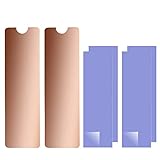
| Laptop NVMe M.2 Heatsink with Nano Thermal Pads, Heat Sink Copper for 2280 M2 SSD Laptop (2pcs) | Simple two-piece laptop SSD cooling | $8.99 |
| Easycargo Laptop M.2 Heatsink Kit, Copper M.2 Heat Sink + Thermal Pad | Buyers who want pad-thickness options | $8.99 |
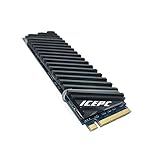
| icepc Graphene Coating Copper Heat Sink (70x20x2mm) | Shoppers who need a stated slim profile | $11.99 |
| ASTARON M.2 SSD Heatsink 2280 Thin Cooler | Budget thin-cooler setups | $6.99 |
| icepc Graphene Coating Full-Cover Copper Heatsink, Stripe Pattern | Full-cover styling and adhesive installation | $15.99 |
| Pushglossy Laptop M.2 Heatsink Kit | The lowest-priced basic copper kit | $5.99 |
| Haojiaho M.2 Heatsink 67x18x1.5mm Pure Copper | Very slim laptop-oriented fit checks | $7.59 |
| ELUTENG M.2 SSD Heatsink 2PCS 2280 SSD Heat Sink | Two-piece value for 2280 SSDs | $7.29 |
How We Picked
These rankings prioritize the product details supplied in each listing: stated laptop compatibility, 2280 M.2 SSD fit, copper construction, thermal-pad inclusion, stated low-profile measurements, and price. A thin laptop needs more than a cooler that fits an SSD on paper; it also needs enough clearance for the bottom panel and any factory-installed shielding.
We did not assign performance-temperature claims because no comparable lab results were provided. Instead, the order favors products with useful fit information, laptop-specific positioning, and installation materials that help buyers tailor contact between the SSD and heatsink. Before buying, compare the drive bay with the listed dimensions and inspect whether your laptop already has a thermal pad or metal SSD cover.
The 8 Best Picks
1. Laptop NVMe M.2 Heatsink with Nano Thermal Pads, Heat Sink Copper for 2280 M2 SSD Laptop (2pcs)
This two-piece copper option is the best all-around starting point for a laptop owner who wants a straightforward heatsink for a 2280 M.2 SSD without paying beyond $8.99. Its laptop-focused product name, copper construction, and included nano thermal pads make it a practical choice for a standard upgrade where you need cooling materials ready to install. The two-piece pack can also be useful for more than one compatible drive or as a spare for a later project.
- Pro: Copper heatsink construction is clearly specified.
- Pro: Includes nano thermal pads and contains 2 pieces.
- Con: No overall heatsink thickness is stated.
Skip it if your laptop has exceptionally tight clearance and you need a confirmed profile measurement before ordering.
2. Easycargo Laptop M.2 Heatsink Kit, Copper M.2 Heat Sink + Thermal Pad
The Easycargo kit stands out for buyers trying to fine-tune pad thickness in a thin laptop. At $8.99, it combines a copper M.2 heatsink with both 1mm and 0.5mm thermal pads, giving you more choice than a kit that supplies only one pad thickness. That matters when SSD components sit at different heights or when a thin chassis requires you to minimize the installed stack. The 4-pack format also makes this a sensible option for households or repeat upgrades.
- Pro: Includes both 1mm and 0.5mm thermal pads.
- Pro: Four-pack format offers useful quantity at $8.99.
- Con: The assembled cooler height is not listed.
Skip it if you only need one heatsink and would rather buy the least expensive single-kit option.
3. icepc M.2 Heatsink for PS5 PCI-E NVME 2280 SSD, Graphene Coating Copper Heat Sink
For buyers who need a published size before opening a thin laptop, this icepc model has an important advantage: it is listed at 70x20x2mm. That 2mm measurement makes it one of the clearer options for planning around limited SSD-bay space. It is described as a graphene-coated copper heat sink, includes a thermal pad, and is positioned for laptop PC 2280 NGFF solid-state drives. At $11.99, it costs more than basic copper alternatives but offers more concrete sizing information.
- Pro: Listed dimensions are 70x20x2mm.
- Pro: Includes a thermal pad and uses copper construction.
- Con: It costs more than several basic laptop kits.
Skip it if your budget is under $10 or your SSD area cannot accommodate a 70mm-long heatsink.
4. ASTARON M.2 SSD Heatsink 2280 Thin Cooler with Nano Thermal Pads
The ASTARON M.2 SSD Heatsink is a strong budget-minded choice for a 2280 drive when “thin cooler” is your main shopping priority. Priced at $6.99, it pairs a slim-focused design with nano thermal pads offered in a 0.5mm-to-1mm range. That pad range is useful for laptop owners who want to avoid excessive thickness while still accounting for small variations in drive components. It is a sensible middle ground between the absolute cheapest kit and more specialized full-cover options.
- Pro: Marketed specifically as a thin cooler for 2280 SSDs.
- Pro: Nano thermal pads are specified from 0.5mm to 1mm.
- Con: No heatsink length, width, or total height is provided.
Skip it if you need exact external dimensions to confirm a very restricted chassis fit.
5. icepc M.2 PCIE NVME 2280 SSD Graphene Coating Full-Cover Copper Heatsink
This icepc full-cover copper heatsink is for shoppers who prefer a more comprehensive SSD-covering format and are comfortable with thermal conductive adhesive. The stripe-pattern model is described for PS5, laptop PC, and 2280 NGFF SSD use, while its graphene coating and full-cover construction distinguish it from the simpler pad-only kits. At $15.99, it is the highest-priced selection here, so its appeal is more about its stated design and adhesive approach than bare-bones value.
- Pro: Full-cover copper heatsink design is clearly identified.
- Pro: Includes thermal conductive adhesive.
- Con: At $15.99, it is the most expensive pick.
Skip it if you want a removable pad-based installation or need the lowest-cost thin-laptop solution.
6. Pushglossy Laptop M.2 Heatsink Kit Laptop NVMe Heatsink Copper Heatsinks Cooler
At $5.99, the Pushglossy Laptop M.2 Heatsink Kit is the value pick for someone who wants a basic copper cooler for a 2280 SSD and does not need extensive listed specifications. Its laptop and NVMe positioning makes the intended use clear, while the price leaves room in a modest SSD-upgrade budget. This is a sensible route for a compatible system where you have already measured the space and simply need a low-cost copper heatsink kit.
- Pro: Lowest listed price in this roundup at $5.99.
- Pro: Specifically presented as a laptop NVMe copper heatsink kit.
- Con: No pad thickness or heatsink dimensions are stated.
Skip it if you need included-material details or a confirmed measurement for a thin chassis.
7. Haojiaho M.2 Heatsink 67x18x1.5mm Pure Copper for Cooling 2280 M2 SSD
The Haojiaho M.2 Heatsink is among the most compelling thin-chassis options because its dimensions are explicitly listed as 67x18x1.5mm. A 1.5mm stated thickness gives laptop owners a meaningful figure to compare with available clearance, and the 67mm length may suit buyers who do not want a 70mm heatsink. It is made from pure copper, supports 2280 M.2 SSD NGFF NVMe use, and includes a silicone-based thermal pad. Its $7.59 price remains comfortably below $10.
- Pro: Slim 1.5mm stated thickness aids clearance planning.
- Pro: Includes a silicone-based thermal pad.
- Con: The 67mm length should be checked against your SSD layout.
Skip it if your installation requires a full 70mm heatsink or you prefer multiple heatsinks in one package.
8. ELUTENG M.2 SSD Heatsink 2PCS 2280 SSD Heat Sink with NVMe SSD Thermal Pad
The ELUTENG two-piece set is a practical lower-cost alternative for buyers with one or two compatible 2280 SSDs. For $7.29, it includes 2 SSD heat sinks and NVMe SSD thermal pads, delivering the basics without moving into premium pricing. It is especially suitable for a buyer who wants a spare, is upgrading more than one device, or wants to keep an extra heatsink for future use. Its product description remains focused on the standard 2280 M.2 format.
- Pro: Includes 2 heatsinks for $7.29.
- Pro: NVMe SSD thermal pads are included.
- Con: No thickness or footprint dimensions are supplied.
Skip it if your thin chassis demands a published height measurement before you can buy with confidence.
Buying Guide
Measure Clearance Before Choosing a Heatsink
Start with the laptop’s SSD bay, not the drive alone. Check the distance from the SSD surface to the bottom cover, shielding plate, or nearby battery components. A listed 1.5mm or 2mm heatsink measurement is useful, but remember that the installed thermal pad also occupies space. Never force the laptop cover closed over a heatsink.
Match the Drive Format and Heatsink Footprint
Every pick here is marketed for 2280 M.2 SSDs, but widths and lengths still matter. The Haojiaho is listed at 67x18x1.5mm, while one icepc model is 70x20x2mm. Compare those dimensions with the available area around the SSD, especially if the drive sits near a cable, mounting post, or factory thermal shield.
Choose Pads or Adhesive for Your Installation Style
Thermal pads are generally the easier choice when you may want to remove or reposition the heatsink. The Easycargo kit provides 0.5mm and 1mm pad options, while the fifth-ranked icepc model uses thermal conductive adhesive. Adhesive may suit a dedicated installation, but buyers who frequently service their laptop may prefer a pad-based approach.
Our Verdict
The Laptop NVMe M.2 Heatsink with Nano Thermal Pads is the best overall pick for its simple copper construction, included pads, two-piece quantity, and $8.99 price. For the most clearance-conscious shopper, the Haojiaho is the standout because it provides a specific 67x18x1.5mm measurement. If pad selection matters most, choose the Easycargo kit for its 0.5mm and 1mm thermal-pad options.
FAQ
Do all laptops have room for an SSD heatsink?
No. Many thin laptops have tightly packed SSD bays or factory shielding. Measure the available clearance and check for an existing thermal pad or metal cover before adding a heatsink.
What SSD size do these heatsinks fit?
All eight products are marketed for 2280 M.2 SSDs. Confirm your drive length and the available bay footprint before installation.
Is a thinner heatsink always the best choice?
Not necessarily. The best choice is the thickest option that fits safely without pressing against the laptop cover or other components. A stated 1.5mm or 2mm thickness can help with planning.
Should I choose thermal pads or thermal adhesive?
Choose thermal pads when you want a simpler, potentially removable installation. Consider thermal adhesive only when its installation method suits your setup and you are comfortable with a more permanent attachment approach.


