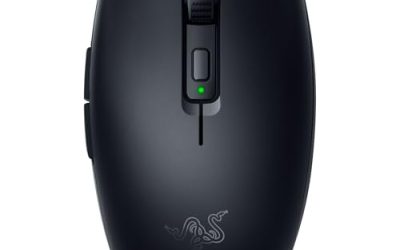
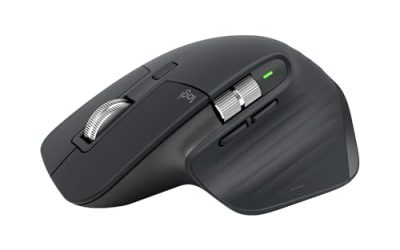
The best Alienware gaming mouse for most players is the Alienware Tri-Mode Wireless Gaming Mouse (AW720M), because it covers 2.4 GHz wireless, Bluetooth and wired use with a full-size shape. Pick the newer Alienware Pro Wireless if you want a lighter esports-style mouse with a higher polling rate. Pick the wired AW320M if you only want a cheap, reliable mouse. Alienware rotates its lineup often, so check the current spec sheet before buying.
Quick comparison of the Alienware mice worth considering
| Pick | Best for | Key specs (per manufacturer) | Typical price range |
|---|---|---|---|
| Alienware Tri-Mode Wireless (AW720M) | Best overall, mixed gaming and work | 2.4 GHz + Bluetooth + wired, rechargeable, high-DPI optical sensor (up to about 26,000 DPI), Alienware Command Center software | Usually $80–$130 |
| Alienware Pro Wireless Gaming Mouse | Competitive FPS, lighter feel | Pro-series wireless, high polling rate support, aimed at esports use | Usually $100–$160 |
| Alienware Wired/Wireless Gaming Mouse (AW620M) | Value wireless with a wired fallback | Wired + 2.4 GHz wireless, high-DPI sensor, full-size shape | Usually $50–$100 |
| Alienware Wired Gaming Mouse (AW320M) | Best budget, no battery worries | Wired only, entry-level sensor, simple button layout | Usually $30–$60 |
Prices swing with sales and stock, and some older models are being phased out. Treat the table as a map of the lineup. Confirm exact weight, polling rate and battery claims on the current Alienware or Dell listing.
Best overall: Alienware Tri-Mode Wireless (AW720M)
The AW720M is the one to buy if you want a single mouse for games, spreadsheets and a laptop on the go. It switches between a 2.4 GHz dongle for gaming, Bluetooth for a laptop or tablet, and a USB cable when the battery runs low. That flexibility is the main reason to choose it over a plain wireless mouse.
Who it suits: medium to large hands, palm or relaxed claw grip, and players on RPGs, MOBAs, survival games and general shooters.
Main trade-off: it is a full-size mouse, so it is not as light or as small as the lightweight esports mice from other brands. Fast fingertip-grip players may find it bulky.
Best for competitive shooters: Alienware Pro Wireless
The Pro-series wireless mouse is Alienware’s answer to the lightweight esports crowd. It targets lower weight and higher polling-rate support than the AW720M. If you play Valorant, CS2 or Apex and swipe a lot at low sensitivity, this is the Alienware mouse built for you.
Main trade-off: it costs more, and the extra polling headroom only helps if your PC can keep up. Higher polling rates also drain the battery faster, as the calculation below shows.
Best value wireless: Alienware AW620M
The AW620M gives you wired and 2.4 GHz wireless modes without the Bluetooth extra, so it often costs less than the AW720M when discounted. It suits desktop players who never need Bluetooth and want to charge while playing.
Main trade-off: there is no Bluetooth mode, so it is a poor fit if you want one mouse for a laptop and a desktop.
Best budget: Alienware AW320M
The AW320M is the choice if you want an Alienware logo and a dependable cable for the least money. Wired mice have no battery to charge, and the connection is simple.
Main trade-off: the sensor and feature set are entry-level. Expect fewer buttons, no wireless and less polish than the higher-end models.
How to choose: decision matrix
| Your situation | Choose | Why |
|---|---|---|
| Large hands, palm grip, one mouse for everything | AW720M | Full-size body plus three connection modes |
| Small to medium hands, fingertip or claw grip, FPS focus | Alienware Pro Wireless | Lighter, esports-oriented design |
| Desktop only, want wireless without paying for Bluetooth | AW620M | Cheaper wireless with a cable fallback |
| Under $60 total, hate charging | AW320M | Wired and cheap |
| Laptop and PC switching | AW720M | Bluetooth plus 2.4 GHz |
| Rarely play, mainly office work | AW320M or AW620M | No need to pay for esports features |
The numbers that matter more than the spec sheet
DPI: why 26,000 does not matter
Maximum DPI is a marketing number. Most competitive players run 400–1600 DPI. Here is a worked example using Valorant’s yaw value of 0.07 degrees per count at in-game sensitivity 1.0:
- At 800 DPI and 0.4 in-game sensitivity, one count turns your view 0.07 × 0.4 = 0.028 degrees.
- A full 360° turn takes 360 ÷ 0.028 ≈ 12,857 counts.
- 12,857 ÷ 800 DPI ≈ 16.1 inches, or about 41 cm of mouse travel.
Doubling to 1600 DPI at the same in-game sensitivity halves the travel to about 20 cm, which feels twice as fast. Pick one DPI, then tune sensitivity in the game. The mouse’s top DPI figure never enters the calculation.
Polling rate: latency versus battery
| Polling rate | Report interval | Practical note |
|---|---|---|
| 125 Hz | 8 ms | Office use only |
| 500 Hz | 2 ms | Acceptable, battery-friendly |
| 1000 Hz | 1 ms | Standard for gaming |
| 4000 Hz | 0.25 ms | Needs a capable CPU and a USB port with good bandwidth |
| 8000 Hz | 0.125 ms | Mostly benefits 360 Hz+ monitors and high-sensitivity play |
The report interval is simply 1000 ÷ polling rate in milliseconds. Going from 1000 Hz to 8000 Hz saves under 1 ms of input delay. On a 144 Hz monitor, a frame lasts about 6.9 ms, so that saving is well below what you can notice. It starts to matter on 360 Hz or faster panels, where a frame is about 2.8 ms.
Battery runtime: a simple estimate
Runtime is roughly battery capacity (mAh) divided by average current draw (mA). A mouse with a 500 mAh cell drawing about 5 mA on average lasts about 100 hours. At a higher polling rate, average draw might rise to 10–15 mA, which cuts that to roughly 33–50 hours. These capacity and draw figures are illustrative, not manufacturer claims. Real runtime depends on polling rate, lighting and sleep settings, so use Alienware’s published battery figures as the upper bound.
Settings to configure in Alienware Command Center
- DPI stages: set 800 as the main stage and 1600 as a secondary one. Lower stages make aim consistent, and the second gives you a fast desktop speed.
- Polling rate: start at 1000 Hz, and only go higher if the mouse and your monitor refresh rate justify it.
- Lighting: turn brightness down or off on wireless models, because LEDs are a battery drain.
- Sleep timer: a short timeout, about one to two minutes, saves battery between rounds.
- Onboard profiles: save your DPI to the mouse so it travels to other PCs without the software.
Common buying mistakes
- Buying on peak DPI instead of shape. Grip fit decides comfort far more than sensor numbers.
- Choosing wireless without a plan to charge. Keep a cable on the desk.
- Paying for 8000 Hz on a 60 or 144 Hz setup.
- Skipping the weight check. Esports-style players should compare the exact grams on the current spec sheet.
Frequently Asked Questions
Are Alienware gaming mice good for competitive play?
Yes, the higher-end models use sensors and wireless links suited to competitive play. The Pro Wireless is the one aimed at esports players. The AW720M works well for casual and semi-competitive play but is heavier than the lightest rivals.
Do I need Alienware Command Center to use the mouse?
No, the mouse works as a standard pointing device without it. The software is needed for remapping buttons, setting DPI stages, adjusting polling rate and changing lighting. Settings can be stored on the mouse so they persist afterwards.
What DPI should I use with an Alienware mouse?
Most players do well between 800 and 1600 DPI. Choose a DPI, then adjust in-game sensitivity until a full turn takes roughly 25–40 cm of mouse travel if you like low sensitivity, or less for a faster feel. The maximum DPI on the box is not a useful guide.
Is the AW720M better than the AW620M?
The AW720M adds Bluetooth, which makes it the better pick if you switch between a laptop and a desktop. The AW620M is the sensible choice if you only use a desktop and want to save money. Check current prices, since discounts can narrow the gap.
Is a wired Alienware mouse worth buying in 2026?
Yes, if you want the lowest price and no battery to manage. Wired connections have no wireless dropouts and no charging routine. Modern wireless mice have closed most of the latency gap, so the choice mostly comes down to convenience and budget.
Will an Alienware mouse work on a non-Alienware PC?
Yes. Alienware mice use standard USB, 2.4 GHz and Bluetooth connections, so they work on any Windows PC. Alienware Command Center is Windows software, so full customization needs a Windows machine.
Related guides
More from Amazon
Programs that pair well with the guide above. Offers and eligibility are set by Amazon and may change.
A free business account with business pricing and bulk-buying tools for work, shop or home office.
Create a business accountFree shipping on eligible items, Prime Video and more. Eligible new members can start with a free trial.
Start a Prime free trialAudiobooks and podcasts to listen to on the go. Eligible new members can start with a free trial.
Try Audible freeAd-free music streaming. Eligible new subscribers can start with a free trial.
Try Music Unlimited freeAs an Amazon Associate we earn from qualifying purchases.