A gaming laptop already has a keyboard and trackpad, so an external combo only earns its place if it fixes what the built-in gear cannot: a cramped layout, shallow keys, and a pad that punishes your aim. The right set turns the machine into a proper desk setup the moment you sit down, then packs away when the laptop moves.
Ports decide more of this purchase than most buyers expect. Thin gaming laptops may offer just two or three USB sockets, so a combo that runs both devices through one receiver leaves room for a headset, a drive, or a capture card. Size matters too, because the keyboard has to share a small desk with the laptop itself, your mouse, and everything else.
Top 3 picks at a glance


Quick Picks
As an Amazon Associate we earn from qualifying purchases
| Product | Best for | Key spec from title |
|---|---|---|
| RedThunder K10 Wireless Gaming Keyboard and Mouse Combo | A cable-free desk on a single port | One shared 2.4GHz receiver for both devices |
| CHONCHOW G220 Wireless Gaming Keyboard and Mouse Combo | Rechargeable wireless on a budget | 2500 mAh keyboard battery with Type-C charging |
| MSI Vigor GK30 Combo | Wired reliability with a matched look | Clutch GM11 mouse with 5000 DPI optical sensor |
| Redragon S101-3 PRO Gaming Keyboard and Mouse Combo | Macros and software control | Mouse adjustable up to 7200 DPI |
How to Choose
Count Your Ports Before Anything Else
Every socket on a gaming laptop already has a queue of claimants: chargers, headsets, external drives, controllers, and capture gear all compete for space. A combo that shares one USB receiver between keyboard and mouse spends a single port on both, which is the cheapest upgrade a port-starved machine can get. Wired sets cost two sockets unless you add a hub, so tally what stays plugged in during a typical session before choosing. Also check whether your ports are USB-A or USB-C, because most receivers are USB-A and may need an adapter on newer machines.
Match the Keyboard Footprint to Your Desk
Laptop desks, dorm desks, and kitchen tables rarely offer the depth of a full gaming battlestation. A full-size board with a number pad can push the mouse so far right that your shoulder aches within an hour, while a tenkeyless or compact layout pulls the mouse hand closer to your body’s centerline. Measure the surface you actually play on, then compare it with the keyboard dimensions in the listing. Remember the laptop itself still needs room, whether it sits open as a second screen or closed on a stand behind the keyboard.
Decide How You Feel About Charging
Wireless combos trade cables for a charging routine, and the two halves rarely empty at the same pace. Keyboards with large built-in batteries can run for weeks, while a backlit mouse may ask for a cable far sooner. Rechargeable sets with Type-C ports are easier to live with because the same cable that charges your phone or laptop accessories can top them up. If the idea of any charging annoys you, a wired combo removes the question entirely at the cost of two cables crossing your desk and two ports permanently occupied.
Check the Mouse Specs, Not Just the Keyboard
Combo listings love to headline keyboard lighting while the mouse quietly carries modest hardware. Look for the sensor type, the DPI range, and how many buttons you get, because those details shape aiming far more than another lighting mode. A DPI figure you can adjust on the fly helps when you jump between a fast shooter and a slow strategy title. Grip style matters as well: symmetrical shells suit fingertip and claw grips, while taller sculpted shapes favor palm players during long sessions at a desk.
The 4 Best Options
RedThunder K10 Wireless Gaming Keyboard and Mouse Combo
The RedThunder K10 Wireless Gaming Keyboard and Mouse Combo answers the port problem directly: keyboard and mouse share a single 2.4GHz receiver, so one USB socket carries your whole control setup. That makes it a natural fit for a laptop that lives on a small desk and travels between rooms. Both halves recharge over Type-C, the keyboard carries pudding keycaps that let its backlighting show through, and an automatic sleep mode stretches the charge when you step away mid-session.
Specs
- Connection: 2.4GHz wireless through one shared USB receiver, stored in the bottom of the mouse
- Keyboard battery: 3000 mAh rechargeable; mouse battery: 800 mAh rechargeable
- Charging: USB Type-C cable serves both devices
- Mouse: optical sensor, 3200 DPI, 7 buttons
- Keyboard: mechanical-feel keys with anti-ghosting and RGB backlighting
- Extras: automatic sleep mode to save power between sessions
Best for: Laptop gamers who want both devices running through one port with no cables on the desk.
Watch out for: The receiver is USB-A, so a laptop with only USB-C ports needs an adapter before anything connects.
ASIN: B0BTT2VCRR
CHONCHOW G220 Wireless Gaming Keyboard and Mouse Combo
With the CHONCHOW G220 Wireless Gaming Keyboard and Mouse Combo, one USB adapter tucked into the back of the mouse links both devices over 2.4GHz, keeping the second port free for whatever else your session demands. The keyboard’s 2500 mAh battery and the mouse’s 500 mAh cell both refill through Type-C with a single shared cable, which suits a laptop bag that already carries too many chargers. LED backlighting and anti-ghosting cover the gaming basics without turning setup into a project.
Specs
- Connection: 2.4GHz wireless through one USB adapter, stored on the back of the mouse
- Keyboard battery: 2500 mAh rechargeable; mouse battery: 500 mAh rechargeable
- Charging: one Type-C cable charges both keyboard and mouse
- Mouse: 7 buttons, up to 3600 DPI
- Keyboard: LED backlit, mechanical-feel keys with anti-ghosting
- Range: up to 10 meters from the adapter
Best for: Players building a wireless laptop desk on a budget who still want rechargeable gear.
Watch out for: There is no Bluetooth mode, so the adapter has to stay plugged in whenever you play.
ASIN: B0D99WMLQV
MSI Vigor GK30 Combo
The MSI Vigor GK30 Combo takes the opposite route from the wireless sets: both the Vigor GK30 keyboard and the Clutch GM11 mouse plug in by cable, so there is nothing to charge before a session and no receiver to lose in a laptop bag. The keyboard’s mechanical-feel membrane switches sit under floating keycaps with six zones of RGB lighting, and the water-repellent, splash-proof build shrugs off the drink accidents that happen on crowded desks. In this white version the pair also matches lighter laptop setups.
Specs
- Includes: Vigor GK30 gaming keyboard and Clutch GM11 gaming mouse in one box
- Connection: wired USB for both devices
- Keyboard: mechanical-feel membrane switches, 6-zone RGB lighting, floating keycaps
- Build: water repellent and splash-proof keyboard design
- Mouse: 5000 DPI optical sensor, symmetrical shape for right or left hand use
Best for: Laptop owners who prefer plug-in reliability and a coordinated keyboard and mouse pairing.
Watch out for: Two cables mean two occupied ports, so a hub may be necessary if your laptop is short on sockets.
ASIN: B09B4SDPH5
Redragon S101-3 PRO Gaming Keyboard and Mouse Combo

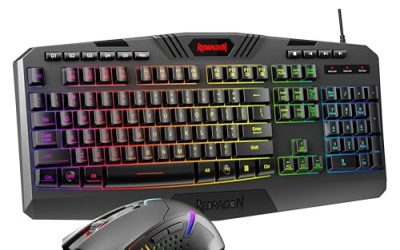
For players who like to tune everything, the Redragon S101-3 PRO Gaming Keyboard and Mouse Combo adds software support that the simpler sets skip, letting you record macros and adjust the mouse from one program. Five independent macro keys sit within reach on the full-size keyboard, alongside separate media keys and a wrist rest that helps during long sessions at a desk. The wired connection keeps input consistent, and the mouse lighting offers ten modes to match the keyboard’s effects if a unified look matters to you.
Specs
- Connection: wired USB for both devices
- Software: downloadable software for macros, lighting and mouse settings
- Keyboard: RGB backlit with 6 lighting effects, 5 independent macro record keys, 4 independent media keys
- Mouse: adjustable up to 7200 DPI, 10 RGB lighting modes
- Layout: full-size keyboard with integrated wrist rest
Best for: Gamers who want programmable macros and software control from a single matched set.
Watch out for: The full-size footprint with wrist rest needs a deep desk, which can crowd a laptop on smaller surfaces.
ASIN: B00NLZUM36
Which One Fits Your Situation
Your Laptop Has Two Ports and Both Are Busy
Choose a shared-receiver wireless combo and reclaim a socket immediately. The K10 and the G220 each run keyboard and mouse through one adapter, leaving the remaining port for a headset or external drive. Keep the receiver in whichever port you disturb least, because pulling it mid-session drops both devices at once.
The Laptop Doubles as Your Travel Machine
A rechargeable wireless set packs flatter and leaves the cables at home. Both wireless picks here charge over Type-C, so one cable in the bag covers keyboard, mouse, and most modern accessories. Store the receiver inside the mouse, as both designs allow, instead of loose in a pocket where it can vanish.
You Play at One Desk and Never Move
Wired combos make sense when the laptop lives in one place. The GK30 and the S101-3 PRO never need charging, never sleep at the wrong moment, and shrug off the wireless interference that crowded apartment buildings can create. Route the two cables once, neatly, and the setup is ready every time you sit down.
Your Desk Is a Corner of a Shared Table
Prioritize footprint over features. A compact wireless combo leaves room for the laptop, a drink, and whatever else shares the surface, and it clears away in seconds when the table is needed for something else. Full-size boards with wrist rests, like the Redragon, will dominate a small table and crowd your mouse hand.
Common Mistakes
- Buying a wired combo without counting ports, then discovering the headset or capture card has nowhere to plug in.
- Picking a full-size keyboard for a shallow desk and pushing the mouse into an uncomfortable, wide stance.
- Forgetting that a USB-A receiver does nothing for a USB-C-only laptop until an adapter enters the picture.
- Judging a combo by keyboard lighting alone while ignoring the mouse sensor, DPI range, and button count.
- Letting both wireless devices die on the same evening because neither was charged since the set arrived.
Frequently Asked Questions
Can one USB dongle really run both a keyboard and a mouse?
Yes, that is exactly how the wireless combos here are designed. The keyboard and mouse are paired to a single receiver at the factory, so plugging in one small adapter brings both devices to life. Your laptop sees a standard keyboard and mouse, with no extra software required for basic use.
Will a keyboard and mouse combo work with any gaming laptop?
Nearly all of them will, because these sets use standard USB connections that Windows gaming laptops recognize immediately. The main checks are physical: confirm you have a free port, and confirm its shape, since a USB-A receiver needs an adapter on a machine that only offers USB-C sockets.
Is a wired combo better than wireless for gaming on a laptop?
Wired sets remove charging and any chance of wireless interference, which some competitive players prefer. Modern 2.4GHz combos, though, respond fast enough that most players never notice a difference in ordinary play. The deciding factors are usually your port count, your desk space, and your tolerance for a charging routine.
How do I keep a wireless combo charged without extra clutter?
Charge both devices from the laptop itself or from the same Type-C cable you already carry for other gear. Keyboards with larger batteries need attention far less often than mice, so topping up the mouse during a download or a break quickly becomes a painless habit.
Related guides
More from Amazon
Programs that pair well with the guide above. Offers and eligibility are set by Amazon and may change.
A free business account with business pricing and bulk-buying tools for work, shop or home office.
Create a business accountFree shipping on eligible items, Prime Video and more. Eligible new members can start with a free trial.
Start a Prime free trialAudiobooks and podcasts to listen to on the go. Eligible new members can start with a free trial.
Try Audible freeAd-free music streaming. Eligible new subscribers can start with a free trial.
Try Music Unlimited freeAs an Amazon Associate we earn from qualifying purchases.