Side buttons are where a gaming mouse stops being a pointer and starts being a control panel. The real question is not how many buttons a mouse can cram beside your thumb, but how many you can press accurately in the middle of a fight without looking down. A two-button layout suits fast shooters, a six-button cluster fits MOBAs and action RPGs, and a full twelve-button grid only pays off if your game has a deep ability bar. Placement, spacing, and resistance matter as much as the raw count.
This guide compares five gaming mice that take side buttons seriously, from swappable MMO panels to a classic two-button FPS arrangement with a DPI clutch. Each pick was chosen from its Amazon listing, where the button layout, switch type, and sensor details are stated by the manufacturer, so you can match the layout to the games you actually play instead of buying the biggest number on the box.
Top 3 picks at a glance


Quick Picks
As an Amazon Associate we earn from qualifying purchases
| Product | Best for | Key spec from title |
|---|---|---|
| Razer Naga V2 Pro | MMO players who switch genres | Swappable 2, 6, or 12-button side plates |
| Corsair Scimitar RGB Elite | Full 12-button thumb grids | 12 side buttons on an adjustable Key Slider panel |
| Logitech G600 | Maximum binds under one thumb | 20 programmable buttons with G-Shift |
| Logitech G502 HERO | Mixed shooters and RPGs | 11 programmable buttons |
| Razer Basilisk V3 | FPS players who want a clutch | 11 programmable buttons with multi-function trigger |
How to Choose
Count the commands you press every fight
Open your main game and list what your thumb could take over: the abilities in your core rotation, one or two long cooldowns, a potion or consumable, push-to-talk, and a ping or map marker. Most shooter players land between two and four genuine jobs. MMO players with a full action bar can pass twelve without trying. That honest count is your target layout. Buying far beyond it adds buttons you will either ignore or hit by accident, and both outcomes cost you in the moments that decide fights.
Match the layout shape to your genre
Layout shape matters as much as the total. A twelve-button grid arranges commands in rows your thumb memorizes spatially, which suits ability-heavy games where every skill fires often. A six-button cluster covers a rotation plus cooldowns without demanding perfect aim from your thumb. A simple pair of buttons, possibly with a clutch trigger, keeps shooters clean: one for melee or a grenade, one for an ability, nothing else to brush mid-flick. Players who split genres can either compromise on a mid-size layout or choose a mouse with swappable side panels.
Judge placement by touch, not by photos
You press side buttons by feel while your eyes stay on the screen, so tactile separation is the spec that decides whether a layout works. Look for buttons with different shapes, angled surfaces, or raised dividers between rows, and check where the panel sits relative to a relaxed thumb. Buttons that demand a stretch invite the thumb to drag the mouse as you press, which moves your crosshair. Resistance matters too: very light buttons fire when you grip harder during a tense moment, while overly stiff ones slow repeated presses.
Check the software and onboard memory
Every extra button is only as good as the software behind it. Confirm the mouse supports per-game profiles, macros, and a secondary layer such as a shift key that doubles each button while held, because that layer can turn six physical buttons into twelve useful ones. Onboard memory matters if you play on more than one machine or at events where installing software is not an option. Also check whether key functions like DPI switching stay available without the app running, so a closed program never strands your setup.
The 5 Best Options
Razer Naga V2 Pro

Razer Naga V2 Pro is built around one idea: the side panel should change with the game. Three magnetic plates give you two, six, or twelve thumb buttons, so the same mouse can run a lean shooter layout on Friday and a full MMO grid on Saturday. With the twelve-button plate fitted it reaches 19+1 programmable buttons, and the plates swap in seconds with no tools. It is the natural pick for players who refuse to own a different mouse for every genre in their library.
Specs
- Buttons: 19+1 programmable buttons
- Side plates: 3 swappable magnetic plates with 2, 6, or 12 buttons
- Sensor: Razer Focus Pro 30K optical sensor
- Scroll wheel: HyperScroll Pro wheel
- Switches: Razer Optical Mouse Switches Gen-3
- Connectivity: HyperSpeed wireless, Bluetooth, and wired USB-C
- Battery life: up to 300 hours over Bluetooth
- Model: RZ01-04400100-R3U1
Best for: MMO and multi-genre players who want one mouse with swappable 2, 6, or 12-button layouts.
Watch out for: It is a large, heavy mouse, and the spare plates are one more thing to store between swaps.
ASIN: B0BGJTLFN5
Corsair Scimitar RGB Elite
The Corsair Scimitar RGB Elite commits fully to the twelve-button grid, then fixes the grid’s biggest weakness: reach. Its Key Slider system lets the whole side panel slide forward or backward and lock in place, so the back row sits where your thumb naturally lands instead of forcing a stretch. All twelve side buttons are mechanical, which keeps each press crisp and distinct during long sessions. If your ability bar is genuinely full, this is the wired mouse that makes a grid feel personal rather than generic.
Specs
- Buttons: 17 fully programmable buttons
- Side buttons: 12 mechanical side buttons
- Placement: patented Key Slider control system repositions the side panel
- Sensor: native 18,000 DPI optical sensor with 1 DPI adjustment steps
- Switches: Omron switches rated for 50 million clicks
- Connectivity: wired
- Model: CH-9304211-NA
Best for: MMO and MOBA players who will fill a 12-button grid and want to adjust its position.
Watch out for: Wired only, and the full grid takes practice before the presses become automatic.
ASIN: B082LRMY53
Logitech G600
The Logitech G600 is the long-running answer for players who want every spell under one thumb. Its panel carries twelve buttons arranged in two dished rows that guide your thumb by touch, and a third primary button under your ring finger works as G-Shift, doubling what every other button can do while held. That takes the total to twenty programmable buttons without enlarging the mouse. It is an older, wired design, but for pure bind density per hand position, it still sets the pattern others follow.
Specs
- Buttons: 20 programmable buttons
- Thumb panel: 12-button dual-dish thumb panel for no-look navigation
- G-Shift: ring-finger button doubles the actions on every other button
- Memory: onboard memory stores one profile
- Model: 910-002864
Best for: MMO players who want the most binds under the thumb, doubled again with G-Shift.
Watch out for: The design is older and wired only, and the wide body suits palm grips better than fingertip grips.
ASIN: B0086UK7IQ
Logitech G502 HERO

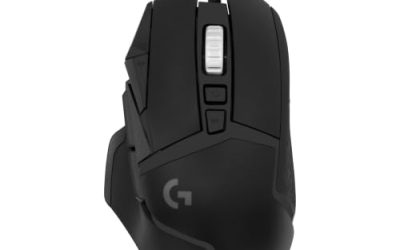
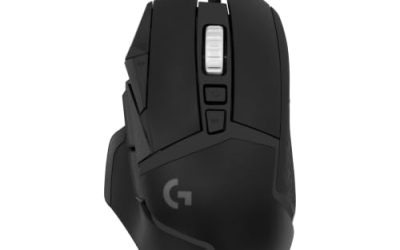
The Logitech G502 HERO spreads eleven programmable buttons around the whole mouse instead of stacking them under the thumb. Two buttons sit beside the left click, two more ride the thumb side above a dedicated sniper button, and the wheel tilts as well as clicks. That spread suits players who want a few extra commands in a shooter or action game without learning a grid. Adjustable weights let you add heft in small steps, which helps keep deliberate thumb presses from nudging your aim off target.
Specs
- Buttons: 11 programmable buttons
- Sensor: HERO 25K sensor, 100 to 25,600 DPI
- Weights: five removable 3.6g weights for adjustable balance
- Memory: onboard memory saves up to five profiles
- Wheel: dual-mode hyper-fast scroll wheel
- Model: 910-005469
Best for: Players mixing shooters, action games, and RPGs who want buttons spread around the mouse.
Watch out for: It is heavy even before adding weights, and the busy shape can crowd smaller hands.
ASIN: B07GBZ4Q68
Razer Basilisk V3

The Razer Basilisk V3 keeps the classic two-button thumb layout and adds one clever extra: a removable multi-function trigger that sits ahead of the thumb buttons as a DPI clutch. Holding it drops sensitivity for a careful shot, and releasing it restores your normal setting instantly. Eleven programmable buttons in total means the wheel tilt, top buttons, and trigger all carry secondary jobs if you want them. For shooter players who fear accidental grid presses, this focused layout is the safer daily driver.
Specs
- Buttons: 11 programmable buttons
- Side controls: 2 thumb buttons plus a removable multi-function trigger
- Sensor: Razer Focus+ 26K DPI optical sensor
- Wheel: HyperScroll tilt wheel with free-spin and tactile modes
- Connectivity: wired USB
- Model: RZ01-04000100-R3U1
Best for: FPS players who want a DPI clutch and two thumb buttons without grid anxiety.
Watch out for: Wired only, and the removable clutch trigger is a small part that can be misplaced.
ASIN: B09C13PZX7
Which One Fits Your Situation
You run a full MMO action bar
Pick a twelve-button grid and bind your rotation in the same spatial order it appears on screen, so muscle memory builds in rows. The Scimitar’s sliding panel and the G600’s dished rows both help your thumb learn positions without looking. Add G-Shift or a second profile layer for cooldowns and mounts, and leave the rarely used social commands on the keyboard where they belong.
You play competitive shooters
Stay with two thumb buttons and spend your attention on the clutch. A DPI-shift trigger like the Basilisk V3’s gives you a third input that cannot be confused with the pair beside it, which keeps accidental grenades out of your rounds. Bind push-to-talk and melee, keep abilities on keys your left hand already knows, and choose a lighter, simpler shape over any grid.
You split your week across genres
Choose flexibility over specialization. The Naga V2 Pro’s swappable plates let one mouse behave like three, and a mid-size layout with a shift layer is the other honest route. Either way, keep one consistent profile habit: same push-to-talk and screenshot keys in every game, so switching titles never means relearning the basics while your group waits on you to ready up.
You play MOBAs and action RPGs
A six-button cluster is the sweet spot here: enough for a full ability set, a consumable, and a ward or ping, without the learning curve of a full grid. If a mouse only offers twelve, bind the front two rows and deliberately leave the back row empty until a command truly earns the space. Your thumb will thank you during the first team fight of the night.
Common Mistakes
- Buying the highest button count available, then using four of the buttons and fighting the rest for months.
- Binding every side button on day one instead of adding one command at a time until each press is automatic.
- Placing a panic button, like a heal or an ultimate, next to a spammed rotation key where a sloppy press wastes it.
- Forgetting that wheel tilts, DPI buttons, and clutch triggers also count as inputs when planning a layout.
- Leaving the default binds in place, so the mouse ships with commands you never chose scattered under your thumb.
Frequently Asked Questions
How many side buttons do most players actually use?
Most players settle between two and six. Shooter players typically use two thumb buttons plus a clutch, while MMO players who bind a full rotation genuinely use ten or more. The honest test is your current game: count the commands you reach for every fight, not the ones a full action bar could theoretically hold.
Is a 12-button grid mouse good for shooters?
It can work, but it asks more of your thumb than most shooters reward. Extra grid buttons sit close together, so fast grip changes can fire the wrong command. Many grid owners simply bind only the front row for shooters and keep the rest empty. If shooters are your main game, a two-button layout with a clutch is the cleaner tool.
Can side buttons replace keyboard binds completely?
Only partly. Your thumb is one digit pressing in sequence, so it cannot match several fingers striking keys at once, and chords or movement keys still belong on the keyboard. Side buttons shine for single, frequent commands: interrupts, potions, mounts, push-to-talk. Treat the panel as a shortcut row for your busiest actions rather than a second keyboard strapped to the mouse.
What should I do about accidental side button presses?
Start by moving your most punishing command away from the button your thumb brushes when you lift or re-grip the mouse, usually the front-top position. Then raise your grip pressure gradually in practice instead of changing binds daily. Many players also unbind the easiest-to-hit button entirely for a week; if nothing feels missing, that button was never earning its place.
Related guides
More from Amazon
Programs that pair well with the guide above. Offers and eligibility are set by Amazon and may change.
A free business account with business pricing and bulk-buying tools for work, shop or home office.
Create a business accountFree shipping on eligible items, Prime Video and more. Eligible new members can start with a free trial.
Start a Prime free trialAudiobooks and podcasts to listen to on the go. Eligible new members can start with a free trial.
Try Audible freeAd-free music streaming. Eligible new subscribers can start with a free trial.
Try Music Unlimited freeAs an Amazon Associate we earn from qualifying purchases.