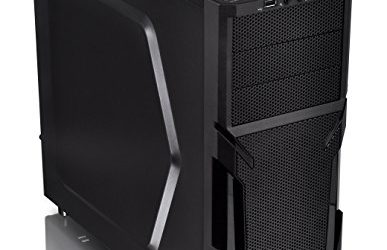
The best pink PC case is usually a white or pastel-finish mid-tower with a mesh front, tempered glass and room for a 360 mm radiator, paired with pink fans, cables and lighting. True factory-pink cases are rare and often limited editions, so the smartest approach is to pick a case on airflow and GPU clearance first, then add the pink through the parts you can swap. This guide shows how to shortlist, what to check before you buy, and how to calculate whether your parts will actually fit.
Quick comparison of pink-friendly case types
| Pick | Best for | Key specs | Price range |
|---|---|---|---|
| Pastel or pink limited-edition ATX mid-tower | Anyone who wants pink out of the box | ATX, tempered glass, 3-6 fans supported, GPU up to about 330-400 mm | Usually $90-$180 |
| White mesh-front ATX mid-tower | Best overall: cool, quiet, easy to accent in pink | Mesh intake, 360 mm radiator top or front, 7 expansion slots | Usually $80-$150 |
| White micro-ATX or mini-tower | Small desks and budget builds | mATX, 2-4 fans, GPU up to about 320-360 mm | Usually $55-$110 |
| Dual-chamber white showcase case | Display builds with RGB and custom cabling | Two glass panels, vertical GPU option, 360 mm radiators on two sides | Usually $110-$220 |
| Small-form-factor white ITX case | Compact, gift-style or dorm builds | Mini-ITX, 2-3 slot GPU, SFX power supply | Usually $100-$200 |
Best overall: a white mesh-front mid-tower you accent in pink
For most buyers, a white ATX mid-tower with a perforated or mesh front panel beats a pink case with a solid front. Cases such as the NZXT H5 Flow and the Lian Li Lancool 216 are sold in white finishes and are widely discussed for good airflow, while pink-specific shells often restrict intake. A white shell also takes pink very well: pastel pink fans, a pink GPU backplate sleeve, pink braided extension cables and a soft-pink LED strip all read as one intentional theme.
The trade-off is effort. You assemble the look yourself, and pink fans can cost $15-$40 each depending on whether they are plain or addressable RGB. If you want a finished look without parts hunting, go with a factory pastel edition.
Best factory pink: limited-edition pastel cases
Several brands have released pastel or pink variants of popular cases, for example Cooler Master has sold colorway versions of its Qube-style flat-pack cases, and some makers offer pink side-panel kits. Availability changes often, so check the manufacturer’s current product page rather than trusting an old listing. The main trade-offs are limited stock, a price premium of roughly $15-$40 over the standard colorway, and sometimes fewer pre-installed fans.
Before you commit, confirm three things on the spec sheet: the maximum GPU length, the maximum CPU cooler height, and which radiator sizes the top and front panels accept. Pink limited editions are sometimes built on compact designs, and a long modern graphics card can be tighter than expected.
Best budget: a white micro-ATX tower
If you are building a $700-$900 system, a white micro-ATX case in the $55-$90 range is enough. Look for at least two included fans, a dust filter on the PSU shroud, and a removable front panel you can wrap or replace. Micro-ATX boards have four RAM slots and usually two M.2 slots, which covers a typical gaming build. The compromise is cable space: thin cases leave less depth behind the motherboard tray, so use shorter, flexible cables.
Best for a showcase build: a dual-chamber glass case
Dual-chamber designs move the PSU and drives into a separate section, which makes cable runs short and the main chamber tidy. This suits pink builds because the color is the star: white interior, pink tubing or cables, and a vertically mounted GPU. The trade-off is price and weight, and many such cases lean on glass for the front, which can hurt airflow if the side panel has no intake mesh. Pair these cases with 120 mm fans at the bottom and side to compensate.
Best compact: mini-ITX white case
Mini-ITX cases hold a short or compact graphics card and an SFX power supply. They are good for dorm rooms, small desks and gift builds. Component choice matters more here: use a 2-slot GPU, a low-profile or 120-140 mm tower cooler, and an SFX 650-750 W power supply. Expect to pay more for the parts than for a standard ATX build.
How to calculate whether your parts fit
Fit problems account for most returned cases. Use this simple clearance worksheet before buying. All numbers are examples; confirm yours on each manufacturer’s spec sheet.
| Check | Case limit (example) | Your part (example) | Result |
|---|---|---|---|
| GPU length | 360 mm | Card 336 mm + 20 mm cable bend allowance = 356 mm | Fits with 4 mm to spare |
| CPU cooler height | 165 mm | Tower cooler 155 mm | Fits with 10 mm to spare |
| Top radiator | 360 mm (3 x 120 mm) | Radiator 397 x 120 mm plus 27 mm fans | Check RAM clearance; often needs 50 mm free above board |
| PSU length | 200 mm | ATX PSU 160 mm + 40 mm cables | Fits |
The rule of thumb is to keep at least 10-20 mm of margin on GPU length, because the power connector sticks out past the card and front radiators or fans can eat into the space. A card listed at 336 mm plus a right-angle power cable can need around 355 mm in practice.
Worked airflow budget
Take a typical gaming build with a 200 W GPU and a 125 W CPU: roughly 325 W of heat plus 40-60 W from the board, drives and fans, about 380 W in total. A common guideline is to aim for at least 50-70 CFM of case airflow per 100 W of sustained heat in a quiet build, so 380 W calls for about 190-265 CFM across all case fans. Three 120 mm fans at around 55-65 CFM each give about 165-195 CFM, which is borderline. Four to five fans, or higher-airflow models, fit the load better. This is a planning guide, not a measured result, and actual temperatures depend on fan curves, dust filters and room temperature.
How to pick pink components that match
- Fans: choose models with pink frames or translucent pink blades, or use white fans with pink addressable lighting. Aim for static-pressure fans on radiators and filters.
- Cables: sleeved extension kits in pink are usually $20-$40 and make the build look finished without changing the PSU.
- Keyboard and mouse: pink or white peripherals are widely available and keep the desk consistent.
- Lighting: set RGB to a single pink hue rather than rainbow cycling; most motherboard software lets you save it as a static profile.
- Paint or wraps: removable vinyl wraps are cheaper and reversible compared with repainting panels, which can void a warranty.
How to choose: a decision matrix
| Your situation | Choose |
|---|---|
| Want pink with no work | Factory pastel limited edition, after checking GPU and cooler clearance |
| Want the best temperatures | White mesh-front ATX mid-tower with pink fans |
| Under $900 total build | White micro-ATX tower and pink sleeved cables |
| Streaming or showcase setup | Dual-chamber glass case, vertical GPU, pink lighting |
| Very small desk | Mini-ITX white case with a 2-slot GPU |
Frequently Asked Questions
Do pink PC cases cost more than standard ones?
Factory pink or pastel editions often cost about $15-$40 more than the standard black or white version because of limited production. A white case with pink accessories can come out cheaper, and you can keep the accessories if you upgrade the case later.
Is a pink case worse for cooling?
No, color does not affect cooling. Airflow depends on the front panel design, the number of fans and the dust filters. Some pastel cases have solid glass fronts, which restrict intake, so check for side or bottom ventilation.
Can I paint a PC case pink myself?
Yes, but it takes prep: strip the panels, sand lightly, apply primer, then thin coats of paint and clear coat. Avoid painting vent edges and screw threads. Vinyl wraps are an easier and reversible alternative, and painting may affect the warranty.
What size case should I pick for a pink build?
An ATX mid-tower gives the most room for GPUs and radiators. Choose micro-ATX to save space and money, or mini-ITX if you need a very small footprint and are comfortable with tighter component choices.
Will pink fans and RGB lighting add heat or noise?
Lighting adds negligible heat, usually a few watts at most. Noise comes from fan speed and bearing quality, not color, so look at the rated noise level in dBA on the spec sheet and set a fan curve that stays low at idle.
Related guides
More from Amazon
Programs that pair well with the guide above. Offers and eligibility are set by Amazon and may change.
A free business account with business pricing and bulk-buying tools for work, shop or home office.
Create a business accountFree shipping on eligible items, Prime Video and more. Eligible new members can start with a free trial.
Start a Prime free trialAudiobooks and podcasts to listen to on the go. Eligible new members can start with a free trial.
Try Audible freeAd-free music streaming. Eligible new subscribers can start with a free trial.
Try Music Unlimited freeAs an Amazon Associate we earn from qualifying purchases.