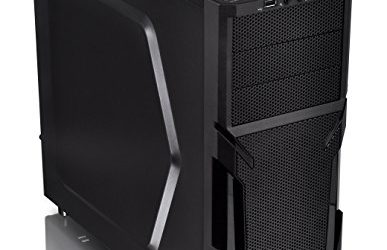
The best quiet PC cases in 2026 are the Fractal Design Define 7 family and the be quiet! Silent Base series, because they combine sound-dampening panels, sealed front doors and room for large, slow-spinning fans. If you want a budget quiet case, the Antec P101 Silent class remains a sensible choice. A quiet case helps, but noise mainly comes from fans, coolers and graphics cards, so the best results come from pairing the case with low-RPM fans and a sensible cooling plan.
Quick comparison of quiet PC case picks
| Pick | Best for | Key specs | Typical price |
|---|---|---|---|
| Fractal Design Define 7 | Best overall quiet case | ATX mid-tower, dense sound-dampening panels, solid front door, flexible interior | Usually $170-$210 |
| Fractal Design Define 7 Compact | Best smaller quiet case | ATX-capable compact tower, damping panels, solid front door | Usually $120-$160 |
| be quiet! Silent Base 802 | Best for switching between silent and airflow | Mid-tower, removable top and front panels, pre-installed Pure Wings fans | Usually $150-$190 |
| be quiet! Silent Base 601 | Best value from be quiet! | Mid-tower, damping panels, tool-free design | Usually $110-$150 |
| Antec P101 Silent | Best for budget builders with many drives | Mid-tower with foam-lined panels, room for many drives | Usually $120-$160 |
Specifications come from manufacturer spec sheets. Prices are general market ranges and availability changes, since some of these cases have long production runs and variants.
What makes a case quiet
A quiet case does three jobs. First, it blocks and absorbs sound from fans and coil whine with thick panels and foam or bitumen lining. Second, it lets slow, large fans move enough air that the system does not need to spin fast. Third, it avoids vibration by using rubber grommets and well-built fan and drive mounts. Cases built purely for airflow use mesh fronts that let heat out and noise in, so they are usually louder.
The trade-off is thermals. A sealed front door and damping foam reduce airflow, so components can run a few degrees hotter, especially under a sustained gaming load. That is acceptable if you pick a CPU cooler and graphics card with good efficiency and run reasonable fan curves.
Best overall: Fractal Design Define 7
The Define 7 is the benchmark for quiet cases. Its thick panels, solid front door and compartmentalized interior make it a favorite for silent builds and workstation PCs. It supports large radiators and multiple drives, and the layout can be rearranged to prioritize either airflow or storage. It suits people who value silence and build quality over compact size.
The trade-off is size and weight. It is a large case, and it is not the best choice for a desk with limited space. Airflow depends on using good fans.
Best smaller quiet case: Fractal Design Define 7 Compact
The Define 7 Compact keeps the same design language in a smaller body. It fits most ATX builds with a full-size graphics card and is cheaper than the standard Define 7. The trade-off is tighter space for cable management and fewer drive bays, so check your cooler height limit before you buy.
Best for flexible setup: be quiet! Silent Base 802
The Silent Base 802 lets you swap between sound-dampened panels and mesh panels, so you can run it silent or boost airflow for a hot summer. It ships with quiet fans and supports large radiators. It suits builders who want to adjust the case to the workload. The trade-off is that its quietest configuration limits airflow somewhat, so you need to choose your components with that in mind.
Best value from be quiet!: Silent Base 601
The Silent Base 601 offers the same damping approach at a lower price. It is a practical choice for a mid-range gaming PC where you want the noise down without spending on a premium case. The trade-off is fewer features and less modern I/O than newer designs.
Best budget with many drives: Antec P101 Silent
The P101 Silent class is aimed at builders who need lots of storage and a quiet environment. It has a sturdy frame, foam-lined panels and many drive bays. The trade-off is that it is older in design and may lack features like a USB-C front port, so check the exact version.
Worked example: how fan noise adds up
Noise is measured in dBA on a logarithmic scale, so doubling the sound source adds about 3 dB, not double the number. If one fan produces 25 dBA, two identical fans produce about 25 + 10 x log10(2) = 28 dBA. Four identical fans produce about 25 + 10 x log10(4) = 31 dBA. Six fans produce roughly 33 dBA.
| Number of 25 dBA fans | Combined noise | Perceived result |
|---|---|---|
| 1 | 25 dBA | Barely audible in a quiet room |
| 2 | 28 dBA | Faint hum |
| 4 | 31 dBA | Noticeable in a silent room |
| 6 | 33 dBA | Audible but not intrusive |
This shows two things. First, using fewer, larger fans is quieter than using many small ones. Second, a graphics card running at 40 dBA will dominate a system of 25 dBA case fans, so the card and cooler matter more than another fan. Spec-sheet noise figures are measured at a set distance in a lab and are not directly comparable between brands, so treat them as a guide.
How to build a quiet system inside the case
- Use 140 mm fans where possible. A 140 mm fan moves more air at the same RPM than a 120 mm model, so it can run slower. Aim for 600-900 RPM under load.
- Choose a large tower cooler or 280/360 mm liquid cooler. A big heatsink lets the CPU fan spin slowly. Examples include dual-tower air coolers from Noctua and be quiet!. Check height against the case limit.
- Pick an efficient GPU. Cards with a large heatsink and three fans stay quieter. Compare reviews for noise at load.
- Set fan curves. In the BIOS or fan software, keep fans below 40% until CPU temperature passes about 60 degrees C, then ramp gradually. Avoid sharp curves that cause fans to surge.
- Use an SSD instead of spinning drives. Hard drives add seek noise and vibration. If you need one, mount it with rubber grommets.
- Select a fanless or semi-passive PSU. A good 80 Plus Gold power supply with a zero-RPM mode stays silent at low loads.
Compatibility checks before you buy
Check these three numbers: maximum GPU length (often 315-440 mm depending on the case and front fan setup), maximum CPU cooler height (commonly 160-185 mm) and PSU length. A thick, sound-dampened case often has less room than a mesh case of the same size. For example, a 360 mm radiator may only fit in the top with the front fan bracket removed. Always confirm in the manufacturer’s specifications for the exact version of the case.
Decision matrix
| Your situation | Recommended case | Reason |
|---|---|---|
| Silent workstation, many drives | Define 7 or Antec P101 Silent | Thick panels, drive capacity |
| Gaming PC with hot GPU | Silent Base 802 | Can open panels for airflow |
| Small desk | Define 7 Compact | Smaller footprint |
| Tight budget | Silent Base 601 or P101 Silent | Lower prices with damping |
Frequently Asked Questions
Does a quiet case make a PC run hotter?
Slightly. Sealed fronts and foam panels limit airflow, so temperatures can rise by a few degrees compared with a mesh case. With a good cooler and sensible fan curves, the system stays within safe limits and is far quieter.
Are sound-dampened cases worth it?
They help most when your noise comes from fans and drives and you sit near the PC. If the loudest part is a high-end GPU under load, a quiet case reduces the noise but cannot remove it. Combine the case with efficient parts for the best result.
Which fans are best for a quiet build?
Large 140 mm fans with fluid dynamic bearings from brands like Noctua, be quiet! and Arctic are well regarded for low noise per unit of airflow. Check the RPM range and avoid models that buzz at low speed.
Can I make my current case quieter?
Yes. Replace loud fans with quieter ones, tune the fan curve, add rubber mounts for drives and move the PC away from reflective surfaces. Adhesive acoustic foam helps a little but can trap heat if applied to vents.
Is liquid cooling quieter than air cooling?
Not automatically. A large air cooler with a slow fan is often just as quiet as an all-in-one liquid cooler, and AIO pumps can add a faint hum. Pick based on case fit and CPU heat output.
Related guides
More from Amazon
Programs that pair well with the guide above. Offers and eligibility are set by Amazon and may change.
A free business account with business pricing and bulk-buying tools for work, shop or home office.
Create a business accountFree shipping on eligible items, Prime Video and more. Eligible new members can start with a free trial.
Start a Prime free trialAudiobooks and podcasts to listen to on the go. Eligible new members can start with a free trial.
Try Audible freeAd-free music streaming. Eligible new subscribers can start with a free trial.
Try Music Unlimited freeAs an Amazon Associate we earn from qualifying purchases.