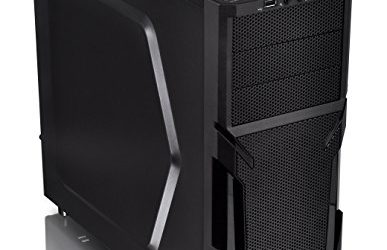
The best showpiece PC cases are dual-chamber, panoramic-glass designs such as the Lian Li O11 Dynamic EVO, the Hyte Y60 and Y70, the Phanteks NV7 and the Thermaltake Tower 500, with the Fractal Design North as the warm, wood-accented alternative. They put the motherboard, graphics card and cooling loop on display behind large glass panels, and they cost usually $100-$250 before you add fans and a vertical GPU mount.
A showpiece case is judged on how the finished build looks from a few feet away. That means glass area, cable routing space, fan and radiator mounting, GPU orientation and the room for lighting. Airflow matters too, because a beautiful case that throttles your graphics card is a poor trade.
Quick comparison
| Pick | Best for | Key specs | Typical price range |
|---|---|---|---|
| Lian Li O11 Dynamic EVO | Best overall showpiece | Dual chamber, tempered glass front and side, up to 3 x 360 mm radiators, E-ATX support per the maker | Usually $150-$200 |
| Hyte Y60 | Best panoramic view | Curved dual-glass corner, vertical GPU riser included, ATX and mATX | Usually $200-$250 |
| Hyte Y70 | Best large build | Larger dual-chamber, 8-slot GPU space, radiator room on top and side | Usually $220-$300 |
| Phanteks NV7 | Best for water cooling | Full-tower, wraparound glass, support for 420 mm class radiators | Usually $200-$270 |
| Thermaltake Tower 500 | Best vertical layout | Vertical mid-tower, large glass panels, GPU mounted vertically | Usually $150-$220 |
| Fractal Design North | Best understated design | Mesh front with walnut or other wood trim, good airflow | Usually $120-$180 |
Best overall: Lian Li O11 Dynamic EVO
The O11 line popularized the dual-chamber showpiece look, and the EVO version keeps it with improved mounting options. The motherboard sits in a main chamber behind glass, while the power supply and cables hide behind the right panel. It supports multiple radiators, so custom-loop builders favor it. The trade-off is that its glass panels collect fingerprints and its default airflow is less strong than mesh cases unless you add enough intake fans.
Best panoramic view: Hyte Y60
The Y60’s curved glass corner is built so there is no pillar blocking the view of the GPU and motherboard. It ships with a PCIe riser so the graphics card can be mounted vertically, saving an extra purchase. The trade-offs are that vertical mounting can restrict airflow for thick cards, and the price sits at the top of this list. Per the manufacturer, graphics card length limits and riser slot positions vary, so check your card’s dimensions before ordering.
Best large build: Hyte Y70
If you own a large, triple-fan graphics card or want space for a 360 mm radiator, the Y70 is more forgiving than the Y60. Its bigger chamber leaves room to display cable work cleanly. It is also heavy and large, so measure your desk, and note that the touch-screen version adds cost without changing the core design.
Best for water cooling: Phanteks NV7
The NV7 is a full tower with wraparound glass and plenty of radiator and reservoir room. It suits custom loop builds where the coolant and tubing are the showpiece. Trade-offs: it is large and heavier than average, and the price rises once you buy compatible fans and fittings.
Best vertical layout: Thermaltake Tower 500
Its tall, vertical design makes the graphics card face outward, giving a fresh look that stands apart from standard horizontal cases. The trade-off is weight and desk footprint, and some builders find the layout awkward for cable routing.
Best understated design: Fractal Design North
If you want a showpiece that looks like furniture rather than a gaming rig, the North’s wood front and optional mesh or glass side panel is a calm choice. Its mesh front panel gives better airflow than most glass-front cases. The trade-off is less glass area and fewer radiator mounting options than the dual-chamber cases above.
Worked example: does a showpiece case run hot?
Take a build with a 200 W graphics card and a 120 W processor, a combined heat load of 320 W. Case fans move air measured in cubic feet per minute (CFM). A 120 mm fan commonly delivers about 50-70 CFM at standard speeds. Three intake fans and three exhaust fans give around 150-210 CFM of airflow in an open case. In a restricted glass-front case with a dust filter and no front intake, effective flow can fall by 30-50 percent, to roughly 75-140 CFM. Under the same load, that can raise internal air temperatures by several degrees Celsius. The fix is simple: count intake fan positions before you buy, and favor cases with side and bottom intake.
| Case layout | Typical intake positions | Airflow tendency | Best paired with |
|---|---|---|---|
| Dual chamber, glass front | Side and bottom | Good if you fill 6 slots | Mid-power GPUs, 3 x 120 mm side fans |
| Curved glass, Hyte style | Front fans and bottom | Moderate, GPU may run warm vertically | GPUs under 300 W |
| Vertical, Tower 500 | Side and bottom | Good with side intake | Open-air coolers |
| Mesh front, North | Front | Best of the group | High-power GPUs, any CPU cooler |
How to choose: decision matrix
| Your goal | Best match |
|---|---|
| Classic look, strong community and accessories | Lian Li O11 Dynamic EVO |
| Show off a large GPU vertically | Hyte Y60 or Y70 |
| Custom water loop | Phanteks NV7 or O11 EVO |
| Unusual vertical aesthetic | Thermaltake Tower 500 |
| Looks that suit a living room | Fractal Design North |
Compatibility checks before you buy
GPU length and thickness
Modern graphics cards can run 300-350 mm long and occupy three or four slots. In a vertical mount, thickness is the constraint, because the card sits close to the side glass. Check the case’s listed maximum GPU length and clearance to the panel, and compare with your card’s spec sheet.
Radiator and cooler height
Air coolers have height limits, usually between 150 and 180 mm in showpiece cases. A tall dual-tower cooler may not fit with the glass panel in place. For liquid coolers, check which sides accept a 240, 280 or 360 mm radiator and how thick the radiator plus fans can be.
Cable length and power supply
Dual-chamber layouts put the power supply behind the motherboard tray, so cables need to reach across the case. Most modern power supplies ship long enough cables, but a custom sleeved cable set can add $50-$100 for a cleaner look.
Lighting and fans
Addressable RGB fans are the biggest visual upgrade. Aim for matching sets of three, and verify the header type. Most use a 5V three-pin addressable connector, while older fans use a 12V four-pin RGB header, and mixing them can damage the lights.
Weight and desk space
Large glass cases can weigh 15 kg empty and 25 kg or more when built. Make sure your desk can handle it and that the glass panels are carried separately when you move the case.
Frequently Asked Questions
Are showpiece PC cases worse for cooling?
Some are, particularly those with a solid glass front and few intake positions. You can offset this by adding intake fans on the side and bottom, or by choosing a case that supports mesh panels.
Is tempered glass fragile?
Tempered glass is stronger than regular glass but can shatter from a sharp edge impact. Handle panels carefully, remove them before moving the case and avoid over-tightening the screws.
Do I need a PCIe riser for a vertical GPU mount?
Yes, a riser cable is required. Choose a PCIe 4.0 or 5.0 rated riser matching your card, because poor-quality risers can cause crashes or reduced speeds.
How much should I spend on a showpiece case?
Most good options cost $120-$250. Spending more usually buys a bigger frame or bundled fans and riser, not better build quality in a way you will notice daily.
Can I fit a small-form-factor build in these cases?
You can, but a showpiece case is oversized for a micro-ATX or mini-ITX build. If you want a compact display build, choose a small glass case designed for it.
Related guides
More from Amazon
Programs that pair well with the guide above. Offers and eligibility are set by Amazon and may change.
A free business account with business pricing and bulk-buying tools for work, shop or home office.
Create a business accountFree shipping on eligible items, Prime Video and more. Eligible new members can start with a free trial.
Start a Prime free trialAudiobooks and podcasts to listen to on the go. Eligible new members can start with a free trial.
Try Audible freeAd-free music streaming. Eligible new subscribers can start with a free trial.
Try Music Unlimited freeAs an Amazon Associate we earn from qualifying purchases.