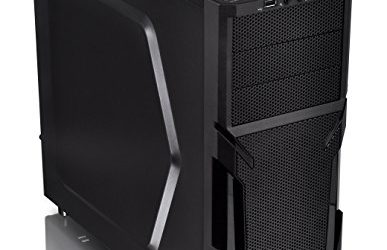
The best-selling PC cases in 2026 are mid-tower airflow models with mesh front panels, such as the Corsair 4000D Airflow, NZXT H5 Flow, Fractal Design North, and Lian Li Lancool 216, plus showcase dual-chamber cases like the Lian Li O11 Dynamic EVO. They sell well because they fit most modern builds, cool well, and cost $70 to $180. Popularity is a signal, not a guarantee, so the sections below show who each case suits and how to check that it fits your parts.
Quick comparison of popular PC cases
| Case | Best for | Max GPU length | Front fan support | Price range |
|---|---|---|---|---|
| Corsair 4000D Airflow | Best overall value | about 360 mm | 2 x 120 mm or 2 x 140 mm | $80-$110 |
| NZXT H5 Flow | Clean look, simple build | about 365 mm | 2 x 120 mm included | $90-$110 |
| Lian Li Lancool 216 | Best airflow per dollar | about 392 mm | 2 x 160 mm included | $90-$120 |
| Fractal Design North | Style, wood or mesh front | about 355 mm | 2 x 140 mm included | $140-$180 |
| Lian Li O11 Dynamic EVO | Showcase, water cooling | about 426 mm | Side and bottom radiators | $150-$200 |
| Montech Air 903 Max | Budget airflow | about 400 mm | Several fans included | $60-$80 |
Dimensions are approximate, per the manufacturers’ spec sheets, and vary by front-fan or radiator configuration. Always confirm against the latest spec page.
Best overall: Corsair 4000D Airflow
The 4000D Airflow is a long-running seller because it is easy to build in, has a perforated front panel, and supports typical ATX motherboards and most current graphics cards. It suits first-time builders and mid-range systems. The trade-off is a plain look and cable management that is adequate rather than generous behind the motherboard tray.
Best for a clean aesthetic: NZXT H5 Flow
The H5 Flow uses a perforated front, a clear glass side panel, and includes front fans. It is a good pick for a tidy, minimalist build. The compromise is a bit less room for thick radiators than larger cases, so large 360 mm radiators in the front are not an option.
Best airflow per dollar: Lian Li Lancool 216
This case ships with large 160 mm front fans and a rear fan, giving strong airflow without buying extras. It supports longer graphics cards, which matters for current high-end GPUs. The trade-off is that it is a larger case, so check your desk space.
Best for showcase builds: Lian Li O11 Dynamic EVO
The dual-chamber layout hides the power supply and cables in a rear chamber and displays components through glass on two sides. It is the case of choice for custom loops and AIO radiators on the side or bottom. It costs more and cooling depends on correct fan placement, because glass panels limit air intake.
Best on a budget: Montech Air 903 Max
This budget option includes multiple pre-installed fans and a mesh front, which is rare at its price. Build quality is plainer than the premium picks, with thinner panels and fewer cable tools. It is a good option for a $800 to $1,200 system where the money is better spent on the GPU.
How to choose with numbers
Use three checks before you buy.
- GPU length. Measure from the manufacturer’s spec for your graphics card. Add 20 mm clearance if you have front fans or a radiator. A 340 mm card fits comfortably in a case that supports 360 mm without front-mounted components, but not in a case rated 345 mm with a front radiator.
- CPU cooler height. Air coolers such as the Noctua NH-D15 are about 165 mm tall, which fits most mid-towers rated for 160 to 185 mm of clearance, but check exact numbers. Slim cases may need a shorter cooler.
- Radiator support. If you plan a 240 mm or 360 mm AIO, confirm the case supports it at the front or top, and check that the radiator plus fans do not collide with RAM or motherboard heatsinks.
Worked example: GPU and cooler fit
Suppose you buy a graphics card that is 330 mm long and an AIO with a 360 mm radiator mounted at the front. A radiator with fans takes about 55 to 60 mm of space, so you need at least 330 + 60 = 390 mm of GPU clearance with the radiator installed. A case rated for 365 mm with front radiators would not fit; the Lancool 216 would work. This kind of calculation is what spec sheets rarely make obvious.
Airflow versus noise and dust
| Front panel type | Airflow | Noise | Dust |
|---|---|---|---|
| Full mesh | High | Louder at idle | Needs dust filters |
| Perforated | Medium-high | Balanced | Moderate |
| Solid or glass front | Low | Quietest | Low but hotter parts |
For most gaming PCs, mesh or perforated panels run several degrees cooler under load than solid fronts, according to published case reviews, but exact differences depend on fans and components.
Matching a case to your build budget
A common rule is to spend roughly 5 to 10 percent of the total build budget on the case. For a $1,000 build that is $50 to $100, which points to the Montech Air 903 Max or the Corsair 4000D Airflow. For a $2,000 build the range is $100 to $200, which opens up the Lancool 216, Fractal North, and O11 Dynamic EVO. Spending more than 10 percent on a case usually means less money for the graphics card, which is the part that moves frame rates.
| Total build budget | Case budget (5-10%) | Suitable picks |
|---|---|---|
| $800-$1,000 | $40-$100 | Montech Air 903 Max, Corsair 4000D Airflow |
| $1,200-$1,600 | $60-$160 | NZXT H5 Flow, Lancool 216 |
| $2,000+ | $100-$200 | Fractal North, O11 Dynamic EVO |
Build-quality details that separate cases
- Cable routing room: At least 20 mm behind the motherboard tray makes cable management easier; below that, panels bulge.
- Dust filters: Removable front, top, and bottom filters save disassembly during cleaning.
- Front I/O: A USB-C port and two USB-A ports are the practical minimum for modern peripherals.
- Drive bays: At least two 2.5-inch mounts and one or two 3.5-inch bays suit most users, since NVMe drives sit on the motherboard.
- PSU shroud: It hides cables and the power supply, though it can limit front radiator thickness.
What popularity does not tell you
A best-selling case may not be right for a small-form-factor build, a quiet office PC, or a very long GPU. Sales rank also changes by region and promotion. Use popularity as a starting list, then confirm dimensions and fan counts.
Frequently Asked Questions
What size PC case do I need?
A mid-tower ATX case fits most gaming builds, including standard motherboards and large GPUs. Choose a mini-ITX case only if you need a small footprint, and expect tighter cooling and cable routing.
Is a mesh front panel better for gaming?
Generally yes, because it lets fans pull in more cool air, lowering GPU and CPU temperatures under load. The cost is more fan noise and dust, which filters help manage.
How many case fans do I need?
Two intake fans in front and one exhaust at the rear is a good baseline. Adding a top exhaust fan helps with high-wattage GPUs and CPUs.
Are tempered glass side panels worth it?
They are worth it if you want to show components. They do not affect cooling directly, but they can hold in heat if the case lacks adequate intake. They are also heavier and more fragile than steel.
Can I use any case with any motherboard?
No. Check the motherboard form factor: ATX, micro-ATX, and mini-ITX. Most ATX cases support smaller boards, but a micro-ATX case will not fit a full ATX board.
Related guides
More from Amazon
Programs that pair well with the guide above. Offers and eligibility are set by Amazon and may change.
A free business account with business pricing and bulk-buying tools for work, shop or home office.
Create a business accountFree shipping on eligible items, Prime Video and more. Eligible new members can start with a free trial.
Start a Prime free trialAudiobooks and podcasts to listen to on the go. Eligible new members can start with a free trial.
Try Audible freeAd-free music streaming. Eligible new subscribers can start with a free trial.
Try Music Unlimited freeAs an Amazon Associate we earn from qualifying purchases.