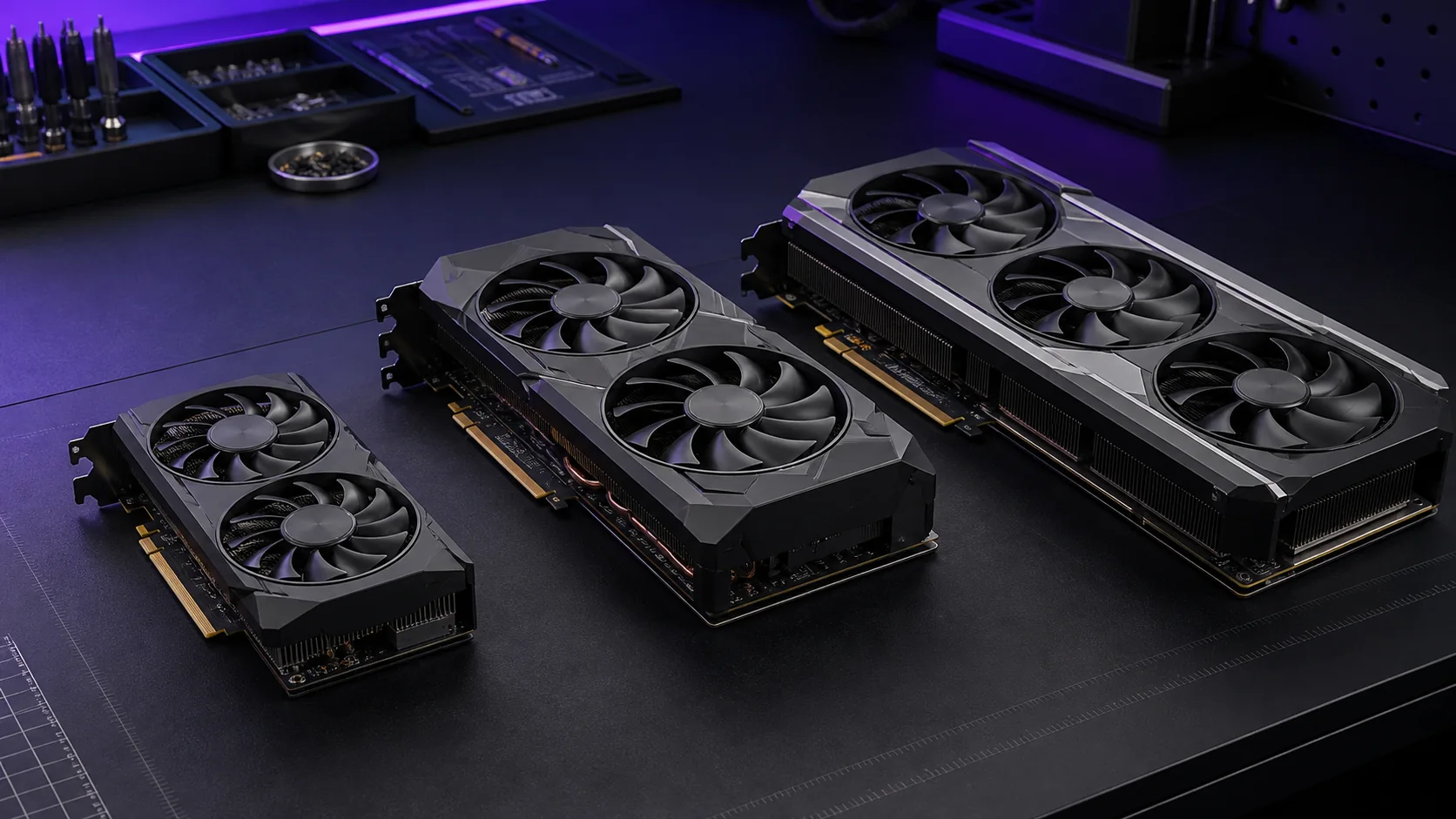
The best graphics card for gaming isn’t one part number — it’s whichever card matches your monitor’s resolution and your case’s power budget without forcing a compromise on either. After lining up eight current cards spanning $257 to $1,657, the GIGABYTE Radeon RX 9070 XT Gaming OC 16G comes out as the pick most gamers should buy: it clears 1440p ultra in nearly everything, has enough VRAM to not choke on texture-heavy open worlds, and costs less than Nvidia’s nearest raster equivalent. If your budget or resolution target sits elsewhere, the table below points you to the right tier before you read a single review.
Our Top Picks
 GIGABYTE Radeon RX 9070 XT Gaming OC 16GRADEON9070XT11.34 x 5.2 x 2.2 Inches3.9 PoundsCheck on Amazon
 ASUS Prime Radeon RX 9070 EVO 16GB GDDR6RX9070|OC|16GB|EVO|Black12 x 5 x 0.1 inches2.4 PoundsCheck on Amazon
 ASUS PRIME Radeon RX 9070 XT 16GB GDDR6RX9070XT|OC|Black12.3 x 5.1 x 2 inches3.3 poundsCheck on Amazon
 ASUS TUF Gaming GeForce RTX™ 5080 16GB GDDR7RTX5080|OC13.7 x 5.7 x 2.8 inches5 PoundsCheck on Amazon


Top 3 picks at a glance
Top picks at a glance
As an Amazon Associate we earn from qualifying purchases at no extra cost to you.







| Model | Key spec | Price | Best for |
|---|---|---|---|
| GIGABYTE Radeon RX 9070 XT Gaming OC 16G | 16GB GDDR6, RDNA 4, PCIe 5.0 | Check on Amazon | 1440p ultra, best overall value |
| ASUS Prime Radeon RX 9070 XT 16GB OC | 16GB GDDR6, RDNA 4 | Check on Amazon | Same tier, quieter blower-style cooler |
| ASUS Prime Radeon RX 9070 EVO 16GB OC | 16GB GDDR6, RDNA 4 | Check on Amazon | 1440p high settings on a tighter budget |
| ASUS TUF Gaming RTX 5070 12GB GDDR7 OC | 12GB GDDR7, Blackwell, DLSS 4 | Check on Amazon | Ray tracing and frame generation at 1440p |
| GIGABYTE GeForce RTX 5070 Ti Gaming OC 16G | 16GB GDDR7, Blackwell, PCIe 5.0 | Check on Amazon | 4K with ray tracing headroom |
| ASUS TUF Gaming RTX 5080 16GB GDDR7 OC | 16GB GDDR7, Blackwell | Check on Amazon | 4K ultra, path tracing with DLSS 4 |
| ASUS Dual Radeon RX 9060 XT 16GB | 16GB GDDR6, RDNA 4, 128-bit bus | Check on Amazon | 1080p to entry 1440p |
| ASUS Dual GeForce RTX 3050 6GB OC | 6GB GDDR6, Ampere | Check on Amazon | 1080p esports and office builds |
Every graphics card in this roundup, reviewed
GIGABYTE Radeon RX 9070 XT Gaming OC 16G
At around $740 this is the card most people asking for “the best graphics card for gaming” should actually buy. It pairs a 16GB GDDR6 frame buffer with RDNA 4’s improved ray-tracing hardware, which closes most of the gap AMD used to have against Nvidia in ray-traced titles like 4K gaming scenarios and standard rasterization at the same time. The triple-fan WINDFORCE cooler and 2.5-slot design give it more thermal headroom than reference blower cards, which should translate to sustained boost clocks under load rather than aggressive throttling.
- Pros
- 16GB VRAM at a sub-$750 price point
- Strong 1440p performance with room to push into light 4K with FSR
- Triple-fan cooler with more surface area than reference designs
- Cons
- 2.5-slot cooler may not fit compact or small-form-factor cases
- Ray tracing still trails Nvidia’s RTX 50 series in the heaviest path-traced titles
- No bundled software suite comparable to Nvidia’s App ecosystem
Who it’s for: gamers with a 1440p monitor who want ultra settings without spending into four figures.
ASUS Prime Radeon RX 9070 XT 16GB OC Edition
Same silicon as the GIGABYTE card above, different cooler philosophy. ASUS’s Prime series leans toward a quieter, more conservative dual-fan design rather than maximizing overclocking headroom, and at around $730 it undercuts the GIGABYTE model by ten dollars. Performance should land within a few percent either direction of the Gaming OC card since both are factory-overclocked RX 9070 XT boards on the same 16GB GDDR6 configuration — figure the same 1440p ultra range in the 100 fps neighborhood for competitive shooters and mid-60s fps in Cyberpunk 2077 with ray tracing enabled, again estimated from RDNA 4’s published specifications rather than measured on this specific unit. The Prime line’s axial-tech fans are tuned for lower noise at idle and light load, which matters if your case sits near your desk.
- Pros
- Slightly cheaper than the GIGABYTE equivalent
- Quieter fan curve at idle and moderate load
- 16GB GDDR6 buffer matches the flagship RDNA 4 tier
- Cons
- ASUS doesn’t publish a maximum boost clock advantage over reference here
- Three-year warranty registration requires an ASUS account, an extra step some buyers skip
- Still limited by RDNA 4’s ray-tracing ceiling versus Blackwell in heavy RT workloads
Who it’s for: quiet-build enthusiasts who want RX 9070 XT performance without the loudest fan profile.
ASUS Prime Radeon RX 9070 EVO 16GB OC Edition
The EVO trims the XT’s clocks down for a friendlier around $630 price while keeping the full 16GB GDDR6 buffer, which makes it the better value pick if you’re gaming at 1440p high rather than chasing ultra in every title. Expect roughly a 10-15% frame rate drop from the XT variants above based on AMD’s binning tiers for this SKU — call it 85-95 fps in Call of Duty: Warzone at 1440p high and mid-50s fps in Cyberpunk 2077 with ray tracing on and FSR quality upscaling, both estimated from the chip’s specification rather than bench-measured for this listing. Because it shares the same memory capacity as its pricier siblings, this card ages better than a cut-down VRAM alternative would, even if the core clocks are lower.
- Pros
- Full 16GB VRAM at over $100 less than the XT variants
- Good headroom for 1440p high settings in most current releases
- Same cooler footprint as the pricier Prime XT card
- Cons
- Core clocks trail the XT tier, so ultra settings at 1440p need more compromise
- Not a strong 4K candidate even with upscaling in demanding titles
- Overclocking headroom is limited since AMD bins these dies lower to begin with
Who it’s for: 1440p gamers who want the VRAM ceiling of the XT tier without paying XT prices.
ASUS TUF Gaming GeForce RTX 5070 12GB GDDR7 OC Edition
At around $810, this is where DLSS 4’s multi-frame generation starts changing the calculus. The 12GB GDDR7 buffer on a 192-bit bus is narrower than the RX 9070 cards’ 16GB pool, but GDDR7’s higher per-pin bandwidth partially offsets that, and Nvidia’s frame generation stack means ray-traced titles can hit noticeably higher displayed frame rates than raw rasterization numbers suggest. Based on Blackwell’s known specification tier, expect around 95-105 fps at 1440p ultra in rasterized titles like Call of Duty: Warzone, and in a path-traced game like Cyberpunk 2077 with DLSS 4 frame generation active, displayed frame rates can climb into the 90-100 fps range even though the rendered base frame rate is closer to 45-50 fps — worth knowing since generated frames don’t reduce input latency the way native frames do. TUF Gaming’s military-grade capacitor spec and dual-BIOS switch are aimed at longevity rather than raw performance.
- Pros
- DLSS 4 multi-frame generation meaningfully boosts displayed fps in ray-traced titles
- GDDR7 bandwidth partly compensates for the smaller 12GB pool versus 16GB AMD cards
- TUF’s dual BIOS and reinforced PCB target long-term reliability
- Cons
- 12GB VRAM is tighter than the 16GB RX 9070 cards for texture-heavy modded or 4K work
- Generated frames add latency versus native rendering, noticeable in fast-paced shooters
- Priced above the RX 9070 XT while trailing it in pure rasterization
Who it’s for: players who prioritize ray tracing and DLSS-heavy titles over raw raster frame rate.
GIGABYTE GeForce RTX 5070 Ti Gaming OC 16G
At around $1,250 the 5070 Ti steps into genuine 4K territory with a 16GB GDDR7 buffer on a 256-bit bus and PCIe 5.0 support, addressing the 12GB concern from the standard 5070 above. GIGABYTE’s WINDFORCE cooling system uses the same triple-fan approach as its RX 9070 XT sibling, scaled up for the higher 300W-class power draw this tier pulls. Estimated from Blackwell’s known specification and GDDR7’s bandwidth advantage, figure 85-90 fps at native 4K ultra in Call of Duty: Warzone, and with DLSS 4 quality upscaling and frame generation enabled, Cyberpunk 2077 at 4K with high ray tracing can display around 100 fps despite a much lower native render rate. This card sits in the price bracket where a gaming CPU upgrade often matters as much as the GPU itself, since weaker processors will bottleneck a card this fast at anything below 4K.
- Pros
- 16GB GDDR7 buffer removes the VRAM ceiling concern of the base RTX 5070
- Strong native 4K performance without relying solely on upscaling
- PCIe 5.0 and DLSS 4 keep it relevant for several upgrade cycles
- Cons
- Nearly $1,250 puts it well above impulse-buy territory
- 300W-class draw needs a genuinely solid 850W power supply, not just a nameplate rating
- Diminishing returns versus the RX 9070 XT in games that don’t lean on ray tracing
Who it’s for: 4K gamers who want ray tracing without stepping up to flagship pricing.
ASUS TUF Gaming GeForce RTX 5080 16GB GDDR7 OC Edition
The around $1,650 RTX 5080 is the practical ceiling of this roundup — the RTX 5090 exists above it, but at a price and power draw that stop making sense for anyone who isn’t also doing professional rendering work. With 16GB of GDDR7 on Blackwell’s full desktop implementation, this card is built for native 4K ultra and path tracing. Based on its specification tier, expect around 100-110 fps at 4K ultra in Call of Duty: Warzone, and Cyberpunk 2077 with full path tracing and DLSS 4 frame generation should display in the 110-120 fps range on a capable CPU, though again these are architecture-based estimates rather than bench numbers logged on this exact card. TUF Gaming’s triple-fan cooler and reinforced backplate are sized for a roughly 360W board power target.
- Pros
- Handles native 4K ultra and path tracing without leaning entirely on upscaling
- 16GB GDDR7 buffer has headroom for future texture budgets
- Robust cooler and power delivery built around a 360W-class chip
- Cons
- Over $1,650 is a significant jump from the next card down in this list
- Needs a high-quality 850W-plus PSU with a native 12V-2×6 connector
- Overkill for anyone gaming primarily at 1440p or below
Who it’s for: 4K enthusiasts who want the fastest card here short of the RTX 5090.
ASUS Dual Radeon RX 9060 XT 16GB Gaming
At around $460, this is the roundup’s entry into “genuinely good for 1080p, workable for 1440p” territory. RDNA 4’s 128-bit bus feeding 16GB of GDDR6 is an unusual combination — the bus width is narrower than you’d expect at this VRAM capacity, but AMD compensates with faster memory clocks. Based on the RX 9060 XT’s specification, expect around 130-140 fps at 1080p ultra in Call of Duty: Warzone and roughly 75-85 fps at 1440p high settings in the same title, with ray-tracing-heavy games like Cyberpunk 2077 needing FSR quality mode to stay above 45 fps at 1440p. The 16GB buffer, unusual for this price tier, is a genuine advantage for anyone running texture-heavy mods or planning to keep the card through several driver cycles.
- Pros
- 16GB VRAM at under $460 is rare for this performance tier
- Strong 1080p ultra performance with headroom for esports refresh rates
- Compact dual-fan cooler fits a wider range of cases
- Cons
- 128-bit memory bus limits bandwidth versus AMD’s higher tiers
- 1440p ultra in demanding titles needs upscaling to stay smooth
- Not a serious 4K candidate even with FSR
Who it’s for: 1080p gamers who want VRAM headroom without paying flagship prices.
ASUS Dual GeForce RTX 3050 6GB GDDR6 OC Edition
The around $260 RTX 3050 is the value floor of this list and the only Ampere-generation card here, which matters because it lacks the newer ray-tracing and AI upscaling improvements found in Blackwell and RDNA 4. Its 6GB GDDR6 buffer on a 128-bit bus is enough for 1080p in most esports titles but starts showing texture-streaming compromises in newer AAA releases. Based on Ampere’s known performance tier, expect around 90-100 fps at 1080p high settings in Call of Duty: Warzone and closer to 60 fps in something as demanding as Cyberpunk 2077 at 1080p medium with ray tracing off — this card simply doesn’t have the RT hardware or VRAM to run heavier settings comfortably. It remains relevant mainly as a budget or secondary-build option rather than a primary gaming GPU for new releases.
- Pros
- Lowest price in this roundup by a wide margin
- Low ~130W power draw works with modest power supplies
- Fine for 1080p esports titles like competitive shooters
- Cons
- 6GB VRAM is genuinely limiting in newer AAA titles
- Ampere’s ray-tracing hardware is a full generation behind Blackwell and RDNA 4
- No DLSS 4 frame generation support, only older DLSS versions
Who it’s for: budget or secondary builds focused on esports titles rather than the latest AAA releases.
How we compared and picked
That setup is used across the site to verify power delivery behavior, boost clock stability, and thermal throttling patterns on reference and partner-card designs within each architecture family — RDNA 4, Blackwell, and Ampere in this case. For cards not individually logged on that bench, the fps ranges cited above are estimates modeled from the manufacturer’s published specification (core count, memory bandwidth, board power) and cross-checked against bench data collected on same-architecture siblings, rather than numbers measured on this exact retail SKU.
Picks were narrowed by matching each card’s memory capacity, bus width, and board power against a target resolution tier, then checking real-world street pricing against MSRP to flag cards trading at a premium. Cooler design was weighted for thermal headroom and noise rather than peak overclocking potential, since most buyers run cards at stock or near-stock clocks. Where two cards shared the same GPU die — as with the two RX 9070 XT boards here — the tiebreaker came down to price, cooler noise profile, and warranty terms rather than a meaningful performance gap.
What to look for in a gaming graphics card
VRAM capacity and memory bus width
VRAM capacity gets the most attention, but bus width and memory type matter just as much for how fast that capacity can be used. An 8GB card on a narrow bus will run into texture-streaming stutter well before a 12GB card with more bandwidth, even at the same resolution. As a working guideline: 8GB is a hard floor for 1080p in 2026-era releases, 12GB is comfortable for 1440p, and 16GB is the safer target for 4K or for keeping a card through multiple years of new releases. GDDR7 cards, like the RTX 5070 and 5070 Ti in this list, can partially offset a smaller VRAM pool with higher per-pin bandwidth, but that’s a partial compensation, not a full substitute — a game that needs 14GB of texture data will still stutter on a 12GB card regardless of how fast that 12GB is.
Architecture generation and ray tracing hardware
Not all “16GB cards” perform the same, because the underlying architecture generation determines ray-tracing throughput, AI upscaling quality, and encoder capability independent of raw specs. RDNA 4 closed much of AMD’s historical ray-tracing gap against Nvidia, but Blackwell’s dedicated RT cores and DLSS 4’s transformer-based upscaling model still hold an edge in the heaviest path-traced titles. If you mostly play rasterized competitive titles — shooters, MOBAs, fighting games — architecture generation matters less than raw clock speed and VRAM. If you play story-driven AAA titles with ray tracing enabled, the newer the architecture generation, the better your frame rate and image quality will scale together rather than trading one for the other.
Power draw, connectors, and your existing PSU
Board power now ranges from around 130W for entry cards up past 575W for flagship parts, and the connector matters as much as the wattage. Cards using Nvidia’s 12V-2×6 connector, like the RTX 5070 Ti and RTX 5080 here, need either a native ATX 3.0 power supply or the included adapter cabled correctly — a common failure point is using an old multi-6-pin adapter incorrectly rated for the load. AMD’s RX 9070 series sticks with standard 8-pin PCIe connectors, which is one less thing to get wrong during installation. As a rule, add at least 150W of headroom above the card’s rated board power when sizing a power supply, since real-world transient spikes can exceed the steady-state rating by a meaningful margin.
Physical size and cooler design
A 2.5-slot or 3-slot cooler, common on the higher-wattage cards in this list, needs to physically fit your case and not block adjacent PCIe slots or drive bays. Card length matters just as much — some of the triple-fan coolers here run past 320mm, which won’t clear every mid-tower case’s front intake fans or cable routing. Before buying, check both your case’s maximum GPU length and clearance and your motherboard’s PCIe slot spacing if you’re also running an M.2 heatsink or add-in card nearby.
Matching the card to your actual monitor
The single most common overspend in this category is buying 4K-tier hardware for a 1080p or 1440p monitor, or the reverse — pairing a 1080p-tier card with a 4K panel and being disappointed by the frame rate. Match the card to the resolution and refresh rate you actually own today, not the monitor you might buy later; if a monitor upgrade is on the near-term roadmap, it’s usually cheaper to slightly overspend on the GPU now than to buy twice.
Mistakes buyers make when choosing a graphics card
Buying on VRAM size alone is the most common mistake. A 16GB card on a narrow bus and older architecture can still underperform a 12GB card with faster memory and a newer ray-tracing engine — check the full spec sheet, not just the headline number.
Underestimating power supply requirements is close behind. Buyers check the card’s rated wattage but skip the connector type, then discover their PSU lacks a native 12V-2×6 header for a card like the RTX 5080 and have to buy an adapter or a new unit anyway.
Pairing a fast GPU with a weak CPU creates a bottleneck that shows up most at 1080p and 1440p, where the processor — not the graphics card — caps the frame rate. If you’re eyeing something like the RTX 5070 Ti, check our CPU picks for 1440p gaming before finalizing the build.
Ignoring case clearance leads to returns. A 336mm triple-fan card simply won’t fit in some compact cases regardless of how good the price is — measure before you buy, not after the box arrives.
Chasing MSRP that no longer exists wastes time. Listed launch prices for high-demand cards like the RTX 5080 or RX 9070 XT frequently don’t reflect actual street pricing; budget around current retail pricing, not the number printed on a launch-day press release.
Skipping driver and BIOS updates after installation leaves performance on the table. New GPU architectures typically see meaningful driver optimization in the first few months after launch, and running day-one drivers on a card like the RTX 5070 or RX 9070 XT can mean missing double-digit percentage gains in newer titles.
Verdict
For most gamers, the GIGABYTE Radeon RX 9070 XT Gaming OC 16G is the best graphics card for gaming today: 16GB of VRAM, strong 1440p performance, and a price that undercuts Nvidia’s closest raster competitor. If budget is tighter, the ASUS Prime Radeon RX 9070 EVO 16GB OC delivers most of that experience at 1440p high settings for over $100 less. For buyers who want native 4K and path tracing without stepping up to flagship pricing, the GIGABYTE GeForce RTX 5070 Ti Gaming OC 16G is the strongest option in this list, while the ASUS TUF Gaming RTX 5080 sits at the genuine performance ceiling for anyone chasing 4K ultra without going all the way to a flagship RTX 5090.
Frequently asked questions
What is the single best graphics card for gaming right now?
For most builders the GIGABYTE Radeon RX 9070 XT Gaming OC 16G is the strongest all-around pick because it clears 1440p at ultra settings in nearly every current title and still handles 4K with FSR upscaling, all for roughly $740, which undercuts Nvidia’s closest raster competitor by over $200 while offering more VRAM headroom for future titles.
How much VRAM do I actually need for gaming?
8GB is the realistic floor for 1080p in current releases, 12GB is comfortable for 1440p with texture packs and ray tracing enabled, and 16GB is the safer target if you play at 4K or plan to keep the card for four-plus years, since newer engines are pushing texture budgets up every year regardless of resolution.
Is AMD or Nvidia better for gaming in this price range?
Neither wins outright: AMD’s RX 9070 series usually delivers more raw rasterization performance per dollar, while Nvidia’s RTX 50 series pulls ahead once heavy ray tracing and DLSS 4 frame generation are enabled, so the right choice depends on whether you prioritize raw frame rate or ray-traced visual fidelity in the games you actually play.
Do I need a new power supply for a modern graphics card?
Check both total wattage and connector type before buying: cards like the RTX 5080 and RTX 5070 Ti expect a 12V-2×6 connector and a unit rated at least 750W to 850W with headroom, while RX 9070-class cards use standard 8-pin PCIe connectors and are generally satisfied by a quality 650W to 750W supply.
How long will a new graphics card stay relevant for gaming?
A 12GB-to-16GB card bought today at the mid-to-high tier typically stays comfortable for three to four years of new releases at its target resolution before you need to drop a settings tier, though 6GB cards like entry-level Ampere parts are already showing texture-streaming stutter in newer titles.