Editing 4K footage off an external drive turns on one decision most buyers get backwards: the interface matters more than the headline speed on the box. A drive rated for very fast transfers only delivers them when your laptop or desktop has the matching USB or Thunderbolt port, and an editor who picks the wrong pairing ends up scrubbing a timeline through a connection running at a fraction of the advertised rate.
This guide is for video editors who cut directly from portable storage, move large project folders between machines, or hand footage to collaborators on location. Every pick below was chosen from the product name and specification fields on its Amazon listing, with capacities and interfaces matched to real 4K workflows rather than benchmark bragging rights.
Our Top Picks

Top 3 picks at a glance
Quick Picks
As an Amazon Associate we earn from qualifying purchases.
| Product | Best for | Key spec from title |
|---|---|---|
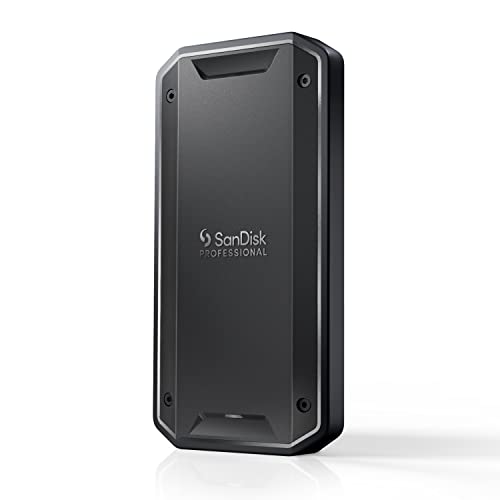
| SanDisk Professional PRO-G40 SSD 4TB | Thunderbolt editing stations | Thunderbolt 3 (40Gbps), up to 3000MB/s |
| Samsung T9 Portable SSD 2TB | Windows editors with fast USB ports | USB 3.2 Gen 2×2, up to 2,000MB/s |
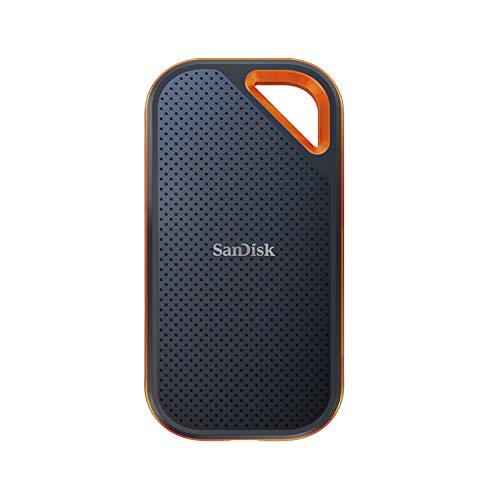
| SanDisk Extreme PRO Portable SSD 2TB | Location work in rough conditions | USB 3.2 Gen 2×2, IP65 water and dust resistance |
| Crucial X10 Pro 2TB | Compact travel editing kits | Up to 2,100MB/s read, 2,000MB/s write |
How to Choose
Match the interface to the ports you actually own
The single most expensive mistake in this category is buying a USB 3.2 Gen 2×2 drive for a machine that cannot use it. Most Macs do not support that USB mode at all, so a Gen 2×2 drive falls back to slower USB speeds on Apple hardware, while Thunderbolt drives keep their full bandwidth. Before choosing, list the ports on every computer the drive will touch, including the older desktop at home. The slowest machine in the chain decides your real transfer speed, so the interface printed on the listing should match the weakest port you edit from regularly.
Read the write speed, not just the read speed
Listings lead with read speed because it is the bigger number, but editing workloads punish weak write performance. Ingesting a full card of 4K footage, rendering previews and exporting finished timelines all push data onto the drive for minutes at a time. Look for models that publish both figures, and treat a drive that only advertises a read number with suspicion. Sustained writes also generate heat, so a metal enclosure that can shed warmth during a long ingest is worth more than a slightly higher peak number on a plastic shell.
Size the capacity for projects, not for files
A single day of 4K shooting can fill hundreds of gigabytes once you add proxies, cache files and exports, so a drive that looks roomy on paper fills faster than expected. Editors who archive finished projects on the same drive they cut from run out of space mid-season and start deleting media they still need. Decide whether this purchase is a working drive for active projects or a shuttle for finished ones, then pick the capacity tier on the listing that fits that role with headroom to spare for the next project.
Plan for drops, dust and the occasional spilled coffee
Portable drives live in camera bags, jacket pockets and the footwell of location vehicles, and 4K footage is usually irreplaceable once cards are reformatted. Enclosure ratings on the listing, such as dust and water resistance levels and stated drop protection, tell you how the drive handles that life. A rugged shell will not save a project by itself, so pair the drive with a simple rule: footage exists in two places before any card gets wiped, and the portable SSD is only ever one of those copies.
The 4 Best Options
SanDisk Professional PRO-G40 SSD 4TB
Editors working on Thunderbolt-equipped Macs or PCs get the widest bandwidth here, because this drive speaks Thunderbolt at full speed and still works over plain USB-C when a machine lacks it. The 4TB capacity holds several active 4K projects with room for cache and exports, and the sealed, rugged enclosure suits drives that travel between studio and set. It is the pick for an editing station where the portable drive is the main timeline disk rather than a backup.
Specs
- Capacity: 4TB
- Model: SDPS31H-004T-GBCND
- Interface: Thunderbolt 3 (40Gbps) and USB-C (10Gbps)
- Speed: up to 3000MB/s
- Resistance: IP68 dust and water resistance
Best for: Editors on Thunderbolt machines who cut full projects from the drive.
Watch out for: On USB-only computers it runs at the slower USB rate, so confirm your ports before paying for Thunderbolt speed.
ASIN: B0BW6715SV
Samsung T9 Portable SSD 2TB
Windows editors with a USB 3.2 Gen 2×2 port get a drive built exactly for that connection, with fast transfers for ingesting cards and shuttling project folders. The compact metal body fits in a laptop sleeve pocket, and built-in password protection with hardware encryption helps when the drive carries client footage between offices. For a single-editor setup that mostly moves media rather than archiving it, the 2TB size is a practical working volume that is easy to keep backed up elsewhere.
Specs
- Capacity: 2TB
- Model: MU-PG2T0B/AM
- Interface: USB 3.2 Gen 2×2 (USB-C)
- Speed: sequential reads up to 2,000MB/s
- Security: password protection with AES 256-bit hardware encryption
Best for: Solo editors on modern Windows PCs who shuttle footage daily.
Watch out for: Macs cannot use the Gen 2×2 mode, so Apple users see much lower speeds from this drive.
ASIN: B0CHFS9K14
SanDisk Extreme PRO Portable SSD 2TB
This is the drive for shoots where the editing laptop sits in a tent, a van or a dusty venue corner. The listing pairs fast Gen 2×2 transfers with an IP65 rating against water and dust, and the forged aluminum chassis doubles as a heat sink during long ingests. Wedding and event editors who offload cards between ceremonies get quick copies without babying the hardware, and the carabiner loop keeps it clipped inside a bag instead of loose at the bottom.
Specs
- Capacity: 2TB
- Model: SDSSDE81-2T00-G25
- Interface: USB-C, USB 3.2 Gen 2×2
- Speed: up to 2000MB/s read and 2000MB/s write
- Resistance: IP65 water and dust resistance
Best for: Location and event editors who offload cards in uncontrolled environments.
Watch out for: Full speed needs a Gen 2×2 port; on standard USB-C machines transfers drop to roughly half the headline rate.
ASIN: B08GV4YYV7
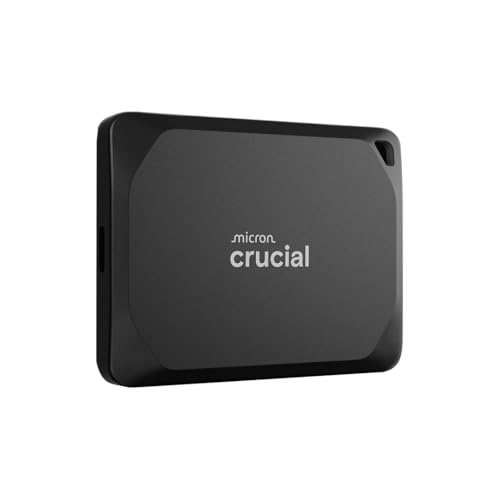
Crucial X10 Pro 2TB
Travel editors who cut on trains and in hotel rooms will appreciate how small this drive is relative to its speed. The listing quotes the fastest read figure in this roundup and a matching high write speed, which suits proxy generation and quick exports at the end of a shoot day. Its anodized aluminum shell and lanyard hole make it easy to keep track of in a crowded kit bag, and it works across PC and Mac as long as you accept the USB speed each machine can offer.
Specs
- Capacity: 2TB
- Model: CT2000X10PROSSD902
- Interface: USB 3.2 Gen 2×2 (USB-C)
- Speed: up to 2,100MB/s read and 2,000MB/s write
- Form factor: compact portable enclosure with lanyard hole
Best for: Traveling editors who want maximum speed in the smallest bag footprint.
Watch out for: Like the other Gen 2×2 drives here, Macs limit it to slower USB speeds, so Apple-only editors should pick the Thunderbolt option instead.
ASIN: B0C9WGS6MC
Which One Fits Your Situation
You edit on a Mac with Thunderbolt ports
Choose the SanDisk Professional PRO-G40. It is the only drive in this group that uses the full Thunderbolt bandwidth your machine offers, and its 4TB capacity holds a season of active projects. The USB fallback mode still lets you hand it to a Windows collaborator without a second drive.
You edit on a Windows desktop with modern USB
The Samsung T9 and Crucial X10 Pro both exploit a Gen 2×2 port properly. Pick the T9 if hardware encryption for client work matters to you, and the X10 Pro if you want the highest listed read speed and the smallest enclosure for a kit that moves every day.
You shoot weddings, sports or events on location
Take the SanDisk Extreme PRO. Its dust and water resistance and metal chassis are built for card offloads in uncontrolled places, and the write speed keeps back-to-back card dumps short when the next event is about to start and cards need to go back into cameras.
You mostly move finished projects between two machines
Any of the 2TB models will do this job well, so decide by the ports on the slower of your two computers. If one machine is an older laptop with basic USB-C, save the Thunderbolt premium and pick the drive whose everyday speed you will actually see on both systems.
Common Mistakes
- Buying a Gen 2×2 drive for a Mac and blaming the drive when transfers run at half speed.
- Editing the only copy of a project from a portable drive with no second backup anywhere.
- Choosing capacity by today’s project size and forgetting cache, proxies and exports grow it fast.
- Comparing read speeds only, then discovering slow sustained writes during the first full card ingest.
- Reformatting camera cards right after a single copy instead of waiting until footage exists twice.
Frequently Asked Questions
Can I edit 4K video directly from an external SSD?
Yes, provided the connection is fast enough for your codec. Compressed 4K formats edit comfortably over the connections these drives use, while high-bitrate RAW timelines benefit most from the Thunderbolt option. If your software stutters, generating proxies in the editor usually fixes it without changing drives.
Why does my fast drive test slower than the listing claims?
The port is almost always the reason. A Gen 2×2 drive on a regular USB-C port, or any of these drives through an old hub, runs at the slower link speed. Cable quality matters too, so test with the cable included in the box before judging the drive itself.
Is Thunderbolt or USB better for a mixed Mac and Windows setup?
Thunderbolt drives like the PRO-G40 still connect over USB-C to Windows machines, just at USB speed, so nothing stops working. If most editing happens on the Mac, Thunderbolt wins. If most happens on a Gen 2×2 Windows PC, the USB drives here are the smarter spend.
How much capacity do I need for 4K projects?
Plan around your shooting volume rather than a fixed number. A busy event editor can fill a terabyte in a few weekends once backups and exports are counted. The 2TB models suit active-project drives, while the 4TB PRO-G40 fits editors who keep several client projects in rotation at once.
Related guides
More from Amazon
Programs that pair well with the guide above. Offers and eligibility are set by Amazon and may change.
A free business account with business pricing and bulk-buying tools for work, shop or home office.
Create a business accountFree shipping on eligible items, Prime Video and more. Eligible new members can start with a free trial.
Start a Prime free trialAudiobooks and podcasts to listen to on the go. Eligible new members can start with a free trial.
Try Audible freeAd-free music streaming. Eligible new subscribers can start with a free trial.
Try Music Unlimited freeAs an Amazon Associate we earn from qualifying purchases.