Going wireless on a tight budget used to mean choosing between a laggy connection and a sensor that skipped across the pad. That trade-off has mostly disappeared at the entry level, but a different one has replaced it: some budget wireless mice spend their money on headline DPI figures and lighting, while others put it into battery life, switch quality and a shape you can use all evening. The real decision is which corners you are happy to see cut.
This roundup is for first-time wireless buyers, laptop gamers who travel, and anyone replacing a worn-out wired mouse without stretching the budget. The four mice below were picked from the specifications and features printed on their Amazon US product pages: the Logitech G305 LIGHTSPEED, Razer Orochi V2, Attack Shark X3 and Redragon M810 Pro, covering swappable-battery endurance, flagship-sensor value and button-heavy play.
Our Top Picks
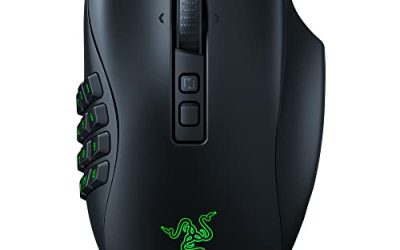
 Razer Orochi V2 Wireless Gaming Mouse4.26 x 1.52 inch (Pack of 1)4.26 x 1.52 x 2.47 inches0.13 poundsCheck on Amazon
Top 3 picks at a glance

Quick Picks
As an Amazon Associate we earn from qualifying purchases.
| Product | Best for | Key spec from title |
|---|---|---|
| Logitech G305 LIGHTSPEED | Set-and-forget battery life | HERO sensor, 12,000 DPI, 250-hour AA battery |
| Razer Orochi V2 | Laptop bags and small hands | 18K DPI sensor, up to 950 hours on Bluetooth |
| Attack Shark X3 | FPS players chasing a light shell | PAW3395 sensor, 26K DPI, 49 g body |
| Redragon M810 Pro | MMO players who want macros | 10,000 DPI, 8 macro buttons, rapid fire key |
How to Choose
Battery design decides your running costs
Budget wireless mice split into two camps. Swappable-battery models like the G305 and Orochi V2 run on a single AA or AAA cell, so a flat battery is a ten-second swap and the mouse is back in the game; the G305 is rated for up to 250 hours per AA, and the Orochi V2 stretches far longer again on Bluetooth. Rechargeable models like the Attack Shark X3 and Redragon M810 Pro avoid buying cells but tie you to a charging cable and a smaller hour rating, so check whether the quoted figure assumes an eco mode before you rely on it.
Sensor quality matters more than the DPI headline
A 26,000 DPI ceiling sounds impressive, but almost nobody plays above a few thousand DPI, so the number itself tells you little. What separates these mice is the sensor underneath it. The Attack Shark X3 uses PixArt’s PAW3395, a flagship sensor also found in far pricier mice, while the Redragon M810 Pro uses the older PAW3325 and Logitech fits its own HERO sensor to the G305. Tracking speed in IPS and clean behaviour at low DPI are the figures that actually predict whether fast swipes stay accurate, so weigh those ahead of the biggest DPI number on the box.
Connection modes and polling rate
Every mouse here connects over a 2.4 GHz USB receiver, which is the mode you want for gaming: the G305’s LIGHTSPEED link reports at 1 ms, and the M810 Pro polls at 1000 Hz in wireless mode. Bluetooth is the useful second mode for work and travel because it needs no receiver and sips power, and the Orochi V2 and X3 both include it. The X3 adds a wired USB-C fallback as well. If you play competitively, confirm the mouse holds 1000 Hz over its receiver; if you mostly play casually, dual-mode flexibility is worth more than raw polling.
Shape, weight and what gets cut at this level
Cheap wireless mice range from the 49 g Attack Shark X3 to the 99 g G305, and that gap changes how a mouse feels more than any sensor difference. Light shells suit fingertip and claw grips and fast FPS swipes; heavier, taller shells settle better under a relaxed palm. Corners are usually cut in the same places at this level: no onboard memory on some models, basic feet, and software that only runs on Windows. Decide which of those you can live with, because the sensor and wireless link are rarely the weak points anymore.
The 4 Best Options
Logitech G305 LIGHTSPEED

The G305 is the safe first wireless mouse: a compact symmetrical shell, Logitech’s HERO sensor and a LIGHTSPEED receiver that reports at 1 ms, so it behaves like a wired mouse costing far more. Its party trick is efficiency rather than speed, running up to 250 hours on a single AA battery that is included in the box, with storage for the receiver inside the body. Six programmable buttons and onboard memory cover everyday needs, and G HUB handles the setup. At 99 g it is not an ultralight, but for desk players who hate charging cables it is the easiest recommendation here.
Specs
- Sensor: Logitech HERO optical, 200-12,000 DPI
- Tracking speed: over 400 IPS
- Wireless: LIGHTSPEED 2.4 GHz, 1 ms report rate
- Battery: up to 250 hours on one AA battery (included)
- Weight: 99 g
- Buttons: 6 programmable, with onboard memory
- Model: 910-005280; PC and Mac
Best for: Desk players who want wireless freedom without ever thinking about charging.
Watch out for: There is no Bluetooth and no rechargeable cell, so a lost receiver or a flat AA at the wrong moment stops play.
ASIN: B07CMS5Q6P
Razer Orochi V2
The Orochi V2 is built for people who game in more than one place. It is a small, light shell at under 60 g before the battery goes in, and it runs on either an AA or a AAA cell in a hybrid slot, which also lets you tune the weight slightly. HyperSpeed wireless handles gaming, Bluetooth handles the workday, and battery life stretches to 950 hours on Bluetooth according to the listing. The 18K DPI 5G optical sensor and second-generation mechanical switches rated for 60 million clicks mean the small size does not come with toy internals, though the shape clearly favours smaller hands.
Specs
- Sensor: Razer 5G optical, 18,000 DPI
- Wireless: Razer HyperSpeed 2.4 GHz and Bluetooth
- Battery: up to 425 hours on HyperSpeed, up to 950 hours on Bluetooth; one AA or AAA
- Weight: under 60 g excluding battery
- Switches: 2nd-gen Razer mechanical, rated for 60 million clicks
- Buttons: 6 programmable
- Model: RZ01-03730100-R3U1
Best for: Laptop gamers and travellers who want one mouse for work and play.
Watch out for: The compact shell is a poor fit for large hands or a full palm grip, and there is no wired fallback if the battery dies.
ASIN: B0916N2LPZ
Attack Shark X3
On paper the X3 reads like a mouse from a higher tier: PixArt’s PAW3395 flagship sensor with up to 26,000 DPI, a 49 g shell, Kailh GM8.0 switches and tri-mode connectivity covering 2.4 GHz, Bluetooth and USB-C wired. Battery life is quoted at up to 200 hours, which is strong for a rechargeable mouse this light, and five programmable buttons cover the essentials. It is the clearest example in this roundup of specifications outrunning the badge on the box. The trade-offs are the ones you would expect from a young brand: software polish and long-term support are less proven than Logitech’s or Razer’s.
Specs
- Sensor: PixArt PAW3395 optical, up to 26,000 DPI
- Connectivity: 2.4 GHz wireless, Bluetooth, USB-C wired
- Weight: 49 g
- Battery: rechargeable, up to 200 hours
- Buttons: 5 programmable
- Switches: Kailh GM8.0
- Wireless range: 33 feet (listing figure)
Best for: FPS players who want an ultralight shell and a flagship sensor on a budget.
Watch out for: Confirm the colour option on the listing before ordering, since several colourways share this product family, and check the seller’s warranty terms.
ASIN: B0F7K6N6GW
Redragon M810 Pro

The M810 Pro takes the opposite approach to the X3: instead of chasing weight, it loads a right-handed shell with eight programmable buttons, including a dedicated rapid fire key, and RGB backlighting. Its PAW3325 sensor tops out at 10,000 DPI with five onboard levels you can switch mid-game, and the 2.4 GHz receiver polls at 1000 Hz, with a USB-C wired mode when the battery runs low. That battery is rechargeable and rated for up to 45 hours at maximum in eco mode, so RGB use means charging more often than the AA mice here. For MMO and MOBA players, the extra buttons matter more than the older sensor.
Specs
- Sensor: PixArt PAW3325 optical, up to 10,000 DPI
- DPI levels: 5 onboard (500/1000/2000/3000/10000), adjustable in software
- Connectivity: 2.4 GHz nano receiver, USB-C wired
- Polling rate: 1000 Hz
- Buttons: 8 programmable, including a rapid fire key
- Battery: rechargeable, up to 45 hours in eco mode
- Lighting: RGB backlit; right-handed shape
Best for: MMO and MOBA players who want macros and a rapid fire key without spending much.
Watch out for: The 45-hour figure is an eco-mode maximum, so expect to charge regularly with RGB on, and note the right-handed shell excludes left-handed players.
ASIN: B09ZY348SY
Which One Fits Your Situation
You play at a desk and hate charging cables
Choose the Logitech G305 LIGHTSPEED. A single AA battery lasts up to 250 hours, spares cost almost nothing, and swapping one takes seconds, so the mouse is effectively always ready. Its LIGHTSPEED receiver keeps the connection at a 1 ms report rate, and the receiver stores inside the shell when you do move desks.
You split your week between a laptop bag and a desk
Choose the Razer Orochi V2. Bluetooth pairs with your laptop for work without carrying the receiver, HyperSpeed takes over for gaming at home, and the hybrid AA or AAA slot means a replacement battery is available anywhere. The small, light shell is the easiest here to carry daily, whether that means a laptop bag or a jacket pocket.
You play shooters and want the lightest shell you can get
Choose the Attack Shark X3. At 49 g with a PAW3395 sensor and tri-mode connectivity, it gives fingertip and claw players the fast, low-effort swipes that heavier budget mice cannot match, and the wired USB-C mode covers you if the battery fades mid-session. The symmetrical shell also works in either hand.
You play MMOs and want buttons more than anything
Choose the Redragon M810 Pro. Eight programmable buttons plus a rapid fire key put rotations and macros under your thumb, and the onboard DPI switching suits games where you move between travel and combat. Accept the shorter battery life as the price of the extra hardware, and keep the charging cable within reach.
Common Mistakes
- Choosing by the biggest DPI number, when sensor model and tracking behaviour matter far more at real gaming sensitivities.
- Assuming every wireless mouse has Bluetooth; the G305 and M810 Pro rely on their USB receivers, which matters for laptops with few ports.
- Ignoring battery type until the mouse dies mid-game, instead of deciding between swappable AA cells and a rechargeable design up front.
- Buying an ultralight like the X3 for a relaxed palm grip, then blaming the mouse for a shape that was never meant for that grip.
- Forgetting that budget software is often Windows-only, so Mac users should check what can be configured without it.
Frequently Asked Questions
Is a cheap wireless gaming mouse fast enough for competitive play?
Yes, as long as it uses a proper 2.4 GHz gaming receiver. The G305 reports at 1 ms over LIGHTSPEED and the M810 Pro polls at 1000 Hz wirelessly, figures that match wired mice. Bluetooth modes are the ones to avoid for ranked play, since they trade responsiveness for battery life and convenience.
AA battery or rechargeable: which is better on a budget?
Swappable cells win on uptime and running costs: a G305 runs up to 250 hours per AA and is back in seconds with a spare. Rechargeable mice like the X3 and M810 Pro avoid buying batteries but must be plugged in when flat, and their hour ratings are lower. Pick based on whether you value convenience or never waiting.
Can I use these mice with a laptop that has no spare USB port?
Only the dual-mode models help you here. The Orochi V2 and Attack Shark X3 can connect over Bluetooth with no receiver at all, while the G305 and M810 Pro need their USB dongles. If your laptop is USB-C only, budget for a small adapter or choose one of the Bluetooth models from the start.
Does a higher DPI number mean a better sensor?
No. DPI is just a sensitivity ceiling, and most players use a small fraction of it. The sensor model matters more: the X3’s PAW3395 and the G305’s HERO track fast movements more cleanly than the older PAW3325 in the M810 Pro, even though all three advertise five-figure DPI figures.
Related guides
More from Amazon
Programs that pair well with the guide above. Offers and eligibility are set by Amazon and may change.
A free business account with business pricing and bulk-buying tools for work, shop or home office.
Create a business accountFree shipping on eligible items, Prime Video and more. Eligible new members can start with a free trial.
Start a Prime free trialAudiobooks and podcasts to listen to on the go. Eligible new members can start with a free trial.
Try Audible freeAd-free music streaming. Eligible new subscribers can start with a free trial.
Try Music Unlimited freeAs an Amazon Associate we earn from qualifying purchases.