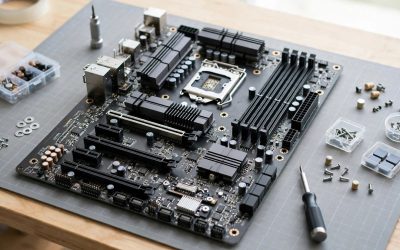
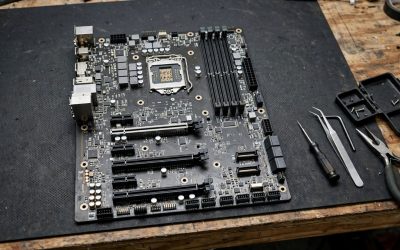
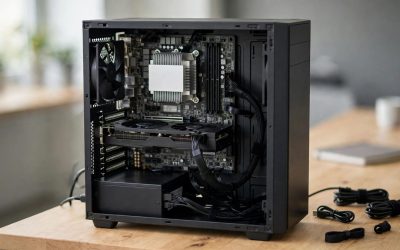
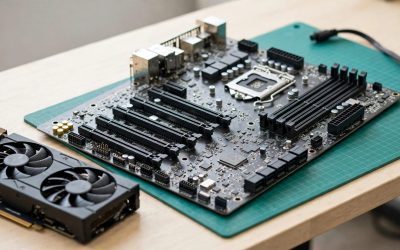
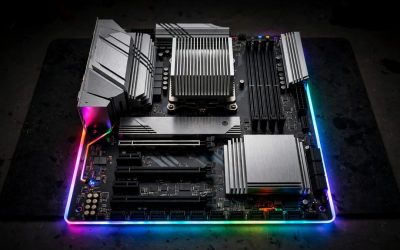
No mainstream consumer board gives you eight full-speed graphics card slots, so the best motherboards for an 8-GPU rig are workstation and server boards with seven PCIe x16 slots, paired with a splitter, riser or M.2 adapter for the eighth card. The ASUS Pro WS WRX90E-SAGE SE (Threadripper PRO) and the ASRock Rack ROMED8-2T (EPYC 7003) are the two most practical starting points. If your workload is compute-only and does not need bandwidth, an old-school multi-slot mining board is the cheap alternative.
Our Top Picks
Top 3 picks at a glance
What “8 card” really requires from a board
Eight GPUs is a lanes, power and physical-space problem long before it is a “which brand” problem. Three numbers decide whether a board works for you: the number of physical slots, the number of CPU PCIe lanes feeding them, and whether the firmware supports “Above 4G Decoding” and large BAR mapping so the system can address that much video memory at boot.
Consumer desktop platforms (Intel Core, AMD Ryzen) expose roughly 20 to 28 CPU lanes. That is enough for two cards at x8/x8 and nothing close to eight. Eight cards at x8 each need 64 lanes; at x16 each they need 128. Only high-end workstation and server sockets reach that, which is why the realistic shortlist is short.
Quick comparison of realistic picks
| Pick | Best for | Key specs | Typical board price |
|---|---|---|---|
| ASUS Pro WS WRX90E-SAGE SE | Best overall, AI and rendering | sTR5 socket, 7 PCIe 5.0 x16 slots, 8-channel DDR5 ECC, 128 CPU lanes (Threadripper PRO 7000 series) | Usually $1,000-$1,300 |
| ASRock Rack ROMED8-2T | Best value for 7-GPU builds | SP3 socket, 7 PCIe 4.0 x16 slots, 8-channel DDR4 RDIMM, dual 10GbE, 128 lanes (EPYC 7002/7003) | Usually $600-$800 |
| Dual-socket EPYC server board class | Eight real x16 links | Two SP3/SP5 sockets, up to 160 lanes, often needs a server chassis | Usually $800-$2,500 |
| ASUS B250 Mining Expert | Cheapest, compute-only | LGA1151, 19 PCIe slots (x1 electrical), DDR4 | Usually $100-$250 used |
| ASRock H110 Pro BTC+ | Budget mining-style rigs | LGA1151, 13 PCIe slots, x1 links via risers | Usually $80-$200 used |
Prices are general market ranges and move with stock and generation. Specs above follow the manufacturers’ published product pages; always confirm the exact revision and BIOS version before buying.
Best overall: ASUS Pro WS WRX90E-SAGE SE
This is the board to choose if you want seven true PCIe 5.0 x16 slots and the lane budget to feed them. Threadripper PRO 7000 on the WRX90 platform exposes 128 PCIe 5.0 lanes from the CPU, so seven cards can each run at x16 with lanes left over for NVMe. It also has IPMI-style remote management, which helps in a headless rack.
The trade-off is cost: the board, a Threadripper PRO processor and registered DDR5 memory push a build well past a gaming PC budget. Spacing is the other issue. Seven slots on a standard-width board means cards sit directly next to each other, so dual-slot air-cooled GPUs will not fit unless you use blower-style cards, single-slot water-cooled models or PCIe riser cables.
Best value: ASRock Rack ROMED8-2T
The ROMED8-2T offers seven PCIe 4.0 x16 slots and 128 lanes through an EPYC 7002 or 7003 CPU. Used EPYC processors are inexpensive compared with Threadripper PRO, which makes this the usual choice for budget AI inference rigs. Per the manufacturer’s spec sheet it uses the SSI-EEB-style form factor, so check that your case or open-air frame supports it.
The trade-off is generation: PCIe 4.0 is fine for most GPU inference and rendering, and each x16 link still moves roughly 31.5 GB/s per direction. Memory is DDR4 RDIMM, which is cheap on the used market but not compatible with desktop DIMMs.
Best for the eighth card: bifurcation or an M.2 adapter
Seven slots leave you one card short. There are three common ways to add the eighth GPU:
- M.2-to-PCIe or OCuLink adapter: an NVMe slot carries x4 lanes, enough for a compute card. Expect about 7.9 GB/s on Gen4 x4.
- Slot bifurcation: split one x16 slot into x8/x8 in the BIOS and use a passive splitter. Two cards share the slot, each at about 15.8 GB/s on Gen4.
- Second system: run two four-GPU nodes. This is often cheaper and simpler than forcing eight cards into one chassis.
Best for compute-only on a budget: mining-style boards
Boards like the ASUS B250 Mining Expert and ASRock H110 Pro BTC+ expose many x1 slots meant for riser cables. Each GPU gets a PCIe 3.0 x1 link at roughly 0.985 GB/s. That is perfectly adequate for workloads where the model or dataset sits in VRAM and the card computes independently, but it is poor for multi-GPU training, large-batch rendering or anything that streams data constantly. These boards also use older chipsets with limited memory and CPU headroom.
Worked example: lanes and bandwidth for eight cards
| Link per GPU | Lanes for 8 GPUs | Gen3 per GPU | Gen4 per GPU | Gen5 per GPU |
|---|---|---|---|---|
| x16 | 128 | 15.8 GB/s | 31.5 GB/s | 63 GB/s |
| x8 | 64 | 7.9 GB/s | 15.8 GB/s | 31.5 GB/s |
| x4 | 32 | 3.9 GB/s | 7.9 GB/s | 15.8 GB/s |
| x1 | 8 | 1.0 GB/s | 2.0 GB/s | 3.9 GB/s |
Per-lane throughput after encoding overhead is about 0.985 GB/s for Gen3, 1.97 GB/s for Gen4 and 3.94 GB/s for Gen5. A 128-lane CPU with seven x16 cards uses 112 lanes, leaving 16 for the eighth card at x8 through bifurcation plus NVMe, which is why 128-lane platforms are the sweet spot.
Power budget: the part that surprises people
Take eight cards rated at 250 W each. That is 2,000 W for GPUs, plus about 280 W for a high-core-count CPU and another 150 W for memory, drives, fans and conversion losses: roughly 2,430 W peak. A single consumer power supply tops out around 1,600 W, so you need two units sharing a ground via an add-on board or a server-class redundant supply.
Wall circuits matter too. A standard 120 V, 15 A US circuit is rated for 1,800 W but should be loaded to about 80 percent continuously, or roughly 1,440 W. A 2.4 kW rig therefore needs a 240 V circuit or two separate 120 V circuits. Power-limiting each GPU to 70 percent (175 W) drops the total to around 1,700 W, which usually costs only 5-15 percent of throughput on compute workloads, depending on the card and task.
How to choose
- Decide the workload first. Multi-GPU training and large renders want x8 or x16 links; independent inference or hash-style compute is happy with x1 to x4.
- Count lanes, not slots. A board with eight slots wired to 16 lanes total is not an 8-GPU board for bandwidth-heavy tasks.
- Check slot spacing. Seven adjacent slots need single-slot, blower or liquid-cooled cards, or risers.
- Verify BIOS support. Above 4G Decoding and Resizable BAR options must exist, and many older boards need a BIOS update to boot more than six cards.
- Plan power and cooling. Budget about 1.2 times total GPU power for the rest of the system and the supply headroom.
Top Picks for Multi-GPU Motherboards
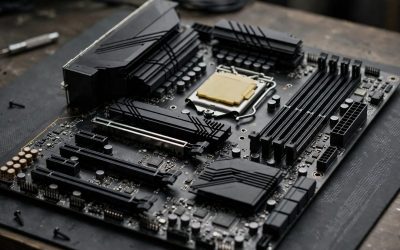
Boards for multi-GPU rigs fall into two groups: workstation boards with real PCIe slots, and specialty boards designed to host many cards through risers. Check slot count, lane layout and power needs before choosing.
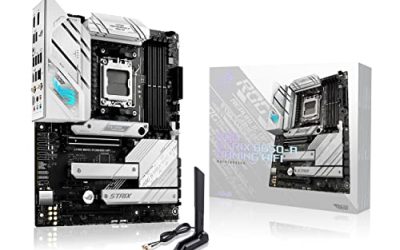
ASUS Pro WS W790 SAGE SE Intel LGA 4677 CEB Motherboard, 7 PCIe 5.0 x16 Slots
A workstation board with seven full-length PCIe 5.0 slots. It suits serious multi-GPU compute where each card needs real bandwidth and the budget allows for it.
As an Amazon Associate we earn from qualifying purchases at no extra cost to you.

ASUS Pro WS TRX50-SAGE WIFI CEB Workstation Motherboard, Threadripper PRO
A board for AMD’s Threadripper platform, built for heavy workstation loads. It is for builders who need many lanes and plenty of memory capacity.

Biostar TB560-BTC PRO, LGA 1200 Intel B560, 12 GPU Support
A specialty board that supports many cards through risers. It is built for rigs where bandwidth per card matters less than slot count.

ASRock Q270 PRO BTC+ Mining Board, 12x PCIe 3.0
A board with a dozen PCIe slots on an ATX layout. It is a fit for experimental or compute-focused builds that use many small cards.

JSER PCI-E 1x to 16x Riser Adapter with USB 3.0 and 6-Pin Power Cable
A riser that moves a card away from the board, which is how many-card systems connect extra GPUs. Buy several, and check power delivery carefully.

Frequently Asked Questions
Can a normal gaming motherboard run eight GPUs?
Not at useful speeds. Consumer chipsets provide only a handful of PCIe slots and limited CPU lanes. You can attach extra cards through M.2 adapters or USB-style risers, but boot problems and very low bandwidth are common.
Do eight GPUs run games faster?
No. Modern games do not scale across multiple cards because SLI and CrossFire support has ended in practice. Eight-GPU rigs are for AI, rendering and other parallel compute, not gaming frame rates.
Is PCIe x1 enough for a GPU?
For compute that stays inside the card’s VRAM, yes. For anything that streams large data between cards or the CPU, an x1 link becomes the bottleneck, so choose x8 or x16 for those workloads.
How much RAM does an 8-GPU system need?
A common rule of thumb is at least as much system memory as total VRAM, so eight 24 GB cards pair well with 192 GB or more. Server boards with eight memory channels make this affordable with registered DIMMs.
Should I buy new or used server boards?
Used EPYC boards offer the best price per lane, but check the seller, BIOS version and CPU compatibility list. New Threadripper PRO boards cost more but add PCIe 5.0, DDR5 and a manufacturer warranty.
Related guides
More from Amazon
Programs that pair well with the guide above. Offers and eligibility are set by Amazon and may change.
A free business account with business pricing and bulk-buying tools for work, shop or home office.
Create a business accountFree shipping on eligible items, Prime Video and more. Eligible new members can start with a free trial.
Start a Prime free trialAudiobooks and podcasts to listen to on the go. Eligible new members can start with a free trial.
Try Audible freeAd-free music streaming. Eligible new subscribers can start with a free trial.
Try Music Unlimited freeAs an Amazon Associate we earn from qualifying purchases.