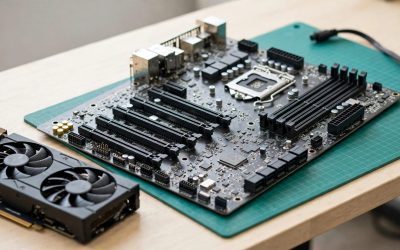
The best gaming motherboard for most builders in 2026 is a B850 AM5 board for AMD Ryzen 9000 and 7000 CPUs, or a Z890 board for Intel Core Ultra 200S processors if you want to overclock. B850 boards from ASUS, MSI, and Gigabyte give you PCIe 5.0 for the GPU and a fast M.2 slot, plus Wi-Fi and 2.5G Ethernet, at roughly $180-$300. Choose by CPU socket first, then by VRM quality, M.2 slots, and I/O.
Quick comparison of motherboard picks
| Pick | Best for | Key specs | Typical price range |
|---|---|---|---|
| B850 ATX board (ASUS TUF or MSI MAG class) | Best overall for AMD | AM5, PCIe 5.0 x16, PCIe 5.0 M.2, DDR5, Wi-Fi 7 on many models | Usually $190-$280 |
| B650 / B650E board class | Best value for AMD | AM5, DDR5, PCIe 4.0 or 5.0 depending on model | Usually $130-$220 |
| X870E board class | Best high-end AMD | AM5, PCIe 5.0 GPU and storage, USB4 on many models, strong VRM | Usually $350-$700 |
| Z890 board class | Best for Intel Core Ultra 200S | LGA 1851, DDR5, Thunderbolt 4 on many, overclocking support | Usually $220-$500 |
| B860 board class | Best budget Intel | LGA 1851, DDR5, no CPU overclocking, memory tuning allowed | Usually $120-$220 |
Best overall: B850 for AMD builds
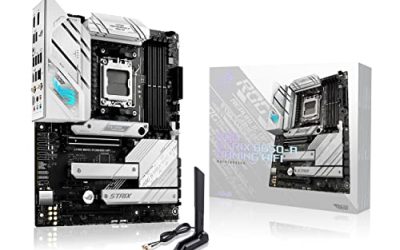
A B850 board is the sweet spot for a gaming PC with a Ryzen 7 9800X3D or a similar chip. You get PCIe 5.0 for current and future graphics cards, DDR5 memory support, and enough VRM headroom for mid-range and high-end Ryzen chips. The trade-off is that cheaper B850 boards can have fewer USB ports and fewer M.2 slots, so check the spec sheet.
Best value: B650
If your CPU is a Ryzen 5 or Ryzen 7, a good B650 board saves $50-$100 without a visible gaming performance loss. Gaming FPS depends mostly on the CPU and GPU, not on the board. The trade-off is older networking, fewer high-speed USB ports, and sometimes a PCIe 4.0 only M.2 slot.
Best high-end AMD: X870E
X870E boards offer stronger power delivery, more M.2 slots, USB4, and better audio. They make sense for 16-core Ryzen 9 chips, heavy overclocking, or builds with multiple NVMe drives. They are not needed for pure gaming.
Best for Intel: Z890
For an Intel Core Ultra 7 265K or Ultra 9 285K, a Z890 board enables CPU overclocking and fast DDR5. For locked CPUs or non-overclock use, a B860 board costs less and runs the same chips at their rated speeds.
Best budget Intel: B860
B860 boards support the same LGA 1851 CPUs with fewer extras. They are a good pick for a Core Ultra 5 build, with the trade-off of limited expansion and sometimes fewer rear USB ports.
Worked example: does your board’s VRM fit your CPU?
A CPU’s sustained power draw determines how strong the VRM (voltage regulator) needs to be. If a CPU draws 160 W at the socket and the VRM is about 90 percent efficient, the VRM must deliver 160 W / 0.90 = about 178 W of input power while converting. At around 1.25 V under load, that is 160 / 1.25 = 128 A of current. A board with a 14-phase design rated for 80 A per power stage has 14 x 80 = 1,120 A of capacity, which is far above 128 A. A cheap 6-phase board with 50 A stages has 300 A, still enough for gaming, but it may run hot with heavy workloads if heatsinks are small. The lesson: for 65-120 W gaming CPUs, almost any mainstream board works. Pay for stronger VRMs only for 200 W+ chips.
| CPU class | Typical sustained power | VRM recommendation |
|---|---|---|
| Ryzen 5 / Core Ultra 5 (65 W class) | 65-90 W | Basic 6-8 phase with heatsink |
| Ryzen 7 X3D | 90-120 W | Mid-range 10-14 phase |
| Ryzen 9 / Core Ultra 9 | 150-250 W | Strong 14+ phase with large heatsinks |
Decision matrix: match your build to a board
| Your build | Choose | Why |
|---|---|---|
| Ryzen 5 or 7, 1080p/1440p gaming | B650 or B850 | Gaming speed comes from CPU and GPU |
| Ryzen 9, streaming and editing | B850 high-end or X870E | VRM and storage expansion |
| Intel Core Ultra K-series, overclocking | Z890 | Unlocked multiplier support |
| Intel non-K, budget | B860 | Same CPU performance at a lower cost |
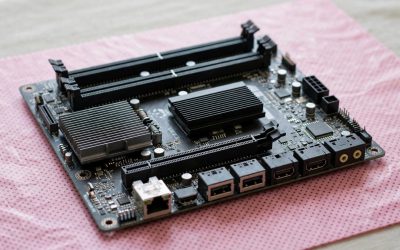
| Small case | Mini-ITX or micro-ATX B850/B860 | Size fits, with fewer slots |
What to check before buying
- Socket match. AM5 for Ryzen 7000/8000/9000, LGA 1851 for Core Ultra 200S. Confirm CPU support on the manufacturer’s page, as older boards sometimes need a BIOS update.
- Memory type. These modern boards use DDR5 only. DDR4 kits will not fit.
- M.2 slots. Count them and check which are PCIe 5.0 versus 4.0. Some slots share bandwidth with SATA ports.
- Form factor. ATX, micro-ATX, or mini-ITX must match your case.
- Rear I/O. USB-C, 2.5G or faster Ethernet, and Wi-Fi 6E or 7 matter for daily use.
- BIOS Flashback. It lets you update the BIOS without a CPU, which helps when buying a new CPU on an older board.
Common mistakes
- Paying for X870E or Z890 and then putting a mid-range CPU on it.
- Ignoring the case size and buying an ATX board for a micro-ATX case.
- Skipping the manufacturer’s QVL list when buying high-speed RAM, then running at low default speeds. Enable EXPO or XMP in the BIOS.
- Assuming PCIe 5.0 will raise FPS. Current GPUs lose almost nothing on PCIe 4.0 per published reviews.
Sample builds: pairing board, CPU, and budget
A motherboard should take a sensible share of the total budget, typically 10 to 15 percent of a gaming PC. These sample pairings show how the choice changes with the build:
| Build tier | CPU class | Board class | Board share of a $1,500 build |
|---|---|---|---|
| Value 1080p/1440p | Ryzen 5 7600 or 9600X class | B650 at about $130-$180 | About 9-12% |
| High-refresh gaming | Ryzen 7 9800X3D class | B850 at about $200-$280 | About 13-19% |
| Streaming and creation | Ryzen 9 or Core Ultra 9 | X870E or Z890 at $350+ | 20%+, only if you use the features |
If the board share climbs past 20 percent on a gaming-only build, money is usually better spent on the GPU, which is the biggest FPS lever in nearly every modern game.
BIOS and setup tips after you buy
- Update the BIOS first if the board is older stock, since newer CPUs may need a release that adds support.
- Enable EXPO (AMD) or XMP (Intel) so your DDR5 runs at its rated speed. Without it, memory often defaults to 4800 MT/s or lower.
- Turn on Resizable BAR (Smart Access Memory on AMD) if your GPU supports it, as it can give a small gain in some games.
- Set the GPU slot to the highest PCIe generation, and confirm in the BIOS that M.2 slots share lanes the way you expect.
Frequently Asked Questions
Does the motherboard affect gaming FPS?
Very little. The CPU, GPU, and memory speed set performance. A better board mostly adds features, stability, and overclocking headroom.
Is B850 or X870E better for gaming?
B850 is the better value for gaming. X870E adds more expansion and USB4, which are useful for creators and enthusiasts but do not improve typical gaming results.
Do I need Wi-Fi on a gaming motherboard?
If you use wired Ethernet, you can skip it and save money. Many mid-range boards include Wi-Fi 6E or 7 by default, so it is often included anyway.
Can I use DDR4 on a modern gaming motherboard?
No. AM5 and LGA 1851 platforms support DDR5 only, so you need DDR5 memory kits.
How many M.2 slots do I need?
Two is enough for most gamers: one for the OS and games and one spare. Add more only if you plan to edit video or keep large libraries on NVMe drives.
Related guides
More from Amazon
Programs that pair well with the guide above. Offers and eligibility are set by Amazon and may change.
A free business account with business pricing and bulk-buying tools for work, shop or home office.
Create a business accountFree shipping on eligible items, Prime Video and more. Eligible new members can start with a free trial.
Start a Prime free trialAudiobooks and podcasts to listen to on the go. Eligible new members can start with a free trial.
Try Audible freeAd-free music streaming. Eligible new subscribers can start with a free trial.
Try Music Unlimited freeAs an Amazon Associate we earn from qualifying purchases.