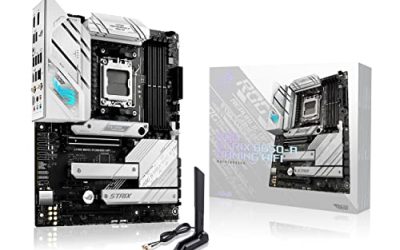
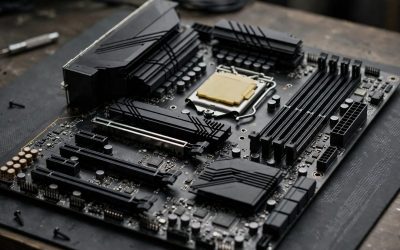
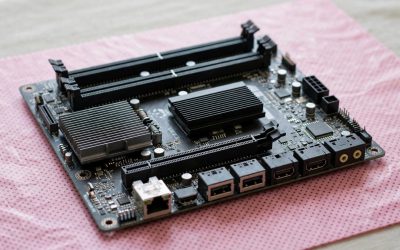
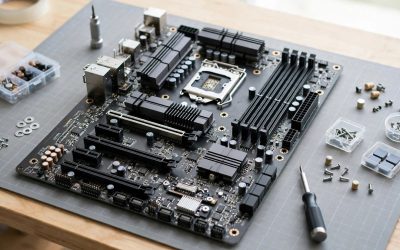
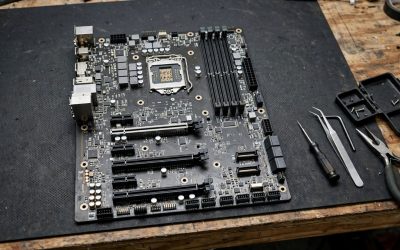
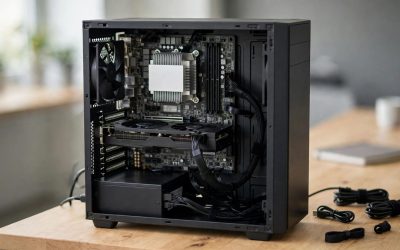
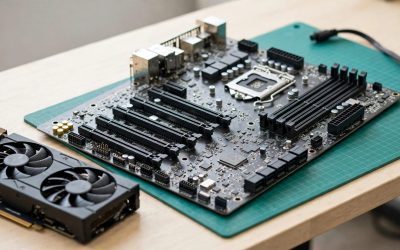
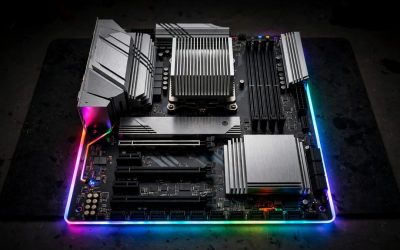
The best LGA 775 motherboards in 2026 are late-generation boards built on the Intel P45, P35 or G41 chipsets, because they combine DDR2 or DDR3 support, SATA ports and PCIe x16 slots that still work with a modern low-power graphics card. LGA 775 is a platform from the mid-2000s, so every board is now a used or refurbished purchase, and the right pick depends on which memory type, which CPU and which condition you can verify before paying.
Nothing new is made for this socket. That changes how you shop: you are not comparing launch specs, you are comparing chipsets, VRM quality, capacitor condition and BIOS version. The sections below map each situation to a board class, so you can buy the right one for a retro build, a spare-parts repair or a low-power home server.
Quick comparison of LGA 775 board classes
| Pick | Best for | Key specs | Typical used price |
|---|---|---|---|
| P45 / P43 ATX board (DDR2 or DDR3 variant) | Best overall, fastest Core 2 Quad builds | 1333 MHz FSB, 2x PCIe x16 (P45), 6 SATA, 8-16 GB RAM | usually $30-$80 |
| X48 / X38 enthusiast board | Overclocking and dual-GPU retro rigs | Strong VRM, 1600 MHz FSB headroom, PCIe 2.0 x16 pair | usually $60-$150 |
| P35 / P31 ATX board | Best budget | 1333 MHz FSB, PCIe 1.1 x16, DDR2 or DDR3 | usually $20-$50 |
| G41 / G43 micro-ATX board | Compact office or media PC | Integrated Intel graphics, 1333 MHz FSB, 2 DIMM slots, 4 SATA | usually $15-$40 |
| 975X / 965 early board | Period-correct Core 2 Duo and Pentium D builds | 1066 MHz FSB, DDR2 only, PCIe 1.1 | usually $20-$60 |
Best overall: a P45 ATX board
The Intel P45 Express chipset is the sweet spot of the platform. Per Intel’s chipset documentation, it supports a 1333 MHz front side bus, PCI Express 2.0 and up to 16 GB of memory on most board designs. Boards from the major vendors came in DDR2 and DDR3 versions, and some even carried both slot types, though you could only populate one.
Its main advantage is CPU coverage. A P45 board with an up-to-date BIOS runs everything from Pentium Dual-Core and Core 2 Duo up to the Core 2 Quad Q9650 and the Xeon X5460 with a socket adapter mod. Its trade-off is age: electrolytic capacitors in 15-year-old boards fail, so look for boards with solid-polymer capacitors around the CPU socket, and avoid any with bulging or leaking cans.
Best for overclocking: an X48 or X38 board
The X48 and X38 chipsets were the enthusiast tier. They offered two PCIe 2.0 x16 slots running at x8/x8 or x16 on a single card, stronger power delivery and memory dividers that supported high FSB speeds. If you want to push a Core 2 Quad past 3.6 GHz on air, these boards offer the voltage and cooling headroom that cheaper chipsets lack.
The trade-off is price and power draw. A used X48 board costs two to three times as much as a P35 board, and the chipset runs hot, so check that the heatsink is still firmly mounted and thermal paste has been refreshed.
Best budget: a P35 or P31 board
If you only want a working Core 2 Duo desktop for a retro game library or a child’s school PC, a P35 or P31 board is enough. The P35 supports the 1333 MHz bus and DDR2 or DDR3 depending on the model. Boards are common, cheap and well documented on enthusiast forums.
The weakness is BIOS support. Some early P35 boards will not run 45 nm CPUs (the Penryn generation) without a BIOS update, which you cannot do if the board does not POST with the CPU you own. Always read the CPU support list from the manufacturer’s website for the exact board revision before buying.
Best compact option: a G41 micro-ATX board
G41 and G43 boards have integrated Intel GMA X4500 graphics, which handle video playback and light office work. Their 2-slot memory layout caps most boards at 8 GB, but for a document PC, a point-of-sale station or a retro media player that is plenty. They draw less power than an X48 board because there is no second GPU slot or hot northbridge.
The trade-off is expansion. You usually get one PCIe x16 slot and one or two legacy slots, and the VRM is built for 65 W CPUs rather than a 95 W Core 2 Quad. Pair it with a Core 2 Duo E7500 or E8400 rather than a quad.
Best for period-correct builds: 975X and 965 boards
For a historically accurate mid-2000s machine, an Intel 975X or 965 board gives you the DDR2, 1066 MHz FSB and PCIe 1.1 platform of that era. Many of these boards accept Core 2 Duo E6xxx chips and, with a BIOS flash, some 45 nm processors. They are best for collectors, not for people who want maximum performance per dollar.
Worked example: how much CPU can a board power?
The key number on LGA 775 is the CPU thermal design power versus the board VRM rating. Core 2 Duo E8400 is a 65 W part. Core 2 Quad Q9550 is rated 95 W. If you run a Q9550 overclocked from 2.83 GHz to 3.4 GHz with a voltage bump from about 1.20 V to 1.30 V, power rises roughly with frequency times voltage squared:
- Frequency ratio: 3.4 / 2.83 = 1.20
- Voltage ratio squared: (1.30 / 1.20)^2 = 1.17
- Estimated power: 95 W x 1.20 x 1.17 = about 133 W
That is a 40 percent jump from the stock rating, and a budget G41 or P31 board with a three-phase VRM may overheat at that load. A P45 or X48 board with a six-phase or eight-phase VRM and a heatsink on the MOSFETs handles it comfortably. This is why the VRM phase count matters more than the chipset name for overclockers.
Compatibility matrix: match your situation to a board
| Your situation | Choose | Why |
|---|---|---|
| You already own DDR2 memory | P35, P45 DDR2 or 975X | DDR2 and DDR3 slots are not interchangeable |
| You want a Core 2 Quad Q9xxx | P45 or X48 | Better VRM, 45 nm support in BIOS |
| You want an office PC with no graphics card | G41 / G43 | Integrated graphics included |
| You need legacy PCI slots | Check slot layout per model | Many boards keep two or three PCI slots |
| You want a modern SSD | Any board with SATA II | SATA 3 Gb/s caps near 280 MB/s |
How to choose: a buying checklist
- Confirm the memory type first. DDR2 sticks will not fit a DDR3 slot, and mixing is impossible on one board.
- Read the exact board revision on the PCB and check the CPU support list for that revision and BIOS version.
- Inspect capacitors. Flat-topped, non-leaking solid or electrolytic caps are fine; bulged tops mean the board is near end of life.
- Ask for a photo of the rear I/O shield and the socket pins. Bent pins in the socket are the most common cause of a dead board.
- Check the supply: a 15-year-old board needs a power supply with a 4-pin CPU connector and a 24-pin main connector, which most modern ATX units still provide.
- Budget for a cooler. A 775 cooler mounting is a push-pin design, and many modern coolers include a retention bracket, but not all.
What these boards cannot do
Know the limits before buying. LGA 775 boards use SATA II at 3 Gb/s, so a modern SSD is capped near 280 MB/s sequential. They have no NVMe slot, no USB 3.0 on most models, and no UEFI, so large drives above 2 TB need a BIOS that supports GPT booting or an add-in card. Windows 11 will not install on them, and Windows 10 support has ended, so Linux or older Windows versions are the practical choice for these systems.
Frequently Asked Questions
Is LGA 775 still worth buying in 2026?
Only for specific uses: retro gaming of Windows XP or Vista era titles, repairing an older system, or a hobby build. For general daily use, a modern entry-level platform is more efficient and much faster, even used.
Which is better, DDR2 or DDR3 on an LGA 775 board?
DDR3 boards generally allow higher capacities and slightly higher bandwidth, but the real-world difference on a Core 2 system is small. Choose whichever memory type you already own or can buy cheaply, since the board only accepts one type.
What is the fastest CPU for a 775 socket?
Among desktop parts, the Core 2 Extreme QX9770 and the Core 2 Quad Q9650 sit at the top, according to Intel’s product listings. Server Xeon chips such as the X5460 work on some boards with a pin mod, but that modification carries risk and voids any chance of a return.
Can I use a modern graphics card in a 775 board?
Physically yes, since PCIe is backward compatible. In practice a Core 2 CPU will bottleneck anything faster than a low-end card from the GTX 1050 Ti or RX 6400 class, so a midrange card wastes its potential.
How do I check whether a used board works?
Ask the seller for a POST video with a CPU installed, a BIOS version screenshot and photos of the socket. Reasonable return terms matter more than the price on a 15-year-old part.
Related guides
More from Amazon
Programs that pair well with the guide above. Offers and eligibility are set by Amazon and may change.
A free business account with business pricing and bulk-buying tools for work, shop or home office.
Create a business accountFree shipping on eligible items, Prime Video and more. Eligible new members can start with a free trial.
Start a Prime free trialAudiobooks and podcasts to listen to on the go. Eligible new members can start with a free trial.
Try Audible freeAd-free music streaming. Eligible new subscribers can start with a free trial.
Try Music Unlimited freeAs an Amazon Associate we earn from qualifying purchases.