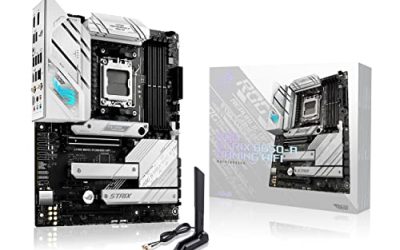
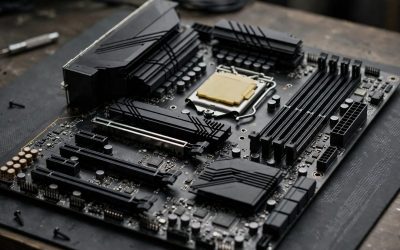
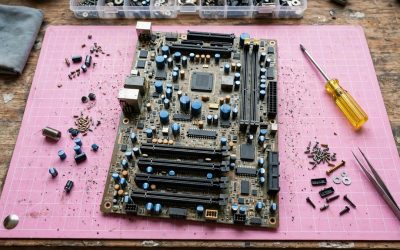
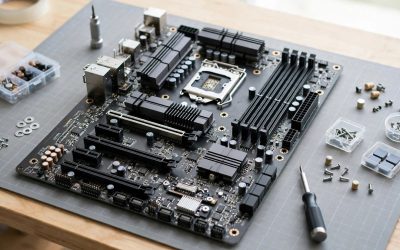
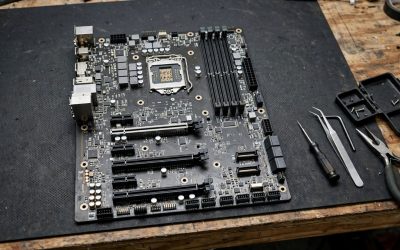
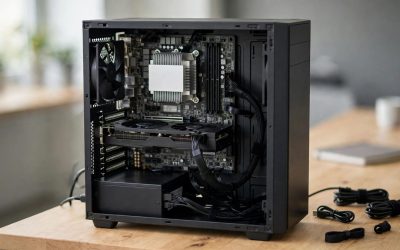
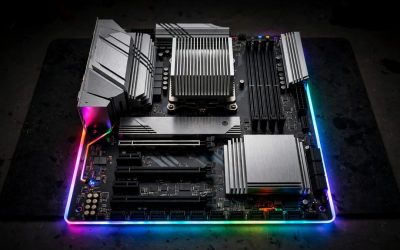
The best motherboards for running four GPUs are workstation boards built on AMD Threadripper PRO (WRX90), Threadripper (TRX50) or Intel Xeon W platforms, such as the ASUS Pro WS WRX90E-SAGE SE, because consumer boards only provide 16-24 CPU PCIe lanes. Four GPUs at x16 each need 64 lanes, and four at x8 need 32. If you only need two GPUs for gaming or rendering, a mainstream X870E or Z890 board is cheaper and plenty. Four-GPU builds are for AI training and inference, rendering farms and compute work, not for gaming, since games do not scale across multiple cards.
Quick comparison of boards for four GPUs
| Pick | Best for | Key specs | Typical price range |
|---|---|---|---|
| ASUS Pro WS WRX90E-SAGE SE (Threadripper PRO 7000/9000 WX) | Best overall, maximum lanes | 7 PCIe 5.0 x16 slots, 8-channel DDR5 ECC, 128 CPU lanes, dual 10 GbE | usually $1,000-$1,300 |
| ASUS Pro WS TRX50-SAGE WIFI (Threadripper 7000) | Best for 4 GPUs at lower cost | 3 PCIe 5.0 x16 plus 2 x16-length slots, 4-channel DDR5, 48 CPU lanes | usually $800-$1,000 |
| Supermicro or ASRock Rack Xeon W / EPYC workstation board | Best for server-style racks | Up to 7 PCIe slots, ECC memory, IPMI remote management | usually $700-$1,500 |
| Mainstream X870E or Z890 with bifurcation | Best budget for 2 GPUs, x8/x8 | 2 PCIe 5.0 slots at x8/x8, 24 CPU lanes total | usually $250-$500 |
| Used or older X299 / WRX80 workstation board | Best value on the secondary market | PCIe 3.0-4.0, 4-7 slots, older CPUs | usually $250-$700 used |
Prices are general market ranges, and workstation platforms often require registered ECC memory and a Threadripper or Xeon CPU that adds $1,500 and up.
Best overall: a WRX90 board with seven x16 slots
The Threadripper PRO platform exposes 128 PCIe 5.0 lanes from the CPU, according to AMD’s specifications. That is enough to run four GPUs at full x16 with lanes left for NVMe storage and 10 GbE networking. Boards such as the ASUS Pro WS WRX90E-SAGE SE space the slots so that dual-slot cards can sit with a gap, and they offer eight memory channels, which helps CPU-side data loading in AI workloads.
Trade-off: the board, CPU and registered memory together cost several thousand dollars, and the system needs a 1,600 W-class power supply or dual power supplies.
Best value for four GPUs: a TRX50 board
Threadripper 7000 on TRX50 provides 48 usable PCIe 5.0 lanes from the CPU. That supports four GPUs at x8 each plus some storage, which is perfectly adequate for most inference and many training jobs. Memory is four-channel DDR5 registered, so it is cheaper than the WRX90 platform.
Trade-off: x8 links halve the bandwidth to each card (about 32 GB/s each direction at PCIe 5.0 versus 64 GB/s at x16), which matters mainly for workloads that shuffle data between GPUs a lot.
Best for racks: server-style workstation boards
Supermicro and ASRock Rack boards with Xeon W or EPYC sockets are designed for continuous operation. They add remote management (IPMI), ECC memory support and in some cases more PCIe slots than consumer boards. They suit a rack-mounted GPU server or a lab where the machine runs unattended.
Trade-off: they lack consumer features such as audio, Wi-Fi and RGB headers, and BIOS options can be less friendly.
Best budget: two GPUs on a mainstream board
Many shoppers searching for “4 GPU motherboards” really need two or three. A mainstream AM5 (X870E) or LGA 1851 (Z890) board splits the CPU’s 16 graphics lanes into x8/x8, and some boards add a third slot wired through the chipset at x4. That setup covers dual-GPU rendering or a primary GPU plus a second card for AI or video encoding.
Trade-off: no consumer board supports four GPUs at useful bandwidth without adapters or risers, and chipset-connected slots share a single x4 or x8 link to the CPU.
Worked example: counting PCIe lanes for four GPUs
Lane budget is the first calculation to do. Each PCIe lane moves about 3.94 GB/s per direction at PCIe 4.0 and about 7.88 GB/s per direction at PCIe 5.0 (based on the PCI-SIG signaling rates after encoding overhead).
| Configuration | Lanes needed | Bandwidth per GPU (PCIe 4.0) | Bandwidth per GPU (PCIe 5.0) | Platform that fits |
|---|---|---|---|---|
| 4 GPUs at x16 | 64 | about 31.5 GB/s | about 63 GB/s | WRX90 (128 lanes) |
| 4 GPUs at x8 | 32 | about 15.8 GB/s | about 31.5 GB/s | TRX50 (48 lanes) |
| 4 GPUs at x4 | 16 | about 7.9 GB/s | about 15.8 GB/s | Mainstream with risers or bifurcation |
| 2 GPUs at x8/x8 | 16 | about 15.8 GB/s | about 31.5 GB/s | X870E / Z890 |
Add 4-8 lanes for each NVMe drive and about 4-8 lanes for fast networking. Four GPUs at x8 (32 lanes) plus two NVMe drives (8 lanes) plus a 10 GbE card (4 lanes) is 44 lanes, which fits just under the 48-lane budget of TRX50.
Power and physical space
Four high-end GPUs can draw serious power. A card with a 300 W board power, times four, is 1,200 W for the GPUs alone. Add 350 W for a Threadripper CPU and 150 W for the rest, and you reach about 1,700 W peak. A single 1,600 W power supply on a 120 V circuit leaves little margin (a 15 A, 120 V circuit supports about 1,440 W continuously), so many builders set a GPU power limit of 200-250 W, which usually cuts performance by only 5-15 percent in compute workloads, or use a 240 V circuit.
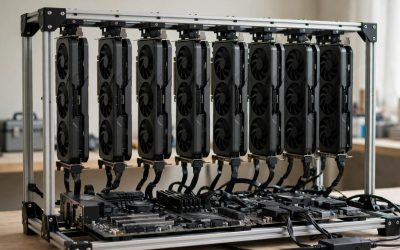
Spacing matters as well. Modern GPUs are three or four slots thick, so four of them across seven slots needs either blower-style or two-slot workstation cards, water-cooled single-slot cards, or PCIe riser cables in an open frame or large case.
How to choose: a step-by-step guide
- Decide your workload. AI inference tolerates x8 or even x4 links. Multi-GPU training with frequent all-reduce traffic benefits from x16 and high-speed GPU links, if the cards support them.
- Count lanes. Total the lanes for GPUs, NVMe drives and network cards, then pick a platform with at least that many CPU lanes.
- Check slot spacing against your card thickness. Measure in slots, not just lane count.
- Plan memory. A common rule for AI workstations is system RAM at least equal to the total GPU VRAM. Four 24 GB cards suggest 128 GB or more.
- Budget power and cooling. Size the PSU for peak draw plus 20 percent, and check your wall circuit capacity.
- Check BIOS features. Look for “Above 4G Decoding” and “Resizable BAR” support and PCIe bifurcation options, which multi-GPU systems need.
Decision matrix: how many GPUs and which platform?
| Your goal | GPUs | Platform | Why |
|---|---|---|---|
| Gaming only | 1 | Any mainstream board | Multi-GPU is no longer supported in modern games |
| Video editing and rendering | 1-2 | X870E / Z890 | x8/x8 is sufficient |
| Local LLM inference | 2-4 | TRX50 or used workstation | VRAM capacity matters more than lane speed |
| AI training / HPC | 4+ | WRX90 or EPYC | Full x16 lanes, ECC memory, reliability |
| Mining or rendering farm | 4-8 | Server board or risers | Low per-GPU bandwidth is acceptable |
Frequently Asked Questions
Can a normal gaming motherboard run four GPUs?
Physically some boards have three or four slots, but most share a small number of lanes, so the cards run at x4 or x1. That works for compute jobs with light data transfer, but it is not efficient. For real four-GPU use, choose a workstation platform with 48 or more CPU lanes.
Does SLI or CrossFire still matter?
No. Both technologies have been discontinued, and current games do not scale across multiple GPUs. Multi-GPU setups today are for compute, rendering and AI, where each GPU works on its own task or a share of the data.
How much power supply do I need for four GPUs?
Add up each GPU’s board power, plus the CPU and about 150 W for other parts, then add 20 percent. For four 300 W cards and a 350 W CPU, that is about 2,000 W, so many builders use two PSUs or power-limit the cards to 200-250 W each.
Is x8 enough for each GPU?
For most inference, rendering and light training, yes. At PCIe 4.0, x8 gives about 15.8 GB/s per direction, and at PCIe 5.0 about 31.5 GB/s. Only bandwidth-heavy multi-GPU training sees a clear penalty.
Do I need ECC memory?
Workstation boards on Threadripper PRO and Xeon W usually require registered ECC memory. ECC catches single-bit errors, which matters for long training runs, though most inference jobs run fine without it. Check the board’s memory support list before you buy.
Related guides
More from Amazon
Programs that pair well with the guide above. Offers and eligibility are set by Amazon and may change.
A free business account with business pricing and bulk-buying tools for work, shop or home office.
Create a business accountFree shipping on eligible items, Prime Video and more. Eligible new members can start with a free trial.
Start a Prime free trialAudiobooks and podcasts to listen to on the go. Eligible new members can start with a free trial.
Try Audible freeAd-free music streaming. Eligible new subscribers can start with a free trial.
Try Music Unlimited freeAs an Amazon Associate we earn from qualifying purchases.