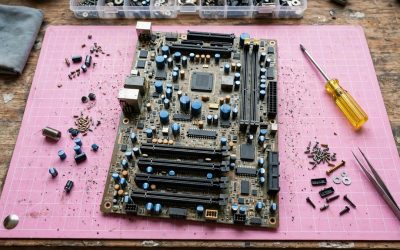
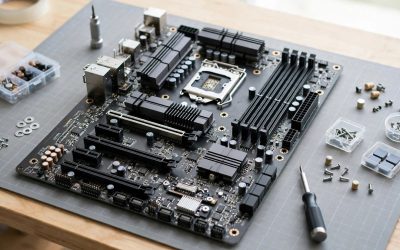
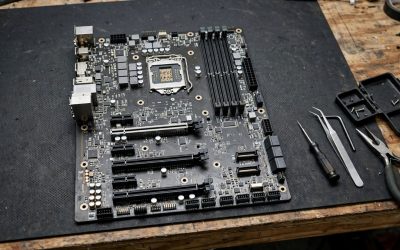
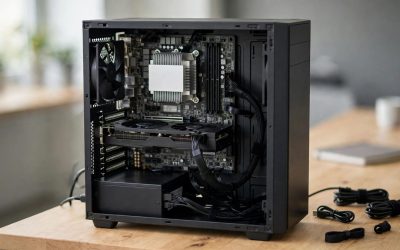
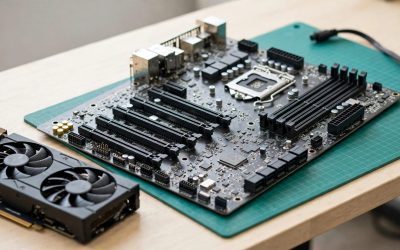
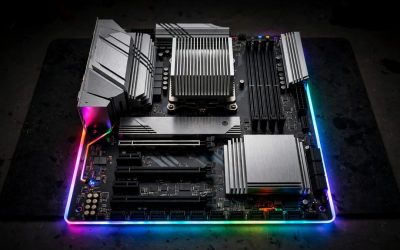
The best 300 series motherboard for most builders is a Z390 board if you are running a Core i7 or i9 from the 8th or 9th generation and want overclocking, and a B360 or H370 board if you are building around a Core i3, i5 or locked i7 on a budget. All 300 series boards use the LGA 1151 (version 2) socket, so they only accept 8th and 9th generation Intel Core chips, not the 6th and 7th generation parts that fit older 100 and 200 series boards.
Because this platform is now several years old, almost every purchase today is either a used or refurbished board, an open-box clearance unit, or an upgrade for an existing system. That changes how you should shop: BIOS version, VRM quality and surviving warranty matter more than headline features.
Quick Comparison of the 300 Series Chipsets
| Chipset | Best for | CPU overclocking | Memory support (per Intel) | Chipset PCIe 3.0 lanes | Typical used/clearance price |
|---|---|---|---|---|---|
| Z390 | Core i9-9900K / i7-9700K builds | Yes (K-series) | DDR4-2666 official, XMP higher | Up to 24 | $70-$150 |
| Z370 | 8th gen K-series, often needs BIOS update for 9th gen | Yes (K-series) | DDR4-2666 official | Up to 24 | $50-$110 |
| H370 | Mid-range builds needing many SATA and M.2 ports | No | DDR4-2666 | Up to 20 | $50-$100 |
| B360 | Budget Core i3 / i5 gaming PCs | No | DDR4-2666 | Up to 12 | $40-$90 |
| H310 | Entry-level office or media PCs | No | DDR4-2666 | Up to 6 | $30-$60 |
Best Overall: A Quality Z390 Board
A Z390 board is the right pick if you own or plan to buy a Core i9-9900K, i9-9900KS or i7-9700K. The chipset supports multiplier overclocking, and the better boards in this class use 8-phase or stronger VRM designs with heatsinks. Look at established models such as the ASUS ROG Strix Z390-E Gaming, the MSI MPG Z390 Gaming Edge AC, the Gigabyte Z390 Aorus Pro or the ASRock Z390 Taichi class of boards.
The main trade-off is price relative to performance. A used Z390 board plus a 9900K is cheap next to a modern platform, but you are buying into DDR4 and PCIe 3.0, so a current graphics card will not run at its newest link speed. For most 1080p and 1440p cards this makes only a small difference, but it is worth knowing before you pair a flagship GPU with this platform.
Best Value for Gaming: B360
B360 is the sensible budget choice for a Core i5-8400, i5-9400F or similar locked chip. These CPUs cannot be overclocked anyway, so paying for Z-series features wastes money. A mainstream B360 board gives you two or four DDR4 slots, at least one M.2 slot and enough SATA ports for a typical gaming build.
The trade-off is expansion. Intel specifies fewer high-speed I/O lanes on B360, so many boards have only one M.2 slot and limited USB 3.1 Gen 2 ports. Check the board manual before buying if you want two NVMe drives, because sharing between M.2 and SATA ports is common at this tier.
Best for Storage-Heavy Builds: H370
H370 sits between B360 and Z370. It has more chipset lanes, so boards usually offer two M.2 slots and six SATA ports without as many sharing restrictions. It cannot overclock the CPU, but it can still tune memory on many boards. It is a good match for a home server, a workstation with several drives, or a gaming PC that doubles as a media library.
Best Ultra-Budget: H310
H310 boards are the cheapest 300 series option and work well for an office or school machine with a Core i3-8100 or Pentium Gold. They usually have two DDR4 slots, few USB ports, no or minimal M.2 support and weak VRMs. Do not pair one with a Core i7 or i9, because the power delivery was not designed for sustained high loads and the CPU will throttle.
Worked Example: Checking VRM Headroom Before You Buy
The Core i9-9900K has a 95 W base power rating, but Intel’s PL2 boost limit is 119 W by default, and many motherboards run it unlimited. In a real all-core workload the chip can pull roughly 150 W to 200 W depending on the board’s settings and cooling. The conversion from the 12 V rail to roughly 1.2 V core voltage is not perfectly efficient, so you can estimate the current the VRM must supply.
- Assume 180 W CPU package power at about 1.25 V core voltage.
- Current = 180 W / 1.25 V = 144 A on the CPU side.
- On a 4-phase VRM each phase carries about 36 A, which is near the limit of many budget power stages and gets hot quickly without a heatsink.
- On an 8-phase VRM each phase carries about 18 A, which is comfortable for decent 40 A to 60 A rated power stages.
The practical conclusion: a Core i9 or overclocked i7 should be paired with a board that has at least 8 real phases and a proper heatsink, while a locked i5 pulling around 65 W to 80 W is fine on a simple 4-phase B360 board.
CPU Compatibility Matrix
| Your CPU | Recommended board | Notes |
|---|---|---|
| Core i3-8100 / i3-9100F | H310 or B360 | Low power; any board works |
| Core i5-8400 / i5-9400F | B360 or H370 | Locked multiplier; skip Z series |
| Core i5-8600K / i5-9600K | Z370 or Z390 | Overclockable; check BIOS version |
| Core i7-8700 / i7-9700 | B360 with good VRM or H370 | Non-K parts hit about 65 W base; heavier boost |
| Core i7-9700K / i9-9900K | Z390 with 8+ phase VRM | Best match for sustained load |
How to Choose: Decision Criteria
- Confirm CPU support first. Only 8th and 9th generation Core processors work. A Z370 or B360 board may ship with an older BIOS that needs an update before it can boot a 9th generation chip, so ask the seller whether the BIOS was updated or whether a flash-back feature is present.
- Match chipset to the CPU. Do not pay for Z390 if the CPU is locked.
- Count the drives. List how many NVMe and SATA drives you plan to use, and check the manual for lane sharing.
- Check the I/O and Wi-Fi. Many Z390 boards add Wi-Fi 5 and Bluetooth; cheaper boards need a separate card.
- Inspect used boards. Look for bent socket pins, swollen capacitors, missing I/O shield and a stable BIOS version, and confirm the return window.
Memory and Storage Settings That Help
All 300 series boards officially support DDR4-2666 on the 8th and 9th generation processors, but most boards with XMP can run DDR4-3000 to DDR4-3600 kits fine. For gaming, two 8 GB modules in dual-channel mode are the minimum, and 16 GB to 32 GB total is more future-proof. Enable XMP in the BIOS, and if you see instability, drop the speed one step before raising voltage.
For storage, boot from an NVMe drive in the M.2 slot that connects to the chipset or CPU, depending on the board manual, and keep bulk files on SATA drives. A PCIe 3.0 x4 NVMe SSD reaches roughly 3,000 MB/s to 3,500 MB/s sequential read on these boards, which is the ceiling of the interface.
Frequently Asked Questions
Can a 300 series motherboard run a Ryzen or 10th generation Intel chip?
No. 300 series boards use the LGA 1151 socket and only support 8th and 9th generation Intel Core processors. A 10th generation Core chip needs an LGA 1200 board, and Ryzen needs an AMD socket board.
Is Z390 worth it over B360?
It is worth it only if you will use an unlocked K-series CPU and overclock, or you need more USB ports, more PCIe lanes and stronger power delivery. For a locked Core i5, B360 provides the same gaming performance for less.
Do I need a BIOS update for a 9th generation CPU?
On many Z370, H370, B360 and H310 boards produced before late 2018, yes. The board must run a BIOS version that adds 9th generation support, which you can check on the manufacturer’s CPU support list. Some boards offer BIOS flashback so you can update without a working CPU.
Does a 300 series board support PCIe 4.0 graphics cards or SSDs?
No. The platform is PCIe 3.0, so a PCIe 4.0 card or drive will still work but runs at PCIe 3.0 speed. For many mid-range GPUs the loss is small, though fast NVMe drives will be capped around 3,500 MB/s.
How much RAM can these boards handle?
Most 300 series boards with four DIMM slots support up to 64 GB of DDR4, and Z390 boards often support up to 128 GB with 32 GB modules after a BIOS update. Check your specific board’s memory qualified vendor list.
Related guides
More from Amazon
Programs that pair well with the guide above. Offers and eligibility are set by Amazon and may change.
A free business account with business pricing and bulk-buying tools for work, shop or home office.
Create a business accountFree shipping on eligible items, Prime Video and more. Eligible new members can start with a free trial.
Start a Prime free trialAudiobooks and podcasts to listen to on the go. Eligible new members can start with a free trial.
Try Audible freeAd-free music streaming. Eligible new subscribers can start with a free trial.
Try Music Unlimited freeAs an Amazon Associate we earn from qualifying purchases.