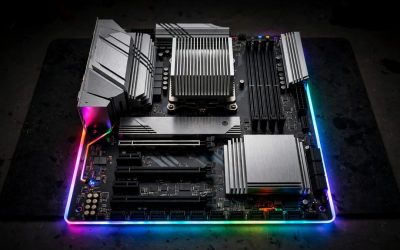
A gaming motherboard in the $400 range should give you a strong VRM, PCIe 5.0 support for both the graphics slot and at least one M.2 drive, Wi-Fi 7, 2.5GbE or faster networking, and enough M.2 slots for a large storage setup. For AMD builds, the ASUS ROG Strix X870E-E Gaming WiFi, MSI MPG X870E Carbon WiFi and ASRock X870E Taichi sit near this price. For Intel Core Ultra builds, the ASUS ROG Strix Z890-F Gaming WiFi and MSI MPG Z890 Carbon WiFi cover the same tier.
Quick comparison of motherboards around $400
| Pick | Best for | Key specs (per manufacturer spec sheets) | Usual price range |
|---|---|---|---|
| ASUS ROG Strix X870E-E Gaming WiFi | Best overall AM5 | AM5, PCIe 5.0 x16, multiple M.2 slots, Wi-Fi 7, 2.5GbE, USB4 | $420-$520 |
| MSI MPG X870E Carbon WiFi | Best for strong VRM and cooling | AM5, heavy VRM heatsinks, Wi-Fi 7, 5GbE, PCIe 5.0 M.2 | $450-$520 |
| ASRock X870E Taichi | Best for high-end features per dollar | AM5, robust power stages, USB4, Wi-Fi 7, PCIe 5.0 | $430-$500 |
| Gigabyte X870E Aorus Elite WiFi7 | Best value under $400 | AM5, PCIe 5.0, Wi-Fi 7, decent VRM, good M.2 count | $300-$380 |
| ASUS ROG Strix Z890-F Gaming WiFi | Best overall Intel | LGA1851, DDR5, PCIe 5.0, Wi-Fi 7, Thunderbolt 4 class ports | $380-$450 |
| MSI MPG Z890 Carbon WiFi | Best Intel for overclocking headroom | LGA1851, strong VRM, Wi-Fi 7, 5GbE | $420-$500 |
Prices are general market ranges and change with promotions. Always confirm the chipset, socket and memory type on the maker’s product page.
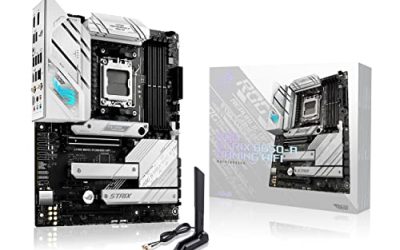
Best overall for AMD: ASUS ROG Strix X870E-E Gaming WiFi
This board suits buyers building a Ryzen 9000-series system who want a complete feature set. It offers PCIe 5.0 for the graphics slot and for M.2 storage, Wi-Fi 7, fast Ethernet and USB4. The trade-off is that you pay for premium extras such as audio and styling, which do not change frame rates. If you only need PCIe 5.0 and a solid VRM, a cheaper X870E or X870 board may match gaming performance.
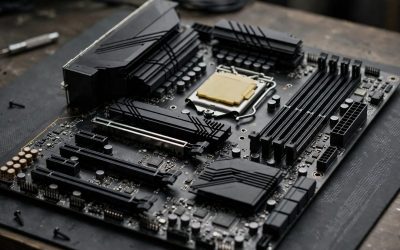
Best VRM and cooling: MSI MPG X870E Carbon WiFi
The Carbon line is known for strong power delivery and large heatsinks. That matters if you pair the board with a 16-core processor and run it hard for rendering or long sessions. For gaming alone, even a mid-range VRM runs a Ryzen 7 comfortably, so the gain is mostly headroom and longevity.
Best high-end features per dollar: ASRock X870E Taichi
The Taichi often offers more connectivity and heavier build quality for the money, including USB4 and plentiful M.2 slots. The trade-off is that BIOS updates and software are less polished than at some competitors, so check the latest BIOS before installing a new CPU generation.
Best value under $400: Gigabyte X870E Aorus Elite WiFi7
If a $400 target is a ceiling rather than a goal, this class of board gives you PCIe 5.0, Wi-Fi 7 and a good VRM at a lower price. You will give up some premium audio, USB4 ports and extra M.2 heatsinks, none of which affects gaming.
Best overall for Intel: ASUS ROG Strix Z890-F Gaming WiFi
For a Core Ultra 200S build, a Z890 board with a robust VRM, DDR5 support and Wi-Fi 7 is the logical choice. Intel platform boards at this tier also provide Thunderbolt ports on some models. Check the board’s CPU support list because the LGA1851 socket supports Core Ultra 200S processors only, not older Intel generations.
Best Intel for overclocking headroom: MSI MPG Z890 Carbon WiFi
This one targets owners of unlocked Core Ultra K-series chips who want good memory overclocking and thermals. Memory tuning gains for games are modest, so treat this as a bonus.
Worked example: does a $400 board need a $400 VRM?
A quick power budget shows how much VRM you need. Suppose a Ryzen 9 processor with a 170W package power limit runs at about 90% load, and the board’s CPU voltage regulator is 90% efficient.
| Item | Value |
|---|---|
| CPU package power (PPT) | 170 W |
| CPU core voltage under load | about 1.2 V |
| CPU current at 1.2 V | 170 / 1.2 = about 142 A |
| Power lost in VRM at 90% efficiency | 170 / 0.9 – 170 = about 19 W of heat |
| Typical VRM rating on a $400 board | often 80-110A power stages, around 16-20 phases |
| Typical VRM rating on a $200 board | often 60-80A stages, around 12-14 phases |
A 142A demand spread over 16 phases is about 9A per phase, well inside the 80A rating of each stage, and even a 12-phase board with 60A stages handles it with large margin. The difference shows up in heat. About 19W of waste heat is spread across the VRM heatsink, and larger heatsinks on premium boards run a few degrees cooler. For gaming, where CPU power rarely exceeds 100 to 125W, a $200-$250 board with a decent heatsink is enough. Pay for the premium board only if you need the extra connectivity or plan sustained all-core workloads.
What you actually get for $400
- PCIe 5.0 x16 slot. Today’s graphics cards do not saturate PCIe 4.0 x16, so this is future-proofing rather than a current fps gain.
- PCIe 5.0 M.2 slot. Useful for the fastest SSDs, which reach around 12,000-14,000 MB/s sequential reads, though game load times barely change from PCIe 4.0 drives.
- Wi-Fi 7 and 2.5GbE to 5GbE. Handy if your router supports Wi-Fi 7 or you move large files over a wired network.
- USB4 or Thunderbolt. Helps with fast external drives and docks.
- Debug display and BIOS flashback. Make troubleshooting and CPU upgrades without a spare chip much easier.
Compatibility and decision matrix
| Your build | Choose | Watch out for |
|---|---|---|
| Ryzen 7 9800X3D gaming PC | Gigabyte X870E Aorus Elite or similar $300 class | Spend savings on the GPU instead |
| Ryzen 9 9950X3D gaming and creation | ASUS ROG Strix X870E-E or MSI Carbon | Check BIOS version for CPU support |
| Core Ultra 7 265K or 9 285K | ASUS ROG Strix Z890-F or MSI Z890 Carbon | DDR5 only, LGA1851 cooler mounting |
| Many NVMe drives | Boards with 4-5 M.2 slots | Some slots share lanes with SATA ports |
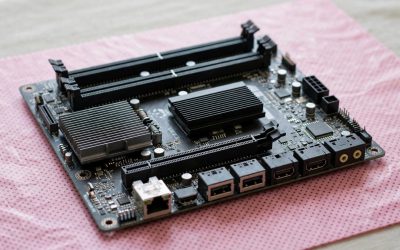
| Small case | ATX is common at this price, mini-ITX boards also reach $350-$450 | Confirm the case supports ATX or E-ATX |
How to choose: step by step
- Pick the CPU first. The socket decides the platform, AM5 for Ryzen and LGA1851 for Core Ultra 200S.
- Decide your budget split. For gaming, put more money into the GPU and keep the board near $200-$300 unless you need premium features.
- Count your storage. List how many M.2 drives you will use and make sure the board has enough slots with heatsinks.
- Check the rear I/O. Count the USB ports you need, including USB-C for front panel cases.
- Verify BIOS support. Some boards need a BIOS update to run newer CPUs, and BIOS Flashback lets you do it without a CPU.
- Check memory support. Both platforms use DDR5. Fast kits need a board with reliable memory training.
Frequently Asked Questions
Is a $400 motherboard worth it for gaming?
For gaming alone, usually not. A $200 to $300 board performs the same in games when paired with the same CPU and GPU. A $400 board is worth it if you need extra M.2 slots, USB4, 5GbE, stronger VRM cooling or you plan heavy productivity work.
Does the motherboard affect FPS?
Very little. Frame rates depend mostly on the GPU and CPU. A board can affect stability and memory overclocking, but the difference between boards on the same chipset is usually within a couple of percent.
Do I need PCIe 5.0 for gaming?
Not today. Current graphics cards lose little performance on PCIe 4.0 x16, and PCIe 5.0 drives bring small real-world gains in games. It is a reasonable feature to have for a long-lived build.
X870E or X870: which should I buy?
X870E adds PCIe 5.0 on more lanes and usually more USB4 and connectivity options. X870 boards are cheaper and are enough for most gaming builds. Compare the exact M.2 and PCIe lane layout on the board manuals.
Should I choose AMD or Intel at this price?
For pure gaming, AMD’s X3D processors have been the usual recommendation in published reviews, with AM5 offering a long upgrade path. Intel’s Core Ultra 200S boards suit mixed workloads and buyers who want Thunderbolt connectivity.
Related guides
More from Amazon
Programs that pair well with the guide above. Offers and eligibility are set by Amazon and may change.
A free business account with business pricing and bulk-buying tools for work, shop or home office.
Create a business accountFree shipping on eligible items, Prime Video and more. Eligible new members can start with a free trial.
Start a Prime free trialAudiobooks and podcasts to listen to on the go. Eligible new members can start with a free trial.
Try Audible freeAd-free music streaming. Eligible new subscribers can start with a free trial.
Try Music Unlimited freeAs an Amazon Associate we earn from qualifying purchases.