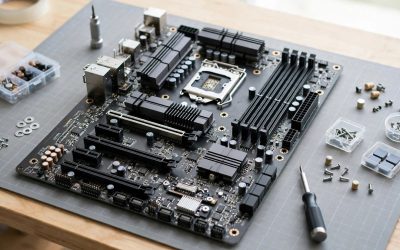
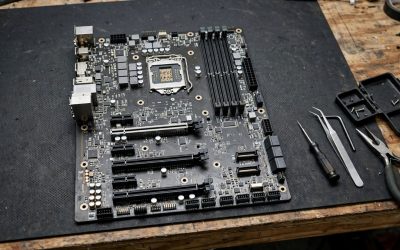
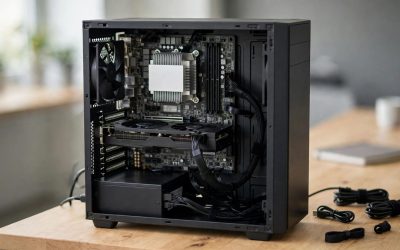
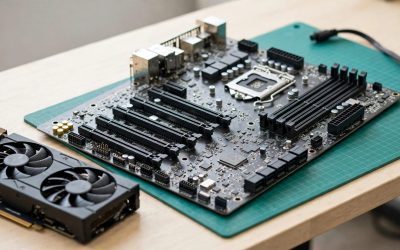
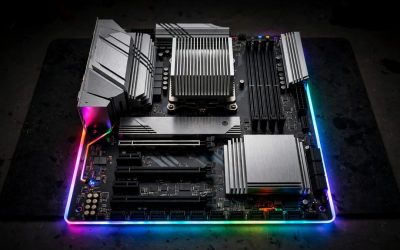
The best mini-ITX motherboards for 2026 builds are the AMD B850 and X870 boards from ASUS, Gigabyte, MSI and ASRock for Ryzen 9000-series CPUs, and Z890 boards for Intel Core Ultra. For most builders, a B850 mini-ITX board with Wi-Fi, a PCIe 5.0 x16 slot and two M.2 slots is the best balance, usually $200-$300. Choose X870 or Z890 only if you need extra USB4 or Thunderbolt ports and stronger power delivery.
Note on the query: “97 ITX” most likely points to the old Z97 chipset, which supported Intel Haswell and Broadwell CPUs and is long out of production. This guide covers the current mini-ITX generation, and it also explains what to do if you are still working with a Z97 build.
Our Top Picks


Top 3 picks at a glance
Quick comparison of mini-ITX picks
| Pick | Best for | Key specs | Price range |
|---|---|---|---|
| Best overall: ASUS ROG Strix B850-I Gaming WiFi | Ryzen 9000 gaming builds | AM5, DDR5, PCIe 5.0 x16, Wi-Fi 7, two M.2 | $250-$330 |
| Best value: MSI MPG B650I Edge WiFi or Gigabyte B650I Aorus Ultra | Ryzen 7000/9000 on a budget | AM5, DDR5, Wi-Fi 6E, two M.2 | $180-$260 |
| Best premium AMD: ASUS ROG Strix X870-I Gaming WiFi | High-end Ryzen 9 builds | AM5, USB4, strong VRM, Wi-Fi 7 | $330-$450 |
| Best Intel: ASUS ROG Strix Z890-I Gaming WiFi | Core Ultra builds | LGA 1851, DDR5, Thunderbolt 4, Wi-Fi 7 | $350-$450 |
| Best budget Intel: B860 mini-ITX class | Core Ultra 5/7 non-K builds | LGA 1851, DDR5, one or two M.2 | $180-$250 |
Exact models and availability change, so confirm the CPU support list on the manufacturer’s page before buying.
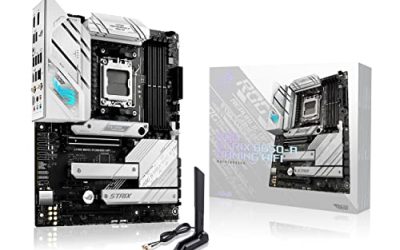
Best overall: ASUS ROG Strix B850-I Gaming WiFi
This board represents the sweet spot for AM5 small builds: a B850 chipset, a reinforced PCIe 5.0 x16 slot, two M.2 slots, and Wi-Fi 7 on a compact 17 x 17 cm board. Its power stages are rated well above what a Ryzen 7 or Ryzen 9 needs in gaming. Who it suits: gamers building 10-15 liter cases with a high-end GPU. Trade-off: the price premium over B650 boards, and the small board means only two memory slots and limited fan headers.
Best value: B650I-class boards
MSI and Gigabyte both make B650 mini-ITX boards that run the same Ryzen 7000 and 9000 CPUs for less. You lose some USB speed, newer Wi-Fi standards and sometimes the second PCIe 5.0 M.2 slot. If you are pairing a Ryzen 5 or Ryzen 7 with a mid-range GPU, this is the better purchase. Trade-off: some older B650 boards need a BIOS update to support the newest Ryzen chips, so confirm the BIOS version or Flashback support.
Best premium AMD: X870-I class
X870 mini-ITX boards add USB4 and typically better VRMs. If you plan a Ryzen 9 and an overclocked, power-hungry GPU in a tiny case, the stronger power delivery helps. For gaming alone, the real-world gain over B850 is small. The trade-off is a price that often exceeds $350.
Best Intel: Z890 mini-ITX
Intel’s Core Ultra 200S desktop CPUs use the LGA 1851 socket. Z890 mini-ITX boards bring Thunderbolt 4 and overclocking support. If you prefer Intel for software compatibility or productivity workloads, this is the platform. The trade-off is availability: there are fewer mini-ITX choices than on AM5, and prices sit at the top of the range.
If you are still on Z97
Z97 mini-ITX boards (LGA 1150, DDR3, 4th and 5th generation Core) are out of production. Buying one used makes sense only to keep an existing system alive. They lack NVMe boot support without a BIOS mod, USB 3.2, and modern Wi-Fi. For any new build, move to a current platform; the cost of a used Z97 board plus aging CPU is rarely worth it.
Worked calculation: PCIe bandwidth and M.2 lanes
Mini-ITX boards have limited lanes, so check how they are split. Per the PCIe specification, a PCIe 5.0 lane carries about 3.94 GB/s in each direction, so an x4 M.2 slot offers about 15.8 GB/s, and a PCIe 4.0 x4 slot about 7.9 GB/s. A PCIe 5.0 x16 GPU slot offers about 63 GB/s. Today’s GPUs seldom saturate an x16 PCIe 4.0 link (31.5 GB/s), so a PCIe 5.0 slot is a future-proofing feature rather than a performance gain.
Storage example: two PCIe 4.0 NVMe drives rated at 7,000 MB/s each can each use a full x4 link, so you need a board where both M.2 slots connect to the CPU or chipset without sharing lanes. Read the manual’s lane-sharing notes, since some boards disable SATA ports when a particular M.2 slot is populated.
Worked power example: will the VRM handle your CPU?
A Ryzen 7 9800X3D has a default 120 W TDP class, with socket power limits near 160 W under heavy load. At 1.2 V core voltage, 160 W equals about 133 A. A board with 8 or more power stages rated at 80 A each has enough headroom with margin to spare. For a Ryzen 9 9950X (170 W TDP, up to about 230 W socket power), you want 10+ stages or a board marketed for it, plus a case with real airflow over the VRM heatsink. In small cases VRM temperature is the first limit you hit, so choose a board with a larger heatsink or add a small fan.
Decision matrix
| Your situation | Choose |
|---|---|
| Ryzen 5/7 and RTX/RX mid-range GPU | B650I or B850I with Wi-Fi |
| Ryzen 7 X3D with a high-end GPU in a 10-liter case | B850I |
| Ryzen 9 or heavy rendering | X870-I |
| Intel Core Ultra and Thunderbolt peripherals | Z890 mini-ITX |
| Three or more NVMe drives | Pick a board with a rear or backside M.2 slot, or use an add-in card in the GPU slot only if the case allows |
| Existing Z97 system | Keep it running, or plan a full platform upgrade |
How to choose a mini-ITX board
- Case clearance first. Compact cases limit CPU cooler height, GPU length and thickness, and sometimes motherboard heatsink height. Measure before choosing.
- Memory. Mini-ITX boards have two DIMM slots. Plan 32 GB (2 x 16 GB) or 64 GB (2 x 32 GB) kits and check the board’s QVL for speeds. DDR5-6000 is the common sweet spot on AM5.
- Networking. Wi-Fi 6E or Wi-Fi 7 plus 2.5 GbE is standard. Confirm the antenna is included.
- Front panel and USB. Some small cases need a USB-C front-panel header; confirm the board has one.
- Fan headers. Expect 2-3. If your case uses many fans, buy a splitter or hub.
- BIOS support. Verify that the board supports your CPU out of the box or has USB BIOS Flashback.
- Audio and I/O. A small number of boards cut rear ports to save space, so count the USB ports you need.
Common mini-ITX build mistakes
The most frequent problem is a cooler that clears on paper but touches the RAM or the VRM heatsink. Check both the cooler height and its overhang. The second is lane sharing: populating a second M.2 slot can disable SATA ports. The third is power: SFX supplies of 650-850 W are plentiful, but confirm your GPU’s required 12V-2×6 connector cable length before choosing the PSU.
Top Picks for Mini-ITX Motherboards
Mini-ITX boards pack a full platform into a tiny footprint, so features vary a lot. These models cover recent AMD and Intel sockets and different price levels.
ASRock B650I Lightning WiFi AMD AM5 Mini-ITX Motherboard
A budget-friendly AM5 board that supports recent Ryzen processors. It is a sensible base for a compact gaming build. Check the case clearance for cooler height before ordering.
As an Amazon Associate we earn from qualifying purchases at no extra cost to you.

ASRock AMD B850I Lightning WiFi 6E Socket AM5 Mini-ITX
A newer chipset with Wi-Fi 6E and DDR5 support. It suits builders who want a current platform without a premium price. Look at the rear ports to be sure they cover your devices.

ASUS TUF Gaming B850I WiFi NEO AM5 Mini-ITX, DDR5, Wi-Fi 6E, 2.5Gb LAN
Adds 2.5Gb Ethernet and PCIe 5.0 in a durable design. It is a good fit for a small case that must still feel high end. Confirm the memory type before pairing it with RAM.

ASUS ROG Strix B850-I Gaming WiFi AM5 Mini-ITX, 10+2+1 Power Stages
A high-end small board with a strong power design. Consider it when you plan to pair powerful processors with tiny builds. Make sure the socket matches the processor you picked.

ASUS PRIME H610I-PLUS D4 LGA 1700 Mini-ITX Motherboard
An Intel option with DDR4 support, handy when you want to reuse older memory. It is a no-frills pick for a basic compact PC. Small boards need careful cable planning, so plan the layout early.

Frequently Asked Questions
Is mini-ITX worse for gaming performance than ATX?
No, the CPU and GPU perform the same on any board of the same chipset class. The differences are thermal headroom, fewer expansion slots and often a higher price. A well-cooled mini-ITX build can match a larger system in games.
Do I need X870 or Z890 for gaming?
Not usually. B850 and B860-class boards provide the same gaming performance for much less money. Higher-end chipsets add USB4, Thunderbolt and more robust power delivery, which matter for heavy overclocking or workstation use.
How many M.2 slots do mini-ITX boards have?
Most current boards have two, often with one on the back of the PCB. Some budget models have only one. If you need more storage, plan SATA drives or a larger single drive of 2-4 TB.
Can I still use a Z97 ITX board in 2026?
It still functions with Windows 10 era software, but Windows 11 support is officially limited, and you cannot use modern CPUs, DDR5, NVMe boot without workarounds, or current Wi-Fi standards. It is a reasonable choice only for a light home server or retro machine.
Which memory should I pair with a mini-ITX AM5 board?
A 32 GB DDR5-6000 CL30 kit is the usual recommendation for Ryzen 9000. Low-profile modules are worth considering if your cooler is large, because tall heat spreaders can collide with it in tight builds.
Related guides
More from Amazon
Programs that pair well with the guide above. Offers and eligibility are set by Amazon and may change.
A free business account with business pricing and bulk-buying tools for work, shop or home office.
Create a business accountFree shipping on eligible items, Prime Video and more. Eligible new members can start with a free trial.
Start a Prime free trialAudiobooks and podcasts to listen to on the go. Eligible new members can start with a free trial.
Try Audible freeAd-free music streaming. Eligible new subscribers can start with a free trial.
Try Music Unlimited freeAs an Amazon Associate we earn from qualifying purchases.