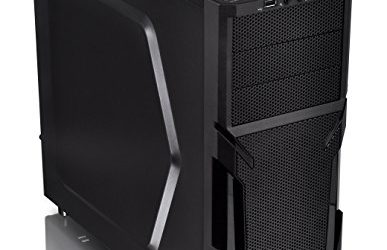
The best PC case for water cooling is one that fits your radiator size with room for fans, tubing, and a reservoir. For most builders, the Lian Li O11 Dynamic EVO is the best overall pick, the Corsair 7000D Airflow suits large custom loops, and the Fractal Design Meshify 2 is a strong choice for an all-in-one liquid cooler in a cleaner, airflow-focused build. Check radiator support first, then clearance for the pump and reservoir.
Quick comparison of the best water cooling cases
| Pick | Best for | Key specs (per manufacturer spec sheets) | Typical price range |
|---|---|---|---|
| Lian Li O11 Dynamic EVO | Best overall custom loop | Mid tower, dual-chamber glass, 360 mm radiators on top, side, and bottom | Usually $150-$200 |
| Corsair 7000D Airflow | Best for large loops | Full tower, 480 mm class radiator support in front and top, huge interior | Usually $250-$300 |
| Phanteks Enthoo Pro 2 class | Best for multi-radiator builds | Full tower, 420-480 mm radiator support, distribution plate friendly | Usually $150-$200 |
| Fractal Design Meshify 2 | Best for AIO and airflow | Mid tower, mesh front, 360 mm radiator on top and front | Usually $150-$190 |
| Budget mid tower class with 360 mm top support | Best budget | Mesh front, 280-360 mm radiator mounts, included fans | Usually $70-$120 |
Best overall: Lian Li O11 Dynamic EVO
The O11 Dynamic EVO became popular with custom loop builders because its dual-chamber layout keeps the power supply and cables out of sight and leaves the main chamber open for a radiator on the top, side, and bottom. Panels are glass, so the loop is the showpiece. Reconfigurable mounting lets you move the radiator and the motherboard orientation.
Who it suits: builders planning a soft-tube or hard-tube loop for a CPU and GPU with up to two 360 mm radiators. Trade-off: with glass on the front and side, airflow is limited unless you use the side and bottom fan spaces, so make sure your radiator and fan plan covers intake and exhaust.
Best for large loops: Corsair 7000D Airflow
A full tower gives you the room to run a thick 360 or 420 mm radiator in front plus another on top, with space for a large reservoir and pump. The 7000D Airflow has a perforated front for fresh air, which helps when radiators are used as intake. It also leaves a big gap between the motherboard and the front radiator, so thick radiators with fans do not collide with RAM or the GPU.
Trade-off: it is large and heavy, so check your desk space and expect a high price. A mid tower may do the job for smaller loops.
Best for multi-radiator builds: Phanteks Enthoo Pro 2 class
Cases in the Enthoo Pro 2 class are full towers designed around liquid cooling, with mounting points for reservoirs, pumps, and distribution plates. They support radiators up to 420 or 480 mm class in more than one position, per manufacturer specs. If you are planning a hard-line loop with several radiators, these cases give the most freedom.
Trade-off: very large size, and you need to confirm the exact version and radiator support before buying, as different revisions and sizes exist.
Best for AIO coolers and airflow: Fractal Design Meshify 2
If you use an all-in-one liquid cooler, a mesh-front case moves more air through the radiator and the GPU. The Meshify 2 supports a 360 mm radiator in front and top, and its angular mesh front gives fans a clear intake path. It is a good fit for people who want a quiet build that remains easy to maintain.
Trade-off: it lacks the display-style layout of an O11, and fitting a full custom loop is more cramped than in a dedicated showpiece case.
Best budget: mid tower with 360 mm top support
A budget case should have a mesh front panel, a top mount for at least a 280 mm radiator (360 mm is better), and included fans. In the $70-$120 range, look for a design with removable dust filters and a power supply shroud so cables stay clean. This class suits AIO coolers and not full custom loops.
Worked example: how much radiator do you need?
A widely used rule of thumb for custom loops is about 100-120 W of heat per 120 mm of radiator surface (one fan width) for moderate fan speeds. Thick radiators and higher fan speeds can exceed this, but it is a practical starting point.
| Loop components | Approx. heat load | Radiator capacity needed | Suggested layout |
|---|---|---|---|
| CPU only (125 W) | about 125-200 W under load | 240 mm | One 240 or 280 mm |
| CPU + mid GPU (125 W + 220 W) | about 345-400 W | 360 mm | One 360 mm |
| CPU + high-end GPU (150 W + 350 W) | about 500-600 W | 480-600 mm total | Two 360 mm |
| CPU + GPU overclocked (200 W + 450 W) | about 650-750 W | 720 mm total | Two 360 mm plus a third 120 mm |
The math: 500 W divided by roughly 110 W per 120 mm fan position gives about 4.5 positions, which is more than a single 360 mm (3 positions). Two 360 mm radiators give 6 positions, leaving headroom to run fans slowly and quietly. This is a general estimate; coolant temperature targets and fan speeds matter. A common goal is keeping the coolant no more than 10 to 15 degrees C above room temperature.
How to choose: decision matrix
| Your situation | Choose | Why |
|---|---|---|
| First custom loop, one radiator | Lian Li O11 Dynamic EVO | Clear layout, plenty of mounting |
| CPU and GPU loop with high overclocking | Corsair 7000D Airflow or Enthoo Pro 2 class | Room for two thick radiators |
| AIO cooler and quiet build | Fractal Design Meshify 2 | Mesh front and 360 mm support |
| Limited desk space | Mid tower with 360 mm top | Smaller footprint |
| Tight budget | Budget mesh mid tower | AIO-ready and cheap |
Checks before buying a water cooling case
- Radiator thickness: a 360 mm radiator that is 30 mm thick plus 25 mm fans needs about 55 mm of clearance; add RAM height on top mounts.
- Reservoir and pump space: check for mounting brackets or a distribution plate option.
- GPU length and thickness: large GPUs can collide with a front radiator.
- Drain access: being able to reach the fill port and a drain valve makes maintenance easier.
- Dust filters: radiators clog with dust, so removable filters save cleaning time.
Steps to plan a loop in a new case
- List your heat sources (CPU and GPU wattage from the manufacturer’s spec sheets) and add them to find total load.
- Choose radiator size using about 110 W per 120 mm as a baseline.
- Measure clearances for radiator thickness plus fans against the motherboard and RAM.
- Plan the flow order with the pump and reservoir first, then GPU and CPU blocks, then radiator; order matters little for temperature but matters for routing and filling.
- Leak-test off the PC for at least 24 hours with only the pump powered before connecting expensive parts.
Frequently Asked Questions
Is a custom loop better than an AIO?
A custom loop can cool both the CPU and GPU and can run quieter at the same temperature thanks to larger radiators. An AIO is simpler, cheaper, and nearly maintenance-free, so it is the better choice unless you enjoy building loops.
What size radiator fits in most mid-tower cases?
Most mid towers support a 240 or 280 mm radiator, and many current models support 360 mm in the top or front. Always check the manufacturer’s spec sheet for the thickness limit, since fans and a thick radiator can collide with RAM.
Do I need a case designed for water cooling?
Not for an AIO. For a custom loop, a case with reservoir mounts, radiator space on multiple sides, and drain access makes the build much easier and cleaner.
How often does a water-cooled PC need maintenance?
Custom loops usually need a coolant change every 6 to 12 months, depending on the coolant type, and dust cleaning every few months. AIO coolers are sealed and generally replaced when the pump fails.
Will water cooling lower my temperatures a lot?
A large radiator can reduce CPU and GPU temperatures by a noticeable margin compared with stock air cooling, and often lowers noise. The gains depend on the radiator size, fan speed, and room temperature, so expect differences of several degrees and not an enormous gap versus a top air cooler.
Related guides
More from Amazon
Programs that pair well with the guide above. Offers and eligibility are set by Amazon and may change.
A free business account with business pricing and bulk-buying tools for work, shop or home office.
Create a business accountFree shipping on eligible items, Prime Video and more. Eligible new members can start with a free trial.
Start a Prime free trialAudiobooks and podcasts to listen to on the go. Eligible new members can start with a free trial.
Try Audible freeAd-free music streaming. Eligible new subscribers can start with a free trial.
Try Music Unlimited freeAs an Amazon Associate we earn from qualifying purchases.