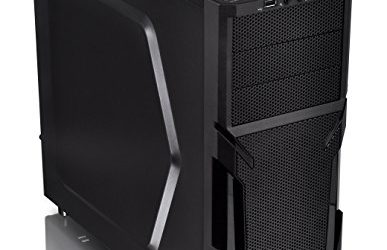
The best PC case for most builders in 2026 is a mesh-front mid tower such as the Lian Li Lancool 216, the Fractal Design North, or the Corsair 4000D Airflow, because they combine strong airflow, standard motherboard support and fair prices. If you want a showcase build with glass panels, the Lian Li O11 Dynamic EVO is the long-running favorite. This guide compares the picks, gives you a clearance checklist and a worked airflow calculation so you buy a case that fits your parts.
Quick comparison
| Pick | Best for | Key specs | Price range |
|---|---|---|---|
| Lian Li Lancool 216 | Best overall airflow | ATX mid tower, 2 x 160 mm front fans, GPU up to about 392 mm, cooler up to about 180 mm | Usually $90-$120 |
| Fractal Design North | Best looking and quiet | ATX mid tower, wood or metal front, mesh variants, GPU up to about 355 mm | Usually $130-$160 |
| Corsair 4000D Airflow | Best budget mainstream | ATX mid tower, mesh front, 2 fans included, GPU up to about 360 mm | Usually $90-$110 |
| NZXT H5 Flow | Best clean minimal build | Compact ATX mid tower, perforated front, GPU up to about 365 mm | Usually $90-$110 |
| Lian Li O11 Dynamic EVO | Best for showcase and liquid cooling | Dual-chamber glass, radiators up to 360 mm on side and top, GPU up to about 420 mm | Usually $150-$200 |
Dimensions follow each manufacturer’s published spec sheet and vary a little by revision and by whether front radiators or fans are installed. Always check the latest spec sheet before you buy.
Best overall: Lian Li Lancool 216
The Lancool 216 puts two large 160 mm fans at the front and a rear 140 mm fan, so it moves a lot of air at low noise. It has room for long graphics cards and tall air coolers, plus a front panel with USB-C. The compromise is a plain look and a thicker body than some competitors, which matters if desk space is tight.
Best design and low noise: Fractal Design North
The Fractal North brings a living-room friendly design and solid build quality. The mesh variant improves airflow, while the wood front looks great but restricts intake somewhat. GPU clearance is smaller than the Lancool, so very large cards need a measurement first.
Best budget: Corsair 4000D Airflow
The 4000D Airflow remains a safe low-cost pick. Cable management is easy, the front is a high-airflow mesh, and two fans are included. The trade-off is a more basic feature set than newer cases, and the PSU shroud space is limited when you use thick cables.
Best minimal: NZXT H5 Flow
The H5 Flow is a smaller mid tower with a perforated front and a clean design. It works for small desks and mainstream builds. It can feel cramped with large coolers or radiators, so check your cooler height.
Best showcase: Lian Li O11 Dynamic EVO
The O11 Dynamic EVO uses a dual-chamber layout with glass on two sides. It is popular for custom loops and for builders who want to show the parts. Airflow is good if you add enough fans, but the glass front means you rely on side and top intake. It costs more and takes longer to build.
Compatibility checklist
- Motherboard size: match ATX, micro-ATX or mini-ITX to the case. An ATX case also takes smaller boards.
- GPU length: measure the card from bracket to the far end, then leave at least 10 mm of clearance. If you plan front radiator fans, subtract the radiator thickness.
- CPU cooler height: compare the cooler’s listed height with the case’s stated limit, and leave a few mm of margin.
- Radiator support: check the top, front and side mounts and note whether the case supports your radiator thickness.
- PSU length: ATX power supplies up to about 160 mm fit most cases; long modular units need extra room for cables.
- Drive bays: count 2.5-inch and 3.5-inch bays if you want storage drives beyond M.2.
Worked example: airflow for a gaming build
Estimate your heat load first. Suppose your build has a CPU that peaks near 125 W and a graphics card at 300 W. With a motherboard, drives and fans, the system heat is around 450 W under gaming load, though the CPU rarely peaks at the same time as the GPU. Using a rough rule, one CFM of airflow can remove about 1.76 W per degree Celsius of temperature rise (this comes from the specific heat of air and is an approximation). If you want the case’s internal air to rise by no more than 10 C over room air, you need about 450 / (1.76 x 10) = 25.6 CFM through the case.
Most case fans move more than that on paper, but real flow falls with dust filters, mesh and radiators. A fan rated for 60 CFM in open air may deliver 30 to 40 CFM in a restricted case. Two front intakes plus one rear exhaust easily exceed 25 CFM, which is why mesh-front cases keep a 450 W system comfortable. A solid glass front with one intake may not.
| System heat (W) | Target rise over room air | Needed airflow (CFM) | Suggested fans |
|---|---|---|---|
| 250 | 10 C | about 14 | 2 intake, 1 exhaust |
| 450 | 10 C | about 26 | 2-3 intake, 1 exhaust |
| 650 | 10 C | about 37 | 3 intake, 1-2 exhaust |
| 450 | 5 C | about 51 | 3 intake, 2 exhaust, mesh front |
Positive or negative pressure?
Positive pressure means more intake than exhaust, so air leaves through gaps and dust enters through filters. This is a good setup for most home PCs. Negative pressure pulls dust through every gap, so use it only with clean rooms or if you need maximum hot-air extraction. Balanced setups with a slight positive pressure are a good middle ground.
What reddit builders tend to recommend
Community threads often point to mesh-front cases with included fans, easy cable management and good build quality. Treat those threads as a starting point, then check the clearance numbers for your own GPU and cooler. A case recommended for an RTX 4070 may not clear a larger RTX 4090-class card.
Frequently Asked Questions
What size case do I need?
Match the motherboard size. ATX mid towers are the most flexible because they fit ATX, micro-ATX and mini-ITX boards. Choose a smaller case only if desk space is limited and you accept tighter clearance.
Is a mesh front better than a glass front?
For temperatures, yes. Mesh lets air flow in freely. Glass looks better but restricts intake, so you need side or top fans to compensate. Choose glass only if the look matters more than a few degrees.
How many case fans do I need?
Two intake fans and one exhaust fan are enough for many gaming builds. High-power GPUs and overclocked CPUs benefit from a third intake or a top exhaust.
Will a big graphics card fit in my case?
Compare the card’s listed length and thickness to the case’s maximum GPU length. Leave a margin of about 10 mm, and check the case’s front radiator clearance if you plan to use one.
Do I need a case with a PSU shroud?
A shroud hides cables and helps airflow separation, but it is not required. Most builders prefer it for tidier builds. Make sure there is enough space behind the motherboard tray for cable routing.
Related guides
More from Amazon
Programs that pair well with the guide above. Offers and eligibility are set by Amazon and may change.
A free business account with business pricing and bulk-buying tools for work, shop or home office.
Create a business accountFree shipping on eligible items, Prime Video and more. Eligible new members can start with a free trial.
Start a Prime free trialAudiobooks and podcasts to listen to on the go. Eligible new members can start with a free trial.
Try Audible freeAd-free music streaming. Eligible new subscribers can start with a free trial.
Try Music Unlimited freeAs an Amazon Associate we earn from qualifying purchases.