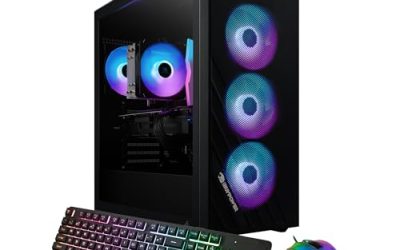
Buy the A8NVP-436US configuration if you want a Codex Z2 that needs nothing changed on day one: it pairs a Ryzen 7 8700F with an RTX 5070 with 12 GB of memory, 32 GB of DDR5 RAM and a 2 TB SSD, so no single part holds the others back. The cheaper Codex Z2 configurations cut the graphics card, the memory or the storage in ways that usually cost more to fix later than the saving is worth. If the budget is tighter, the RTX 5060 Ti configuration is the sensible step down, while the entry RTX 5060 models are only worth it for 1080p play.
This guide is for buyers choosing between Codex Z2 configurations and for shoppers comparing it with other prebuilt desktops in the same class. The five machines below were picked from Amazon listings and manufacturer spec sheets, led by the 436US and followed by four alternatives from CyberPowerPC, iBUYPOWER, Skytech and ASUS.
Our Top Picks

Top 3 picks at a glance
Quick Picks
As an Amazon Associate we earn from qualifying purchases
| Product | Best for | Key spec from title |
|---|---|---|
| MSI Codex Z2 A8NVP-436US | 1440p gaming with nothing to upgrade | Ryzen 7 8700F, RTX 5070 12GB, 32GB DDR5, 2TB SSD |
| CyberPowerPC Gamer Master GMA2900A2 | Same CPU for less money | Ryzen 7 8700F, RTX 5060 Ti 8GB, 16GB DDR5, 1TB SSD |
| iBUYPOWER Slate SWA5N5601 | Entry 1080p gaming in a white case | Ryzen 5 8400F, RTX 5060 8GB, 16GB DDR5, 1TB SSD |
| Skytech Archangel 5 | Intel build with a strong power supply | Core i5-14400F, RTX 5060 8GB, 16GB DDR5, 750W Gold PSU |
| ASUS ROG G700 G700TF-DS764 | CPU-heavy work as well as gaming | Core Ultra 7 265F, RTX 5060 8GB, 16GB DDR5, 1TB SSD |
How to Choose
Match the graphics card to your monitor
The graphics card decides what the Codex Z2 can actually play, so start there and let everything else follow. The RTX 5070 with 12 GB of memory is the only card in this line built for 1440p with settings turned up, while the RTX 5060 Ti with 8 GB handles 1080p easily and 1440p at more modest settings. The plain RTX 5060 with 8 GB is a 1080p card and nothing more, and it will lean on upscaling sooner than the others. One trap to avoid: there is no Codex Z2 with a 16 GB RTX 5060 Ti, because the 16 GB figure in those listings is the system memory, not the video memory.
Count the memory, and count the sticks
Memory is where the cheaper Codex Z2 configurations quietly give ground, and the headline number does not tell the whole story. Thirty-two gigabytes of DDR5 is the comfortable amount for gaming with a browser, chat and a stream open at the same time, while 16 GB is fine for gaming alone but leaves little headroom. Just as important is how the memory arrives: at least one configuration in this line ships a single 16 GB stick, which runs in single-channel mode until a second stick is added. Check the listing for the stick layout before buying, and budget for a matching stick if the machine ships with one.
Storage: 1 TB fills fast
A 1 TB drive sounds generous until the first few modern games land on it, and this is the second place where the cheaper Codex Z2 configurations cut corners. The top configuration ships a 2 TB NVMe SSD, which leaves room for a real game library plus the operating system and everyday files without constant uninstalling. The 1 TB configurations are workable if you play a small rotation of games or are happy adding a second drive later. Either way, confirm the drive is an NVMe SSD on a modern interface and check whether a spare M.2 slot is free before assuming an easy upgrade.
Cooling, power and connectivity
Every Codex Z2 cools its processor with air, so there is no liquid cooler to maintain and no pump to fail, but case airflow and fan noise are set by the stock cooler and the mesh front panel. Power supply wattage is not the same across the line: most configurations ship a 650W 80+ Gold unit, one 5060 Ti configuration ships 750W, and no wattage is published at all for the top 436US model, so do not assume a figure the maker never stated. Connectivity is solid, with Wi-Fi 6E, gigabit LAN, HDMI 2.1 and three DisplayPort outputs, and the Ryzen 7 8700F has no integrated graphics, so a dead graphics card means a blank screen.
The 5 Best Options
MSI Codex Z2 A8NVP-436US

This is the configuration to buy when the goal is a Codex Z2 that never makes you wish you had spent more. The Ryzen 7 8700F and the RTX 5070 with 12 GB of memory sit in the sweet spot for 1440p gaming, and the 32 GB of DDR5 RAM plus the 2 TB SSD mean the two upgrades buyers most often regret skipping are already done. The mesh front and tempered glass side panel keep the build looking like a gaming desktop rather than an office box, and the keyboard and mouse in the box mean it works out of the box once a monitor is connected.
- Specs:
- CPU: AMD Ryzen 7 8700F, 8 cores / 16 threads, up to 5.0 GHz boost
- GPU: NVIDIA GeForce RTX 5070, 12 GB GDDR7
- RAM: 32 GB DDR5
- Storage: 2 TB M.2 NVMe SSD
- Chipset: AMD B650
- Case: black mid-tower, mesh front, tempered glass side panel, RGB fans
- OS: Windows 11 Home
- Included: MSI gaming keyboard and mouse
- Best for: 1440p gaming with nothing to upgrade on day one
- Watch out for: the power supply wattage is not published for this configuration, so do not assume one; no monitor is included; check the live Amazon listing before buying, as availability was verified from indexed sources only
CyberPowerPC Gamer Master GMA2900A2
The CyberPowerPC keeps the same Ryzen 7 8700F as the top Codex Z2 and trades the graphics card down to an RTX 5060 Ti with 8 GB of memory, which is the cheapest way to keep the strong processor while spending less. Sixteen gigabytes of DDR5-6000 memory and a 1 TB PCIe 4.0 NVMe SSD are honest mid-range figures, and the B850 chipset is a newer board than the B650 in the MSI. It suits a buyer who plays at 1080p, dips into 1440p at modest settings, and would rather keep the better CPU than pay for the bigger graphics card.
- Specs:
- CPU: AMD Ryzen 7 8700F, 8 cores / 16 threads, 4.1 GHz base
- GPU: NVIDIA GeForce RTX 5060 Ti, 8 GB GDDR7
- RAM: 16 GB DDR5-6000
- Storage: 1 TB PCIe 4.0 NVMe SSD
- Chipset: AMD B850
- Connectivity: Wi-Fi 6, Bluetooth 5.3, 1x HDMI, 2x DisplayPort
- Case: tempered side panel, custom RGB lighting
- OS: Windows 11 Home
- Included: keyboard and mouse
- Best for: keeping the Ryzen 7 8700F while spending less on the graphics card
- Watch out for: Wi-Fi 6, not Wi-Fi 6E like the Codex Z2; 16 GB of RAM and 1 TB of storage will want upgrades sooner; do not confuse this model with the near-twin GMA2900A3; check the live Amazon listing before buying
iBUYPOWER Slate SWA5N5601
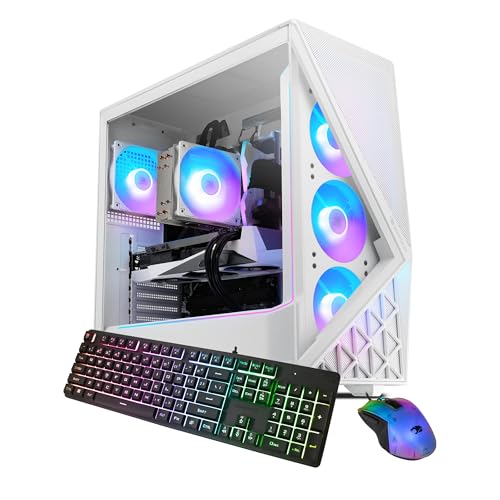
The iBUYPOWER Slate is the entry point of this group, built around the six-core Ryzen 5 8400F and an RTX 5060 with 8 GB of memory. That combination is honest about what it is: a 1080p gaming machine in a white tempered-glass case that looks far more expensive than its parts list. The 1 TB NVMe SSD and the included keyboard and RGB mouse keep it usable out of the box, and the white case suits a light-coloured desk setup. Just know the compromises are real, because the memory runs at 5200 MHz instead of the 6000 MHz in the other machines here.
- Specs:
- CPU: AMD Ryzen 5 8400F, 6 cores / 12 threads
- GPU: NVIDIA GeForce RTX 5060, 8 GB
- RAM: 16 GB DDR5 RGB, 5200 MHz, single 16 GB stick
- Storage: 1 TB NVMe SSD
- Connectivity: Wi-Fi Ready (802.11AC), gigabit Ethernet, 6x USB 3.1
- Case: white tempered glass RGB case
- OS: Windows 11 Home
- Included: keyboard and RGB mouse
- Best for: entry-level 1080p gaming in a white case
- Watch out for: the single 16 GB stick runs in single-channel mode as shipped; 5200 MHz memory is slower than the 6000 MHz in the Codex Z2 machines; Wi-Fi is 802.11AC, an older standard; check the live Amazon listing before buying
Skytech Archangel 5

The Skytech Archangel 5 is the only Intel machine in this group, pairing a Core i5-14400F with an RTX 5060 with 8 GB of memory, and its 750W Gold power supply is the strongest power figure among the alternatives. The white Archangel case with tempered glass and ARGB fans gives it the same light-coloured look as the iBUYPOWER, while the 16 GB of DDR5-6000 memory is faster than the iBUYPOWER’s 5200 MHz. It is a fair choice for a buyer who prefers Intel and wants power headroom, but its availability signals conflict, so the live listing must be checked before any decision is made.
- Specs:
- CPU: Intel Core i5-14400F, 2.5 GHz base, up to 4.7 GHz turbo
- GPU: NVIDIA GeForce RTX 5060, 8 GB GDDR7
- RAM: 16 GB DDR5-6000
- Storage: 1 TB NVMe M.2 SSD
- PSU: 750W Gold
- Connectivity: 802.11AC Wi-Fi, Windows 11 Home
- Case: white Archangel 5 case, tempered glass, ARGB fans
- Dimensions: 16.6 x 8.3 x 18.4 in
- Included: keyboard and mouse
- Best for: an Intel-based 1080p build with a strong power supply
- Watch out for: availability signals conflict between sources, so check the live Amazon listing first and drop this pick if it is out of stock; Skytech says the graphics card brand may vary by production batch, so never assume a brand; Wi-Fi is 802.11AC, not Wi-Fi 6E
ASUS ROG G700 G700TF-DS764

The ASUS ROG G700 brings the strongest processor in this group, a Core Ultra 7 265F with 20 cores and a boost up to 5.3 GHz, and pairs it with the same RTX 5060 with 8 GB of memory found in the entry-level alternatives. That balance suits a buyer whose machine will do CPU-heavy work as well as gaming, because the processor has far more headroom than anything else here while the graphics card stays honest about 1080p. Sixteen gigabytes of DDR5 and a 1 TB PCIe 4.0 SSD are the same mid-range figures as the other alternatives, so the processor is what you are paying for.
- Specs:
- CPU: Intel Core Ultra 7 265F, 20 cores / 20 threads, up to 5.3 GHz boost
- GPU: NVIDIA GeForce RTX 5060, 8 GB GDDR7
- RAM: 16 GB DDR5
- Storage: 1 TB M.2 NVMe PCIe 4.0 SSD
- OS: Windows 11 Home
- Model year: 2025
- Best for: CPU-heavy work alongside 1080p gaming
- Watch out for: the listing carried a low-stock flag with only one new offer left, so check the live Amazon listing before buying; do not confuse this 16 GB / 1 TB configuration with the 32 GB / 2 TB sibling model; never buy a seller-modified or custom-upgraded G700 as if it were the factory configuration
Which One Fits Your Situation
You want 1440p gaming with nothing to upgrade
Buy the MSI Codex Z2 A8NVP-436US. The RTX 5070 with 12 GB of memory is the only card in this group built for 1440p with settings turned up, and the 32 GB of RAM and 2 TB SSD remove the two upgrades buyers most often end up paying for later. The cheaper Codex Z2 configurations save money by cutting exactly those parts, so the saving is smaller than it looks once upgrades are counted.
Your budget is tight and you play at 1080p
Pick the iBUYPOWER Slate SWA5N5601 or the Skytech Archangel 5. Both pair an RTX 5060 with 8 GB of memory with a mid-range processor, which is plenty for 1080p play, and both include a keyboard and mouse. Choose the Skytech if you prefer Intel and want the stronger 750W power supply, and the iBUYPOWER if the white case and the lower memory speed do not bother you.
You want the same CPU for less money
Pick the CyberPowerPC Gamer Master GMA2900A2. It keeps the Ryzen 7 8700F from the top Codex Z2 and steps the graphics card down to the RTX 5060 Ti, which is the single most sensible trade in this whole group. You lose the 12 GB card, the extra memory and the bigger drive, but you keep the processor that will still be relevant when the graphics card is eventually replaced.
You also edit video or stream
Buy the MSI Codex Z2 A8NVP-436US if the work is memory-heavy, because 32 GB of RAM and a 2 TB drive matter more than a faster processor once editing timelines grow. If the work is processor-heavy instead, the ASUS ROG G700 with its 20-core Core Ultra 7 265F is the better tool, though its 16 GB of RAM will want an upgrade sooner.
Common Mistakes
- Buying a Codex Z2 expecting a 16 GB RTX 5060 Ti: the 16 GB figure in those listings is the system memory, and the card itself has 8 GB.
- Assuming every Codex Z2 has the same RAM and storage: configurations range from 16 GB with 1 TB to 32 GB with 2 TB, so read the SKU letter by letter.
- Expecting a monitor in the box: none of these desktops includes one, though the Codex Z2 and the alternatives do include a keyboard and mouse.
- Assuming liquid cooling or PCIe 5.0: every Codex Z2 cools its processor with air, and the Ryzen 7 8700F supports PCIe 4.0 only.
- Buying a single-stick 16 GB configuration and expecting dual-channel speed: add a matching stick if the machine ships with one.
Frequently Asked Questions
Which Codex Z2 configuration is the best value?
The A8NVP-436US is the best value if the budget stretches that far, because its RTX 5070, 32 GB of RAM and 2 TB SSD are the three parts buyers most often pay to upgrade later. The RTX 5060 Ti configuration is the sensible step down for 1080p and lighter 1440p play. The entry RTX 5060 configurations only make sense for strict 1080p budgets.
Does the Codex Z2 come with a monitor?
No, no monitor is included with any Codex Z2 configuration, and the same is true of the alternatives in this guide. A keyboard and mouse are included with the Codex Z2, so only a display is missing. The machine connects through one HDMI 2.1 port and three DisplayPort 1.4a outputs, which cover modern monitors.
Can I upgrade the RAM and storage later?
Yes, both are user-upgradeable in principle, with DDR5 memory slots and M.2 NVMe storage. The practical catch is the starting point: a configuration that ships a single 16 GB stick needs a matching stick for dual-channel speed, and a 1 TB drive fills fast with modern games. Confirm the spare slots are free before buying upgrade parts.
Is there a Codex Z2 with a 16 GB RTX 5060 Ti?
No, there is no such configuration in the Codex Z2 line. The RTX 5060 Ti in these machines has 8 GB of GDDR7 memory, and the 16 GB figure that appears next to it is the system RAM. One headline even printed 16 GB for the card, contradicting its own article text and the Amazon spec table, so treat any such claim as an error.
Related guides
More from Amazon
Programs that pair well with the guide above. Offers and eligibility are set by Amazon and may change.
A free business account with business pricing and bulk-buying tools for work, shop or home office.
Create a business accountFree shipping on eligible items, Prime Video and more. Eligible new members can start with a free trial.
Start a Prime free trialAudiobooks and podcasts to listen to on the go. Eligible new members can start with a free trial.
Try Audible freeAd-free music streaming. Eligible new subscribers can start with a free trial.
Try Music Unlimited freeAs an Amazon Associate we earn from qualifying purchases.