The best MSI gaming desktop for most people is a Codex Z2 or Codex R2 with an RTX 5060 Ti or RTX 5070, 32GB of DDR5 and a 1TB SSD; step up to an Aegis for liquid cooling and a bigger GPU, or to the MPG Infinite line for X3D processors and RTX 5080 or 5090 cards. MSI builds its desktops from standard parts, which is the main reason they are worth shortlisting. The catch is a short warranty on many models.
Searching for the best MSI gaming desktop usually means one of two things: you want a prebuilt from a brand known for motherboards and graphics cards, or you have seen a Codex or Aegis listing and want to know whether it is worth it. MSI’s desktop range is confusing because the names overlap generations: Codex, Aegis, Trident and the MPG Infinite family all sit side by side, and the same name can carry Intel or AMD processors. This guide sorts the lines by what they are for, explains the components that matter, and then lists the MSI configurations that exist in the site store, with honest trade-offs for each.
Our Top Picks
 msi Aegis R2 AI Gaming Desktop: Intel Core3271.64 cubic inches19.4 x 9.1 x 19 inches26.9 PoundsCheck on Amazon


Top 3 picks at a glance
Quick comparison of the picks
| Pick | Best for | CPU class | GPU class | RAM / SSD class | Cooling |
|---|---|---|---|---|---|
| Codex Z2, entry | Lowest MSI entry, 1080p | Ryzen 5 8400F class | RTX 5060 class | 16GB DDR5, 1TB | Air |
| Codex R2, entry Intel | Mainstream 1080p to 1440p | Core i5-14400F class | RTX 5060 class | 16GB DDR5, 1TB | Air |
| Codex Z2, RTX 5060 Ti | Balanced AMD mainstream | Ryzen 7 8700F class | RTX 5060 Ti class | 16GB DDR5, 1TB | Air |
| Codex R2 AI, Core Ultra 7 | Memory-rich mainstream | Core Ultra 7 265 class | RTX 5060 Ti class | 32GB DDR5, 1TB | Air |
| Codex Z2, RTX 5070 | 1440p high refresh | Ryzen 7 8700F class | RTX 5070 class | 32GB DDR5, 2TB | Air |
| Aegis R2, RTX 5070 Ti | High-end 1440p, light 4K | Core Ultra 9 285 class | RTX 5070 Ti class | 32GB DDR5, 2TB | Air |
| Aegis ZS, RTX 5080 | Maximum settings, 4K | Ryzen 9 9900X class | RTX 5080 class | 32GB, 2TB | Liquid |
How We Chose
This is research-based, based on published sources: we did not use these computers. We read MSI’s own product and landing pages, editorial reviews from Tom’s Hardware, Tom’s Guide and Consumer Reports, and owner feedback, then compared lines on component quality, cooling, upgrade path and warranty. The store listings used for the picks were checked against those line descriptions; where a listing’s exact parts could not be confirmed, we describe the class instead of the precise part. The ordering is editorial judgement.
MSI’s desktop families explained
Codex: mainstream and entry
Codex is MSI’s mainstream tower, available as the Codex R2 (Intel) and Codex Z2 (AMD). Tom’s Hardware’s Codex R2 review, which covered an earlier 14th-generation Intel configuration, described an air-cooled, mainstream gaming desktop built from standard components, so a later motherboard, power supply or GPU upgrade is straightforward in principle. The review also flagged two weaknesses: the air cooler was loud under gaming load and the one-year factory warranty is short compared with some rivals. MSI’s page for the Codex R2 AI 2nd lists a 650W 80+ Gold power supply, which is adequate for mid-range cards but leaves less room for a major GPU upgrade.
Aegis: the performance middle
Aegis is the step-up line. MSI introduced the Aegis RS2 AI and the Vision RS AI at CES 2026, which PCWorld framed as machines for maximum performance and quiet power with an upgrade-friendly design. Tom’s Guide’s Aegis RS2 review states that the Aegis uses a standard case and parts, with a Z790 board in the unit it reviewed. MSI’s Aegis R2 AI 2nd page lists power supplies up to 850W 80+ Gold. The Aegis ZS line, according to MSI’s US store, uses AMD Ryzen 9 processors and appears in several chassis styles.
MPG Infinite and Vision: the enthusiast tier
MSI’s Best of Gaming Desktop 2026 page lists the MEG Vision X AI 2nd as the flagship with a front touchscreen, then the MPG Infinite Z3 X3D, MPG Infinite X3 AI 2nd, MAG Infinite S3, MAG Infinite S AI 2nd, MAG Infinite E1 AI and MPG Trident AS AI 2nd. The Infinite Z3 X3D uses Ryzen X3D processors with 3D V-Cache, a B850 board, a 360mm liquid cooler and 850W or 1200W 80 Plus Gold power supplies per MSI’s spec pages, with configurations up to a Ryzen 7 9800X3D and RTX 5090. MSI also advertises an X3D Gaming Mode, which it says lifts game performance by 2 to 20 percent; that is a vendor claim, so treat the figure as marketing until independent results exist. The Infinite X3 AI 2nd is the Intel counterpart, with a Z890 chipset, Core Ultra 7 or Ultra 9 processors, a 360mm liquid cooler and 850W to 1200W Gold supplies. None of the Infinite or Vision systems appeared in the site store, so the picks below cover Codex and Aegis only.
Our picks
1. Best entry MSI: Codex Z2 with Ryzen 5 and RTX 5060
As an Amazon Associate we earn from qualifying purchases at no extra cost to you.

The smallest AMD Codex pairs a Ryzen 5 8400F-class processor with an RTX 5060, 16GB DDR5 and a 1TB NVMe SSD, with Wi-Fi and USB Type-C. It is the right size for 1080p high settings and many 1440p games with upscaling. The AM5 socket means you can upgrade the processor later without changing platform, which is a real advantage over older Intel generations. One thing to know: F-series Ryzen chips have no integrated graphics, so the graphics card is the only display output.
Best for: a first gaming PC. Skip if: you want 1440p ultra. Pros: AM5 upgrade path, standard parts. Cons: 16GB RAM, air cooler noise, 1-year warranty on MSI’s pages.
2. Best entry Intel option: Codex R2 with Core i5-14400F and RTX 5060

This Codex R2 uses a Core i5-14400F, an RTX 5060, 16GB DDR5 and a 1TB SSD, with an 80+ Gold supply and ARGB lighting. The 14th-generation Intel platform is the end of the line for that socket, so a CPU upgrade path is limited. If the price is meaningfully lower than the AMD Codex, it is a fine 1080p box; if not, take the AM5 machine. As with all entry builds, add a second memory kit when you can and keep the stock cooler’s noise in mind.
Best for: value 1080p gaming. Skip if: you want a long CPU upgrade path. Pros: Gold PSU, standard case. Cons: end-of-socket Intel platform, 8GB-class GPU memory limits at higher resolutions.
3. Best mainstream AMD: Codex Z2 with Ryzen 7 8700F and RTX 5060 Ti

Moving to a Ryzen 7 8700F, RTX 5060 Ti, 16GB DDR5 and 1TB SSD gives noticeably more headroom for 1440p. The 5060 Ti exists in 8GB and 16GB variants, and the listing should be checked for which one you receive, because VRAM is the first limit you will hit at 1440p with high textures. The 16GB of system memory is the second thing to improve.
Best for: 1440p at medium to high settings. Skip if: you play at 4K. Pros: strong CPU for the class, AM5. Cons: memory capacity, GPU VRAM uncertainty.
4. Best mainstream Intel: Codex R2 AI with Core Ultra 7 and 32GB
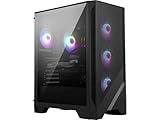
The Codex R2 AI pairs an Intel Core Ultra 7 265-class CPU with an RTX 5060 Ti, 32GB DDR5, a 1TB NVMe SSD, an 80+ Gold supply and Wi-Fi 7. It fixes the entry memory problem and uses a newer Intel platform than the 14th-generation Codex. MSI’s own page for this family lists a 650W 80+ Gold power supply, which suits this GPU class but is the first thing to replace if you move to a much larger card later.
Best for: a well-rounded 1440p machine. Skip if: you already know you will upgrade to a high-end GPU. Pros: 32GB DDR5, Wi-Fi 7, current Intel platform. Cons: 650W-class PSU headroom, air cooling noise.
5. Best value for 1440p high refresh: Codex Z2 with RTX 5070

This Codex Z2 uses a Ryzen 7 8700F, an RTX 5070 with 12GB, 32GB DDR5 and a 2TB SSD, which is the most balanced Codex configuration. The 12GB card handles 1440p high settings comfortably, and the 2TB drive avoids a second purchase. The weak point is the power supply and cooler class inherited from the Codex chassis, so a future GPU jump will likely include a PSU swap. It is still a better buy than the entry builds for anyone who plans to keep the PC for several years.
Best for: 1440p at 144Hz and above. Skip if: you want liquid cooling. Pros: 32GB, 2TB, 12GB VRAM. Cons: air cooler, PSU headroom.
6. Best step-up: Aegis R2 with RTX 5070 Ti and Core Ultra 9

The Aegis R2 AI configuration uses a Core Ultra 9 285-class CPU, an RTX 5070 Ti, 32GB DDR5, a 2TB NVMe SSD and air cooling. MSI’s spec page for the Aegis R2 AI 2nd lists power supplies up to 850W Gold, which is a better foundation for future upgrades than the Codex. The Core Ultra 9 is more CPU than most games need, so the price premium mostly buys platform quality and a larger GPU.
Best for: high-end 1440p and moderate 4K. Skip if: you play only 1080p. Pros: larger PSU, standard case, big SSD. Cons: CPU more than needed, air cooling at this tier.
7. Best top-end listing: Aegis ZS with Ryzen 9 and RTX 5080

The Aegis ZS listing pairs a Ryzen 9 9900X, an RTX 5080, 32GB RAM, a 2TB SSD, liquid cooling and Wi-Fi 7, with a keyboard and mouse included. It is the strongest MSI in the site store. Note that 9900X gaming performance is close to cheaper Ryzen 7 parts in most games, so the real value here is the RTX 5080 and the cooling. If you mainly game and the price gap to an X3D system is small, MSI’s Infinite Z3 X3D is the more game-focused alternative.
Best for: 4K and maximum 1440p. Skip if: you want the best gaming CPU for the money. Pros: RTX 5080, liquid cooling, bundled peripherals. Cons: CPU is a productivity chip, premium price class.
Buying guide: what each budget tier realistically buys
| Tier | MSI line to look at | What you get | Trade-off to accept |
|---|---|---|---|
| Entry | Codex Z2 / R2 with RTX 5060 | 1080p high, 1440p with upscaling | 16GB RAM, loud air cooler |
| Mainstream | Codex with RTX 5060 Ti or 5070 | 1440p high settings | Smaller PSU headroom |
| Performance | Aegis with RTX 5070 Ti | High-end 1440p | Paying for platform quality |
| Enthusiast | Aegis ZS, Infinite, Vision | 4K, X3D, liquid cooling | High cost, large case |
Red flags to check on any MSI listing
- 16GB RAM with a mid-range GPU: workable, but plan on 32GB.
- 8GB VRAM for 1440p and up: check the exact 5060 Ti variant.
- Single memory module: verify dual-channel.
- Weak cooling on a hot CPU: stock air coolers on Core Ultra 9 and Ryzen 9 CPUs are a compromise.
- Third-party bundles: some listings add antivirus bundles or reseller labels; the base machine is what matters.
Warranty: the thing to read twice
MSI’s pages for the Aegis R2 AI 2nd and Codex R2 AI 2nd list a one-year warranty, and Tom’s Hardware called the short coverage a drawback for the Codex R2. Consumer Reports lists 24 months with 24 months of telephone support for the Codex R2 unit it reviewed, and Adorama lists a limited 36-month warranty for one Aegis R2 14th-generation SKU. The conclusion is simple: warranty length varies by SKU and retailer. Read the exact listing and keep the order record. None of the sources we found say whether replacing the PSU or motherboard affects coverage, so ask MSI support before modifying a machine under warranty.
Upgrade path table
| Part | Codex | Aegis | Infinite / Vision |
|---|---|---|---|
| Graphics card | Easy, check PSU wattage | Easy, 850W class | Easy, 850W to 1200W |
| RAM | Easy | Easy | Easy, up to 128GB listed |
| SSD | Easy | Easy | Easy |
| Power supply | Standard, replaceable | Standard, replaceable | Standard, replaceable |
| CPU | AM5 yes; Intel 14th gen limited | Platform dependent | Platform dependent |
How to choose by monitor
A 1080p panel at 144Hz to 165Hz is well matched to an RTX 5060 class Codex. A 1440p panel at 165Hz to 240Hz fits RTX 5060 Ti to RTX 5070 class. 4K at 120Hz asks for RTX 5070 Ti or better, which is Aegis territory. Do not buy a bigger GPU than your monitor can use; the savings are better spent on memory or a larger SSD.
Cooling and noise: what the Codex reviews warn about
The most repeated criticism of the Codex is noise under load. Tom’s Hardware’s verdict called the air cooler loud while gaming, even though the system was quiet during ordinary desktop work, and the review summarised the machine as a solid entry-level desktop for buyers who can tolerate fan noise. That review covered an earlier configuration, so a newer Codex with a different processor and cooler may behave differently, but the lesson applies to every air-cooled tower in this price class: the cheaper the cooler, the more you will hear it. If you use speakers instead of headphones, or the PC sits on your desk, treat noise as a real criterion. The practical fixes are cheap: set a custom fan curve in the BIOS, keep the front intake clear, and consider a better CPU cooler later, since the platform uses standard mounting.
Liquid-cooled MSI systems, such as the Aegis ZS listing and the Infinite family with 360mm radiators, trade noise for complexity. A 360mm radiator spreads heat over a large area and lets the fans run slower, but it adds a pump and a failure point. For a Ryzen 9 or Core Ultra 9 processor the cooler is the right call; for a Ryzen 5 or Core i5, it is wasted money.
AMD or Intel inside an MSI desktop?
MSI sells both, and the name does not tell you which. The practical differences for a buyer are about the future, not the present. Current Ryzen Codex Z2 models use the AM5 socket, which means a later processor upgrade does not require a new motherboard. Intel Codex R2 models with 14th-generation chips use a socket that has reached the end of its life, while newer Core Ultra models use a newer platform. For games alone, X3D Ryzen processors lead on frame rate per dollar in many reviews, but MSI sells those only in the Infinite Z3 X3D, not in the Codex or Aegis listings in the store. For mixed gaming and work, a Core Ultra processor is a good all-rounder. Choose the platform you intend to keep, then match the GPU to your monitor.
One small trap: processors with an F suffix, such as the Ryzen 7 8700F, the Ryzen 5 8400F and the Core i5-14400F, have no integrated graphics. If your graphics card fails, the machine will not display anything until you replace it. That is rarely a problem, but it matters when you are troubleshooting.
Common mistakes with MSI listings
- Comparing the badge, not the configuration. Two Codex listings can differ by a full GPU tier. Always read the GPU, CPU, RAM and SSD.
- Ignoring the SKU warranty. As the warranty section shows, one-year, 24-month and 36-month terms all appear for MSI desktops.
- Overpaying for the CPU. The jump from a Core Ultra 7 to a Core Ultra 9 rarely changes game frame rates; the GPU does.
- Skipping the second memory kit. If the listing has 16GB, budget for another 16GB and install it as a matched pair.
- Using reseller-labelled bundles. Some listings are reseller bundles with extras; the base MSI configuration is what counts.
MSI compared with other approaches
MSI’s strength is that it makes motherboards, graphics cards and cases, so its desktops are built around parts it knows well. The weakness is the support model: the one-year warranty on many models is shorter than at some boutique builders, which sell three-year coverage on certain systems, as the Tom’s Hardware review pointed out when it compared the Codex R2 with a CyberPowerPC model. If warranty length matters most, compare the exact terms before you buy; if upgrade freedom matters most, MSI is a safe choice because its towers use standard parts.
Checklist before you order
- Name the line (Codex, Aegis, Infinite) and the processor platform.
- Check GPU model and VRAM size.
- Check RAM capacity and module count.
- Check SSD size.
- Check power supply wattage and rating.
- Check cooler type against the CPU class.
- Check warranty length on the exact listing.
Frequently Asked Questions
Are MSI gaming desktops good?
Yes, for their component quality and standard parts. Reviews describe the Codex and Aegis as upgrade-friendly. The common criticisms are a short one-year warranty on many models and air-cooler noise on the Codex.
What is the difference between MSI Codex and Aegis?
Codex is the mainstream, air-cooled line with 650W-class power supplies. Aegis is the performance line with larger GPUs, bigger PSUs up to 850W Gold on MSI’s pages and, on some models, liquid cooling.
Which MSI desktop is best for 1440p?
A Codex with an RTX 5060 Ti or RTX 5070, 32GB DDR5 and a 1TB or 2TB SSD. The RTX 5070 version is the better long-term choice.
Can I upgrade an MSI gaming desktop?
Generally yes. Tom’s Hardware and Tom’s Guide describe the Codex R2 and Aegis RS2 as using standard motherboards and power supplies, so graphics, memory, storage and PSU swaps are practical. Check PSU wattage before a large GPU upgrade.
Is the MSI Infinite Z3 X3D worth it?
If you game at high refresh rates and want an X3D processor with a 360mm cooler and a large PSU, yes. MSI’s 2 to 20 percent X3D Gaming Mode figure is a vendor claim, so do not buy on that number alone.
Does MSI include a keyboard and mouse?
Some configurations include them, as one Aegis ZS listing does. It varies by listing, so check the contents.
Sources
MSI Best of Gaming Desktop 2026 page; MSI MPG Infinite Z3 X3D, MPG Infinite X3 AI 2nd, Aegis R2 AI 2nd and Codex R2 AI 2nd product pages; Tom’s Hardware MSI Codex R2 review; Tom’s Guide MSI Aegis RS2 review; PCWorld CES 2026 MSI coverage; Consumer Reports MSI Codex R2 listing.
Last updated: October 2026