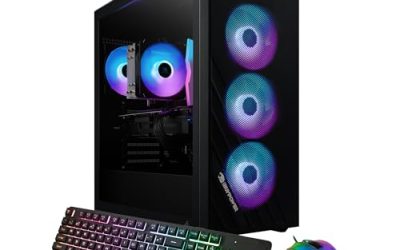
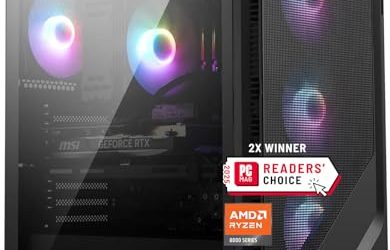
The best gaming PC build for an upper mid-range budget in 2026 pairs a Ryzen 5 9600X with a 16GB Radeon RX 9070 XT on an AM5 B650 board, with 32GB of DDR5-6000 and a 2TB NVMe SSD. It plays modern games at 1440p high settings and handles 4K with upscaling. If you want Nvidia’s ray tracing and DLSS, swap in a GeForce RTX 5070 Ti and a Ryzen 7 9700X. In both cases the graphics card should take roughly 40-45% of the total spend.
As an Amazon Associate we earn from qualifying purchases at no extra cost to you.


Our Top Picks
 GIGABYTE GeForce RTX 4070 Super WINDFORCE OC 12G2" x 5" x 10.3"10.27 x 4.96 x 0.1 inches2.8 poundsCheck on Amazon
 ASUS Dual GeForce RTX 5060 Ti 16GB GDDR7RTX5060Ti|OC|16GB9 x 4.7 x 2 inches1.4 poundsCheck on Amazon
 ASUS TUF Gaming GeForce RTX 4070 Super OCRTX4070 Super11.9 x 5.5 x 2.5 inches2.6 poundsCheck on Amazon

Top 3 picks at a glance
Quick comparison of the three builds
| Build | Best for | Key parts | Budget tier |
|---|---|---|---|
| Best overall | 1440p high refresh, strong value | Ryzen 5 9600X, RX 9070 XT 16GB, 32GB DDR5-6000, 2TB PCIe 4.0 NVMe, 850W PSU | Upper mid-range |
| Best for ray tracing and DLSS | RT games, streaming, creator apps | Ryzen 7 9700X, RTX 5070 Ti 16GB, 32GB DDR5-6000, 2TB NVMe, 850W PSU | Top of the mid-range |
| Best for esports and CPU-heavy games | 240Hz+ play, simulation, big strategy games | Ryzen 7 9800X3D, RTX 5070 12GB, 32GB DDR5-6000, 1-2TB NVMe, 750W PSU | Stretches the budget |
Prices move weekly, so treat these as spec classes. Pick the cheapest in-stock version of each part from a reputable retailer and keep the proportions below.
How to split the budget
A balanced build spends most of its money where games are most sensitive: the GPU. This is the allocation I would aim for, as a share of total spend.
| Component | Share of budget | Why |
|---|---|---|
| Graphics card | 40-45% | Sets resolution and settings ceiling |
| CPU | 15-18% | Matters for 1% lows and high refresh rates |
| Motherboard | 8-10% | B650 or B850 is enough; skip X-series boards |
| 32GB DDR5-6000 kit | 7-9% | CL30-CL36 is the sweet spot for AM5 |
| 2TB NVMe SSD | 7-9% | PCIe 4.0 is fine; Gen 5 adds little in games |
| Power supply | 7-9% | Quality 80+ Gold ATX 3.x unit |
| Case and cooling | 8-10% | Airflow matters more than looks |
Best overall: Ryzen 5 9600X + Radeon RX 9070 XT
This is the build for most people. The RX 9070 XT carries 16GB of GDDR6 on a 256-bit bus, which is enough VRAM for 1440p ultra textures and for many 4K titles with FSR upscaling. The Ryzen 5 9600X has 6 cores and 12 threads and a 65W TDP. That is plenty for a GPU in this class at 1440p, and it frees budget for the graphics card.
Who it suits: 1440p monitors at 144-240Hz, and players who want the most raster performance per unit of spend.
Trade-off: Ray tracing performance and upscaling support in some games still favor Nvidia. The 6-core CPU is also the first thing you may want to upgrade if you go to a 360Hz esports setup. AM5 makes that a simple drop-in swap.
Best for ray tracing and DLSS: Ryzen 7 9700X + GeForce RTX 5070 Ti
The RTX 5070 Ti has 16GB of GDDR7 on a 256-bit bus. Per the manufacturer’s spec sheet, its board power is 300W. It supports DLSS 4 with multi frame generation, and it has Nvidia’s NVENC encoders for streaming. The Ryzen 7 9700X adds 8 cores and 16 threads, which helps when you game while recording or run a browser and Discord alongside.
Who it suits: Anyone who plays ray-traced titles, streams, or does video editing and 3D work where CUDA support matters.
Trade-off: It costs noticeably more than the AMD build for similar rasterized frame rates. You will likely need a cheaper case, a smaller SSD, or a cheaper board to afford it.
Best for esports and CPU-heavy games: Ryzen 7 9800X3D + RTX 5070
The Ryzen 7 9800X3D is AMD’s gaming-focused 8-core chip with 96MB of L3 cache from 3D V-Cache. It leads most published CPU gaming charts, especially in simulation, MMOs and competitive shooters at 1080p and 1440p. The RTX 5070 has 12GB of GDDR7 on a 192-bit bus with a 250W board power, which suits 1440p well but leaves less VRAM headroom than the 16GB cards.
Who it suits: Players with 240Hz or faster monitors who care more about frame-time consistency than maximum texture settings.
Trade-off: 12GB of VRAM can run tight in a few heavily modded or 4K-texture games. Both parts are in demand, so the build often runs over budget. If it does, drop to a Ryzen 7 9700X and keep the GPU.
GPU specs that decide the build
| GPU | VRAM | Memory bus | Bandwidth (calculated) | Board power (reference) |
|---|---|---|---|---|
| GeForce RTX 5070 | 12GB GDDR7 | 192-bit | about 672 GB/s | 250W |
| GeForce RTX 5070 Ti | 16GB GDDR7 | 256-bit | about 896 GB/s | 300W |
| Radeon RX 9070 | 16GB GDDR6 | 256-bit | about 640 GB/s | 220W |
| Radeon RX 9070 XT | 16GB GDDR6 | 256-bit | about 640 GB/s | 304W |
Bandwidth is the bus width divided by 8, multiplied by the memory speed in Gbps. For example, 256 ÷ 8 × 28 Gbps gives 896 GB/s for the 5070 Ti. Partner cards often ship with higher power limits than the reference figures, so check the specific model.
Worked example: sizing the power supply
Take the best overall build. The RX 9070 XT draws up to 304W. The Ryzen 5 9600X can pull about 88W under load, based on AMD’s published socket power limit. Motherboard, RAM, SSD, fans and USB devices add roughly 75W.
- Sustained load: 304 + 88 + 75 = 467W
- Allow for brief GPU power spikes with a 1.5x multiplier on the total: 467 × 1.5 ≈ 700W
- Recommendation: a 750W unit is the minimum, and an 850W unit runs cooler and quieter and leaves room for a bigger GPU later.
For the RTX 5070 Ti build, the numbers are 300 + 88 + 75 = 463W, which gives the same answer. Look for an ATX 3.1 supply with a native 12V-2×6 connector if your card uses one, and avoid adapters where you can.
How much VRAM do you need?
| Resolution | Comfortable VRAM | Fits this guide’s GPUs? |
|---|---|---|
| 1080p high | 8GB | All |
| 1440p ultra | 12GB | All; 12GB is tight with ray tracing |
| 1440p ultra with ray tracing or heavy mods | 16GB | 9070, 9070 XT, 5070 Ti |
| 4K with upscaling | 16GB | 9070, 9070 XT, 5070 Ti |
These are practical guidelines based on how recent games allocate memory, not hard limits. Frame generation and ray tracing both add VRAM load.
How to choose: match the build to your situation
| Your situation | Choose |
|---|---|
| 1440p monitor, 144-165Hz, mostly single-player | Best overall (9600X + RX 9070 XT) |
| You stream or use CUDA/NVENC apps | Ryzen 7 9700X + RTX 5070 Ti |
| 240Hz+ monitor, esports or simulation titles | Ryzen 7 9800X3D + RTX 5070 |
| 4K TV or monitor at 60-120Hz | A 16GB card (RX 9070 XT or RTX 5070 Ti) with upscaling on |
| Want to save money without dropping a tier | RX 9070 (non-XT, 220W) with a 750W PSU |
As a rough guide, published reviews of cards in this class show about 80-120 FPS at 1440p high in demanding AAA games and 50-80 FPS at 4K with upscaling. Results vary widely with game, settings, CPU and patch version.
Where to save and where not to
- Don’t cut: the PSU, the GPU and 32GB of RAM. A poor PSU risks the whole system, and 16GB of RAM is already limiting in newer games.
- Save on: the motherboard (a B650 board with decent VRMs is enough for these CPUs), the SSD brand (a mainstream PCIe 4.0 drive loads games as fast as a Gen 5 drive in practice), and RGB.
- Cooling: a good dual-tower air cooler handles a 9600X or 9700X with ease. Only the 9800X3D benefits from a 240mm or 280mm AIO or a top-tier air cooler.
- Enable EXPO: Turn on the EXPO memory profile in the BIOS after building, or your DDR5-6000 kit will run at a much lower default speed.
Frequently Asked Questions
Is Intel or AMD better for a build at this budget?
AMD is the safer pick right now. AM5 supports current Ryzen chips and has a longer upgrade path, and the X3D chips lead gaming charts. Intel’s Core Ultra 7 265K is competitive in productivity tasks, but it usually costs more for the CPU-plus-board combination. It makes sense mainly if you do heavy multi-threaded work.
Is 16GB of VRAM necessary?
It’s not strictly necessary at 1080p or most 1440p play, but it is worth having at this price level. Cards with 16GB handle ray tracing, high-resolution textures and 4K upscaling with more headroom. A 12GB card like the RTX 5070 is fine for 1440p if you accept occasionally lowering texture quality.
Should I buy a prebuilt or build it myself?
Building yourself usually gives better parts for the money, especially in the PSU, motherboard and SSD, which prebuilts often skimp on. A prebuilt can make sense during a sale or if you value a warranty on the whole system. Check the exact PSU, RAM speed and cooler before buying.
How much RAM and storage should I get?
32GB of DDR5 in two sticks and a 2TB NVMe SSD is the practical target. Many current games exceed 100GB each, so 1TB fills quickly. Using two modules, rather than four, makes it easier to hold EXPO speeds on AM5.
Do I need to include a monitor in this budget?
That depends on your setup. If you need a new monitor, plan to spend a meaningful part of the overall budget on it, and drop one tier on the GPU or CPU to afford a good 1440p 144Hz+ panel. A strong GPU paired with an old 60Hz display wastes most of its performance.
Related guides
More from Amazon
Programs that pair well with the guide above. Offers and eligibility are set by Amazon and may change.
A free business account with business pricing and bulk-buying tools for work, shop or home office.
Create a business accountFree shipping on eligible items, Prime Video and more. Eligible new members can start with a free trial.
Start a Prime free trialAudiobooks and podcasts to listen to on the go. Eligible new members can start with a free trial.
Try Audible freeAd-free music streaming. Eligible new subscribers can start with a free trial.
Try Music Unlimited freeAs an Amazon Associate we earn from qualifying purchases.